The best WiFi 6 routers for most homes are the TP-Link Archer AX55 for value, the ASUS RT-AX86U Pro for gaming, the TP-Link Archer AX73 for larger single-router coverage, and a WiFi 6 mesh system such as the eero 6+ when walls or multiple floors make one router unreliable.
As an Amazon Associate we earn from qualifying purchases at no extra cost to you.



Our Top Picks
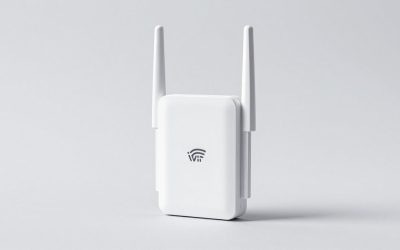
 TP-Link Dual-Band AX3000 Wi-Fi 6 Wireless Gigabit InternetAX300012.99 x 9.45 x 2.87 inches1.66 PoundsCheck on Amazon
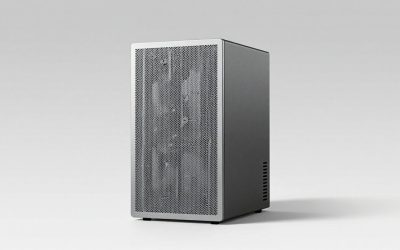
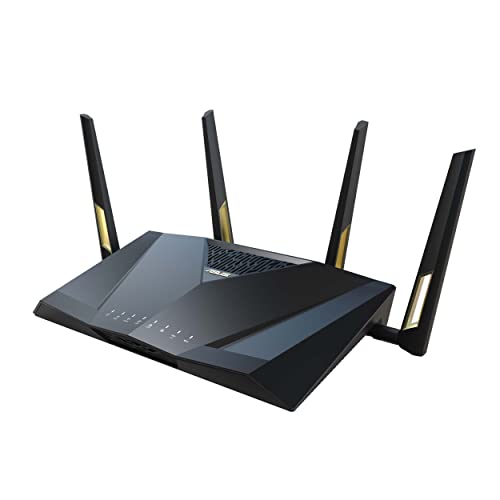 ASUS RT-AX88U PRO AX6000 Dual Band WiFi 6207.57 cubic inches11.81 x 7.4 x 2.38 Inches2.23 poundsCheck on Amazon
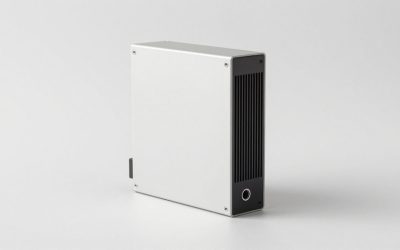
 ASUS ROG Rapture GT-AX11000 Pro Tri-Band WiFi 6Large13.94 x 13.94 x 7.6 inches4.81 poundsCheck on Amazon


Top 3 picks at a glance
Quick comparison: best WiFi 6 routers by use case
| Router | Best for | Wireless class | Wired ports | Practical home size | Price tier |
|---|---|---|---|---|---|
| TP-Link Archer AX55 | Value and medium homes | AX3000 | 1Gbps WAN, 4x 1Gbps LAN | Small to medium | Budget |
| TP-Link Archer AX73 | More coverage and devices | AX5400 | 1Gbps WAN, 4x 1Gbps LAN | Medium to large | Mid-range |
| ASUS RT-AX86U Pro | Gaming and fast wired networking | AX5700 | 2.5Gbps port plus 1Gbps LAN ports | Medium to large | Mid-range to premium |
| ASUS RT-AX88U Pro | Many wired devices | AX6000 | 2.5Gbps WAN/LAN, 2.5Gbps LAN, 4x 1Gbps LAN | Large single-floor homes | Premium |
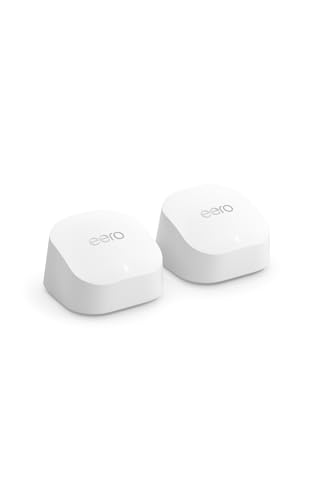
| eero 6+ | Simple WiFi 6 mesh | AX3000 | 2x auto-sensing gigabit ports per unit | Multi-floor or difficult layouts | Mid-range to premium for multi-unit kits |
Wireless class is a theoretical combined rating, not the speed one device will receive. A WiFi 6 client commonly uses either a 2×2 radio or a smaller configuration, so a single laptop or phone will not approach an AX5400 or AX6000 label.
Our top choices
TP-Link Archer AX55: the sensible default
The Archer AX55 is one of the best WiFi 6 routers for apartments, smaller houses, and households with a normal number of phones, laptops, televisions, and smart-home devices. Its AX3000 class combines a 2.4GHz band rated around 574Mbps with a 5GHz band rated around 2,402Mbps under ideal conditions.
Its four gigabit LAN ports are enough for a gaming PC, console, smart TV, and one additional wired device. It is a good match for internet plans up to 1Gbps, although actual internet throughput depends on the provider, Ethernet hardware, and router processing overhead. Coverage is strongest when placed centrally, rather than beside the modem at one end of the house.
Choose it when you want reliable WiFi 6, WPA3 support, guest networking, parental controls, and a straightforward setup without paying for multi-gigabit hardware you may not use.
TP-Link Archer AX73: better single-router coverage
The Archer AX73 increases the wireless capacity to AX5400 class and uses six external antennas. That does not make its signal magically six times stronger, but the extra radio capacity can help when several devices are active at once. It is a better fit for a medium or larger home where a single centrally positioned router must serve many clients.
It still has gigabit Ethernet, so it is not the best choice for a local network built around 2.5Gbps NAS storage or a faster-than-gigabit internet connection. For ordinary broadband, 4K streaming, video calls, and gaming, that limitation may not matter.
The AX73 is preferable to the AX55 when your problem is congestion or a somewhat larger floor plan. If the problem is thick concrete, multiple floors, or a router location forced into a corner, a mesh system is usually a better solution than buying an even larger standalone router.
ASUS RT-AX86U Pro: the gaming-focused pick
The ASUS RT-AX86U Pro is among the best WiFi 6 routers for gaming because it combines strong WiFi capacity with a 2.5Gbps Ethernet port, gaming traffic controls, and detailed configuration options. A wired gaming PC should still be the first choice: Ethernet removes the variable radio link and normally gives the most consistent latency.
Its gaming features can prioritize a console or PC, but traffic prioritization cannot create bandwidth that is not available. For example, if a household has a 100Mbps upload connection and a cloud backup consumes 95Mbps, a game may still experience delay unless the router manages the upload queue. Adaptive QoS and bandwidth limits are useful here because they control the source of bufferbloat rather than merely increasing the WiFi speed.
Use the 2.5Gbps port for a multi-gigabit modem, a fast desktop, or a NAS. Use the standard LAN ports for consoles and other equipment. ASUS also provides WPA3, guest networking, VPN functions, and AiProtection security features, though some advanced protections and controls can depend on the current firmware or subscription terms.
ASUS RT-AX88U Pro: the wired-device specialist
The RT-AX88U Pro is a strong option for a large home office, gaming room, or household with many wired clients. It has two 2.5Gbps ports plus four gigabit LAN ports, so one multi-gig port can take a faster internet connection while the other links a fast desktop, NAS or switch.
Its AX6000 rating is useful as a capacity indicator, not as a promise that one phone will download at 6Gbps. It is most attractive when several people use WiFi simultaneously and multiple desktops, access points, consoles, or network storage devices need wired connections.
eero 6+: easiest route to whole-home coverage
The eero 6+ is a mesh system rather than a high-control enthusiast router. It is a good choice for homes with dead zones, open-plan layouts interrupted by dense walls, or two floors that a single router cannot cover consistently.
Mesh placement matters. A satellite should be close enough to the main unit to receive a strong signal; putting it inside the weak zone often creates a weak wireless backhaul. If possible, connect mesh units with Ethernet. Wired backhaul leaves more wireless airtime available for phones, computers, and games.
The eero approach is deliberately simple, but it offers fewer detailed controls than ASUS or TP-Link models. It is best for someone who values easy management and consistent coverage more than advanced channel tuning, extensive port capacity, or granular QoS settings.
GL.iNet Flint 2 (GL-MT6000): best value for multi-gig and VPN users

The Flint 2 is the router to choose if you want two multi-gig ports, strong VPN performance and deep configuration options without moving into the premium tier. It is a dual-band AX6000 router with 4×4 radios on both bands, rated at about 1,148Mbps on 2.4GHz and 4,804Mbps on 5GHz. Inside is a 2.0GHz quad-core MediaTek Filogic 830 processor with 1GB of RAM and 8GB of storage, which is generous for a home router and helps with VPN encryption and add-on packages.
Its wired layout is the main attraction: one 2.5Gbps WAN port, one 2.5Gbps WAN/LAN port, four gigabit LAN ports and a USB 3.0 port. That lets you connect a multi-gig modem and a 2.5Gbps desktop or NAS at the same time, which the ASUS RT-AX86U Pro cannot do with its single multi-gig port. GL.iNet’s firmware is based on OpenWrt, and the router can also run standard OpenWrt for users who want full control. GL.iNet quotes WireGuard VPN throughput of up to about 900Mbps, which makes it attractive for whole-home VPN use.
Setup tip: Connect the modem to the dedicated 2.5Gbps WAN port and reserve the 2.5Gbps WAN/LAN port for your fastest wired device. If you plan to run a VPN for the whole household, choose WireGuard in the VPN client settings, then use policy routing to exclude game consoles or streaming boxes that perform better on a direct connection. Keep the stock firmware at first; switching to standard OpenWrt is easier once you know which features you actually use.
Best for: enthusiasts, remote workers who route traffic through a VPN, and anyone with a faster-than-gigabit plan who also wants a fast wired link to a PC or NAS.
Drawbacks: the interface exposes many advanced options that casual users will not need, it lacks the polished gaming dashboards and mobile app of ASUS, and only two of the six Ethernet ports are multi-gig. OpenVPN speeds are much lower than WireGuard.
Compared with the existing picks: it offers more multi-gig flexibility than the RT-AX86U Pro at a lower market position, but ASUS remains the easier choice for gaming-specific QoS and guided setup.
ASUS ROG Rapture GT-AX11000 Pro: best premium WiFi 6 gaming router

The GT-AX11000 Pro is a tri-band WiFi 6 router aimed at gaming households with fast internet and many active devices. It combines a 2.4GHz band with two 5GHz bands, each 5GHz radio rated up to 4,804Mbps with 160MHz channels, eight external antennas and ASUS RangeBoost Plus. A 2.0GHz quad-core processor with 1GB of RAM handles traffic management.
The wired side is unusually strong for WiFi 6: a 10Gbps WAN/LAN port, a 2.5Gbps WAN/LAN port, four gigabit LAN ports, plus USB 3.2 Gen 1 and USB 2.0 ports. That makes it suitable for multi-gig internet plans, a 10Gbps desktop or NAS, and link aggregation. Gaming features include ASUS’s triple-level game acceleration, which prioritises the gaming device, game packets and the route to the server, alongside adaptive QoS, AiMesh support for adding nodes later, VPN Fusion and subscription-free AiProtection security.
Setup tip: Plug the gaming PC or a multi-gig switch into the 10Gbps port, and use the 2.5Gbps port for the modem if your plan exceeds 1Gbps. Enable the game acceleration features only for the devices that need them, and leave adaptive QoS bandwidth set to your measured speeds rather than the plan’s advertised figure. Because it is large and generates heat, give it open space on a shelf rather than inside a cabinet.
Best for: large homes with several gamers and streamers, multi-gig fiber users, and anyone who wants a single powerful router with room to expand into an ASUS mesh.
Drawbacks: it is large, cannot be wall-mounted and uses a bulky power adapter. It also sits firmly in the premium tier, and a built-in gaming VPN service is not included. For a typical 300Mbps to 1Gbps connection, much of its capacity goes unused.
Compared with the existing picks: it steps beyond the RT-AX86U Pro with a second 5GHz band and a 10Gbps port. Choose the RT-AX86U Pro if your plan is 1Gbps or slower and you mainly need good QoS.
TP-Link Archer AX80: best mid-range router with a 2.5Gbps port

The Archer AX80 fills the gap between the gigabit-only Archer AX73 and the more expensive ASUS models. It is a dual-band AX6000 router with 4×4 radios rated at about 4,804Mbps on 5GHz and 1,148Mbps on 2.4GHz, 160MHz channel support, eight external antennas and a 2.0GHz quad-core CPU with 512MB of memory.
Its key upgrade over the AX55 and AX73 is a 2.5Gbps WAN/LAN port. You can use it for a multi-gig internet connection or, if your plan is gigabit, as a fast LAN port for a desktop or NAS while the internet arrives on the separate 1Gbps WAN/LAN port. Three more gigabit LAN ports and a USB 3.0 port complete the rear panel. The router supports WPA3, VPN server and client modes, TP-Link HomeShield and OneMesh, so compatible TP-Link extenders can be added to form a simple mesh.
Setup tip: Decide early which port receives the internet connection. On a gigabit plan, use the 1Gbps WAN/LAN port for the modem and keep the 2.5Gbps port for a desktop or NAS; on a multi-gig plan, do the reverse. Enable 160MHz channels on 5GHz for nearby laptops that support them, but fall back to 80MHz if older devices connect unreliably.
Best for: households upgrading to a 2Gbps plan, or anyone who wants one multi-gig wired link without paying for gaming branding.
Drawbacks: only three dedicated gigabit LAN ports remain once the internet and multi-gig device are connected, some HomeShield features require a subscription, and TP-Link’s QoS is simpler than ASUS’s adaptive QoS. TP-Link does not publish an official coverage figure.
Compared with the existing picks: it is the logical step up from the Archer AX73 when you need multi-gig, and a lower-tier alternative to the RT-AX86U Pro if advanced gaming controls are not important.
NETGEAR Nighthawk RAX54S: best for straightforward setup and app control

The Nighthawk RAX54S is a dual-band AX5400 router designed for medium homes with plans up to 1Gbps. Its 5GHz band is a 4×4 radio with 160MHz support rated up to about 4.8Gbps, and its 2.4GHz band is a 2×2 radio rated up to 574Mbps. NETGEAR rates coverage at up to about 2,500 square feet and 25 active devices, with a triple-core processor, 512MB of RAM and four high-performance antennas.
Wired connections are all gigabit: one WAN port and four LAN ports, plus a USB 3.0 port for storage or printer sharing. The Nighthawk app handles setup, speed checks, guest networks and basic device management. A one-year NETGEAR Armor security subscription is included for device protection and VPN; after that it becomes a paid renewal.
Setup tip: Use the Nighthawk app for initial setup, then log into the web interface to adjust settings the app hides, such as channel width and DHCP reservations. Note the Armor renewal date when you first activate it, so you can decide before it expires whether to pay or rely on free alternatives such as guest networks and automatic firmware updates.
Best for: users who want a guided app-based setup, a familiar brand and reliable WiFi 6 performance on a gigabit-or-slower plan.
Drawbacks: there is no multi-gig port, several useful security features depend on the Armor subscription, and advanced controls are thinner than on ASUS or GL.iNet routers. Users who want detailed QoS tuning should look elsewhere.
Compared with the existing picks: it competes directly with the Archer AX73: similar class and port layout. Choose the NETGEAR for its app experience and the TP-Link for value.
TP-Link Deco X55: best budget WiFi 6 mesh system

The Deco X55 is the most affordable route to whole-home WiFi 6 mesh coverage in this guide. Each unit is an AX3000 dual-band node rated at about 2,402Mbps on 5GHz and 574Mbps on 2.4GHz. TP-Link rates a three-pack at up to about 6,500 square feet and 150 connected devices, with a two-pack covering up to about 4,500 square feet.
Every unit has three auto-sensing gigabit Ethernet ports, so any node can connect to the modem, and satellites can provide wired connections to a TV, console or PC in another room. Ethernet backhaul is supported, which is the best way to get full performance from a dual-band mesh. Setup and management run through the Deco app, with HomeShield security and parental controls included at a basic level.
Setup tip: Place the first satellite roughly halfway between the main unit and the dead zone, not inside it, and check the connection quality in the Deco app before mounting anything permanently. If your home has Ethernet runs, connect the units with cable: the Deco app detects wired backhaul automatically, and satellite speeds improve noticeably.
Best for: multi-floor homes and awkward layouts on a budget, especially where Ethernet can link the units.
Drawbacks: as a dual-band system, wireless backhaul shares the 5GHz band with your devices, which reduces speed at satellite nodes; there are no multi-gig ports (the separate Deco X55 Pro adds 2.5Gbps ports); and some HomeShield features require a subscription.
Compared with the existing picks: it is the budget alternative to the eero 6+, with more Ethernet ports per unit. The eero offers a simpler app and Thread smart-home support; the Deco offers more wired flexibility.
ASUS ZenWiFi XT8: best tri-band mesh for large homes without Ethernet

The ZenWiFi XT8 solves the main weakness of dual-band mesh systems. It is a tri-band AX6600 system with a 2.4GHz band (up to 574Mbps), a 2×2 5GHz band (up to 1,201Mbps) for devices and a 4×4 160MHz 5GHz band (up to 4,804Mbps) that can be dedicated to backhaul between nodes. That dedicated link keeps satellite speeds much closer to the main router when Ethernet cannot be run between rooms. ASUS rates a two-pack at up to about 5,500 square feet.
Each node has a 2.5Gbps WAN/LAN port, three gigabit LAN ports and a USB 3.0 port. On satellites, the 2.5Gbps port acts as a LAN port. The system supports wired backhaul, dual-WAN failover, AiMesh with other ASUS routers, and ASUS’s full router firmware with adaptive QoS, parental controls and AiProtection security without a subscription.
Setup tip: Leave the 4×4 5GHz band set as a dedicated backhaul when the nodes connect wirelessly. If you add wired backhaul later, switch that band to serve clients as well, so fast laptops can use it. Use the node placement indicator in the ASUS app and aim for a strong signal between units rather than maximum distance.
Best for: large or multi-floor homes where Ethernet is not available, and users who want router-level controls in a mesh system.
Drawbacks: it costs considerably more than dual-band mesh kits, it is an older design compared with newer WiFi 7 mesh systems, and the units are larger than eero or Deco nodes.
Compared with the existing picks: it delivers more consistent satellite performance than the eero 6+ or Deco X55 without wired backhaul, and far more configuration options than eero.
Additional picks compared
| Model | Type | Wireless class | Multi-gig ports | Gigabit LAN ports | Best for | Price tier |
|---|---|---|---|---|---|---|
| GL.iNet Flint 2 | Router | AX6000 dual-band | 2 x 2.5Gbps | 4 | VPN, multi-gig, enthusiasts | Mid-range |
| ASUS ROG Rapture GT-AX11000 Pro | Router | AX11000 tri-band | 1 x 10Gbps, 1 x 2.5Gbps | 4 | Gaming, fast fiber, large homes | Premium |
| TP-Link Archer AX80 | Router | AX6000 dual-band | 1 x 2.5Gbps | 3 (plus 1 x 1Gbps WAN/LAN) | Affordable multi-gig upgrade | Mid-range |
| NETGEAR Nighthawk RAX54S | Router | AX5400 dual-band | None | 4 | App-based setup, plans up to 1Gbps | Mid-range |
| TP-Link Deco X55 | Mesh (2- or 3-pack) | AX3000 dual-band | None | 3 per unit (auto-sensing) | Budget whole-home coverage | Budget to mid-range |
| ASUS ZenWiFi XT8 | Mesh (2-pack) | AX6600 tri-band | 1 x 2.5Gbps per unit | 3 per unit | Large homes without Ethernet | Premium |
How to choose a WiFi 6 router: the criteria that matter
- Match the WAN port to your internet plan. For plans up to 1Gbps, a gigabit WAN port is enough. For 1.2Gbps, 2Gbps or faster, you need a 2.5Gbps or 10Gbps WAN port, and your modem or ONT must support it too.
- Count wired devices. Gaming PCs, consoles, smart TVs, NAS units and access points all benefit from Ethernet. Make sure the router has enough LAN ports, or plan for an inexpensive gigabit switch.
- Decide between one router and mesh. One centrally placed router suits apartments and many single-floor homes. Mesh suits multiple floors, long layouts and thick walls. If you can run Ethernet between rooms, even a dual-band mesh performs well; if not, tri-band mesh with a dedicated backhaul is worth the extra cost.
- Check processor and memory. A faster CPU and more RAM help with VPN encryption, QoS, security scanning and many simultaneous devices. This matters more than a higher wireless class for busy households.
- Look at the software. Good QoS, parental controls, guest networks, WPA3 and regular firmware updates make a bigger day-to-day difference than headline speed. Check which security features are free and which require a subscription after the first year.
- Consider expansion. ASUS AiMesh, TP-Link OneMesh and similar systems let you add nodes later. If you might need more coverage, choose a router that fits into a mesh ecosystem.
- Ignore the biggest number on the box. AX5400 or AX11000 ratings combine all bands under ideal conditions. Most phones and laptops connect with two streams, so real speeds are far lower and mainly limited by distance and walls.
Coverage, capacity, and latency: what actually changes the result?
- Coverage: 5GHz provides higher speed but loses strength faster through walls. 2.4GHz travels farther but is slower and more crowded. A router in a central, elevated, open position usually outperforms a more expensive router hidden in a cabinet.
- Capacity: WiFi 6 adds OFDMA and improved scheduling, which helps the router serve many small traffic flows efficiently. It does not give every connected device a dedicated full-speed channel.
- Gaming latency: Ping to the game server, internet routing, and upload congestion usually matter more than the router’s maximum WiFi label. A wired connection and active queue management are often more valuable than upgrading from AX3000 to AX6000.
- Wired speed: A router with only gigabit Ethernet cannot deliver more than roughly 1Gbps to a single wired device, even if its WiFi rating is much higher. A 2.5Gbps port matters for multi-gigabit internet and fast local file transfers.
Match the router to your home
| Your situation | Recommended direction | Reason |
|---|---|---|
| Apartment, up to about 800 square feet, fewer than 20 active devices | Archer AX55 | Good WiFi 6 value without unnecessary capacity |
| Medium home, 20–40 connected devices | Archer AX73 or RT-AX86U Pro | More radio capacity; ASUS adds stronger gaming and multi-gigabit options |
| Many wired computers, consoles, and storage devices | RT-AX88U Pro | Two 2.5Gbps ports plus four gigabit LAN ports for fast wired devices |
| Two floors, thick walls, or dead zones | eero 6+ mesh or another wired-backhaul mesh system | Multiple access points improve consistency more effectively than one powerful router |
| Internet service above 1Gbps | RT-AX86U Pro or RT-AX88U Pro | Includes a 2.5Gbps port; confirm your modem and client devices also support it |
No Ethernet between rooms? Backhaul options compared
The connection between a router and its mesh nodes or access points, called backhaul, often decides whole-home performance more than the router itself. If you cannot run new Ethernet cable, these are the realistic alternatives.
| Backhaul method | How it works | Strengths | Limitations |
|---|---|---|---|
| Ethernet (Cat 5e or Cat 6) | Cable between router and each node | Fastest and most consistent; frees all wireless bandwidth for devices | Requires existing runs or installation work |
| Dedicated wireless band (tri-band mesh) | A separate 5GHz radio links the nodes | No cabling; device traffic does not compete with backhaul | Speed falls with distance and walls; premium tier hardware |
| Shared wireless band (dual-band mesh) | Nodes and devices share the same 5GHz band | Cheapest mesh option; simple setup | Satellite speeds can drop sharply, especially with several hops |
| MoCA adapters | Network over existing coaxial TV cable | Near-Ethernet speed and low latency where coax outlets exist | Needs adapters at both ends and compatible coax wiring |
| Powerline adapters | Network over electrical wiring | Uses ordinary power outlets | Speed varies widely with wiring quality and circuit layout; avoid for latency-sensitive gaming if other options exist |
For gaming, the order of preference is Ethernet, MoCA, a dedicated wireless backhaul, then shared wireless. If the gaming PC or console sits next to a mesh satellite, connect it to the satellite with a short Ethernet cable rather than using the satellite’s WiFi; that removes one wireless hop from the connection.
A useful bandwidth calculation for gaming and streaming
Gaming itself usually uses far less bandwidth than people expect. A game may consume only a few megabits per second, while a 4K video stream commonly needs roughly 15–25Mbps depending on the service and compression. Suppose a home has two 4K streams at 20Mbps each, three video calls at 4Mbps each, a game using 5Mbps, and 20Mbps of background traffic:
(2 × 20) + (3 × 4) + 5 + 20 = 77Mbps.
A 100Mbps connection can technically handle that load, but it leaves little room for updates or upload congestion. A 300Mbps or faster service provides more comfortable headroom. The router does not need an AX6000 rating for this workload; stable coverage, low congestion, and sensible QoS matter more.
Settings that improve reliability and gaming
- Place the router centrally and above floor level. Keep it away from metal cabinets, televisions, cordless-phone bases, and dense masonry.
- Use WPA3-Personal when all important devices support it. If older smart-home devices fail to connect, use WPA2/WPA3 transition mode rather than weakening the entire network unnecessarily.
- Use a separate guest network for visitors and inexpensive smart devices. Enable client isolation if available so guest devices cannot browse computers or network storage.
- Set QoS based on a measured connection speed. Start around 85–95% of the real download and upload rate, then test during a large upload. Lower the limit if ping rises sharply under load.
- Prefer 5GHz for nearby gaming devices. Use Ethernet where practical. Do not force a distant device onto 5GHz if the signal is unstable; a reliable 2.4GHz connection can be better than repeated retransmissions.
- Keep firmware current and disable unnecessary remote administration. Updates can fix security issues, while remote management expands the router’s attack surface.
WiFi 6, WiFi 6E or WiFi 7: which should you buy in 2026?
WiFi 6 (802.11ax) uses the 2.4GHz and 5GHz bands and adds OFDMA, improved MU-MIMO, target wake time for battery-powered devices, and WPA3 support. It remains the best value for most homes with internet plans up to about 1Gbps, and nearly every phone, laptop and console sold in recent years supports it.
WiFi 6E adds the 6GHz band, which offers wide, uncongested channels. It is useful in dense apartment buildings where 5GHz is crowded, but 6GHz has shorter range and passes through walls poorly. It only helps devices that support 6E, so check your main laptop and phone before paying extra.
WiFi 7 adds 320MHz channels on 6GHz, multi-link operation and 4K-QAM. Routers are now widely available, but the benefits depend on WiFi 7 client devices and multi-gig internet. For a household on a 300Mbps to 1Gbps plan with mostly WiFi 5 and WiFi 6 devices, a good WiFi 6 router or mesh system delivers most of the real-world benefit for less.
A sensible rule: buy WiFi 6 for value, WiFi 6E if you live in a crowded building and own 6E devices, and WiFi 7 if you have multi-gig internet and plan to keep the router for many years.
Setting up a new router: step-by-step
- Put the modem in bridge mode if it has built-in WiFi. Running two routers in series (double NAT) can cause problems with gaming, port forwarding and VPNs. If your provider’s gateway cannot be bridged, place your router in its DMZ or use the gateway’s passthrough option.
- Update the firmware before configuring. New routers often ship with older firmware. Update first, then set up networks and features.
- Choose a strong admin password and WiFi password. Change the default login, use WPA3 or WPA2/WPA3 mixed mode, and disable WPS if you do not use it.
- Decide on band steering. A single network name for both bands is convenient. If a device keeps connecting to the slower band, create a separate 5GHz name for gaming devices.
- Reserve IP addresses for important devices. DHCP reservations for consoles, printers and NAS units make port forwarding and troubleshooting easier.
- Configure QoS last. Run a speed test with a wired PC, then enter your measured speeds into QoS settings as described above.
- Check coverage room by room. Use a phone speed test or the router app in each room. If one area is weak, try moving the router or adding a mesh node before buying a bigger router.
Router security checklist
- Enable automatic firmware updates, or check monthly if automatic updates are not available.
- Turn off remote management and UPnP unless you need them for a specific game or application.
- Put smart-home devices and visitors on a guest or IoT network.
- Review which security features are subscription-based. NETGEAR Armor and some TP-Link HomeShield features require payment after the trial; ASUS AiProtection on the models in this guide is included without a subscription.
- Replace routers that no longer receive firmware updates, regardless of how well they still perform.
Frequently asked questions
Is WiFi 6 still worth buying in 2026?
Yes, for most homes. WiFi 6 routers are mature, widely supported and well suited to internet plans up to about 1Gbps. WiFi 7 makes more sense with multi-gig internet and WiFi 7 devices; otherwise, a good WiFi 6 router or mesh system delivers most of the real-world improvement over older hardware.
Will a WiFi 6 router make my internet faster?
It will not increase the speed of your internet plan, but it can deliver more of that speed to your devices, especially when many are connected at once or when your old router was WiFi 4 or early WiFi 5. Devices also need WiFi 6 support to use its full capabilities.
Do I need a mesh system or a single router?
A single router is usually enough for apartments and single-floor homes up to roughly 1,500–2,000 square feet when placed centrally. Mesh is better for multi-floor homes, long layouts, thick walls or a router stuck at one end of the house.
Is a gaming router necessary for online gaming?
No. A wired connection and good QoS settings matter more than gaming branding. Gaming routers add convenient prioritisation tools and dashboards, which help in busy households, but a standard router with proper QoS can deliver similar latency.
Can I use my own router with my internet provider?
Usually, yes. Connect it to the provider’s modem or ONT. If the provider supplies a combined modem-router, put it in bridge or passthrough mode to avoid double NAT. Some fiber services require specific settings such as VLAN tagging, which most advanced routers support.
How long does a router last?
The hardware often runs for many years, but security support is the real limit. Plan to replace a router when the manufacturer stops issuing firmware updates, or when your internet plan or device count outgrows it.
Final verdict
Choose the Archer AX55 for the best balance in a small or medium home. Choose the Archer AX73 when you want more single-router capacity. Choose the ASUS RT-AX86U Pro for gaming features, a 2.5Gbps connection, and advanced controls, or the RT-AX88U Pro when you need more than one fast wired port. For difficult layouts, spend the budget on a properly placed WiFi 6 mesh system rather than expecting one high-end router to pass through every wall.