
Managing a dual MacBook setup on a home office desk can quickly turn a clean workspace into a tangle of cables and aluminum slabs. Whether you are balancing a corporate 16-inch MacBook Pro alongside a personal 13-inch MacBook Air, laying both flat destroys valuable surface real estate. Driving dual external displays in clamshell mode requires an efficient desktop footprint, making upright storage the smartest solution for streamlined workstations in 2026.
A dedicated dual vertical dock elevates both laptops off the desk surface, transforming horizontal clutter into organized vertical storage. Beyond saving precious desk space, these stands assist with cable routing, airflow management, and scratch prevention. Finding the best vertical laptop stand for dual macbook setup means balancing material heft, slot adjustability, protective silicone lining, and overall desk aesthetics.
As an Amazon Associate we earn from qualifying purchases at no extra cost to you. Product prices and availability are accurate as of the date shown and are subject to change.


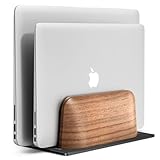


Top 3 picks at a glance
Quick Picks
| Product | Best for | Price |
|---|---|---|
| OMOTON Dual Vertical Desk Laptop Stand Holder (Silver) | Overall Classic Metallic Match | $27.99 |
| Psitek Aluminum Dual Vertical Laptop Stand Holder | Wide Thickness Adjustability | $21.99 |
| UGREEN 2-Slot Vertical Laptop Stand Holder (Space Gray) | Heavy Large Laptops | $31.99 |
| UPERGO Dual Slot Wood Holder | Warm Executive Aesthetic | $39.99 |
| OMOTON Dual Vertical Desk Laptop Stand Holder (Black) | Dark Mode Setups | $32.99 |
| Vaydeer Dual Slots Plastic Holder (Black) | Budget Multi-Device Storage | $13.86 |
| JCZT Walnut Dual Laptop Holder (Silver) | Hybrid Metal and Wood Design | $29.99 |
| Vaydeer Dual Slots Plastic Organizer (White) | Minimalist White Desk Themes | $14.24 |
How We Picked
Evaluating vertical docks for side-by-side Apple hardware requires looking at functional stability and protective features. First, structural weight is paramount; a dual stand must maintain a low center of gravity so a heavy 16-inch MacBook Pro does not tip when docked alongside a lightweight MacBook Air. We prioritized models constructed from high-density aluminum, heavy composite bases, or solid hardwoods.
Second, we evaluated slot adjustability and protective lining. MacBook chassis dimensions vary across generations, especially when protective hard shells are installed. Docks with adjustable width mechanisms—ranging from precision base screws to tool-free thumb screws—allow exact custom fitting. We ensured every choice features scratch-resistant silicone or rubber padding across contact surfaces to shield anodized aluminum finishes from scuffs during daily docking.
The 8 Best Picks
OMOTON Dual Vertical Desk Laptop Stand Holder, Fits MacBook Air/Pro, Silver
Designed for users who want an exact color match for native silver Apple hardware, this all-aluminum dock provides dual vertical slots to park two laptops upright. An included hex wrench allows you to adjust the slot widths underneath to hug thin MacBook Airs or thicker MacBook Pros tightly. Full silicone padding inside the slots prevents aluminum-on-aluminum friction, while the weighted base keeps dual laptops firmly anchored without tipping during dock and undock routines.
- Pros: Solid anodized aluminum construction matches silver MacBooks; adjustable slot widths via base screws.
- Pros: Non-slip silicone base pads keep desktop placement rock solid.
- Con: Requires flipping the stand over to adjust screws with a hex key.
When to skip: Skip this model if your setup features dark space black accessories or modern dark walnut desk tones.
Psitek Aluminum Dual Vertical Laptop Stand Dock Holder, Supports 2 Devices, Adjustable Slot Width 15-36mm, Space-Saving Upright Storage for MacBook and Laptops
Ideal for buyers who switch between ultra-thin MacBooks and bulkier devices, this aluminum dock features adjustable slot widths ranging from 15mm up to 36mm. The broad adjustment mechanism lets you securely seat a thin MacBook Air next to a heavy laptop equipped with a thick rugged shell. Protective rubberized inner linings safeguard device edges from scratches, while non-skid bottom pads stop the dock from moving across your desk when connecting display cables.
- Pros: Wide slot adjustment range from 15-36mm accommodates thick hard cases; affordable price point.
- Pros: Broad stance provides high stability for dual mid-size laptops.
- Con: Tension screws may need occasional tightening after heavy re-adjustments.
When to skip: Skip if you prefer organic natural materials like solid hardwood over metallic builds.
UGREEN 2-Slot Vertical Laptop Stand Holder Desk Compatible with MacBook Pro Air Laptop Stand Desktop Adjustable, Lenovo Ideapad, Surface Book, HP Notebook, Dell Chromebook Up to 17.3 Inch, Space Gray
Built for high-end desktop configurations, this space gray aluminum stand is engineered to hold large laptops up to 17.3 inches without tipping over. A tool-free adjustment mechanism makes setting slot widths simple without searching for extra hex keys. Deep silicone padding coats the entire interior surface to cushion MacBook edges, while the overall mass provides total peace of mind when holding two large computer chassis side by side.
- Pros: Easy tool-free slot width adjustments; highly stable architecture supporting large laptops up to 17.3 inches.
- Pros: Perfect color matching for Space Gray and Space Black Apple finishes.
- Con: Occupies a slightly larger footprint than minimalist single-slot holders.
When to skip: Skip this stand if you are working on an extremely tight budget under $20.
UPERGO Vertical Laptop Stand, Dual Slot Wood Holder for Desk
Geared toward warm, executive home office setups, this dual-slot holder replaces industrial metal alloys with a rich wood aesthetic. It comfortably holds two MacBooks in place while adding organic texture to your desk space. Interior soft lining cushions laptop edges against wood friction, and the solid carved base offers sufficient mass to maintain stability when placing or removing laptops from your monitor setup.
- Pros: Elegant real wood construction upgrades luxury desk aesthetics; gentle soft-lined interiors.
- Pros: Substantial natural weight prevents accidental sliding.
- Con: Lacks adjustable width screws for custom-fitting non-standard laptop cases.
When to skip: Skip if you require precise, custom-metered slot adjustments for ultra-thick protective cases.
OMOTON Dual Vertical Desk Laptop Stand Holder, Fits MacBook Air/Pro, Black
Tailored for dark mode lovers and Space Black MacBook owners, this matte black dual aluminum stand delivers high structural stability. Dual adjustable slots accommodate various MacBook Pro and Air generations, while comprehensive silicone buffering shields edges against scratches. The dense metallic base maintains a low center of gravity so dual laptops remain stable even when heavy monitor and power cables are connected to side ports.
- Pros: Sleek black anodized finish complements dark tech setups; wide weighted base prevents tipping.
- Pros: Full silicone coverage along base and inner walls protects laptop cases.
- Con: Matte black surface shows dust and finger smudges more easily than silver.
When to skip: Skip if you want an exact native match for traditional light silver Apple aluminum.
Vaydeer Vertical Laptop Stand for Desk,Dual Slots Plastic Laptop Holder with Space Saving 4-in-1 Design,Adjustable Laptop Organizer Storage Supports for MacBook,Mac,HP,Dell,Microsoft Surface,Lenovo
Perfect for practical multi-device setups, this lightweight stand utilizes a 4-in-1 layout made from durable plastic. Beyond holding two laptops vertically in its central slots, the exterior frame features secondary outer ledges to dock tablets, smartphones, or slim external hard drives. Built-in adjustable sliding slots let you match your MacBook thickness while keeping multiple desk items organized in one compact footprint.
- Pros: Highly affordable 4-in-1 design stores laptops and mobile devices simultaneously; lightweight footprint.
- Pros: Extra side cradles keep phones and tablets organized nearby.
- Con: Plastic construction lacks the heavy mass of solid aluminum docks.
When to skip: Skip if you demand an all-metal build that matches heavy anodized aluminum shells.
JCZT Vertical Laptop Stand, Walnut Dual Laptop Holder, Silver
Designed for users who want a hybrid aesthetic, this dual holder pairs a sturdy silver metal frame with warm walnut wood inserts. It offers two vertical slots lined with protective material to preserve metal finishes on dual MacBooks. The combination of natural timber accents and metallic side framing creates a sophisticated balance that fits mid-century modern or modern industrial office spaces effortlessly.
- Pros: Stylish blend of silver metal and rich walnut wood; weighted stance for multi-laptop stability.
- Pros: Soft contact pads prevent metal chassis scuffs.
- Con: Wood elements require dry cleaning to avoid surface moisture marks.
When to skip: Skip if you prefer uniform monoblock aluminum without mixed material elements.
Vaydeer Vertical Laptop Stand for Desk, Dual Slots Plastic Laptop Holder Organizer with Space Saving 4-in-1 Design, Adjustable Laptop Stand Storage Supports MacBook, Chromebook, Surface, Dell (White)
Tailored for bright, all-white desktop themes, this plastic organizer provides dual vertical laptop slots along with outer side bays for accessory storage. The 4-in-1 design holds two MacBooks in the center while parking e-readers, smartphones, or small power banks along the exterior ledges. It features adjustable sliding slots to accommodate thin M-series MacBooks while rubber pads keep devices resting safely.
- Pros: Clean white finish matches light office decor; multi-slot 4-in-1 storage maximizes space.
- Pros: Budget-friendly pricing under $15.
- Con: Lightweight plastic base requires two hands to steady when pulling out tight-fitting laptops.
When to skip: Skip if you want a heavy single-handed lift experience provided by solid metal stands.
Buying Guide
Material Construction and Weight Distribution
When selecting a vertical stand for two laptops, material density dictates desktop safety. Anodized aluminum and solid hardwood stands offer higher natural weight, anchoring the dock to your desk. This prevents tipping when docking top-heavy 16-inch laptops. Plastic docks offer budget versatility and extra storage slots, but lightweight builds may shift when unplugging stiff display cables unless stabilized with silicone feet or anchored with two hands.
Slot Adjustability and Thickness Constraints
MacBook dimensions vary across different product lines. A MacBook Air requires narrow slot spacing, whereas older models or laptops fitted with snap-on protective hard cases require wider clearances. Docks offering slot adjustability—such as the Psitek’s 15-36mm range—allow tailored fitting. Tight custom adjustments keep laptops standing completely vertical rather than leaning sideways, which minimizes strain on ports and structural joints.
Desk Aesthetics and Cable Management
A dual vertical dock serves as a focal point on a clean setup. Color-matched silver or space gray aluminum docks maintain Apple’s design language, while walnut and hybrid metal docks complement warm wood furniture. Storing laptops vertically aligns side Thunderbolt ports upward or backward, making it easier to bundle power, display, and peripheral cables into neat rear runs behind your monitor.
Our Verdict
For most dual MacBook users, the OMOTON Dual Vertical Desk Laptop Stand Holder (Silver) ($27.99) delivers the ultimate balance of heavy metal stability, custom slot adjustability, and classic Apple aesthetics. If you run larger 16-inch or 17.3-inch laptops and prefer tool-free adjustments, the UGREEN 2-Slot Vertical Laptop Stand Holder ($31.99) is an exceptional heavy-duty choice. For budget setups or multi-device versatility, the Vaydeer Dual Slots Plastic Holder ($13.86) provides unbeatable 4-in-1 value.
FAQ
Can you run two MacBooks in clamshell mode simultaneously?
Yes. As long as both MacBooks are connected to power and external displays, macOS supports closed-display (clamshell) mode. Storing them side by side in a dual vertical stand keeps ports accessible while driving multiple monitors.
Will a vertical stand scratch or scuff a MacBook finish?
Quality vertical stands use full silicone or rubber interior linings to prevent metal-on-metal contact. As long as the inner pads remain clean of grit, docking your MacBook will not scratch its anodized aluminum finish.
Does vertical storage affect MacBook cooling performance?
Storing MacBooks vertically can actually improve passive thermal dissipation. Elevating the chassis off the desk surface allows air to circulate freely around both top and bottom aluminum enclosures, keeping operational temperatures low in clamshell mode.
How wide should the stand slots be for thick laptop cases?
Standard bare MacBooks measure between 11mm and 17mm thick. If you use a snap-on protective shell or leather sleeve, look for stands offering slot adjustability up to 36mm (such as models from Psitek or UGREEN) to ensure a comfortable fit.


