
A vertical laptop stand is one of the easiest ways to reclaim a crowded desk when you use an external monitor, keyboard, mouse, and power cable. In a small home office, shared workspace, or bedroom desk setup, placing a closed laptop upright beside the display can free the footprint needed for a notebook, speakers, or a larger keyboard. For clamshell mode docking, the stand also keeps the laptop in a predictable, easy-to-reach spot for connecting cables.
The best vertical laptop stand for clamshell mode docking should suit the thickness and size of your computer, hold it steadily without making insertion fussy, and leave enough access around the sides for your preferred cable routing. The picks below span budget to premium tiers, including single-laptop holders, a two-slot option, and MacBook-focused designs. For 2026 desk setups, adjustability remains especially useful for households with more than one laptop.
As an Amazon Associate we earn from qualifying purchases at no extra cost to you.


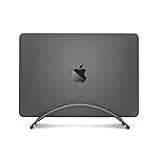


Our Top Picks
 HumanCentric Vertical Laptop Stand for Desks Adjustable Matte3.8 x 5.5 x 5.8 inch4.37 x 10.47 x 3.98 inches0.9 poundsCheck on Amazon
 Vaydeer Vertical Laptop Stand Holder Organizer Plastic AdjustableSingle Slot5.98 x 4.8 x 2.17 inches0.3 poundsCheck on Amazon


Top 3 picks at a glance
Quick Picks
| Product | Best for | Price |
|---|---|---|
| Elestoria Aluminum Vertical Laptop Stand with Gravity Auto-Lock, Black | Premium adjustable support for laptops up to 17.3 inches | Check on Amazon |
| HumanCentric Vertical Laptop Stand for Desks, Matte Black | MacBook users who prefer a simple adjustable desk stand | Check on Amazon |
| UGREEN Vertical Laptop Stand Holder for Desk, Gray | Value-minded buyers with laptops up to 17.3 inches | Check on Amazon |
| Rain Design mTower Vertical Laptop Stand, Space Gray | MacBook owners who want a one-piece aluminium tower | Check on Amazon |
| Twelve South BookArc for MacBook, Grey | MacBook-only desks seeking a compact-looking vertical stand | Check on Amazon |
| Vaydeer Vertical Laptop Stand Holder Organizer, Black | Budget shoppers who want a 3-in-1 desktop organizer | Check on Amazon |
| UPERGO Vertical Laptop Stand, Walnut Wood | Wood-toned desks with a MacBook | Check on Amazon |
| UGREEN 2-Slot Vertical Laptop Stand Holder Desk, Space Gray | Two-laptop workspaces and shared desks | Check on Amazon |
How We Compared
We prioritized details that matter specifically for a closed-laptop docking station: stated laptop compatibility, adjustability, slot count, material language, and price. A stand that accommodates up to 17.3-inch laptops can be a more flexible choice for mixed-device households, while MacBook-specific options can make more sense for an Apple-only desk. We also separated single-slot stands from the UGREEN two-slot model because a second device position changes how a desk can function.
Pricing was grouped into tiers, from the budget Vaydeer organizer to premium MacBook stands such as the BookArc and mTower. We did not assign unlisted dimensions, weights, slot-width ranges, cooling performance, or load limits. Before buying, confirm your laptop’s closed thickness against the manufacturer’s current fit guidance, particularly if it has a protective case, feet, or a bulky bottom shell.
The Best Picks
1. Elestoria Aluminum Vertical Laptop Stand with Gravity Auto-Lock, Black
The black Elestoria is the strongest all-around choice for a clamshell desk that may host different laptops over time. It is an adjustable aluminum vertical holder with Gravity Auto-Lock branding and stated compatibility for MacBook Pro, MacBook Air, Chromebook, and gaming laptops up to 17.3 inches. That broad stated fit makes it a practical candidate for a home office where a work laptop and personal computer may not be the same model.
- Pro: Adjustable design supports more flexibility than a fixed MacBook-only stand.
- Pro: Listed for several laptop families and sizes up to 17.3 inches.
- Con: It sits in a higher tier than several capable-looking alternatives.
Skip it if you need to store two laptops at once or simply want the lowest-cost vertical dock.
2. HumanCentric Vertical Laptop Stand for Desks, Matte Black
HumanCentric’s matte-black adjustable vertical stand is for MacBook owners who want a restrained, coordinated look next to a monitor arm, black keyboard, and dark desk accessories. Its stated adjustable format is the key appeal for clamshell docking, since fit is central to keeping a closed laptop upright rather than loosely propped. It sits in the mid-range tier, so its value is most compelling for buyers who favor its MacBook-centered positioning and finish.
- Pro: Adjustable construction is useful when changing MacBook models or configurations.
- Pro: Matte-black finish suits darker desktop setups.
- Con: No 17.3-inch compatibility claim is included in its product name.
Skip it if you use a large gaming laptop or want the lowest price for an adjustable stand.
3. UGREEN Vertical Laptop Stand Holder for Desk, Gray
The gray UGREEN single-laptop stand is the value leader for shoppers who want stated support for MacBook Pro, MacBook Air, and gaming laptops up to 17.3 inches without moving into a higher price tier. It costs noticeably less than the black Elestoria while retaining an aluminum, adjustable, vertical design in its listing. It is a sensible fit for a first external-monitor setup where desk space matters but the stand should not dominate the budget.
- Pro: Budget-tier pricing is notably accessible for an adjustable aluminum stand.
- Pro: Stated compatibility extends up to 17.3-inch gaming laptops.
- Con: It is a single-laptop holder, not a dual-device organizer.
Skip it if you need a dedicated second slot for a tablet, work laptop, or personal laptop.
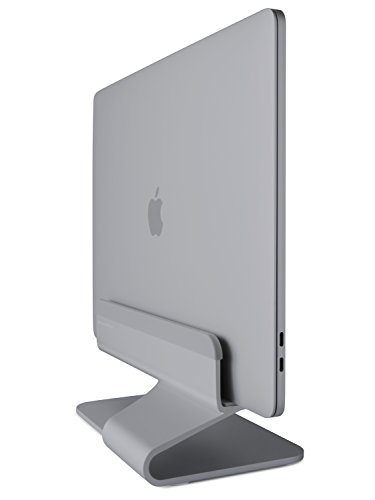
4. Rain Design mTower Vertical Laptop Stand, Space Gray
Rain Design’s mTower is a solid aluminium tower with a silicone-lined slot sized for MacBook Pro and MacBook Air models, finished in space gray to match Apple hardware. It makes the most sense for a space-gray Apple desk where finish coordination matters more than adjustability, since the slot is fixed rather than clamped. For a closed MacBook beside an external display, it is a clean, focused choice rather than a multi-device solution.
- Pro: Solid aluminium construction with protective padding in the slot.
- Pro: Space-gray finish blends in with space-gray MacBooks and accessories.
- Con: Its stated product positioning is narrower than stands listed for laptops up to 17.3 inches.
Skip it if your desk includes a Chromebook, Dell, HP, Lenovo, or a larger gaming laptop.
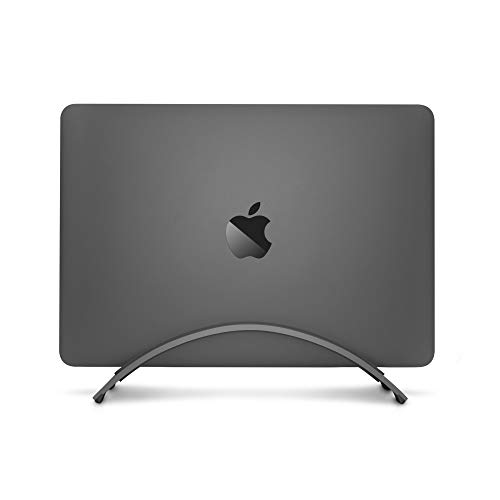
5. Twelve South BookArc for MacBook, Grey
The Twelve South BookArc is the pick for a MacBook owner who wants an uncomplicated, space-saving vertical desktop stand from a well-known Apple accessory brand. Its MacBook-specific naming makes it especially appropriate for an Apple-only clamshell arrangement, where the goal is to get the laptop off the desktop plane and keep the monitor area visually quiet. It sits in the premium tier, so it appeals most when you value its design and do not need an adjustable stand for multiple computer types.
- Pro: Swappable inserts tailor the fit to different MacBook models.
- Pro: Space-saving vertical desktop purpose is clearly stated.
- Con: The listing does not describe it as adjustable.
Skip it if you regularly change laptops, use a case that affects fit, or need stated compatibility beyond MacBook.
6. Vaydeer Vertical Laptop Stand Holder Organizer, Black
The Vaydeer is the budget pick for buyers who want more than a basic vertical dock. Its listing describes a plastic, adjustable, 3-in-1 desktop notebook organizer for MacBook, HP, Dell, Microsoft Surface, Lenovo, and other laptops up to 17.3 inches. That combination makes it worth considering for a student desk, family workstation, or utility-focused office where organizing several everyday items matters more than matching premium metal accessories.
- Pro: Lowest price tier in this roundup.
- Pro: Adjustable 3-in-1 organizer format and stated fit up to 17.3 inches.
- Con: It is listed as plastic rather than aluminum.
Skip it if an all-metal stand is a priority or you want a minimalist single-device presentation.
7. UPERGO Vertical Laptop Stand, Walnut Wood
The UPERGO swaps metal for a minimalist walnut wood holder aimed at MacBooks. It is the better visual match for wooden desks, warm-toned setups, and anyone who wants the laptop dock to look like furniture rather than a gadget. It is a mid-range single-laptop holder; choose it for its look rather than for broad compatibility with thick gaming laptops.
- Pro: Walnut wood finish suits natural and minimalist desks.
- Pro: Simple single-slot design with nothing to adjust or tighten.
- Con: Positioned for MacBooks, so confirm the slot fits thicker laptops.
Skip it if you use a thick gaming laptop or a two-slot stand would reduce desk clutter more effectively.
8. UGREEN 2-Slot Vertical Laptop Stand Holder Desk, Space Gray
The UGREEN 2-Slot Vertical Laptop Stand is the clear choice for a desk that supports two computers. It stays in a similar tier to the Elestoria while adding a second slot for a work laptop and personal laptop, or for a laptop plus another compatible device. Its listing names MacBook Pro, MacBook Air, Lenovo Ideapad, Surface Book, HP notebooks, Dell Chromebooks, and laptops up to 17.3 inches, making it the most useful organizational option for mixed-brand desks.
- Pro: Two-slot layout can consolidate two devices in one desk accessory.
- Pro: Broad stated compatibility up to 17.3 inches.
- Con: It costs more than UGREEN’s single-slot stand.
Skip it if you own only one laptop and prefer the smallest, simplest stand possible.
More Vertical Stands Worth a Look
The picks above lean heavily on a few brands. To widen the field, here are six more vertical stands that often turn up in 2026 clamshell-setup roundups, including a gravity-lock alternative, two hex-adjusted aluminium classics, a budget 17.3-inch option, a wide-range slot for thick gaming laptops and a stand with a docking station built in.
9. OMOTON Vertical Laptop Stand Holder, Black

OMOTON’s single-slot aluminium stand is one of the longest-running designs in this category and a frequent “best overall” pick in competing guides. The slot width is set with an included Allen key, and OMOTON lists its single-slot model as fitting laptops roughly 14mm to 69mm thick, which covers everything from a thin MacBook Air to many chunky gaming laptops. Silicone padding lines the slot to protect the laptop’s finish.
It suits buyers who want one stand that will keep working when they upgrade laptops. Because the width is locked with a screw rather than a spring or gravity clamp, the grip stays exactly where you set it, which matters when you plug and unplug a USB-C or Thunderbolt cable every morning. The trade-off is that switching between two very different laptops means getting the Allen key out again.
Pros:
- Very wide adjustable range for a single-slot stand.
- Solid aluminium base with a long track record.
- Budget tier.
Cons:
- Width changes need a tool.
- Single slot only; OMOTON sells a separate dual version.
Clamshell notes: with a thick gaming laptop, set the slot just wide enough that the laptop slides in without force, then tighten a quarter turn. Over-tightening can press on the lid and, over months, mark the finish even with silicone pads. Because the base is compact, route the power cable so it drops behind the stand rather than pulling sideways.
Compared with the UGREEN single-slot stand above, the OMOTON is a close rival in price tier and material. Choose it if your laptop is unusually thick or you want a wider documented fit range.
10. SODI Vertical Laptop Stand with Gravity Auto Lock, Gray

If the Gravity Auto-Lock idea behind the Elestoria picks appeals to you but you would rather not pay premium-tier money for it, the SODI is the most common alternative. It uses the same principle: the weight of the laptop pushes down on a mechanism that closes the side arms around it, so the grip tightens automatically as you drop the laptop in and releases when you lift it out. There is no screw to adjust.
That makes it ideal for people who dock and undock every day, or who share a desk with someone using a different laptop. The listing positions it for MacBook Pro, MacBook Air and tablets, built from aluminium in a grey finish that pairs well with space-grey Apple hardware.
Pros:
- One-handed docking and undocking with no tools.
- Adapts automatically to different laptop thicknesses.
- Budget-to-mid-range tier, below the Elestoria pair.
Cons:
- Gravity clamps can grip lighter tablets less firmly than heavy laptops.
- The listing emphasises MacBooks; confirm fit for large gaming laptops.
Clamshell notes: gravity stands work best when you lower the laptop straight down in one motion; dropping it in at an angle can leave one arm slightly open. If you use a hard-shell case, test that the arms still close fully, since some cases add enough width at the corners to affect the grip.
Against the Elestoria pick at #1, the SODI offers the same convenience at a lower tier. The Elestoria’s explicit 17.3-inch compatibility is the reason to pay more.
11. Psitek Aluminum Vertical Laptop Stand, Adjustable 12-42mm Slot

Psitek’s stand stands out for publishing its slot range plainly in the product name: 12mm to 42mm. That is exactly the information the buying guide below recommends checking, and it makes fit easy to confirm. A thin ultrabook sits near the bottom of that range, while most mainstream 15- and 16-inch laptops, including many with a slim case, fall comfortably inside it.
This is a good fit for buyers who want a no-surprises aluminium stand and already know their laptop’s closed thickness. Like the OMOTON, it locks the slot width in place, so the laptop does not shift when you push a cable into a side port.
Pros:
- Clearly published 12-42mm slot range.
- Aluminium construction for a stable base.
- Budget tier.
Cons:
- 42mm ceiling may be too tight for the thickest gaming laptops or rugged cases.
- Single slot.
Clamshell notes: measure your laptop closed, at its thickest point, including rubber feet. A 14-inch MacBook Pro or a typical 15-inch business laptop sits well within the range; a 17-inch gaming laptop with a thick rear vent block may not. Psitek also sells a dual-slot version with a narrower 15-36mm range if you need two positions.
Compared with the Vaydeer organizer, the Psitek trades storage slots for an all-metal build. If you want a defined fit range rather than a broad “up to 17.3 inches” claim, it is one of the most transparent options here.
12. JARLINK Vertical Laptop Stand, Adjustable Aluminum, Black

JARLINK’s black single-slot stand is another long-standing aluminium design, and several competing guides recommend it for heavier gaming laptops. JARLINK lists the original single-slot model as adjustable from roughly 14mm to 65mm with an included Allen key, and as compatible with laptops up to 17.3 inches. Silicone pads line the slot and the base.
It is the stand to consider if you run a thick gaming laptop in clamshell mode and want a solid, weighted-feeling holder that will not tip when you yank a heavy power brick cable. The black finish blends into dark desks and pairs naturally with the matte-black HumanCentric and black Elestoria picks above.
Pros:
- Wide documented thickness range for gaming laptops.
- Aluminium body with silicone protection.
- Budget tier.
Cons:
- Tool-based adjustment.
- Plain design without cable management.
Clamshell notes: heavy gaming laptops are often paired with a large power brick and a thick barrel or USB-C cable. Seat the laptop with its power port on the side facing your wall or desk edge, so the cable’s weight pulls toward the back of the stand instead of tilting it forward.
Against the UGREEN single-slot pick, the JARLINK offers a broader published range for thick machines; against the OMOTON, the two are close enough that finish and availability can decide.
13. TECKNET Vertical Laptop Stand, Adjustable Aluminum, Fits Up to 17.3″

TECKNET’s stand is a newer, budget-tier take on the adjustable aluminium design. The listing names compatibility up to 17.3 inches, covering MacBook Pro and Air plus Dell and HP laptops, and highlights non-slip, scratch-resistant silicone on the contact surfaces. It is a straightforward single-slot holder aimed at buyers who want metal construction at one of the lowest tiers in the category.
It makes sense for a first clamshell setup, a student desk or a secondary workstation where the stand simply needs to hold a closed laptop safely. If you are deciding between this and the plastic Vaydeer, the TECKNET’s aluminium body is the main reason to choose it.
Pros:
- Aluminium build at a budget tier.
- Silicone padding on contact points.
- Listed fit up to 17.3 inches.
Cons:
- Newer brand presence in this category than OMOTON or JARLINK.
- The listing does not publish an exact slot range, so confirm thick laptops before ordering.
Clamshell notes: because the exact slot range is not printed in the listing, compare your laptop’s closed thickness with the photos and product details before ordering. For thin laptops and mainstream 13- to 16-inch models, it should be a simple, low-cost way to get the laptop off the desk surface.
Compared with the UGREEN single-slot stand, the TECKNET targets the same buyer at a slightly lower tier.
14. USB-C Docking Station with Vertical Stand, Dual Monitor 4K@60Hz
Every other stand on this page only holds the laptop; you still need a separate dock or hub for monitors, peripherals and power. This unit combines the two: a vertical cradle with a USB-C docking station built into the base, listed with dual-monitor output at up to 4K@60Hz. For a clamshell setup, that means one USB-C cable from the laptop to the stand can carry display, data and charging, with everything else plugged permanently into the dock.
It suits anyone who wants the cleanest possible desk and docks a single USB-C laptop every day. There are important caveats. Dual 4K@60Hz output depends on your laptop’s USB-C port supporting DisplayPort Alt Mode with enough bandwidth, and standard MacBook Air and base-chip MacBook Pro models support only a limited number of external displays, so a dual-HDMI dock may mirror rather than extend on those Macs. Check the listing’s port list and compatibility notes against your laptop before buying, and confirm whether a power adapter is included.
Pros:
- Stand and dock in one footprint, with one cable to the laptop.
- Dual-monitor output listed at up to 4K@60Hz.
- Removes the need for a separate hub behind the desk.
Cons:
- Premium tier compared with simple stands.
- Display support varies by laptop and operating system.
- Fixed cradle size may not suit very thick laptops.
Clamshell notes: plug a capable USB-C power adapter into the dock’s power input so it can pass charging through to the laptop, set the laptop to stay awake with the lid closed, and connect your monitors before closing the lid the first time. If only one screen lights up, check the laptop’s display support before suspecting the dock.
Compared with pairing the UGREEN stand with a separate dock, this all-in-one is tidier but less flexible: if your next laptop needs a different dock, the stand goes with it.
Buying Guide
Confirm Closed-Laptop Fit
Screen size alone is not enough. A 17.3-inch compatibility claim is useful, but your laptop’s closed thickness, case, bottom feet, and hinge shape affect whether it fits comfortably. Adjustable stands are the safer choice for households using more than one computer. If the maker does not publish a slot-width range, verify fit before ordering rather than assuming a stand will accommodate a thick case.
Choose Single Slot vs. Two Slots
A single-slot stand is ideal for a dedicated clamshell workstation: one laptop, one monitor, and a consistent cable setup. A two-slot stand earns its space when you switch between work and personal machines, share a desk, or want to park a second compatible device upright. The UGREEN two-slot model costs more than its single-slot sibling, so consider whether the extra position is worth the step up for your routine.
Match Material and Finish to Your Desk
Aluminum stands can visually pair well with metal laptop bodies and monitor hardware, while plastic can be a sensible lower-cost route. The Vaydeer plastic organizer sits in the budget tier, whereas the aluminum Elestoria sits in a higher tier. Finish is also practical: black can disappear on a darker desk, while gray, space grey, and silver can complement light-colored laptops and accessories.
Pick the Right Adjustment Mechanism
Vertical stands grip the laptop in one of three ways, and the choice affects daily use more than most buyers expect:
- Screw or hex-key adjustment (UGREEN, OMOTON, JARLINK, Psitek): you set the slot width once and it stays exactly there. Best for a dedicated setup with one laptop.
- Gravity auto-lock (Elestoria, SODI): the laptop’s weight closes the arms. Best if you dock and undock often or share the desk.
- Fixed or insert-based fit (Twelve South BookArc, Rain Design mTower, UPERGO): shaped for specific MacBook models, sometimes with swappable inserts. Tidiest look, least flexible when you change laptops.
Check Port Access and Cable Routing
In clamshell mode you will plug in at least one cable every day. Look at where your laptop’s ports sit relative to the slot. A stand with a deep slot can cover side ports on thin laptops, and a cable that bends sharply where it leaves the port puts strain on the connector over time. Stands with a cable catch, like the BookArc, or simply a short slot depth make daily docking easier.
Think About Ventilation
Standing a laptop on its edge usually helps cooling compared with lying it flat with the lid closed, because air can move along both large surfaces. But it only helps if the stand does not block intake or exhaust vents. Gaming laptops often pull air from the bottom panel and exhaust from the rear or sides; make sure those areas sit above or beside the slot, not inside it. Fanless laptops such as the MacBook Air rely on the chassis itself to shed heat, so open space around the body matters more than airflow direction.
Consider Base Weight and Stability
A heavy 17-inch gaming laptop sitting upright has a high centre of gravity. A wider or heavier base reduces the chance of the stand tipping when you pull a stiff power cable. Aluminium stands generally feel more stable than plastic ones of a similar footprint.
Comparison of the Additional Picks
| Stand | Price tier | Adjustment | Slots | Material | Best for |
|---|---|---|---|---|---|
| OMOTON Vertical Laptop Stand, Black | Budget | Allen key, wide range | 1 | Aluminium | Thick laptops and future upgrades |
| SODI Gravity Auto Lock Stand | Budget to mid-range | Gravity auto-lock | 1 | Aluminium | Daily docking, shared desks |
| Psitek Stand, 12-42mm Slot | Budget | Locking slot, 12-42mm | 1 | Aluminium | Known-thickness laptops |
| JARLINK Vertical Laptop Stand, Black | Budget | Allen key, wide range | 1 | Aluminium | Heavy gaming laptops |
| TECKNET Vertical Laptop Stand | Budget | Adjustable slot | 1 | Aluminium | First clamshell setup |
| USB-C Dock with Vertical Stand | Premium | Fixed cradle | 1 | Metal and plastic | One-cable docking with two monitors |
Quick Match by Laptop Type
If you would rather start from the laptop you own, this shortlist covers the most common clamshell setups across both the main picks and the additional six.
- 13- or 15-inch MacBook Air: the Twelve South BookArc or HumanCentric for a tailored look, or the Psitek if you want a published slot range. Keep space around the chassis, since the Air is fanless.
- 14- or 16-inch MacBook Pro: the UGREEN single-slot or OMOTON for a secure screw-set fit, or the Elestoria or SODI if you undock daily.
- Thin Windows ultrabook: the UGREEN, Psitek or TECKNET; all hold slim laptops firmly without much adjustment.
- 16- to 17.3-inch gaming laptop: the JARLINK or OMOTON for their wide thickness ranges, or the Elestoria for explicit 17.3-inch gravity-lock support. Check vent placement before choosing which edge goes down.
- Two laptops at one desk: the UGREEN 2-Slot stand, or a dual version of the OMOTON, JARLINK or Psitek designs.
- One-cable desk with two monitors: the USB-C dock with vertical stand, provided your laptop supports the display output you need.
How to Set Up Clamshell Mode Properly
The stand is only half of a clamshell setup. These steps make sure the laptop stays awake, cool and healthy while it runs closed.
On a Mac
- Connect the external display, keyboard and mouse or trackpad.
- Connect the power adapter; Apple’s guidance for closed-display mode calls for the Mac to be on power.
- Close the lid. The Mac switches its output to the external display.
- Check your Mac’s external display limits: base-chip MacBook Air and MacBook Pro models support fewer external displays than Pro and Max chips, though some recent Air models can drive two external displays with the lid closed.
On Windows
- Open Control Panel, then Power Options, then “Choose what closing the lid does”.
- Set “When I close the lid” to Do nothing for “Plugged in”. Leave the battery setting on Sleep if you want the laptop to sleep when you take it away.
- Connect your monitor and peripherals, then close the lid and set the external display as the main display in Display settings.
Protect the Battery
A laptop docked on power all day sits at full charge for long periods, which ages lithium-ion cells faster. Turn on your laptop’s charge-limit feature if it has one: macOS Optimized Battery Charging, Lenovo Vantage’s Conservation Mode, ASUS Battery Health Charging, Dell’s Power Manager or similar tools usually cap charge around 80 percent.
Keep Cables Tidy
Run one cable to the laptop where possible, ideally a single USB-C or Thunderbolt connection to a dock, and route it so it drops straight down from the port without a tight bend. Leave enough slack that lifting the laptop out of the stand does not drag the dock across the desk.
Our Verdict
For most people building a flexible clamshell docking station, the black Elestoria Aluminum Vertical Laptop Stand with Gravity Auto-Lock is the best all-around choice, combining aluminum construction, automatic gripping and compatibility up to 17.3 inches. If you want the same aluminum, adjustable approach at a budget tier, the gray UGREEN single-slot stand is the value pick. If your desk handles two laptops, the UGREEN 2-Slot Vertical Laptop Stand is the most practical upgrade. MacBook-only shoppers who care most about design should look at the Twelve South BookArc or the Rain Design mTower.
FAQ
Can I use a vertical stand for clamshell mode docking?
Yes. A vertical stand is designed to keep a closed laptop upright, which can free desk space beside an external display. You will still need your laptop’s appropriate power, display, keyboard, and mouse connections for your own clamshell workflow.
Do I need an adjustable vertical laptop stand?
Adjustability is especially helpful if you use more than one laptop, plan to replace your computer, or use a case. Fixed-fit designs can be a good choice for a dedicated MacBook setup, but confirm the model and closed-laptop fit first.
Which stand is best for a 17.3-inch laptop?
The black Elestoria, the UGREEN single-slot stand, the Vaydeer organizer, and the UGREEN 2-Slot stand are all listed for laptops up to 17.3 inches. Check your laptop’s thickness as well as its screen size.
Is a two-slot laptop stand worth it?
It is worth considering if you keep a work laptop and personal laptop at the same desk, share a workstation, or want to organize two compatible devices vertically. For one computer, a single-slot stand is usually the simpler and less expensive choice.
Does a vertical stand make my laptop run hotter in clamshell mode?
Usually not, and it can help. Standing the laptop on its edge leaves both large surfaces exposed to air. The main risk is a slot that covers intake or exhaust vents, so check where your laptop breathes before choosing which edge goes into the stand.
Should the hinge face up or down in the stand?
Follow your laptop’s vent and port layout rather than a fixed rule. Place it so the ports you use daily are easy to reach and the vents are not inside the slot. Many people put the hinge edge up so the cable ports sit at a convenient height.
Do I need a docking station for clamshell mode?
Not strictly. You can connect a monitor, keyboard, mouse and power separately. A dock or a stand with a built-in dock reduces that to one cable, which makes daily docking faster and keeps the desk tidier.
Is it bad to keep a laptop plugged in all day in clamshell mode?
Constant full charge speeds up battery wear. Enabling your laptop’s charge limit or optimised charging feature keeps the battery at a gentler level while still running on mains power.
Can a vertical stand hold a tablet or a second device?
Two-slot stands like the UGREEN 2-Slot are built for this. Single-slot stands with a narrow minimum width, such as models that close down to around 12mm, can hold some tablets, but gravity-lock stands may grip lightweight tablets less firmly.
Related guides
- Best Ultrawide Gaming Monitors: Six Screens Sized Against Real Desks: 6 Compared (2026)
- Best Game Room Neon Lights: Ten Signs and Icon Lamps Compared: 10 Compared (2026)
- 10 Best 75% Hot-Swappable Mechanical Keyboards (October 2026)
- Best Mini-LED Monitor: Five Listings From a Renewed KTC to a 5K LG, Compared by Pixels and Ports (2026)









