
Razer mousepads look simple until you try to aim consistently on a cheap or worn-out surface. Low-quality pads create uneven friction that makes micro-adjustments feel sticky in one spot and slippery in the next, and a base that shifts under pressure will throw off flicks and tracking. If you use a low sensitivity or play fast shooters and MOBAs, that inconsistency shows up immediately as overshooting, poor recoil control, and hand fatigue after long sessions.
Across cloth, hard, and hybrid pads, the difference comes down to predictable glide, a stable base that stays planted, and construction that holds up to daily use. The best Razer options offer a smooth, uniform texture that lets the mouse start and stop cleanly, edges that resist fraying, and enough thickness to cushion the wrist without feeling mushy. RGB and desk-sized coverage are bonuses, but only if the core tracking experience is right.
As an Amazon Associate we earn from qualifying purchases at no extra cost to you.






Our Top Picks
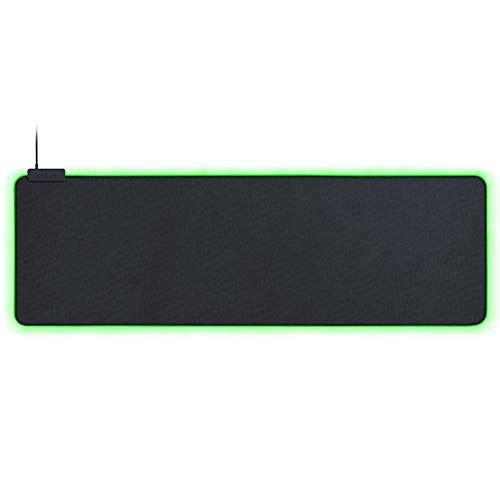 Razer Goliathus Extended Chroma Gaming Mousepad11.6L x 36.3W inches11.58 x 36.25 x 0.12 inches1.23 PoundsCheck on Amazon
 Razer Firefly Hard V2 RGB Gaming Mousepad15.2L x 12W inches10.84 x 13.99 x 0.14 InchesCheck on Amazon
Top 3 picks at a glance
Quick Picks
| Product | Best for | Price |
|---|---|---|
| Razer Gigantus V2 Large | Balanced everyday gaming | Check on Amazon |
| Razer Gigantus V2 XXL | Extra desk coverage on a budget | Check on Amazon |
| Razer Goliathus Extended Chroma | Full desk mat with RGB | Check on Amazon |
| Razer Gigantus V2 3XL | Maximum coverage without RGB | Check on Amazon |
| Razer Gigantus V2 Medium | Compact and budget friendly | Check on Amazon |
| Razer Firefly Hard V2 | Hard mat with precise glide | Check on Amazon |
| Razer Pro Glide XXL (White) | Light-colored XXL desk mat for work and play | Check on Amazon |
| Razer Strider Chroma Hybrid | Premium hybrid with RGB | Check on Amazon |
How We Compared
We focused on the factors that actually affect aim and comfort over time: surface consistency and glide, size and thickness relative to desk space and arm movement, and base stability plus edge durability. We also weighed material choice, from soft cloth for controlled stopping power to hard and hybrid surfaces for faster, more effortless tracking, and whether Chroma lighting adds useful ambiance without compromising the tracking area. Value mattered throughout, balancing coverage and features against price within the Razer lineup.
The 8 Best Razer Mousepads in 2026
Razer Gigantus V2 Large
This Large version of the Gigantus V2 is for players who want a no-nonsense cloth pad that covers the main mouse area without taking over the entire desk. The thick, classic black surface delivers a controlled glide that makes it easy to line up headshots and manage spray patterns, while the dense foam adds comfortable cushioning for long sessions. It stays put during aggressive swipes and works well with both optical and laser sensors.
- Pro: Even, controlled texture that favors accurate stopping and small corrections
- Pro: Thick profile adds comfort without feeling overly soft
- Con: No RGB or extended sizing for keyboard and mouse
Skip it if you need a full desk mat for keyboard plus mouse or want integrated lighting. For focused, affordable performance, it is hard to beat.
Razer Gigantus V2 XXL
The XXL Gigantus V2 suits gamers who use low sensitivity or simply want more room to move without hitting the edge of the pad. You get the same thick cloth feel and classic look as the Large, but with substantially more surface for wide arm sweeps and repositioning. The non-slip base keeps the pad anchored even when you lift and reset quickly, and the low-profile weave helps maintain consistent tracking.
- Pro: Generous coverage that accommodates broad mouse movements and larger desks
- Pro: Stable, non-slip base that prevents shifting during intense play
- Con: Lacks lighting and the extra width can dominate smaller desks
Skip it if your desk space is tight or you prefer a hard, ultra-fast glide. It is ideal for players who prioritize uninterrupted movement.
Razer Goliathus Extended Chroma
The Goliathus Extended Chroma is built for setups where the mousepad doubles as a desk mat. The soft cloth material offers a smooth yet controlled glide that balances speed with stopping power, and the extended footprint lets both keyboard and mouse sit on the same uniform surface. Customizable Chroma lighting around the perimeter adds ambient glow that syncs with other Razer gear for a cohesive look.
- Pro: Extended cloth surface unifies keyboard and mouse feel and protects the desk
- Pro: Integrated Chroma lighting enhances immersion and setup aesthetics
- Con: Higher price for the lighting and size, and cloth requires regular cleaning
Skip it if you want a minimal, budget pad or prefer a firm hard mat. Choose it when you want full coverage with lighting.
Razer Gigantus V2 3XL
The 3XL Gigantus V2 is for gamers who want maximum coverage without paying for lighting. It essentially turns the desk surface into a continuous tracking area, which is excellent for ultra-low sensitivity, flight sticks, or anyone who hates repositioning due to limited space. The thick build smooths out minor desk imperfections and provides a plush, consistent feel edge to edge, while the classic black design stays understated.
- Pro: Expansive surface covers nearly the entire desk for unrestricted movement
- Pro: Thick cushioning improves comfort and levels the feel across the desk
- Con: Very large footprint is overkill for compact setups and harder to transport
Skip it if you have a small desk or need RGB. It is the best pure coverage option in the cloth lineup.
Razer Gigantus V2 Medium
The Medium Gigantus V2 is the entry point for players who want reliable control on a tight budget or in a limited space. It delivers the same classic black cloth texture as its larger siblings, offering a balanced friction profile that works for quick flicks and careful tracking alike. The compact size fits easily on small desks, dorm setups, or as a portable option for LANs, without sacrificing surface quality.
- Pro: Excellent value with a consistent, gamer friendly cloth surface
- Pro: Compact size fits small desks and is easy to carry
- Con: Limited area restricts wide swipes and low-sensitivity play
Skip it if you rely on sweeping arm movements or want an extended mat. For everyday use and tight spaces, it covers the essentials.
Razer Firefly Hard V2
The Firefly Hard V2 is for players who prefer a firm, fast glide over the drag of cloth. The hard surface lets the mouse start and stop with minimal effort, which favors rapid targeting and high-sensitivity styles, while still offering enough control for precise adjustments. Customizable Chroma lighting frames the mat and integrates with the Razer ecosystem, and the rigid construction resists warping and wear in a different way than cloth.
- Pro: Low-friction hard surface enables quick, effortless mouse movement
- Pro: Customizable Chroma lighting with a durable, easy to clean build
- Con: Firmer feel is less forgiving on the wrist and can be louder than cloth
Skip it if you prefer the cushioned, controlled feel of cloth or need an extra-large area. It shines for speed-focused players.
Razer Pro Glide XXL (White)
The Pro Glide XXL is Razer’s soft cloth mat for desks that double as workstations. It uses a textured micro-weave cloth surface over thick, high-density foam with a non-slip base, and the XXL size covers both keyboard and mouse. The white finish suits light-themed setups and offices where a black gaming pad would stand out, while the surface still gives a smooth, controlled glide for everyday gaming.
- Pro: XXL cloth coverage in a clean white finish that suits work and gaming desks
- Pro: Thick, high-density foam and a non-slip base for comfort and stability
- Con: A white cloth surface shows dirt and skin oils sooner, so it needs more frequent cleaning
Skip it if you want the lowest price for XXL coverage or prefer a dark pad that hides wear. Pick it when a light-colored desk setup matters as much as space.
Razer Strider Chroma Hybrid
The Strider Chroma Hybrid is the premium choice for players who want a middle ground between cloth control and hard-mat speed, plus full RGB integration. The hybrid texture glides more freely than standard cloth yet retains enough friction for confident stops, making it versatile for both fast flicks and tracked aiming. The Chroma lighting is woven into a sleek, large format that covers ample desk area while maintaining a refined look.
- Pro: Hybrid surface balances speed and control for versatile performance
- Pro: Chroma RGB and premium build elevate the entire setup
- Con: Highest price in the lineup and may be more than casual players need
Skip it if you are budget conscious or happy with a basic cloth feel. It is ideal when you want top-tier glide with lighting.
Razer Gigantus V2 Pro

The Gigantus V2 Pro is the esports-focused upgrade to the standard Gigantus V2 that dominates the list above. The big change is choice: instead of one cloth surface, Razer offers five speed ratings (Max Control, Control, Balance, Speed and Max Speed), each paired with a different firmness of its GlideCore foam. The version linked here is the Large Speed model. Every size is 4mm thick, and the Pro Large measures 480 by 500mm, which Razer says is about a third larger than the regular Gigantus V2 Large.
This pad is for competitive players who already know how they like their mouse to move. If the standard Gigantus V2 feels a little slow for your aim style, the Speed version keeps the comfort of cloth while reducing drag. If you want even more stopping power, the Control variants use softer foam with larger air pockets so the pad sinks slightly under your hand.
Strengths:
- Five surface and foam combinations let you match the pad to your sensitivity and game instead of accepting one feel.
- Low-profile stitched edges resist fraying, a common weak point on the unstitched standard Gigantus V2.
- The larger, squarer Large size gives more vertical room for players who lift and reset often.
Drawbacks:
- Sits in the mid-range tier, noticeably above the standard Gigantus V2 sizes.
- With five versions, it is easy to buy the wrong speed. If you are unsure, the Balance version is the safest middle ground.
Compared with the Gigantus V2 Large, our top overall pick, the Pro is the better choice for serious shooter players who want stitched edges and a tuned glide. For casual gaming and general desk use, the standard version still offers the best value.
Razer Strider Hybrid XXL
The Strider Chroma at the end of the main list is the premium way to get Razer’s hybrid surface. The plain Strider XXL delivers the same hybrid idea without the lighting. It measures 940 by 410mm and is 3mm thick, with a polyester hybrid surface that glides faster than standard cloth while keeping enough texture to stop cleanly. The underside uses a grooved rubber base, the edges are stitched, and the surface is water-resistant, so spilled drinks bead up rather than soaking in.
This is the pad for players who like the idea of a hybrid surface but do not need RGB. It covers both keyboard and mouse at full desk width, and the firmer construction stays flat after being rolled up, which suits people who travel to LAN events.
Strengths:
- Hybrid glide that sits between cloth and hard pads, versatile across tracking and flick-heavy games.
- Water-resistant surface is easier to keep clean than standard cloth.
- Stitched edges and a firm base that resists warping.
Drawbacks:
- The smoother surface can feel too fast for players used to slower control cloth.
- Thinner and firmer than the 4mm Gigantus V2 XXL, so there is a little less wrist cushioning.
Choose the Strider XXL over the Gigantus V2 XXL if you want a faster, more durable surface. Choose it over the Strider Chroma if lighting is not worth moving to the premium tier.
Razer Firefly V2 Pro

The Firefly Hard V2 in the main list has RGB around its edge. The Firefly V2 Pro goes further with full backlighting: 15 lighting zones shine up through a translucent, micro-textured hard surface, so the whole pad glows rather than just its border. It measures about 355 by 255mm and 3mm thick, and it includes an integrated USB port on the pad so you can plug in a wireless mouse dongle close to the mouse.
It is aimed at players who want the pad to be the visual centerpiece of a Razer Chroma setup. Several major 2026 roundups name it the top RGB or hard pad because the lighting looks striking without hurting the surface. Lighting effects are configured through Razer Synapse and can sync with Razer keyboards, mice and headsets.
Strengths:
- Full-surface lighting is far more eye-catching than edge-lit pads.
- The built-in USB port keeps a wireless receiver near the mouse for a stable connection.
- The hard micro-textured surface is fast and easy to wipe clean.
Drawbacks:
- Comes in only one size, which is on the smaller side for low-sensitivity players.
- Premium tier, and you are paying largely for the lighting.
Next to the Firefly Hard V2, the V2 Pro is the upgrade for people who care about looks first. If you only want a fast hard surface with some RGB, the Firefly Hard V2 is the more sensible value.
Razer Atlas Tempered Glass

The Atlas is Razer’s glass mouse mat and the fastest surface in this guide. It is a single 450 by 400mm sheet of tempered glass with a micro-etched texture, an oleophobic coating to resist fingerprints and a full rubber base. The whole pad is about 5mm thick and weighs around 2kg, so it does not move on the desk once placed.
Glass pads appeal to players who want almost no friction and a surface that will not wear down. Unlike cloth, glass does not pill, fray or absorb sweat, and it keeps the same feel for years. The trade-off is that stopping depends almost entirely on your hand, so it takes time to adjust if you come from a control cloth pad. Razer has also launched a thinner Atlas Pro at 1.9mm with a slightly larger surface, aimed at players who dislike the 5mm step at the edge.
Strengths:
- Extremely low and consistent friction, with no wear-in or break-down over time.
- Easy to clean with a damp cloth and resistant to scratches and stains.
- Heavy and fully planted, so it never shifts during fast swipes.
Drawbacks:
- Louder than cloth, and mouse feet can wear faster on glass.
- The thick edge and hard surface offer little wrist comfort; a wrist rest helps.
The Atlas is for experienced, speed-focused players. If you want something faster than the Firefly Hard V2 that lasts far longer than any cloth pad, it is the most durable option here.
Razer Acari
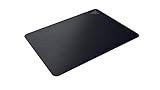
The Acari is Razer’s ultra-low friction hard mat. Instead of glass, it uses a polycarbonate core with a UV-activated nano-bead surface and an oleophobic coating, giving a very slick glide with a subtle grain. It measures 420 by 320mm and only about 1.95mm thick, with a textured rubber base to keep it in place.
It suits players who want speed close to glass but in a lighter, thinner pad that sits nearly flush with the desk. That low profile means your wrist does not rest on a raised edge, which some players find more comfortable than the thick Atlas.
Strengths:
- Very fast glide for high-sensitivity and flick-heavy play.
- Thin profile with almost no edge step.
- Lighter and easier to move between desks than a glass pad.
Drawbacks:
- The beaded texture can feel rough on the wrist during long sessions.
- Availability varies by region, as some retailers list it as discontinued.
The Acari sits between the Firefly Hard V2 and the Atlas. It is faster than the Firefly and thinner than the Atlas, making it a good choice for players who want a fast hard pad without lighting or glass.
Razer Sphex V3

The Sphex V3 is the opposite of the large cloth pads in this guide: an ultra-thin polycarbonate sheet just 0.4mm thick with an adhesive base that sticks directly to the desk. The version linked here is the Small at 270 by 215mm, and a Large at 450 by 400mm is also available. Razer says the adhesive holds firmly during play but can be removed without leaving residue.
It is built for laptop users, small desks and anyone who wants a hard surface that almost disappears. Because it is so thin, there is no edge to catch your wrist, and it can sit on top of a desk mat, a laptop palm rest area or a narrow tray.
Strengths:
- Lowest cost of entry into Razer’s hard pads, firmly in the budget tier.
- Paper-thin profile with no edge to rest on.
- Adhesive base stops any sliding.
Drawbacks:
- No cushioning at all, and the Small size is too cramped for low-sensitivity play.
- Once peeled and re-stuck several times, the adhesive can lose grip.
Compared with the Gigantus V2 Medium, our budget pick, the Sphex V3 is the budget choice for players who want a hard surface instead of cloth.
Razer Goliathus Speed

The Goliathus Speed is Razer’s long-running speed cloth pad and the cheapest way into a faster cloth glide. Its tightly woven surface has less texture than the Gigantus V2, so the mouse starts moving with less effort and slides further before stopping. The version linked here is the Small, roughly 270 by 215mm, but the same surface is also sold in larger sizes up to an extended desk mat.
It is a good fit for high-sensitivity players who aim mostly with the wrist, and for anyone who finds the standard Gigantus V2 surface a little slow. The thinner build also makes it easy to slip into a laptop bag for travel.
Strengths:
- Smoother, faster cloth than the Gigantus V2 at a firmly budget price.
- Soft cloth still gives more stopping control than hard pads.
- Thin and light enough to carry anywhere.
Drawbacks:
- The Small size is far too cramped for low-sensitivity or arm aiming.
- Thinner than the Gigantus V2, so it offers less cushioning and smooths fewer desk imperfections.
Pick the Goliathus Speed over the Gigantus V2 Medium if you want a faster cloth feel for very little money. If you want speed with more size and better edges, the Gigantus V2 Pro in a Speed rating is the step up.
Buying Guide
Surface Material and Glide
Cloth pads like the Gigantus V2 and Goliathus family offer a textured, controlled glide that helps you stop on target, which most players find forgiving for varied sensitivities. Hard mats like the Firefly provide a slicker, faster glide that reduces the effort needed to move the mouse, favoring speed over braking. Hybrid options like the Strider split the difference, feeling smooth and quick without the floaty sensation some hard mats have, so consider whether you value precise stopping power or effortless speed.
Size and Thickness
Size determines how much you can move without repositioning, which matters more if you play on low sensitivity or use large arm motions. Medium and Large are fine for compact desks and high sensitivity, while XXL and larger essentially create a uniform desk surface for unrestricted movement. Thickness adds cushioning that smooths out desk imperfections and reduces wrist pressure, but an overly soft feel can slightly mute feedback, so match thickness to your comfort preference and desk flatness.
Base Stability, Edges, and Lighting
A reliable non-slip base is essential, since any creep under heavy swipes will break muscle memory and force constant realignment. Look for dense rubber backing and clean, stitched or sealed edges that resist fraying and peeling with daily use. Chroma lighting is primarily aesthetic, but it can reduce eye strain in dim rooms and ties the setup together when synced across devices, so weigh whether the visual upgrade is worth the extra cost and occasional cleaning around the light strip.
Decoding Razer’s mousepad family names
Razer’s lineup is confusing because similar-looking pads use different names. Here is what each family means in practice:
- Gigantus V2: thick, soft cloth pads with a single balanced surface. The everyday choice, sold in Medium through 3XL.
- Gigantus V2 Pro: the esports version with five speed ratings, tuned foam, stitched edges and 4mm thickness at every size.
- Goliathus: thinner cloth pads offered in Speed and Control weaves, plus the Chroma versions with edge lighting.
- Strider: hybrid pads with a smooth, water-resistant surface over a soft base, available with or without Chroma.
- Firefly: hard pads with RGB lighting. The Hard V2 lights the edge; the V2 Pro lights the whole surface.
- Acari and Sphex: thin hard pads with no lighting. Acari is the low-friction performance pad; Sphex is the paper-thin adhesive option.
- Atlas: tempered glass, the fastest and most durable surface Razer makes.
Match pad size to your sensitivity
The most common mistake is buying a pad that is too small for how far your mouse travels. A quick way to check: in a game, note how far you move the mouse to turn 360 degrees. If a full turn takes more than about 30cm of movement, you play on low sensitivity and should look at Large at minimum, and preferably XXL or the larger Gigantus V2 Pro Large. If a turn takes less than 20cm, a Medium or the Firefly V2 Pro is usually plenty. Players who use their whole arm to aim need width more than depth, which is why the 940mm-wide XXL pads are so popular.
Mouse feet and surface pairing
The same pad can feel very different depending on your mouse. Stock PTFE feet glide well on cloth and hybrid surfaces. On glass or beaded hard pads like the Atlas and Acari, many players switch to glass or ceramic skates or rounded-edge PTFE to reduce scratchiness and wear. If you change pad type, check your mouse feet first. Worn feet with sharp edges will drag on cloth and can feel rough on hard surfaces.
Comparison of the additional Razer picks
| Pad | Surface | Size and thickness | Lighting | Best for | Price tier |
|---|---|---|---|---|---|
| Gigantus V2 Pro (Large) | Cloth, five speed options | 480 x 500mm, 4mm | None | Competitive shooters | Mid-range |
| Strider Hybrid XXL | Hybrid, water-resistant | 940 x 410mm, 3mm | None | Fast all-round desk mat | Mid-range |
| Firefly V2 Pro | Hard, micro-textured | 355 x 255mm, 3mm | 15-zone full surface | RGB showpiece setups | Premium |
| Atlas | Tempered glass | 450 x 400mm, 5mm | None | Maximum speed and durability | Premium |
| Acari | Hard, beaded | 420 x 320mm, about 2mm | None | Low-friction, thin hard pad | Mid-range |
| Sphex V3 (Small) | Hard polycarbonate | 270 x 215mm, 0.4mm | None | Laptops and tiny desks | Budget |
Setup and care tips
- Unroll new cloth and hybrid pads and lay them flat for a day. Placing a few books on the corners helps the edges settle faster.
- Expect a short break-in period with cloth. New cloth pads can feel slightly faster or rougher at first, then settle into a consistent glide after some days of normal use.
- Clean your hand and the pad regularly. Skin oils slow cloth pads unevenly, which is a major cause of the sticky spots mentioned at the start of this guide.
- For hard and glass pads, wipe with a microfiber cloth and a small amount of water or screen cleaner. Avoid abrasive pads that can damage coatings.
- Route RGB pad cables behind the pad and along the desk edge so the cable never rests under the mouse path.
- Replace a cloth pad when the main aiming area looks shiny or feels noticeably different from the edges. That uneven wear is what makes aim feel inconsistent.
Which Razer pad fits your games
- Tactical shooters with low sensitivity: a control cloth surface in a large size, such as the Gigantus V2 Large or XXL, or a Gigantus V2 Pro in Control or Balance.
- Fast arena shooters and tracking-heavy games: a speed cloth or hybrid surface like the Gigantus V2 Pro Speed or the Strider, which keep the mouse moving smoothly across long tracking motions.
- MOBAs and strategy games: almost any pad works, since precision matters more than reach. A Medium or Large Gigantus V2 or the Firefly Hard V2 for faster cursor movement are sensible choices.
- Flick-heavy aim and high sensitivity: hard or glass surfaces like the Acari or Atlas, which need almost no force to start moving.
- Mixed gaming and work: an XXL desk mat, either the Gigantus V2 XXL or the Strider XXL, so keyboard and mouse share one even surface.
Our Verdict
For most gamers, the Razer Gigantus V2 Large is the top pick because it nails the fundamentals at a very reasonable price: consistent, controlled cloth glide, comfortable thick cushioning, and a stable base in a versatile size. The budget pick is the Razer Gigantus V2 Medium, which delivers the same quality surface in a compact, ultra-affordable package. If you want full desk coverage with ambiance, the Razer Goliathus Extended Chroma wins, and speed-focused players who prefer a slicker feel should choose the Firefly Hard V2 or step up to the Strider Chroma Hybrid when budget allows.
FAQ
Do I need an extended mousepad?
You need an extended pad if your mouse frequently hits the edge during wide swipes or if you want keyboard and mouse on the same surface for a uniform feel. Otherwise, a Large or Medium pad provides excellent control while saving desk space.
Is a hard pad better than cloth for gaming?
Hard pads generally feel faster with less friction, which helps quick aiming, while cloth offers more stopping control and wrist comfort. Hybrid pads try to balance both, so the better choice depends on whether you prioritize speed or controlled braking.
How do I clean a Razer cloth mousepad?
Use lukewarm water and a mild soap, gently hand wash without harsh scrubbing, then air dry flat away from direct heat. Avoid machine washing or aggressive brushing, which can damage the texture and weaken the base.
Will Chroma lighting affect mouse performance?
Chroma lighting is designed to sit around the tracking area and does not interfere with sensor performance when the pad is clean and flat. Keep the surface free of dust and ensure the pad lies flush so lighting and the cable do not create bumps.
What is the difference between Razer Speed and Control surfaces?
Speed surfaces use a smoother, tighter weave that lets the mouse glide with less effort, which suits high-sensitivity and flick-heavy players. Control surfaces have more texture and friction so the mouse stops quickly, which suits low-sensitivity tracking and precise aim. The Gigantus V2 Pro adds Balance as a middle option, plus Max Speed and Max Control at the extremes.
Is a glass mousepad worth it?
For players who want the fastest possible glide and a pad that never wears out, yes. Glass like the Razer Atlas keeps the same feel for years and is very easy to clean. It is louder than cloth, offers no cushioning, and takes time to get used to, so it is best for experienced players rather than first-time buyers.
How often should I replace a cloth mousepad?
There is no fixed schedule. With regular cleaning, a quality cloth pad can last a long time. Replace it when the aiming area looks shiny or worn, the edges start to fray or peel, or your mouse movement feels different in the center than at the edges.
Do RGB mouse pads need software?
Razer Chroma pads work out of the box with default lighting, but you need Razer Synapse to change effects, adjust brightness or sync lighting with other Razer devices. If you do not plan to customize anything, a non-RGB pad like the Gigantus V2 or Strider saves money and cable clutter.
Can I use a Razer mousepad with a non-Razer mouse?
Yes. Razer pads work with any optical or laser mouse. Razer tunes many of its surfaces for modern optical sensors, but the pads are not locked to its own mice. The only exception is charging mats such as the HyperFlux line, which only charge compatible Razer mice.









