
Portable monitors are fantastic for working away from home, but the flimsy folio kickstands most ship with are wobbly, limited in angle, and prone to tipping when you touch the screen. A dedicated portable monitor stand fixes the ergonomics without adding much weight. Here is how to choose one that raises the screen, stays stable, and still fits in a bag.
As an Amazon Associate we earn from qualifying purchases at no extra cost to you.
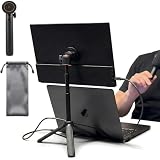
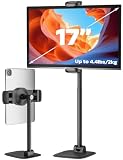
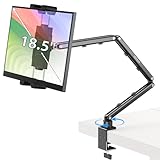

Our Top Picks


Top 3 picks at a glance
Quick answer: which portable monitor stand fits your trip
If you only have a minute, use this shortcut. It covers the four top picks plus the six extra stands reviewed further down the page.
- Lightest possible kit: a flat-folding aluminum cradle such as the Kado or TabHolderix. It weighs well under a pound and slides into a laptop sleeve.
- Monitor with a magnetic back: a magnetic tripod or arm, such as the AiFeelife or Jakeko, for setup in seconds.
- Monitor with 75x75mm VESA holes: the UPERFECT bracket for minimal weight, or the JUNEBOX plate stand for the steadiest touchscreen experience.
- Large 17.3 to 18.5 inch panel: a clamp arm such as the KUUVAN or a VESA stand rated well above your monitor’s weight.
- True eye-level height or stacking above a laptop: a telescoping pole stand such as the COOPER TabStand.
- JSAUX FlipGo owners: the matching JSAUX stand, which is designed around that dual-screen monitor.
Whatever you choose, the three non-negotiables are the same: enough lift to bring the screen near eye level, a base that will not slide on a slick hotel desk, and a folded size you will actually pack.
Why the bundled kickstand is not enough
Folio-case kickstands hold a portable monitor at one or two fixed angles, usually too low and too far back for comfortable eye level. They flex on soft hotel-desk surfaces and can collapse if you nudge the panel. For anything longer than a quick email session, raising the screen properly reduces neck strain the same way a laptop stand does.
Types of portable stands
There are three broad options. Foldable metal laptop-style stands double as monitor stands and pack flat. Small adjustable tripods or articulating arms with a VESA or magnetic mount give height and tilt flexibility. And magnetic or clip-on stands designed for specific portable monitors add height while staying ultralight. The right pick depends on whether your monitor has a VESA pattern or magnetic back.
| Stand type | Adjustability | Packability | Best for |
|---|---|---|---|
| Foldable metal laptop stand | Height + angle | Flat, light | Any monitor that rests on it |
| Magnetic clip-on stand | Angle, some height | Very light | Monitors with magnetic backs |
| Mini tripod / arm (VESA) | Full height + tilt | Bulkier | VESA-compatible panels |
| Bundled folio kickstand | 1-2 fixed angles | Built in | Quick, casual use only |
More portable monitor stands worth packing
The four picks above cover the most common travel scenarios: a magnetic tripod, a folding cradle, a dual-arm desk stand and a slim FlipGo-sized option. Travelers who need more height, a VESA connection, or something even lighter have more choices, so here are six additional stands that fill those gaps. Each one solves a slightly different problem, so read the “best for” notes before you decide.
COOPER TabStand 20″ Tall Stand

The COOPER TabStand is the pick for anyone whose main complaint is height. Most folding cradles lift a portable monitor only a few inches off the desk, which still leaves your eyes pointed down at the panel. The TabStand uses a telescoping aluminum pole on a weighted metal base and adjusts from roughly 13 to 20 inches tall, which is enough to bring a 15.6-inch or 16-inch screen close to eye level on a standard desk or even stack it above an open laptop.
Key specs from the listing: the head rotates a full 360 degrees and tilts about 45 degrees in either direction, so you can flip a monitor between landscape and portrait without removing it. The current “2X support” version is rated for portable monitors up to 17 inches and about 4.4 lb (2 kg), and the spring-loaded clamp grips devices roughly 4.7 to 10 inches wide. Foam padding on the clamp keeps the bezel from getting scratched. Check which version a listing describes, because an earlier model was rated only for screens up to 16 inches.
Strengths: real eye-level height, quick friction adjustment, and a heavy enough base that it does not tip on soft hotel desks. The laptop-over-monitor stacked layout is something no flat-folding cradle can do, and it saves a lot of desk width on narrow hotel tables.
Drawbacks: it does not fold flat. The pole collapses, but the round base is still bulky, and the stand weighs noticeably more than a folding cradle. Since the clamp grips the panel edges, a monitor with very thin bezels may have a sliver of screen covered.
Compared with the picks above, the TabStand gives far more lift than the TabHolderix folding stand or the JSAUX FlipGo stand, but it is the heaviest option on this page. It suits extended stays, digital nomads who work from one apartment for weeks, and anyone who drives rather than flies.
Jakeko Magnetic Portable Monitor Stand with VESA 75mm

The Jakeko stand is a direct alternative to our #1 magnetic tripod pick, with one useful extra: it supports both magnetic mounting and a standard 75x75mm VESA plate. That means it works with monitors that have a magnetic back, monitors with VESA holes, and tablets (using the included round metal sheets), so you are not locked into one panel if you upgrade later.
The listing rates it for screens from about 8.3 inches up to 18.5 inches and a load of up to 4.4 lb (about 2 kg). Range of motion is generous: 360-degree base rotation, a 180-degree lower arm, a 360-degree joint and a 240-degree upper arm, all held by built-in tension gears. A thumb wrench in the middle joint lets you tighten or loosen the tension by hand, and cable clips run along the arm for the USB-C or HDMI lead. The body is solid aluminum and the whole arm folds flat for packing.
Strengths: dual mounting standards, tool-free tension adjustment, a thickened base for stability, and enough articulation to set height, tilt and swivel independently. It folds into a flatter shape than most arm-style stands.
Drawbacks: the magnetic system is not MagSafe compatible, and for tablets you need to stick the supplied metal disc to the device or case. Like any arm stand, it needs a moment of tension tuning when you change monitors, otherwise a heavy 18.5-inch panel can slowly droop.
If you liked the idea of the AiFeelife magnetic tripod but your monitor has VESA holes rather than a magnetic back, the Jakeko is the more flexible pick.
JUNEBOX Portable Monitor Stand VESA 75x75mm

The JUNEBOX stand is a simple, low-profile VESA mount for portable monitors that have 75x75mm holes on the back. Instead of a tall arm, it uses a flat aluminum alloy base, about 7.75 by 7.75 inches, with a hinged bracket that lifts and tilts the panel. It is aimed at people who want the screen solidly locked in place rather than resting in a cradle.
According to the listing, it fits screens from 7 to 18.5 inches and supports up to about 10 lb (4.5 kg), which is far more than any portable monitor weighs. The base rotates 360 degrees so you can turn the screen toward a colleague without lifting the stand. Four anti-loss M4 screws stay captured in the bracket, so the one part travelers usually lose stays attached. It does not fit 100x100mm VESA, and the US listing says portrait mode works for screens under roughly 17 inches.
Strengths: a very secure screw-in connection, a wide anti-slip base that resists touchscreen pokes, generous weight capacity, and tool-free installation. It folds to lie flat, which helps in a backpack sleeve.
Drawbacks: it only works with VESA-equipped monitors, and the height gain is modest compared with a pole or arm stand. The square metal base also adds weight compared with a folding cradle.
Next to the Urmust and TabHolderix picks, the JUNEBOX trades some height for a more locked-in mount, which makes it a good match for touchscreen portable monitors that tend to rock in a cradle.
UPERFECT Portable Monitor VESA Stand with Hand Screw

UPERFECT makes portable monitors, and this stand is its own lightweight answer to the wobbly folio cover. It is the lightest VESA option on this page: the listing gives a weight of about 0.5 lb and a folded size of roughly 7.5 by 3.7 by 0.35 inches, which is thin enough to slide into a laptop sleeve next to the screen.
It fits monitors from 7 to 18.5 inches that use a 75x75mm VESA pattern with M3 or M4 holes, and it is rated for up to about 8 lb. Both M3 and M4 hand screws come in the box, so you can attach it without tools. Adjustment is broad: up to 270 degrees of tilt, 90 degrees of swivel and 360-degree rotation, which allows quick landscape and portrait switching. The frame is alloy steel.
Strengths: very light and very flat, covers both common screw sizes, and offers more tilt and rotation than a basic kickstand. It is a sensible upgrade for anyone who already owns a portable monitor with VESA holes and wants to leave the folio case at home.
Drawbacks: UPERFECT does not publish a height range, and the slim design lifts the screen only slightly, so you will still want a book or a laptop riser for true eye level. Its small footprint is less stable on soft surfaces than the JUNEBOX’s wide plate.
Think of it as the travel-light VESA option, while the JUNEBOX is the more stable desk-bound VESA option.
KUUVAN Portable Monitor Stand Holder for 15.6″ to 18.5″

The KUUVAN stand is a clamp-style arm that holds the monitor by its edges, so it works with almost any portable screen whether or not it has VESA holes or a magnetic back. It is a good choice for owners of larger 17.3-inch and 18.5-inch portable monitors, which many cradle stands cannot hold securely.
From the listing: the frame combines aluminum alloy and carbon steel, the load rating is about 3.3 lb (1.5 kg), and the expandable clamp opens from roughly 5.4 to 11 inches wide for devices up to about 0.7 inches thick. Height adjusts from about 3.1 to 11.2 inches, the arm rotates 360 degrees with multi-angle tilt, and knob locks hold each joint without needing a wrench. Silicone pads under the base keep it from sliding.
Strengths: universal clamp compatibility, a lot of lift for a stand that still folds up, and knob locking that is easy to tighten in a hotel room. It also doubles as a tablet stand for iPads and Surface devices.
Drawbacks: the 3.3 lb rating is lower than the JUNEBOX or the Jakeko, so check the weight of your 18.5-inch panel first. The clamp touches the screen edges, and panels wider than about 11 inches in the gripped direction will not fit.
Compared with the Urmust pick, the KUUVAN reaches higher and accepts bigger monitors, which makes it the better match for 17-inch and 18.5-inch screens.
Kado Aluminum Alloy Tablet Stand for Portable Monitor
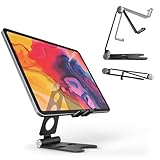
The Kado stand is the minimalist choice for travelers who count every ounce. It is a foldable aluminum cradle, model PMS-02-B, that holds phones, tablets and portable monitors up to about 16 inches. The listing gives a stand weight of about 7.4 ounces, and it folds flat into a package roughly the size of a paperback.
It offers multiple viewing angles through its hinges, non-slip rubber pads on the base and on the supports to stop the screen from sliding and to protect the bezel, and it comes in black or silver. Kado is a brand associated with Sceptre, which also sells portable monitors.
Strengths: very light, very compact, budget-friendly, and versatile enough to hold your phone or tablet on days you leave the monitor at home. There is nothing to screw in and nothing to tension.
Drawbacks: lift is limited, as with every flat-folding cradle, and a heavy 16-inch panel leaning back in a small cradle can tip if you press hard on a touchscreen. It is not designed for portrait mode with larger screens.
It sits in the same category as the TabHolderix folding stand above: pick the Kado if minimum weight matters most and you mostly work in landscape.
Portable monitor stand comparison
This table summarizes the six additional picks. Price tiers are approximate and shift with sales, so treat them as a guide to relative cost rather than a fixed number.
| Stand | Mount type | Max screen | Rated load | Folds flat | Price tier | Best for |
|---|---|---|---|---|---|---|
| COOPER TabStand 20″ | Telescoping pole + edge clamp | 17 in | 4.4 lb | No | Budget to mid-range | Eye-level height, stacking above a laptop |
| Jakeko Magnetic Stand | Magnetic or VESA 75 arm | 18.5 in | 4.4 lb | Yes | Mid-range | Mixed devices, full articulation |
| JUNEBOX VESA Stand | VESA 75 bracket on plate base | 18.5 in | 10 lb | Yes | Mid-range | Touchscreens that rock in cradles |
| UPERFECT VESA Stand | VESA 75 bracket (M3/M4) | 18.5 in | 8 lb | Yes, very thin | Budget to mid-range | Lightest VESA travel kit |
| KUUVAN 18.5″ Stand | Edge clamp arm | 18.5 in | 3.3 lb | Folds compact | Mid-range | Large panels without VESA |
| Kado Aluminum Stand | Folding cradle | 16 in | Not listed | Yes | Budget | Minimum weight, phone/tablet double duty |
What to look for
Prioritize stability on smooth surfaces — rubber feet and a low center of gravity keep the panel from sliding or tipping when you touch a touchscreen. Check the height range; you want the top of the screen near eye level, which usually means 4–6 inches of lift for a 15-inch panel on a standard desk. Confirm compatibility: measure your monitor’s VESA holes (commonly 75x75mm on portables) or check for a magnetic mounting surface. Finally, weigh the packed size against your bag; a stand that adds under 12 ounces and folds flat is easy to justify.
Stability tips for hotel desks
Hotel and cafe surfaces vary from glossy laminate to glass. A stand with a wide, grippy base resists sliding, and placing a folded cloth or the monitor’s sleeve underneath adds friction on slick surfaces. Route the single USB-C cable behind the stand so a tug does not topple the screen.
How to choose: matching the stand to your monitor and trip
The checklist below goes deeper than the basics above. Most bad purchases happen because the stand fits the monitor on paper but not the way you actually travel, so work through these points in order.
1. Start with your monitor’s back panel
Turn your portable monitor over before you shop. Its back decides which stand families are even possible:
- VESA holes (usually 75x75mm): you can use screw-in brackets like the JUNEBOX or UPERFECT, or a VESA-capable arm like the Jakeko. This is the most secure connection.
- Magnetic back or magnetic folio: magnetic tripods and arms snap on and off in seconds. Some monitors only have magnets in the cover, not the chassis, so confirm where the magnets actually are.
- Plain back, no holes, no magnets: stick with cradle stands (TabHolderix, Kado, Urmust) or edge-clamp arms (COOPER, KUUVAN). Adhesive metal plates exist for magnetic stands, but they can leave residue and may void a warranty.
2. Check size and weight, not just “fits 15.6 inch”
A 15.6-inch portable monitor usually weighs somewhere between 1.5 and 2.5 lb, while 17.3-inch and 18.5-inch models can approach 3 to 4 lb with a metal kickstand. Compare that to the stand’s rated load and leave some headroom, because an arm working near its limit tends to sag over the day. For clamp stands, also measure the panel’s width in the gripped direction and its thickness, since many clamps top out around 0.7 inches thick.
3. Decide how much height you really need
The ergonomic goal is to put the top of the screen at or slightly below eye level. On a standard desk with a laptop, that often means 4 to 6 inches of lift for a single monitor beside the laptop, and 10 inches or more if you want to stack the monitor above the laptop screen. Folding cradles cover the first case; poles and arms like the COOPER TabStand or KUUVAN cover the second.
4. Weigh folded shape against stability
Flat-folding stands slide into a laptop sleeve and disappear in your bag. Block-shaped stands with weighted bases take more room but resist tipping when you tap a touchscreen. If you fly with a carry-on only, prioritize flat. If you drive or stay somewhere for weeks, a heavier base is worth it.
5. Think about orientation
Portrait mode is great for documents, code and chat, but it raises the center of gravity. Stands with a rotating head and a wide or weighted base handle portrait best. Small folding cradles are usually landscape-only for anything larger than a tablet.
6. Look at materials and hinges
Aluminum alloy is the norm for travel stands because it balances stiffness and weight. Steel parts add strength but also ounces. Stiff hinges out of the box are normal and tend to loosen slightly with use; hinges that already feel loose on day one only get worse.
Setting up a portable monitor stand in a hotel room
A good stand still needs a smart setup. These steps take a couple of minutes on arrival and make long work sessions far more comfortable.
- Pick the most solid surface. A hotel desk beats a bedside table or an ironing board. If the only option is a glass or glossy laminate desk, lay down a cloth, the monitor sleeve or a mouse pad under the stand for extra friction.
- Place the laptop first. Put the laptop where your hands are comfortable, then decide whether the monitor goes beside it or above it. Side-by-side is easier with low stands; stacked works with tall pole or arm stands.
- Match the screen edges. Try to line up the top edge of the portable monitor with the top of the laptop screen, or slightly higher. Mismatched heights make your eyes and neck jump between levels.
- Angle the second screen inward. Toe the portable monitor in by roughly 15 to 30 degrees so its far edge is not much farther from your eyes than its near edge.
- Tension the joints. On arm stands, tighten each joint just enough that the screen stays put when you touch it. Overtightening wears the threads; undertightening lets the screen drift.
- Route the cable with slack. Run the USB-C cable behind the stand and leave a loop of slack so a tug on the laptop does not drag the monitor. Many arms include cable clips for this.
- Use a laptop stand plus external keyboard for long stays. If you will work several days in one place, raising the laptop too and typing on a compact keyboard gives you a properly ergonomic two-screen setup.
Packing and travel tips
- Pack the stand next to the monitor, not under it. Metal hinges and screws can scratch a screen in a crowded bag. A soft sleeve or the monitor’s folio between the two prevents marks.
- Keep screws attached or bagged. Captive anti-loss screws are a real advantage. If your stand uses loose screws, keep them in a small zip bag taped to the stand.
- Carry the right cable. A single full-featured USB-C cable that supports video and power keeps the setup clean. A short cable reduces clutter, but make sure it reaches from the laptop port to the stand’s height.
- Mind the magnets. Strong magnetic stands are fine near laptops and phones, but keep them away from hotel key cards and credit cards, which can be demagnetized.
- Check security screening expectations. Metal tripods and poles occasionally get a second look at airport screening. Packing the stand flat in an outer pocket makes it easy to inspect.
- Do a quick home rehearsal. Assemble the full kit once before the trip so you know the stand, cable and monitor all work together and nothing is missing.
Which stand type for which traveler
| Traveler type | Recommended stand type | Why |
|---|---|---|
| Carry-on-only flyer | Flat-folding cradle or slim VESA bracket | Adds minimal weight and fits in a laptop sleeve |
| Consultant with daily hotel changes | Magnetic arm or tripod | Fast setup and teardown every evening |
| Digital nomad on long stays | Tall pole stand or clamp arm | Better ergonomics justify the extra bulk |
| Touchscreen monitor owner | VESA plate stand with wide base | Screen does not rock when you tap it |
| Owner of a 17 to 18.5 inch panel | Clamp arm or VESA stand rated for the weight | Small cradles struggle with large, heavy panels |
| Gamer with a handheld or console | Height-adjustable cradle or arm | Keeps the screen at eye level for longer sessions |
Common mistakes with portable monitor stands
Most frustration with travel stands comes from a handful of avoidable errors. Watch for these before and after you buy.
- Buying by screen size alone. Two 15.6-inch monitors can differ by almost a pound depending on the panel type, metal frame and built-in kickstand. Always compare the stand’s rated load with your monitor’s actual weight.
- Assuming every portable monitor has VESA holes. Many slim models do not. A VESA-only stand is useless with a plain-backed panel, so check the back of your monitor first.
- Ignoring the folded size. A stand that is perfect on a desk but does not fit in your bag ends up staying at home. Measure the pocket you plan to use.
- Setting the screen too low. A small cradle that tilts the panel back but does not raise it can feel better than the folio, yet it still has you looking down. If neck strain is the reason you bought a stand, prioritize lift.
- Overtightening arm joints. Cranking a tension knob or hex bolt as hard as possible can strip threads or crack castings. Tighten until the screen holds its position, then stop.
- Letting the cable support the monitor. A short, taut USB-C cable can pull a light stand over or strain the monitor’s port. Leave a little slack and clip the cable to the stand.
- Forgetting the laptop height. Raising only the portable monitor creates a height mismatch with the laptop screen. On longer trips, a second folding stand for the laptop plus a compact keyboard balances the setup.
Ergonomics for long work sessions on the road
A stand fixes the screen position, but travel setups bring other ergonomic problems: hotel chairs that are too low, desks that are too high, and long hours in unfamiliar rooms. A few habits help the stand do its job.
Adjust the chair before the screen
Set your seat so your forearms are roughly level with the desk and your feet rest flat on the floor. If the hotel chair does not adjust, a folded towel or pillow on the seat can raise you. Once your body position is settled, set the monitor height to match your eyes, not the other way around.
Keep both screens at a similar distance
Your laptop is usually close to you because your hands are on its keyboard. A portable monitor placed farther back can be harder to read and forces your eyes to refocus each time you look over. Bring the portable screen forward until its distance roughly matches the laptop, and increase text scaling if needed rather than leaning in.
Manage glare
Hotel rooms often have windows behind the desk or bright lamps overhead. Tilt the portable monitor slightly to dodge reflections, close the curtains partway during the day, and lower the screen brightness at night to match the room. Matte-screen portable monitors are easier to work with in bright rooms than glossy ones.
Take short breaks
Even a perfect setup benefits from breaks. A common guideline is the 20-20-20 rule: every 20 minutes, look at something about 20 feet away for 20 seconds. Standing up for a minute every half hour also offsets the stiffness that comes from working in a cramped room.
Using a portable monitor stand for gaming on the go
Portable monitors are popular with travelers who bring a console, a handheld PC or a gaming laptop. The stand priorities shift slightly for gaming:
- Stability matters more than weight. You are not tapping the screen, but controllers and cables get bumped constantly. A weighted base or VESA plate stand prevents the screen from sliding during a session.
- Height depends on seating. If you play from a bed or a sofa, a tall pole stand or arm that raises the screen above a low table works better than a desk-height cradle.
- Distance matters with controllers. Sitting back with a controller means you may want the screen at the front edge of the desk or table, not tucked behind a laptop. Clamp and pole stands give that flexibility.
- Cable reach. Consoles often need separate power and HDMI or USB-C video cables. Arms with cable clips keep the extra leads tidy in a small hotel room.
Caring for a travel monitor stand
Travel stands live hard lives in backpacks and suitcases. Wipe the rubber or silicone feet occasionally with a damp cloth, because dust reduces their grip. Check screws and tension knobs every few trips and retighten anything that has worked loose. Keep the stand dry; aluminum resists corrosion, but steel springs and screws can rust if a wet umbrella shares the same pocket. If a magnetic stand loses grip, clean both the magnet and the metal plate, since grit between them noticeably weakens the hold.
Portable monitor stand vs. laptop stand vs. clamp arm
Travelers often ask whether one accessory can do every job. Here is how the three main options compare when space in the bag is limited.
- Dedicated portable monitor stand: designed around the monitor’s size, weight and mounting options. It gives the best stability and angle range for the screen, but it is one more item to pack if you also want to raise the laptop.
- Folding laptop stand used for the monitor: a single accessory that can raise either the laptop or the monitor. It works well for monitors that rest securely on its lip, but you can only raise one device at a time, and touchscreen use can push the panel off the front edge.
- Clamp-on arm: offers the most height and frees up the most surface, but it depends on finding a desk edge you can clamp to. Many hotel desks have thick edges, drawers or fragile veneers, so clamps are better for apartments or coworking spaces you return to repeatedly.
For most travelers, the best combination is a lightweight folding laptop stand plus a slim monitor stand or VESA bracket. Together they put both screens near eye level and still pack flat. Add a compact Bluetooth keyboard and mouse, and a hotel desk becomes a reasonable two-screen workstation for a multi-day trip.
FAQ
Can I use a regular laptop stand for a portable monitor?
Often yes. Many foldable laptop stands cradle a portable monitor’s lower edge and raise it nicely, as long as the monitor is not too heavy and the stand’s lip holds it. This dual use saves packing two accessories. Just verify the monitor sits securely and does not slide off the front.
Do portable monitor stands need to be VESA compatible?
No. Only screw-in VESA brackets and VESA-capable arms need them. Foldable cradles, edge-clamp stands, and magnetic tripods or clip-ons do not use VESA holes. If you want full height and tilt control with an arm, check that your panel has a VESA pattern (often 75x75mm) or a supported magnetic back before buying.
How high should a portable monitor sit?
Aim for the top edge of the screen to sit at or just below eye level when you sit upright. For a 15.6-inch panel beside a laptop on a normal desk, that usually means 4 to 6 inches of lift. If you stack the monitor above the laptop, you need a tall pole or arm stand that reaches 10 inches or more.
Are magnetic portable monitor stands strong enough?
Good magnetic stands hold a typical portable monitor securely for normal use, including light touchscreen tapping. The weak point is usually the attachment surface: a thin adhesive plate or a magnet in a soft folio is less secure than magnets built into the monitor chassis. For heavy 17-inch and larger panels, a VESA screw mount is the safer choice.
Can I use a tablet stand for a portable monitor?
Often yes, as long as the stand is rated for the monitor’s size and weight. Many tablet stands list support up to 13 or 16 inches, and some are explicitly designed for portable monitors. Check the clamp width or cradle depth, because portable monitors are wider and sometimes thicker than tablets.
Is a flat-folding stand or a weighted stand better for travel?
Flat-folding stands are better for carry-on travel because they slip into a laptop sleeve. Weighted, block-shaped stands are steadier on soft hotel desks and with touchscreens. If you change locations every day, choose flat; if you stay for weeks, the extra stability is worth the bulk.
Will a portable monitor stand work in portrait mode?
Only if it has a rotating head or bracket and enough base stability. VESA brackets with 360-degree rotation and pole stands with rotating clamps handle portrait well. Simple folding cradles are generally landscape-only for anything larger than a tablet, and some VESA stands limit portrait to screens under about 17 inches.
Bottom line
Ditch the wobbly folio kickstand for a proper portable stand: a foldable metal cradle for universal use, a magnetic clip-on for compatible panels, or a mini VESA arm for full adjustability. Prioritize stability and 4–6 inches of lift, confirm mounting compatibility, and keep the packed weight under about 12 ounces.
Related guides
- Best Cheap Tablets for Kids: Eight Listings Sorted by Age, Controls and Storage: 8 Compared (2026)
- Best Ultrawide Gaming Monitors: Six Screens Sized Against Real Desks: 6 Compared (2026)
- Best Game Room Neon Lights: Ten Signs and Icon Lamps Compared: 10 Compared (2026)
- 10 Best 75% Hot-Swappable Mechanical Keyboards (October 2026)









