
The best laptops for psychology students are usually 16GB models with a comfortable 14-inch display, a modern Core Ultra/Ryzen 5-or-better processor, an SSD, and enough battery life for lectures, statistical analysis, and research writing.
As an Amazon Associate we earn from qualifying purchases at no extra cost to you.


Our Top Picks
 Lenovo IdeaPad Slim 3 15.3" 2K Touchscreen Laptop16GB RAM | 512GB SSD14.11 x 9.23 x 0.7 inches3.3 poundsCheck on Amazon


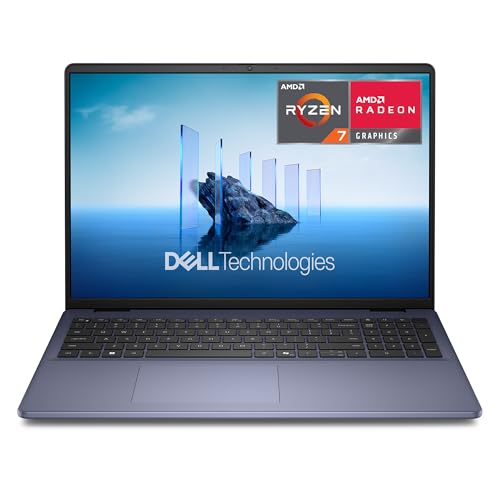
Top 3 picks at a glance
Quick recommendations
| Student profile | Best fit | Why it works | Price tier |
|---|---|---|---|
| Most students using SPSS, R, JASP, and Office | Lenovo ThinkPad E14 Gen 6, 16GB RAM | Good keyboard, repairability, ports, and Windows compatibility | Mid-range |
| Students prioritizing battery life and portability | MacBook Air 13-inch with M4 | Light, quiet, long-lasting, and powerful enough for statistics | Upper mid-range |
| Premium display and frequent reading | ASUS Zenbook 14 OLED UX3405 | Sharp OLED screen, compact design, and strong productivity performance | Mid-range to premium |
| Lowest sensible budget | Acer Aspire Go 15 with 16GB RAM | Large screen and adequate performance for basic coursework | Budget |
| Long-term ownership and upgrades | Framework Laptop 13 | Replaceable components, configurable ports, and easy maintenance | Upper mid-range to premium |
What psychology students actually need from a laptop
Psychology coursework is generally more demanding on memory, storage, and screen comfort than on graphics performance. SPSS, RStudio, JASP, jamovi, MATLAB, Qualtrics, reference managers, video calls, and dozens of browser tabs can run on a mid-range laptop. A dedicated gaming GPU is unnecessary unless you plan to work with advanced computer vision, machine learning, 3D environments, or large neural-network projects.
- Processor: A modern Intel Core Ultra 5, AMD Ryzen 5, Apple M-series chip, or equivalent is sufficient for most undergraduate and graduate work.
- Memory: Choose 16GB. Eight gigabytes can work, but becomes restrictive when statistical software, a PDF library, a browser, and video conferencing are open together.
- Storage: Buy at least a 512GB SSD. A 256GB drive fills quickly after software, lecture recordings, datasets, and backups are added.
- Screen: A 14-inch, 1920×1200 display is a strong balance. A 16:10 aspect ratio gives more vertical room for papers and data tables than a typical 16:9 screen.
- Weight: Around 1.2–1.6kg is comfortable for daily campus travel.
- Battery: Look for a battery rated around 50Wh or more, but judge the processor and screen together rather than relying on capacity alone.
Best laptops for psychology students by use case
Lenovo ThinkPad E14 Gen 6: the practical Windows choice
The ThinkPad E14 Gen 6 is a strong all-rounder for students who want Windows compatibility, a dependable keyboard, and useful connectivity. Configure it with 16GB RAM, a 512GB SSD, and a recent Core Ultra 5 or Ryzen 5 processor.
Windows is a convenient choice when a department provides SPSS instructions, specialized research utilities, or lab equipment designed around Windows. The ThinkPad’s keyboard is also well suited to long essays, coding in R, and entering survey data. Its main compromise is that screen quality varies by configuration, so avoid a low-resolution panel if you regularly read journal articles for hours.
MacBook Air 13-inch with M4: best for portability and battery life
The M4 MacBook Air is an excellent choice for students who value a quiet, lightweight computer. It handles R, RStudio, SPSS, JASP, jamovi, office applications, browser research, and moderate data analysis without needing a fan.
Its limitations are compatibility-related rather than performance-related. Check whether your department requires a Windows-only application, a particular USB instrument, or a course-specific plug-in before buying. Also choose 16GB memory rather than treating the base configuration as automatically sufficient for several years of graduate work. The 13-inch screen is very portable, but a 15-inch laptop or external monitor is more comfortable for wide datasets and side-by-side writing.
ASUS Zenbook 14 OLED UX3405: best for reading-heavy study
The Zenbook 14 OLED combines a compact body with a high-resolution OLED display. That makes it appealing for students who spend much of the day reading papers, comparing references, and switching between a dataset and a report.
OLED screens provide excellent contrast, but they can use more power when showing bright white pages. Set the display to a moderate brightness, use dark mode where it helps your eyes, and enable the laptop’s eye-comfort or blue-light setting in the evening. Check the exact configuration for 16GB RAM; some product lines are sold with several memory options.
Acer Aspire Go 15: the budget option that remains usable
An Aspire Go 15 with 16GB RAM and a 512GB SSD is a sensible lower-cost choice for introductory statistics, online classes, writing, and general research. The larger 15.6-inch screen makes spreadsheets easier to view than on a small laptop.
Expect compromises in speakers, chassis materials, display brightness, webcam quality, and battery endurance compared with premium models. It is best for students who usually work near a power outlet or who can add an external monitor later. Avoid an 8GB model if the memory cannot be upgraded.
Framework Laptop 13: best for maintainability
The Framework Laptop 13 is worth considering if you expect to keep the laptop through graduate school. Its replaceable and upgradeable parts can extend its useful life: storage and memory can be changed, and ports can be configured with expansion cards.
It may cost more initially than a basic Windows laptop, and battery life depends on the selected processor and display. Its value is strongest for students who are comfortable maintaining a computer or who care about reducing replacement costs later.
Apple MacBook Air 15-inch with M5: best big-screen Mac for data and writing

The 2026 MacBook Air 15-inch with the M5 chip is the natural step up for students who like the 13-inch Air recommended above but find its screen cramped once a dataset, a draft and a PDF are open together. This configuration pairs the M5 with 16GB of unified memory and a 512GB SSD, which matches the memory and storage targets this guide sets for psychology coursework rather than a thinner base specification.
The 15.3-inch Liquid Retina display is the main reason to choose it. Wide SPSS output tables, an R console beside a script, and long reference lists in Zotero are easier to read with the extra width, and the tall screen leaves useful vertical room for journal articles. The listing also includes a 12MP Center Stage camera, Touch ID and Wi-Fi 7. The camera matters more than many buyers expect: research-methods modules increasingly involve recorded presentations, online interviews and supervision meetings, and a clear webcam image is a genuine quality-of-life improvement.
Like other MacBook Air models, it has no cooling fan, so it stays silent in libraries and lecture theatres. Apple silicon is efficient enough that RStudio, jamovi, JASP, office applications and dozens of browser tabs run comfortably for undergraduate and most master’s-level analysis.
Who it is for: students who already know their department supports macOS and who want one laptop that can serve as both a portable study machine and a comfortable desk computer without an external monitor.
Drawbacks: it sits in the premium tier, and the larger chassis is less convenient than the 13-inch model in a small backpack. The same compatibility warnings apply as with any Mac: confirm that SPSS licensing, secure online exam software, lab equipment drivers and university VPN tools support macOS before buying. Memory cannot be upgraded later, so 16GB is the minimum worth considering.
How it compares: versus the 13-inch MacBook Air M4, it trades some portability for a much more comfortable workspace. Versus the ThinkPad E14 Gen 6, it offers a better screen, silent operation and typically longer battery life, but loses Windows-only compatibility and repairability.
Dell 15.6 Laptop with Intel Core Ultra 5 225U: mid-range Windows workhorse

This Dell 15.6-inch model is a straightforward Windows laptop built around a current Intel Core Ultra 5 225U processor and 16GB of RAM. The Core Ultra 5 is exactly the class of chip this guide recommends as sufficient for most undergraduate and graduate psychology work, and the 16GB of memory means SPSS, a browser full of journal tabs and a video call can run together without constant slowdowns.
The 15.6-inch Full HD screen is its practical advantage over 14-inch picks. Larger panels make spreadsheets, wide output tables and side-by-side document comparison easier, which suits students who spend more time at a desk than walking between classes. Windows 11 Home also keeps compatibility simple: departmental SPSS installation guides, university VPN clients, exam lockdown browsers and most lab utilities are written with Windows in mind.
Who it is for: students who want a dependable, conventional Windows laptop at a mid-range budget and who mostly study at home, in the library or near an outlet.
Drawbacks: a 15.6-inch, 16:9 body is heavier and less compact than the Zenbook 14 or MacBook Air, and it is not positioned as a premium ultrabook, so expect a more ordinary display and build than OLED or Apple models. Check the storage capacity of the specific listing; aim for 512GB if you store lecture recordings and datasets locally.
How it compares: it fills the gap between the budget Acer Aspire Go 15 and the business-focused ThinkPad E14 Gen 6. Compared with the Acer, the Core Ultra 5 gives more processing headroom for multi-year use; compared with the ThinkPad, it offers a larger screen but less emphasis on keyboard feel, serviceability and port selection.
Dell 16 Laptop with AMD Ryzen 7 250: best for a large FHD+ workspace
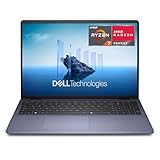
The Dell 16 Laptop pairs an AMD Ryzen 7 250 processor with 16GB of RAM and a 16-inch FHD+ display. The FHD+ label indicates a taller 16:10 panel, which is the aspect ratio this guide prefers for reading papers and scrolling through long data files. On a 16-inch screen, that extra vertical space is very noticeable when you are writing a literature review with source PDFs open alongside.
A Ryzen 7 chip is more processor than most coursework strictly needs, but it gives comfortable headroom for heavier R scripts, bootstrapped analyses, larger Python notebooks and multitasking during the final year of a degree or a master’s dissertation. That makes it a reasonable choice for students who expect their workload to grow, especially those moving toward quantitative research, cognitive neuroscience or data-heavy projects.
Who it is for: students who want the largest practical screen in a mainstream Windows laptop and who mostly use it on a desk, or who do not want to buy a separate monitor for statistics work.
Drawbacks: a 16-inch laptop is heavier than the 1.2-1.6kg range this guide suggests for daily campus carrying, and it needs a larger bag. Battery life depends heavily on display brightness and workload, so do not assume it will match a MacBook Air for a long day away from a charger. Confirm the exact SSD size before ordering.
How it compares: versus the Dell 15.6 with Core Ultra 5, it offers a taller, larger screen and a higher-tier processor at a modestly higher price. Versus the MacBook Air 15-inch, it keeps native Windows compatibility at a lower tier, with a less premium build and display.
Lenovo IdeaPad Slim 3 15.3-inch 2K with Ryzen 7 170: best value sharp screen
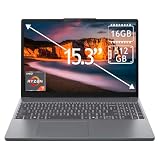
The IdeaPad Slim 3 in this configuration is one of the more balanced value options for psychology students. It combines an AMD Ryzen 7 170 processor, 16GB of DDR5 memory, a 512GB PCIe SSD and a 15.3-inch 2K touchscreen. That covers the full specification checklist from this guide (16GB, 512GB, modern processor) at a price that typically sits in the lower half of the mid-range tier.
The 2K display is the standout feature at this level. Higher resolution makes small text in journal articles, APA reference lists and dense statistical output noticeably crisper than on a basic 1080p panel, which helps during long reading sessions. The Full HD webcam is another useful detail for online seminars, participant interviews and recorded presentations, and Wi-Fi 6 keeps campus connections reliable.
Who it is for: undergraduates who want a sharp screen and enough processing power for several years of coursework without moving into premium pricing.
Drawbacks: the IdeaPad line focuses on value, so the chassis, speakers and keyboard are not at ThinkPad or MacBook level. Touchscreen glass can add glare under lecture-hall lighting, and a touchscreen is not a substitute for a pen-focused convertible if handwritten notes are central to your workflow. Several IdeaPad Slim 3 versions are sold with only 8GB of memory and 128GB of storage, so verify the exact configuration.
How it compares: it is a clear step up from the Acer Aspire Go 15 in screen sharpness, and it undercuts the Zenbook 14 OLED while giving up OLED contrast and some portability.
Microsoft Surface Laptop (2026) 13.8-inch with Snapdragon X2 Elite: premium Windows on Arm

The 2026 Surface Laptop is Microsoft’s premium clamshell, here with a Snapdragon X2 Elite processor, 16GB of RAM, a 512GB SSD and a 13.8-inch touchscreen. It is aimed at students who want MacBook Air-style portability and efficiency but prefer to stay on Windows 11. As a Copilot+ PC it also supports Microsoft’s on-device AI features, which some students use for summarising notes and searching documents, although none of those features are required for psychology coursework.
The important detail is the processor architecture. Snapdragon chips use Arm rather than conventional x86 Intel or AMD designs. Most everyday software, including Microsoft 365, web browsers, Zoom and Teams, runs natively, and many other applications run through Windows’ built-in emulation. Statistics packages and specialised lab tools are where you must check carefully: confirm with your department or the software vendor whether the SPSS version licensed by your university, any exam lockdown browser, and any lab hardware drivers are supported on Windows on Arm. R and Python have Arm builds, but some packages may still need extra setup.
Who it is for: students who have confirmed their software works on Windows on Arm and want a polished, lightweight Windows laptop with strong battery efficiency.
Drawbacks: it sits firmly in the premium tier, and compatibility uncertainty is a real risk for students with fixed departmental software lists. Drivers for older USB equipment, such as response boxes or physiological sensors, may not exist for Arm.
How it compares: versus the MacBook Air, it keeps Windows familiarity but carries a similar need for software checks. Versus the ThinkPad E14 Gen 6 or the Dell models, it is lighter and more refined but less universally compatible; if your course depends on niche Windows software, an Intel or AMD laptop remains the safer choice.
HP 15.6″ Business and Student Laptop: budget pick with 16GB and 512GB

This HP 15.6-inch laptop is a budget-tier option that still meets the two most important specification targets in this guide: 16GB of RAM and a 512GB SSD. It uses an AMD processor, runs Windows, includes Microsoft 365, and the bundle adds a mouse and sleeve. For a first-year student, that removes several small purchases from the start-of-term list.
The 15.6-inch screen offers enough room for spreadsheets and reading, and Windows keeps compatibility simple for SPSS and university-supplied tools. Sixteen gigabytes of memory is the detail that separates this from many cheaper laptops, which often ship with 4GB or 8GB and become frustrating once statistics software and multiple browser tabs are open together.
Who it is for: students on a tight budget who need a usable Windows laptop for writing, online classes, introductory statistics and research reading.
Drawbacks: the listing title does not name the exact AMD processor model, so check the detailed specifications before purchase to confirm it is a reasonably current Ryzen chip. Expect a basic screen, modest speakers and webcam, and battery life better suited to working near an outlet. The Microsoft 365 inclusion may be a time-limited subscription rather than a permanent licence, and many universities already provide Office free to students, so do not treat it as the main reason to buy.
How it compares: it competes directly with the Acer Aspire Go 15 in the budget tier. The deciding factors are the exact processor in each listing and whether you value the bundled accessories. If your budget can stretch to the lower mid-range tier, the IdeaPad Slim 3 2K offers a noticeably sharper screen.
Compatibility matrix for psychology software
| Task | Recommended platform | Minimum sensible specification | Important check |
|---|---|---|---|
| SPSS and standard coursework | Windows or macOS | 16GB RAM, modern 4–8 core processor, 512GB SSD | Confirm your university’s supported version and plug-ins |
| R, RStudio, Python, and Jupyter | Windows, macOS, or Linux | 16GB RAM; 32GB for large datasets or machine learning | Check package support for Apple silicon or Linux |
| JASP and jamovi | Windows or macOS | 8GB minimum; 16GB preferred | Use the current university-supported release |
| Qualtrics and online research | Any modern platform | 8GB RAM and reliable Wi-Fi | Webcam and microphone quality may matter for interviews |
| Large-scale machine learning or imaging | Windows/Linux often offers the widest hardware choice | 32GB RAM, fast SSD, optional dedicated GPU | Check CUDA, driver, and software requirements first |
How to choose: matching the laptop to your stage of study
Psychology degrees change in their computing demands as you progress. A first-year laptop mostly handles reading, writing, slides and online quizzes. By the final year, the same machine may be running mixed-effects models in R, cleaning survey exports from Qualtrics, managing hundreds of references and hosting long video supervision calls. Buying for the hardest year rather than the easiest one usually saves money overall.
- First and second year: 16GB RAM, a 512GB SSD and any current mid-range processor are enough. Prioritise a comfortable keyboard, a readable screen and weight you are happy to carry every day.
- Final-year project or dissertation: the same baseline, but a sharper or larger display and a faster processor make long analysis and writing sessions more pleasant. A Ryzen 7, Core Ultra 7 or Apple M-series chip gives headroom.
- Master’s and doctoral research: consider 32GB RAM if you work with large longitudinal datasets, simulation studies, EEG or eye-tracking data, or machine-learning coursework. Check with your lab whether analysis runs on a university server instead.
- Clinical or counselling pathways: confidentiality rules may require full-disk encryption, a strong login method and university-managed software. A business-class Windows laptop or a Mac with FileVault enabled both meet this when set up properly.
Two other criteria are easy to overlook. First, exam software: many universities use lockdown browsers or proctoring tools for online tests, and these often have narrower operating-system support than ordinary applications. Second, lab hardware: experiment-building tools such as PsychoPy, E-Prime or response boxes and sensors used in cognitive labs may rely on specific drivers. If you expect to run experiments from your own laptop, ask the lab manager which platform they support before buying.
Comparison of the additional laptop picks
| Laptop | Platform | Screen | Memory / storage | Best for | Price tier |
|---|---|---|---|---|---|
| MacBook Air 15-inch (M5) | macOS | 15.3-inch Liquid Retina | 16GB / 512GB | Large-screen Mac users with confirmed macOS software support | Premium |
| Dell 15.6 Laptop (Core Ultra 5 225U) | Windows 11 | 15.6-inch FHD | 16GB / check listing | Desk-based study with standard Windows software | Mid-range |
| Dell 16 Laptop (Ryzen 7 250) | Windows 11 | 16-inch FHD+ (16:10) | 16GB / check listing | Large workspace and growing analysis workloads | Mid-range |
| Lenovo IdeaPad Slim 3 2K (Ryzen 7 170) | Windows 11 | 15.3-inch 2K touchscreen | 16GB / 512GB | Sharp screen at a value price | Mid-range (lower end) |
| Surface Laptop 2026 (Snapdragon X2 Elite) | Windows 11 on Arm | 13.8-inch touchscreen | 16GB / 512GB | Portable premium Windows, after software checks | Premium |
| HP 15.6″ Business and Student Laptop | Windows | 15.6-inch | 16GB / 512GB | Tight budgets needing a complete starter kit | Budget |
If you are torn between two models, decide by platform first (Windows x86, Windows on Arm or macOS), then by screen size, and only then by processor. For psychology coursework, the wrong operating system or a cramped screen causes more day-to-day frustration than a slightly slower chip.
Battery life: use the power budget, not the advertised number
Battery capacity alone does not predict classroom endurance. A simple estimate is:
Runtime = battery capacity in watt-hours ÷ average laptop power draw.
For example, a 55Wh battery running at an average 8W would produce a theoretical 6.9 hours: 55 ÷ 8 = 6.875. If background tasks, screen brightness, battery conversion losses, and aging raise average consumption to 11W, the estimate falls to 5 hours. A bright OLED display, video calls, and high performance mode can increase power draw further.
For a full day away from a charger, prioritize an efficient processor, a 50Wh-or-larger battery, a non-gaming design, and a display that can be used comfortably at moderate brightness. Apple-silicon MacBook Air models are particularly strong for low-noise mobile work, while efficient Windows ultrabooks can also perform well.
Display and note-taking decisions
A 14-inch 1920×1200 matte display is usually the safest choice for long study sessions. It provides enough workspace without making text excessively small. A 15- or 16-inch model is preferable if you frequently view wide statistical output, but it adds weight.
For eye comfort, use roughly 100–150% operating-system scaling depending on panel size and eyesight, keep the screen near eye level, and avoid using maximum brightness indoors. A backlit keyboard helps in lecture halls. A 360-degree convertible such as an HP Envy x360 can be useful for handwritten notes, but pen support, hinge durability, weight, and battery life vary by configuration. Buy one only if tablet-style note-taking is central to your workflow.
Windows, macOS or Windows on Arm: a practical decision guide
Platform choice is the single decision most likely to cause problems later, so it deserves more attention than processor model numbers. In 2026, psychology students effectively choose between three platforms.
Windows on Intel or AMD (x86)
This remains the broadest-compatibility option. Departmental SPSS guides, exam lockdown browsers, E-Prime, older response-box drivers and many lab utilities are written for it first. If your course handbook lists specialised software you have never heard of, or if you are unsure what your final-year project will involve, a conventional Intel or AMD laptop is the lowest-risk choice. The ThinkPad E14 Gen 6, Acer Aspire Go 15, the two Dell models, the IdeaPad Slim 3 and the HP 15.6-inch laptop in this guide all fall into this group.
macOS on Apple silicon
MacBook Air models offer excellent battery life, silent operation and strong build quality, and the mainstream psychology toolset (R, RStudio, JASP, jamovi, PsychoPy, Office, Zotero and SPSS) runs on macOS. The main risks are Windows-only exam or lab tools. Some universities provide virtual desktops or computer labs to cover these gaps, which can make a Mac perfectly workable, but confirm that before relying on it.
Windows on Arm (Snapdragon)
Snapdragon laptops such as the 2026 Surface Laptop combine Windows with efficiency closer to Apple silicon. Everyday applications run well, and Windows emulation covers many older programs. However, drivers cannot be emulated, so specialised USB hardware may not work, and some security or proctoring tools have been slow to add Arm support. Treat this platform like a Mac: excellent if your software list checks out, risky if it does not.
A simple way to decide
- Download your department’s software list or ask a second-year student what they actually installed.
- Check each item against the vendor’s system requirements for your chosen platform.
- Ask whether exams use lockdown software, and which operating systems it supports.
- If any essential item is Windows-only, choose a conventional Intel or AMD Windows laptop.
- If everything is supported, choose based on screen, weight, battery life and budget.
Getting more laptop for a student budget
Students have a few advantages that ordinary buyers do not. Most universities provide Microsoft 365 free while you are enrolled, so a bundled Office subscription adds little value. Many manufacturers, including Apple, Dell, Lenovo and Microsoft, run education discount programmes, and back-to-school periods often bring extra offers or bundled accessories. Comparing the same configuration across these routes can move a laptop from the premium tier into the mid-range tier.
When comparing listings, focus on the configuration rather than the product family name. Two laptops sold under the same name can differ in memory, storage, screen resolution and processor generation. A slightly older processor with 16GB of memory and a good screen is usually a better study machine than a newer chip paired with 8GB and a dim, low-resolution panel. Finally, check the warranty and whether accidental-damage cover is available, because a laptop carried daily across campus faces far more knocks than a home computer.
How much should you spend?
- Budget tier: Look for an Acer Aspire Go 15 or similar laptop with 16GB RAM and a 512GB SSD. Accept a less premium screen and build.
- Lower mid-range tier: This is the value range for a ThinkPad E14 Gen 6 or comparable business laptop with better keyboards and upgrade options.
- Upper mid-range tier: Consider a MacBook Air M4, ASUS Zenbook 14 OLED, or another lightweight premium laptop.
- Premium tier: Spend more only for a specific benefit such as 32GB RAM, a larger high-quality display, exceptional portability, or demanding imaging and machine-learning work.
Setting up a new laptop for psychology coursework
A sensible first-week setup prevents most of the problems students run into mid-semester, from lost dissertation files to statistics software that refuses to activate before a deadline.
- Install university-licensed software early. Download SPSS, Office, the VPN client and any exam software from your university’s IT portal in the first week. Licence activation sometimes requires a campus network or VPN connection, and help desks are busiest just before assignment deadlines.
- Install free statistics tools alongside SPSS. R with RStudio, JASP and jamovi are free, widely taught and useful when you are off campus or when an SPSS licence expires after graduation. Keep them updated at the start of each term rather than mid-project, so package changes do not alter results halfway through an analysis.
- Set up a reference manager. Zotero, Mendeley or EndNote, together with the matching word-processor plug-in, saves hours of APA formatting. Install the browser connector so articles can be saved directly from journal pages.
- Turn on encryption and a strong sign-in. Enable BitLocker or Device Encryption on Windows, or FileVault on macOS, and use a PIN, fingerprint or face sign-in. This matters if you ever store participant data, interview recordings or clinical placement notes, and most ethics committees expect it.
- Use the 3-2-1 backup approach. Keep your working files on the laptop, a synced copy in university cloud storage, and a periodic backup on an external drive. For the dissertation, save dated versions so you can roll back if a file becomes corrupted.
- Organise data folders from the start. Separate raw data, cleaned data, analysis scripts and outputs. Never overwrite raw survey exports. This habit makes analyses reproducible and makes supervision meetings much easier.
- Adjust power and display settings. Use a balanced power mode for lectures, set screen brightness to a comfortable indoor level, and enable night light or Night Shift in the evening. These small changes extend battery life and reduce eye strain during long reading sessions.
- Plan a desk setup. If you write long essays at home, a separate keyboard and mouse with the laptop raised on a stand, or an inexpensive external monitor, keeps your neck and wrists in a better position than hunching over the laptop for hours.
Accessories worth budgeting for
A laptop alone is rarely the whole study setup. A few modest extras make a larger difference than upgrading to a more expensive processor:
- External monitor: a 24-inch or 27-inch screen transforms data cleaning and literature reviews. Check that your laptop’s USB-C port supports video output, or use HDMI.
- USB-C hub: useful on thin laptops with few ports, adding USB-A, HDMI and an SD card reader for lab equipment or camera files.
- External SSD: a portable drive for backups and large datasets keeps the internal drive free and protects your work.
- Headset with microphone: clearer audio for online seminars, participant interviews and transcription work.
- Protective sleeve: inexpensive insurance for a laptop carried between lectures, libraries and placements every day.
Final buying checklist
- Choose 16GB RAM and a 512GB SSD whenever possible.
- Verify SPSS, R packages, MATLAB, lab hardware, and university VPN requirements before selecting macOS or Windows.
- Prefer a 16:10 display with at least 1920×1200 resolution.
- Check the exact model configuration, not just the product family name.
- Budget for a USB-C hub, external backup drive, or monitor if your workflow needs one.
- Skip a dedicated GPU unless your research involves imaging, 3D work, or machine learning.
For most psychology students, the Lenovo ThinkPad E14 Gen 6 is the safest Windows recommendation, while the M4 MacBook Air is the strongest lightweight option when all required software supports macOS. A 16GB, 512GB configuration in either category will serve far better than a faster-looking laptop with only 8GB of memory or a cramped 256GB drive.
Frequently asked questions
Is a MacBook good for a psychology degree?
Yes, for most students. RStudio, JASP, jamovi, Microsoft Office, Zotero and SPSS all have macOS versions, and MacBook Air models are quiet, light and efficient. The risk lies in exceptions: some exam lockdown tools, lab experiment software or hardware drivers are Windows-only. Check your department’s software list and ask the lab manager before choosing macOS.
Do psychology students need a powerful laptop?
Not usually. Coursework relies more on memory, storage and screen comfort than raw performance. A modern mid-range processor with 16GB RAM and a 512GB SSD handles statistics, writing and research comfortably. More power only becomes important for large-scale data analysis, neuroimaging, machine learning or computational modelling, often at postgraduate level.
Is 8GB of RAM enough for SPSS and R?
It can run them, but it becomes restrictive when statistics software, a browser with many tabs, a reference manager and a video call are open together. Because many current laptops have memory soldered to the motherboard, choosing 16GB at purchase is the safer long-term decision.
Can I use a Chromebook for a psychology degree?
A Chromebook is risky as your only computer. Browser-based tools such as Qualtrics, Google Docs and online versions of jamovi work, but SPSS and many exam or lab applications do not run natively on ChromeOS. A Chromebook can work as a secondary note-taking device if you have reliable access to campus computers for statistics.
Should I buy a 2-in-1 laptop for taking notes?
Only if handwritten notes are central to your study style. A convertible with a pen is useful for annotating PDFs and sketching diagrams, but it adds weight and cost, and hinge designs can compromise keyboard comfort. Many students are better served by a conventional laptop and a separate tablet, or by typing notes directly.
Do I need Windows on Arm or an Intel or AMD laptop?
Intel and AMD (x86) laptops offer the widest software compatibility, which matters if your department uses specialised Windows tools. Snapdragon-based Windows laptops can offer excellent efficiency, but you should confirm that your SPSS version, exam software and any lab drivers are supported on Arm before buying.









