
The best keyboard for Fortnite is a compact or tenkeyless board with fast, consistent key response, a stable wired or low-latency wireless connection and keys you can remap for building and editing. This guide covers seven keyboards that fit that job, plus a one-handed keypad for players who prefer a different layout, and explains how the same choices carry over to Minecraft and MMO games.
Quick answer: choose a 60 percent or TKL board with linear or adjustable switches if you want the most mouse room. Choose a full-size board with macro keys if you also play MMOs. A keypad is an option for building-heavy or one-handed play.
Our Top Picks
 Razer Huntsman Mini 60% Gaming Keyboard11.56x 4.07 x 1.45 inches11.56 x 4.07 x 1.45 inches1.1 poundsCheck on Amazon
 SteelSeries Apex 3 TKL RGB Gaming KeyboardApex 3 TKL5.9 x 14.3 x 1.57 inches1.4 poundsCheck on Amazon


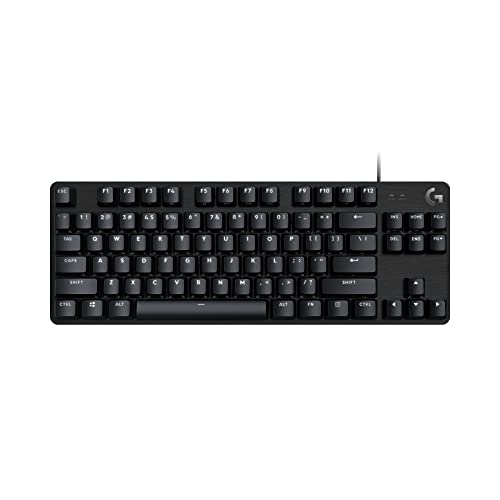

Top 3 picks at a glance
Fortnite Keyboards at a Glance
Fortnite asks a lot of your left hand: movement, building pieces, editing, crouch, jump and inventory all compete for a handful of keys. That is why the best Fortnite keyboard is less about fancy lighting and more about layout, switch response and remapping. The table compares the seven main picks.
| Keyboard | Layout | Switch type | Connection | Notable feature |
|---|---|---|---|---|
| Razer BlackWidow V4 X Fortnite Edition | Full size | Yellow linear and silent | Wired | 6 macro keys, Chroma RGB |
| Razer Huntsman Mini | 60 percent | Linear optical | Wired | Compact, onboard memory |
| SteelSeries Apex 3 TKL | Tenkeyless | Whisper quiet switch | Wired | 8-zone RGB, IP32 water resistance |
| AULA WIN60 HE | 60 percent | Hall effect magnetic | Wired | Adjustable actuation, rapid trigger mode, 8000Hz polling |
| Logitech G PRO X 60% Wireless | 60 percent | Tactile optical | Lightspeed wireless | Compact esports-style design |
| CORSAIR K70 CORE TKL | Tenkeyless | Pre-lubricated MLX Red v2 linear | Wired | Dual-layer sound dampening |
| Redragon K585 | One-handed keypad | Not listed here | Wired | 42 keys, 28 combo slots, wrist rest |
How We Chose These Keyboards
This is a research-based guide. We did not use these keyboards ourselves. We compared maker specifications and product listings, then selected boards that suit the way Fortnite is played: lots of rapid taps on a few keys, frequent remapping and wide mouse swipes. We favored compact layouts, kept each brand to two entries or fewer, and mixed price tiers. We make no claims about professional use. Where a listing does not state a spec, we mark it as not listed and suggest checking the maker.
The 7 Best Keyboards for Fortnite
Razer BlackWidow V4 X Mechanical Gaming Keyboard, Fortnite Edition
As an Amazon Associate we earn from qualifying purchases at no extra cost to you.

The Razer BlackWidow V4 X Fortnite Edition is a full-size mechanical gaming keyboard with yellow linear and silent switches, six macro keys, Chroma RGB, doubleshot ABS keycaps and sound-dampening stabilizers. It is the board on this list that is specifically styled for the game.
Beyond the theme, this is a capable full-size keyboard. The six dedicated macro keys can hold build or edit shortcuts, and the linear switches are friendly to quick repeated taps. The dampening also makes it a good match for late sessions.
- Layout: full size with 6 macro keys
- Switch: yellow linear and silent
- Lighting: Chroma RGB
- Keycaps: doubleshot ABS
- Connection: wired
Best for: players who want a themed full-size board and extra macro keys.
Skip if: you want maximum mouse space or a compact desk setup.
Pros
- Dedicated macro keys
- Quiet linear switches
- Game-themed styling
- Sound dampening
Cons
- Full-size layout takes desk space
- Themed edition styling is a matter of taste
Razer Huntsman Mini 60% Gaming Keyboard
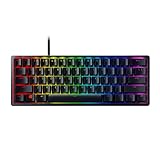
The Razer Huntsman Mini is a 60 percent gaming keyboard with linear optical switches, an aluminum top frame, Chroma RGB lighting, PBT keycaps, onboard memory and Snap Tap.
A 60 percent board frees the most space for mouse swipes, which matters for low-sensitivity aim. Optical switches register keys with light rather than metal contacts, and onboard memory keeps your layout when you move the keyboard to another PC.
- Layout: 60 percent
- Switch: linear optical
- Frame: aluminum top
- Keycaps: PBT
- Extras: onboard memory, Snap Tap
Best for: players who want a small, solid board and keep their keybinds on a profile.
Skip if: you rely on arrow keys or a function row without using layers.
Pros
- Compact footprint
- Optical linear switches
- Durable frame and PBT caps
- Onboard profiles
Cons
- No dedicated function row
- Learning curve for layers
SteelSeries Apex 3 TKL RGB Gaming Keyboard

The SteelSeries Apex 3 TKL is a tenkeyless gaming keyboard with whisper quiet gaming switches, 8-zone RGB illumination and IP32 water and dust resistance in a compact form factor.
TKL boards drop the number pad but keep arrows and the function row, which is a comfortable middle ground. This one is a practical, low-fuss choice for someone who wants a gaming-brand board with a quiet switch and some spill protection.
- Layout: tenkeyless
- Switch: whisper quiet gaming switch
- Lighting: 8-zone RGB
- Durability: IP32 water and dust resistance
- Connection: wired
Best for: players who want a straightforward TKL without a steep learning curve.
Skip if: you want hot-swap, adjustable actuation or wireless.
Pros
- Familiar TKL layout
- Quiet operation
- Water resistance rating
- Approachable brand
Cons
- Basic feature set
- Not a true mechanical switch feel
AULA WIN60 HE 60% Magnetic Switch Gaming Keyboard

The AULA WIN60 HE is a wired 60 percent keyboard with hall effect magnetic switches, hot-swappable switches, adjustable actuation, a rapid trigger mode, 8000Hz polling and RGB lighting.
Magnetic switches let you set how far a key must travel before it registers, and a rapid trigger mode resets the key as soon as you lift. For a game with constant movement and building, that adjustability can make controls feel more precise, though it takes some tuning.
- Layout: 60 percent
- Switch: hall effect magnetic, hot-swappable
- Features: adjustable actuation, rapid trigger mode
- Polling rate: 8000Hz
- Connection: wired
Best for: tinkerers who like tuning response per key.
Skip if: you want a plug-and-forget board with a function row.
Pros
- Adjustable actuation
- Rapid trigger mode
- High polling rate
- Compact
Cons
- Needs tuning
- Less well known brand
- Fewer keys to learn around
Logitech G PRO X 60% Wireless Gaming Keyboard (Tactile Optical)

The Logitech G PRO X 60% is a compact wireless gaming keyboard with Lightspeed connectivity, tactile optical switches, LIGHTSYNC RGB and dual-shot PBT keycaps in a 60 percent mechanical format.
If you do not want a cable across the desk, this is the wireless option on the list. Tactile switches give a small bump that some players use to feel the actuation point, and optical sensing keeps response quick.
- Layout: 60 percent
- Switch: tactile optical
- Connection: Lightspeed wireless
- Keycaps: dual-shot PBT
- Lighting: LIGHTSYNC RGB
Best for: players who want a clean wireless setup.
Skip if: you prefer linear switches or need battery details listed here (check the maker).
Pros
- Wireless with gaming-focused connection
- Tactile feedback
- PBT keycaps
- Compact
Cons
- Tactile bump is not for everyone
- No function row
CORSAIR K70 CORE TKL RGB Mechanical Gaming Keyboard
The CORSAIR K70 CORE TKL is a tenkeyless mechanical gaming keyboard with pre-lubricated MLX Red v2 linear switches, dual-layer sound dampening, ABS double-shot keycaps and RGB lighting.
Linear switches are the usual choice for Fortnite because they move without a bump. Pre-lubrication and dampening aim at a smoother and quieter stroke, so the keyboard sounds more refined than a basic budget board.
- Layout: tenkeyless
- Switch: pre-lubricated MLX Red v2 linear
- Sound: dual-layer dampening
- Keycaps: ABS double-shot
- Connection: wired
Best for: players who want a mechanical TKL with a polished sound.
Skip if: you want hot-swap or magnetic switches (not listed).
Pros
- Smooth linear switches
- Dampened sound
- Good build reputation
- Compact
Cons
- Mid-to-upper price tier
- No wireless
Redragon K585 One-Handed Gaming Keypad
The Redragon K585 is a wired one-handed keypad with a 42-key tactical layout, 28 onboard combo slots, four profiles, a USB pass-through port, 16.8 million colors, swap-ready sockets and a detachable wrist rest.
A keypad is a different approach: your left hand rests on a dedicated block of keys, while a standard keyboard stays out of the way or is removed. It also works for MMOs and building-heavy games like Minecraft, thanks to programmable keys.
- Type: one-handed keypad, 42 keys
- Onboard memory: 28 combo slots, 4 profiles
- Extras: USB pass-through, wrist rest
- Lighting: 16.8 million colors
- Connection: wired
Best for: players who want building and ability keys under one hand.
Skip if: you type chat or text often and need a full keyboard.
Pros
- Compact and programmable
- Wrist rest included
- Useful for MMOs and Minecraft
- Onboard profiles
Cons
- Learning curve
- Not a full keyboard
Also Consider
Logitech G413 TKL SE
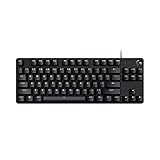
A compact tenkeyless board with tactile mechanical switches, a backlit aluminum design, anti-ghosting and Windows and macOS compatibility. A simple, durable choice.
Corsair K55 CORE TKL RGB

A tenkeyless gaming keyboard with eight-zone RGB, quiet membrane keys, spill resistance, media keys and 1000Hz polling. It suits a first gaming board.
Redragon K556 Keyboard and M908 MMO Mouse Bundle

A mechanical RGB gaming keyboard bundled with an MMO mouse. It is worth a look if you want a combined setup for MMOs and Fortnite.
What Makes a Good Fortnite Keyboard
Fortnite is played with a quick mix of movement, build and edit keys. A good board for it is responsive, remappable and comfortable for long sessions. The sections below explain the choices that matter most, so you can pick a keyboard on features rather than marketing.
Layout and size
60 percent boards free the most desk space, TKL boards keep arrows and function keys, and full-size boards add a number pad and often macro keys. Fortnite does not need a number pad, so most players choose 60 percent or TKL. If you like low mouse sensitivity, the extra desk space is a real advantage.
Switch type
- Linear: smooth with no bump, popular for fast repeated taps.
- Tactile: a small bump marks the actuation point, which some players like for control.
- Magnetic or hall effect: adjustable actuation and rapid trigger features for tuning.
- Membrane: softer and quieter but less crisp.
Remapping and macros
Fortnite lets you bind build pieces and edit to the keys you prefer. A keyboard with onboard memory keeps those habits across PCs. Be careful with macros: check the rules of any game mode or event before using them, because automation can be restricted.
Wired versus wireless
Wired boards never need charging and avoid wireless interference. Modern low-latency wireless, such as Lightspeed, is also good if you want a clean desk, but check battery life on the maker page.
Best Fortnite Keyboard by Player Type
| Player type | Suggested pick | Why |
|---|---|---|
| Wants maximum mouse space | Razer Huntsman Mini or AULA WIN60 HE | 60 percent footprint |
| Likes a TKL layout | SteelSeries Apex 3 TKL or CORSAIR K70 CORE TKL | Arrows and function row kept |
| Wants wireless | Logitech G PRO X 60% Wireless | Low-latency wireless in a compact board |
| Also plays MMOs | Razer BlackWidow V4 X Fortnite Edition | Macro keys and full size |
| Prefers a keypad | Redragon K585 | One-handed layout, onboard combos |
Best MMO Keyboard Features
A good MMO keyboard has many reachable keys, ideally programmable ones, so you can fit dozens of abilities without stretching. Full-size boards with macro keys, such as the BlackWidow V4 X, and one-handed keypads like the K585 both work. Look for onboard profiles so your bindings follow you between games.
- Pick a keypad if you want a thumb or palm layout that stays under one hand.
- Pick a full-size board with macro keys if you also type a lot.
- Choose switches you like for long sessions rather than the loudest option.
Keyboards for Minecraft
Minecraft rewards a comfortable, familiar layout rather than extreme speed. Any of the boards above work, but a TKL with a wrist rest or a full-size board with media keys is pleasant for long building sessions. A keypad like the K585 can free the main keyboard for chat and commands.
Buying Guide: Thresholds That Matter
- Choose 60 percent or TKL if desk space is limited.
- Choose adjustable or hall effect switches if you enjoy tuning.
- Choose linear for repeated taps, tactile for feedback.
- Choose onboard memory if you move between PCs or consoles.
- Choose a wrist rest if you play long sessions on a full or TKL board.
- Check the return policy so you can swap the board if the layout does not feel right.
Setting Up Your Keyboard for Fortnite
A good keyboard still needs a sensible setup. These steps apply to any board on this list and cost nothing.
Step 1: Remap build and edit keys
Open the in-game keyboard settings and assign wall, floor, stairs, roof and edit to keys your fingers reach without moving off movement keys. Many players keep these close to the left hand and use mouse buttons for the rest. Change one thing at a time so your muscle memory has time to adapt.
Step 2: Use onboard profiles
If your keyboard has onboard memory, save a profile with your layout, lighting and any key layers. This is why the Razer Huntsman Mini and Redragon K585 are convenient: the settings stay on the device when you move to another PC.
Step 3: Check the polling rate and connection
Polling rate is how often the keyboard reports to the PC. Higher numbers, such as the 8000Hz listed on the AULA WIN60 HE, reduce the interval between reports. Most players will not feel a large difference, and your system must support it. A stable wired connection or a quality 2.4GHz wireless link matters more than the headline number.
Step 4: Tune actuation if you have a magnetic board
On hall effect boards, start with a moderate actuation distance and lower it slowly. Setting it too shallow causes accidental key presses when you rest your fingers. Test the setting in a practice mode and keep a normal profile saved as a fallback.
Step 5: Keep the desk layout consistent
Place the keyboard so your forearm is parallel to the desk and your wrist is straight. A wrist rest helps on TKL and full-size boards. On 60 percent boards, you may not need one because the keys sit closer to the front edge.
Budget Tiers and What to Expect
We avoid quoting exact prices because listings change often. Instead, use these tiers as a guide.
- Entry tier: membrane or mecha-membrane boards such as the Corsair K55 CORE TKL. Good for a first board, with softer feel.
- Middle tier: TKL and 60 percent mechanical boards from major brands, plus tuning-friendly magnetic boards from newer brands.
- Upper tier: wireless esports boards and premium wired boards with aluminum frames, onboard memory and strong software.
Spending more does not automatically improve your play. Pick the layout and switch feel you like first, then choose the tier that fits your budget.
Common Mistakes When Choosing a Fortnite Keyboard
- Buying a full-size board and then having to angle the mouse around it. A TKL or 60 percent layout usually solves this.
- Choosing very sensitive actuation without practice. It can lead to accidental key presses while building.
- Assuming themed styling changes performance. The Fortnite Edition is mostly a look; the switches and features are what matter.
- Ignoring noise if you play near others. Linear and silent switches are friendlier in shared rooms.
- Forgetting that a keypad needs a separate keyboard for chat and menus.
Keyboard and Mouse Pairing Notes
Your keyboard is only part of the setup. A compact board leaves room for wide mouse swipes, and a lightweight mouse with a smooth pad helps with aim. If you are building a full setup, think about your desk first, then choose the keyboard that fits it. A keyboard that crowds the mouse is often a bigger problem than a slightly slower switch.
Console and cloud play
Many console and cloud setups also accept a keyboard and mouse, and a wired board is the safest option for compatibility. Check the platform documentation for supported devices before buying, since support varies by console and mode.
How the Picks Compare for Building and Editing
Building and editing are the most demanding parts of the game for a keyboard, because you tap the same few keys quickly and often in sequence. Here is how each pick relates to that workload, based on the specs in the listings.
- Razer BlackWidow V4 X Fortnite Edition: the six macro keys can hold build and edit binds, which frees movement keys. Linear switches suit repeated taps.
- Razer Huntsman Mini: optical switches and a compact frame keep everything within reach, though you may need a layer for arrow keys.
- SteelSeries Apex 3 TKL: a straightforward layout that is easy to learn, with quiet keys for late sessions.
- AULA WIN60 HE: adjustable actuation can make building taps feel lighter or firmer, at the cost of some setup time.
- Logitech G PRO X 60% Wireless: tactile feedback can help you sense the actuation point, and the wireless link removes cable drag.
- CORSAIR K70 CORE TKL: smooth linear switches and dampening give a refined feel without extra tuning.
- Redragon K585: the keypad concentrates build and edit keys under one hand, though it changes how you hold the mouse and keyboard.
None of these boards will change your skill on its own. They simply remove friction, so your hands do what you intend. Practice with one layout long enough to build muscle memory before judging it.
Gaming Keyboard Care Tips
Keep the board clean and dry. Use a soft brush or compressed air to remove crumbs, wipe keycaps with a slightly damp cloth, and avoid harsh solvents on RGB boards. For hot-swappable boards, pull switches straight up to avoid bending pins. If a key feels sticky, remove the cap and clean the stem area gently before replacing it.
If you travel with a compact board, use a sleeve or a padded bag so that the keycaps and cable are protected. Wireless boards should be stored with some charge, since fully draining a battery for long periods is not good for it. Always follow the maker’s instructions for cleaning and charging.
Frequently Asked Questions
What is the best keyboard for Fortnite?
A compact board with fast, consistent response and remappable keys is the best choice. Among these picks, the Razer Huntsman Mini, AULA WIN60 HE and CORSAIR K70 CORE TKL fit that profile well.
What is the best Fortnite keyboard if I want themed gear?
The Razer BlackWidow V4 X Fortnite Edition is styled for the game and also offers macro keys and linear switches. Its themed look is the main extra over the standard version.
Are the best keyboards for Fortnite mechanical?
Not necessarily. Mechanical boards give crisp response and durability, but a well-made membrane keyboard also works. Pick the switch feel you prefer.
Do I need a 60 percent keyboard for Fortnite?
No, but a 60 percent or TKL layout gives your mouse more room. If you use arrow keys or a function row, a TKL may be more comfortable.
What is the best MMO keyboard for beginners?
A full-size board with macro keys or a one-handed keypad is a good start. Look for onboard profiles and a wrist rest so you can customize keys gradually.
Is a rapid trigger keyboard worth it for Fortnite?
It can help if you like precise control, but it needs tuning and is not necessary. Start with a standard linear board if you are unsure.
Can a keypad replace a keyboard for Fortnite?
It can handle movement and building, but you still need a keyboard for chat and menus. Many players use a keypad alongside a keyboard.
Which One Should You Buy?
- Best themed full-size: Razer BlackWidow V4 X Fortnite Edition.
- Best compact all-rounder: Razer Huntsman Mini.
- Best for tuners: AULA WIN60 HE.
- Best wireless: Logitech G PRO X 60% Wireless.
- Best TKL mechanical: CORSAIR K70 CORE TKL.
- Best keypad: Redragon K585.
Sources
- Razer, product pages for BlackWidow V4 X and Huntsman Mini
- Logitech G, G PRO X 60% Wireless specifications
- CORSAIR, K70 CORE TKL product page
- Epic Games, Fortnite controls and keybind settings documentation
Last updated: November 2026
Related guides
More from Amazon
Programs that pair well with the guide above. Offers and eligibility are set by Amazon and may change.
Free shipping on eligible items, Prime Video and more. Eligible new members can start with a free trial.
Start a Prime free trialAd-free music streaming. Eligible new subscribers can start with a free trial.
Try Music Unlimited freeA Prime membership for ages 18-24 with a trial period. Eligibility is set by Amazon.
See Prime for Young AdultsAudiobooks and podcasts to listen to on the go. Eligible new members can start with a free trial.
Try Audible freeAs an Amazon Associate we earn from qualifying purchases.


