
The best headphone amplifiers are the FiiO K7 for an affordable DAC-and-amplifier combination, the JDS Labs Atom Amp 2 for a powerful, low-noise analog desktop system, the Topping L70 for balanced connectivity and very high power, and the RME ADI-2 DAC FS for advanced control and studio-grade features.
As an Amazon Associate we earn from qualifying purchases at no extra cost to you.


Our Top Picks
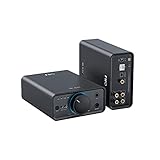
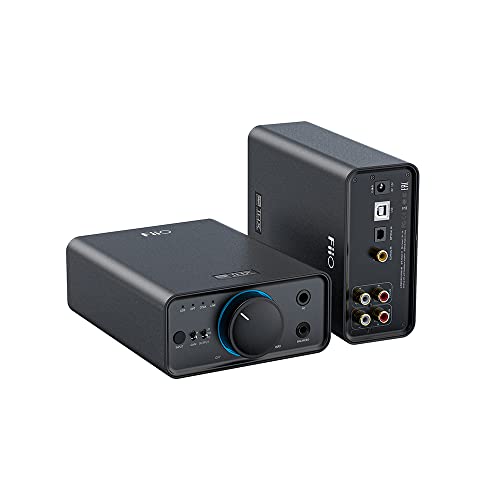
 FiiO K11 DAC and Headphone Amplifier for HomeSmall9.65 x 7.8 x 2.32 inches2.05 poundsCheck on Amazon




Top 3 picks at a glance
Best headphone amplifiers at a glance
| Model | Best for | Rated output examples | Gain and noise strengths | Price tier |
|---|---|---|---|---|
| JDS Labs Atom Amp 2 | Pure desktop amplification | Up to about 2.65 W per channel at 32 ohms; about 286 mW at 300 ohms | 1x and 4.7x gain; very low output impedance and noise | Budget to mid-range |
| FiiO K7 | Best all-in-one value | Up to about 2 W at 32 ohms through balanced output; about 560 mW at 300 ohms balanced | Low/high gain; 4.4 mm balanced and USB DAC | Mid-range |
| Topping L70 | Balanced desktop systems | Up to about 7.5 W at 32 ohms balanced; about 1.15 W at 300 ohms balanced | Low and high gain; extremely low noise and output impedance | Mid-range to premium |
| RME ADI-2 DAC FS | Detailed EQ and monitoring control | High-power headphone output, plus a separate IEM output | Selectable gain, digital volume control, parametric EQ, exceptionally configurable output controls | Premium |
| FiiO K11 | Small, inexpensive desktop setups | Up to about 1.4 W at 32 ohms balanced; lower output from the single-ended jack | Low/high gain; USB, optical and coaxial DAC inputs | Budget to mid-range |
Power figures vary with the output used, power supply, distortion limit and manufacturer measurement method. Treat them as useful comparisons rather than perfectly interchangeable laboratory results.
How much amplifier power do your headphones need?
Impedance alone does not determine whether an amplifier is suitable. Headphone sensitivity is equally important. A 300-ohm headphone with high sensitivity may be easier to drive than a low-sensitivity 32-ohm planar magnetic model.
A practical calculation uses the headphone’s sensitivity and your desired peak level. Suppose a headphone is rated at 100 dB SPL for 1 mW, and you want 110 dB peaks. Every additional 10 dB requires roughly ten times the power, so the target is approximately 10 mW. Adding 10 dB of headroom for musical peaks brings the requirement to about 100 mW.
That is not a demand for continuous 100 mW listening. It is a reserve that helps avoid clipping on dynamic recordings. For a 300-ohm headphone, 100 mW requires:
Voltage = square root of power multiplied by resistance
Voltage = √(0.1 × 300) = about 5.5 volts RMS
This explains why an amplifier can advertise plenty of wattage at 32 ohms yet struggle with high-impedance headphones: voltage swing, rather than raw wattage, becomes the limiting factor.
Matching amplifier type to headphone type
The formula above works for any headphone, but most buyers fall into one of five groups. The table summarizes what each group should prioritize, and which models in this guide fit best.
| Headphone type | Typical demand | What matters most | Good matches in this guide |
|---|---|---|---|
| Sensitive IEMs (multi-driver or single dynamic) | Very low power, very low voltage | Low noise floor, low or negative gain, output impedance near 1 ohm or less | Topping L70 (low gain), RME ADI-2 DAC FS (IEM output), Fosi SK02 on low gain |
| Gaming headsets and 32-ohm dynamics | Low power | Convenience, inputs, mic support | Fosi K5 Pro, FiiO K11, FiiO K7 |
| 250 to 300-ohm dynamics | Moderate power, high voltage | Voltage swing at high impedance | JDS Labs Atom Amp 2, FiiO K7 balanced, Topping DX5 II, Apos Gremlin |
| Low-sensitivity planar magnetics | High current and power at low impedance | Watts at 32 ohms or below, high gain headroom | Topping DX5 II, FiiO K13 R2R balanced, Topping L70 |
| 600-ohm studio headphones | Very high voltage | Balanced output and high gain | Topping DX5 II, FiiO K13 R2R, Topping L70 |
Two practical points follow from this. First, a gaming headset rarely needs more than a budget DAC/amp, so spending on headroom you cannot use does not improve the experience. Second, if you own both sensitive IEMs and a demanding planar, gain flexibility matters more than any single power figure; an amplifier that is perfect for one can be noisy or awkward with the other.
Common buying mistakes
- Comparing power figures across brands as if they were identical. Some manufacturers rate at 1 percent distortion, others at 10 percent; some quote balanced output only. Compare figures at the same impedance and from the same output type.
- Buying balanced gear without balanced cables. A 4.4 mm or XLR output needs a headphone cable wired for it. Adapters that tie the grounds together can damage some amplifiers.
- Overlooking the power supply. Several compact amps, including the Douk U3, ship without a wall adapter. Budget for a decent supply rather than relying on a weak USB port.
- Ignoring desk ergonomics. A volume knob you can reach without looking is more useful during a match than a feature you will configure once. Place the unit where your hand naturally rests.
- Expecting the amp to fix the headphone. An amplifier removes limits; it does not change a headphone’s basic tuning. If you dislike the sound signature, EQ or a different headphone will make a bigger difference.
Head-to-head: which amplifier fits each setup?
JDS Labs Atom Amp 2: the clean analog choice
The Atom Amp 2 is the strongest recommendation when you already own a DAC and want a transparent amplifier without paying for features you will not use. Its low output impedance works well with both sensitive in-ear monitors and full-size headphones, while its high-power output provides useful headroom for many planar and high-impedance designs.
Its 1x low-gain setting is particularly useful for sensitive headphones because it keeps the volume control in a more usable range and reduces the chance of channel imbalance at very low volume. Use the higher gain only when the low-gain setting cannot reach your preferred level without running close to maximum.
The trade-off is connectivity. This is an analog amplifier, not a DAC, and it does not provide a balanced headphone output. Pair it with a USB DAC, audio interface or line-level source using RCA connections.
FiiO K7: the easiest all-in-one recommendation
The K7 combines a USB DAC, headphone amplifier, line output and balanced 4.4 mm headphone connection in a compact desktop enclosure. It is a strong match for a gaming PC because one USB cable handles the digital audio connection, while the front-panel output selection makes it easy to switch between headphones and powered speakers.
Its balanced output has substantially more power than its single-ended output, especially with difficult headphones. Balanced wiring does not automatically improve sound quality, but in this case it gives the amplifier a larger voltage and power budget. Use the balanced connection only with a correctly wired balanced headphone cable; do not use an adapter that combines left and right grounds.
The K7 has a low/high gain switch rather than the more elaborate gain systems found on premium amplifiers. That is enough for most users, although owners of very sensitive IEMs may prefer an amplifier with a negative-gain option.
Topping L70: best for a modular balanced system
The L70 is aimed at users who want a dedicated amplifier with balanced inputs and outputs, remote control, preamp functionality and a very low noise floor. Its two gain levels and very high balanced output make it easy to match the amplifier to both sensitive earphones and power-hungry headphones.
Use low gain for sensitive IEMs and most dynamic headphones, and high gain only when you need more voltage. This approach is preferable to leaving every headphone on maximum gain: lower gain generally gives you a more usable volume range and reduces the risk of accidental over-leveling.
The L70 makes the most sense with a separate DAC that has balanced outputs, such as a compatible Topping DAC or another unit with genuine left and right XLR line outputs. It is less attractive if your source is only a laptop headphone jack or a basic USB dongle.
RME ADI-2 DAC FS: best for control rather than maximum wattage
The RME ADI-2 DAC FS remains a specialist choice for listeners who want to adjust the system precisely. Its appeal is the combination of selectable output modes, parametric equalization, loudness compensation, crossfeed, display controls and separate outputs for demanding headphones and sensitive IEMs.
For gaming, its EQ can correct broad tonal preferences without installing software that operates only on one computer. For example, you can create one profile for competitive games with reduced bass and clearer upper mids, then another for music with a fuller low end. Its interface takes longer to learn than a simple volume knob, but it rewards users who want repeatable settings.
Choose it for signal management and customization, not simply because its specification sheet lists a high-end DAC chip. If you only need enough power and a volume control, a less expensive amplifier will provide better value.
FiiO K11: best for a small desk
The K11 is a compact alternative to the K7. It includes USB, optical and coaxial digital inputs, a display, line output and both single-ended and balanced headphone connections. Its small footprint suits a narrow gaming desk, laptop station or secondary room.
It has less headroom than larger balanced amplifiers, but it is sufficient for many dynamic headphones and moderate-sensitivity planars. Select high gain only after confirming that low gain cannot reach your preferred listening level. The K11 is a sensible choice when space and cost matter more than maximum output reserves.
More headphone amplifiers worth considering
The five models above cover the most common desktop scenarios, but they leave gaps at both ends of the market. The picks below fill those gaps: a budget gaming DAC with a microphone input, a compact balanced DAC/amp that undercuts the K7, two premium all-in-one units with onboard parametric EQ, a balanced hybrid tube amplifier and a very inexpensive analog amp for users who already own a DAC.
Fosi Audio K5 Pro

The K5 Pro is built for gamers first and audiophiles second, and that is exactly why it belongs on this list. It is a small USB-C powered DAC and headphone amplifier with optical and coaxial inputs, a 3.5 mm headphone output, a stereo RCA line output and, unusually, a front-panel 3.5 mm microphone input. That last feature lets you plug in a gaming headset with a combined mic plug (via the included splitter adapter) and use the K5 Pro as a complete USB sound card for chat and game audio.
Fosi rates the output at roughly 500 mW into 32 ohms and about 80 mW into 300 ohms, with an NE5532 op-amp in the amplifier stage. Those figures are modest next to the Atom Amp 2 or the K7, but they are plenty for typical gaming headsets and easy-to-drive dynamic headphones in the 32 to 80 ohm range. USB playback runs up to 24-bit/96 kHz and the optical and coaxial inputs up to 24-bit/192 kHz, which is more than any game or streaming service requires.
Physical bass and treble knobs sit beside the volume control. Purists will leave them centered, but for gaming they are genuinely practical: a small treble lift can make footsteps and reload sounds easier to pick out, and you can change the setting without opening any software.
Strengths: microphone input, tone controls, optical input for consoles and TVs, very compact footprint, simple USB power.
Drawbacks: no balanced output, limited voltage for high-impedance headphones, and the microphone only works over USB, not when the unit is fed from optical or coaxial. It is not the right choice for 300-ohm or low-sensitivity planar headphones.
Compared with the FiiO K11, the K5 Pro trades balanced output and headroom for a mic input and tone knobs. If your priority is a cheap upgrade over motherboard audio for a headset, it is the more convenient budget choice; if you plan to move up to demanding headphones later, the K11 or the SK02 below has more room to grow.
Fosi Audio SK02

The SK02 is one of the most interesting budget-to-mid-range DAC/amps because it offers a 4.4 mm balanced headphone output in a very small, USB-C powered chassis. Inside is an ESS Sabre ES9038Q2M DAC chip, with USB-C and optical inputs, a 3.5 mm single-ended output, the 4.4 mm balanced output, a 3.5 mm line output and an optical pass-through.
Power figures depend on which source you read. Retail listings quote up to about 1,100 mW into 32 ohms from the balanced jack on high gain, while Fosi’s own product page has shown a more conservative figure of around 755 mW. Either way, the balanced output delivers a clear step up over the single-ended jack (roughly 190 to 280 mW at 32 ohms), so balanced-cable owners get noticeably more headroom. The unit supports PCM up to 32-bit/384 kHz and DSD256, and low and high gain settings let you match it to sensitive IEMs or harder-to-drive headphones.
The SK02 suits a gamer who wants a cleaner, quieter output than a gaming DAC like the K5 Pro but does not want a large desktop box. Its narrow, deep shape fits beside a monitor stand or under a monitor arm, and USB-C bus power means one cable from the PC can handle both power and audio for most setups.
Strengths: balanced 4.4 mm output at a budget-to-mid-range tier, two gain levels, optical input, compact size, low noise on the single-ended jack.
Drawbacks: no microphone input, no 6.35 mm jack (full-size headphones need an adapter or a 3.5 mm cable), no Bluetooth, and the published power figures are inconsistent, so treat the higher number as optimistic.
Against the existing picks, the SK02 sits between the FiiO K11 and the FiiO K7. It lacks the K7’s 6.35 mm jack and front-panel output switching, but it gives you balanced output in a smaller package. For a narrow gaming desk with an IEM or a moderately sensitive headphone, it is an easy recommendation.
Topping DX5 II

The DX5 II is the most powerful all-in-one unit in this guide and one of the strongest arguments against buying a separate DAC and amplifier. It combines two ESS ES9039Q2M DAC chips, an XMOS XU316 USB interface, Topping’s X-Hybrid amplifier (a discrete input stage, op-amp gain stage and discrete output stage), LDAC Bluetooth 5.1, and a full set of USB, optical and coaxial inputs.
Topping rates the balanced 4.4 mm and 4-pin XLR outputs at about 6,400 mW per channel into 32 ohms and around 990 mW into 300 ohms. The single-ended 6.35 mm jack is weaker but still strong, at roughly 2,200 mW into 32 ohms. Independent measurement reports have landed close to these balanced figures. Output impedance is listed below 0.1 ohm, and two gain levels are available.
The feature that makes it especially relevant to gamers is the 10-band parametric EQ. Profiles are created with Topping’s desktop software, then stored on the device and applied to every input, including Bluetooth and optical. That means a competitive-gaming EQ profile follows the hardware rather than a single Windows installation, much like the RME ADI-2 DAC FS described above, but at a much lower tier.
Strengths: very high balanced power, hardware PEQ stored on the unit, LDAC Bluetooth, RCA and XLR line outputs with preamp mode, 12 V trigger for powered speaker systems.
Drawbacks: PEQ setup requires the companion software, the high power is overkill for sensitive IEMs (use low gain and keep the volume low), and the chassis takes more desk space than the K7 or SK02.
Compared with the RME ADI-2 DAC FS, the DX5 II offers more raw power and Bluetooth for far less money, while the RME keeps the edge in front-panel control depth and a dedicated IEM output. Compared with the Topping L70, it removes the need for a separate DAC.
FiiO K13 R2R

The K13 R2R is FiiO’s answer to listeners who want a resistor-ladder (R2R) DAC rather than the delta-sigma chips used by almost every other unit here. FiiO builds the converter from discrete thin-film resistor arrays and offers NOS and oversampling (OS) modes, which some listeners prefer for a slightly different presentation. It also adds LDAC Bluetooth 5.4, a 10-band PEQ, a fully balanced amplifier and XLR plus RCA line outputs.
Balanced output from the 4.4 mm jack is rated at about 2,400 mW per channel into 32 ohms and 600 mW into 300 ohms on high gain, while the 6.35 mm single-ended jack provides around 1,220 mW into 32 ohms. Inputs include two USB-C ports, optical, coaxial and Bluetooth. The unit has a built-in power supply and a separate 12 V DC input, so you can later add an external linear supply if you want to.
For gaming, the dual USB-C inputs are practical: one can connect to a gaming PC and the other to a laptop or console that supports USB audio, without swapping cables. The onboard PEQ means you can store a game-focused tuning separately from a music profile.
Strengths: R2R DAC with NOS/OS options, strong balanced power, PEQ, LDAC Bluetooth, two USB inputs, XLR and RCA preamp outputs, upgradeable power input.
Drawbacks: larger and heavier than most picks (roughly 21 by 19 cm), measured distortion is higher than delta-sigma rivals such as the DX5 II (a design trade-off, not a fault), and the extra modes add complexity.
Choose the K13 R2R over the DX5 II if you are curious about R2R conversion and want more input flexibility; choose the DX5 II if you want the most power and the lowest measured distortion. Both sit in the premium tier, above the K7.
Apos Gremlin

The Gremlin is a fully balanced, Class A hybrid tube amplifier developed by Apos with input from its community. A pair of 12AU7 tubes (6922 types can also be used) handles the preamp stage, while a solid-state output stage supplies the current. The result is a tube-flavored amplifier that is still capable of driving modern headphones, with a rated output of about 1,250 mW into 32 ohms and a supported impedance range of 8 to 600 ohms.
The important detail is that the Gremlin is balanced only. Inputs on the back are 4-pin XLR and 4.4 mm, and the front outputs are 4-pin XLR and 4.4 mm. There are no RCA inputs and no single-ended headphone jack, so it must be paired with a DAC that offers balanced outputs and with headphones on balanced cables. It also contains no DAC itself.
Tube rolling, the practice of swapping tubes to change the sound, is supported and is part of the appeal. Reviewers describe a warmer, slightly fuller presentation than solid-state amps, and with high-impedance dynamics the interaction between the tube stage and the headphone’s impedance curve can produce a gentle mid-bass lift.
Strengths: genuine tube stage in a compact, mid-range tier amp; balanced design; plenty of power for most dynamic headphones; replaceable tubes.
Drawbacks: balanced-only connectivity, no DAC, runs warm and needs ventilation space, and the coloration is not ideal if you want the most neutral signal for competitive gaming.
Next to the Topping L70, the Gremlin offers character rather than measured transparency. It is best treated as a music-first second amplifier, or as the main amplifier for a listener who values a relaxed presentation for long sessions over pinpoint precision.
Douk Audio U3

The Douk Audio U3 is the least expensive amplifier in this guide that is still a serious desktop amp rather than a headphone splitter. It accepts an RCA line input and drives a 6.35 mm headphone jack (a 3.5 mm adapter is included). The amplifier uses an NE5532 op-amp, which sits in a socket so it can be swapped, followed by a transistor output stage that Douk describes as Class A.
Douk rates the output at 1,300 mW or more into 32 ohms and lists support for headphones from 18 to 600 ohms, with a signal-to-noise ratio of 110 dB or better. The unit runs on 5 to 20 V DC; it comes with a USB-to-barrel cable but no adapter, and Douk recommends a quality supply rated above 5 W. Internally the circuit boosts the supply rail, which is how it reaches higher voltage swing than its USB power input suggests.
The U3 makes sense when you already have a source with RCA line outputs, such as a budget DAC, an audio interface or a DAC/amp with a line output, and you want a dedicated volume knob and more drive for full-size headphones. It is also a common choice for listeners who simply want to try a different amplifier flavor without spending much.
Strengths: budget tier, compact, decent power on paper, swappable op-amp, flexible DC input.
Drawbacks: no DAC, no gain switch, no balanced output, power adapter not included, it runs warm, and independent measurement data is limited. With very sensitive IEMs, the lack of a low-gain setting can leave little usable volume range.
The U3 is the budget counterpart to the JDS Labs Atom Amp 2. The Atom Amp 2 is the better-engineered amplifier, with gain selection and well-documented low noise, but the U3 is a reasonable entry point if you want to experiment with a separate amp before committing to a higher tier.
Decision matrix for common headphone setups
| Your situation | Recommended choice | Why |
|---|---|---|
| You already have a DAC and use 32–300 ohm headphones | JDS Labs Atom Amp 2 | High output, low noise and simple analog operation |
| You need USB audio, a DAC and balanced headphone output | FiiO K7 | One compact unit covers the main desktop requirements |
| You use IEMs and full-size headphones on the same desk | Topping L70 | Low-noise low gain plus very high balanced power |
| You want hardware EQ, loudness and crossfeed | RME ADI-2 DAC FS | Extensive onboard processing and output control |
| You have limited desk space and several digital sources | FiiO K11 | Small enclosure with USB, optical and coaxial inputs |
Gain, output noise and balanced connections
Output noise matters most with sensitive IEMs. A high-power amplifier can be technically excellent yet produce audible hiss if its gain is too high or its noise floor is poorly controlled. Start with the lowest gain available, set the computer’s output near a normal level, and raise the amplifier volume gradually.
A good setup sequence is:
- Set the amplifier to low or negative gain.
- Set the operating system volume to around 70–90 percent rather than leaving it at maximum.
- Play a familiar recording and increase the amplifier volume slowly.
- Switch to high gain only if the desired loudness requires the knob to approach its maximum.
- When changing headphones, lower the volume first because sensitivity can differ by more than 10 dB.
Balanced output is valuable when it provides more power or helps integrate equipment with long balanced interconnects. It is not a guarantee of lower noise, and it does not make a headphone inherently higher fidelity. A single-ended amplifier with adequate voltage, current and low output impedance is often the correct choice.
Footprint and connection checklist
Measure the usable depth of your desk, including room for rear cables. The K11 is easiest to place in a crowded setup. The K7 and Atom Amp 2 occupy a small-to-medium desktop footprint. The L70 and RME units need more horizontal space and benefit from leaving room around their controls and connectors.
- Gaming PC only: USB DAC/amplifier combinations such as the K7 or K11 reduce cable clutter.
- PC plus powered monitors: choose a unit with a selectable line output or preamp mode.
- Console and TV sources: optical input is useful when USB compatibility is uncertain.
- Multiple balanced components: choose the L70 or a similar dedicated balanced amplifier.
- Sensitive IEMs: prioritize low noise, low gain and low output impedance over headline wattage.
Comparison of the additional picks
| Model | Type | Headphone outputs | Inputs | Standout feature | Price tier |
|---|---|---|---|---|---|
| Fosi Audio K5 Pro | DAC/amp | 3.5 mm | USB-C, optical, coaxial | Microphone input and bass/treble knobs | Budget |
| Fosi Audio SK02 | DAC/amp | 3.5 mm, 4.4 mm balanced | USB-C, optical | Balanced output in a tiny chassis | Budget to mid-range |
| Topping DX5 II | DAC/amp/preamp | 6.35 mm, 4.4 mm, 4-pin XLR | USB, optical, coaxial, LDAC Bluetooth | Very high balanced power and stored 10-band PEQ | Premium |
| FiiO K13 R2R | DAC/amp/preamp | 6.35 mm, 4.4 mm | 2x USB-C, optical, coaxial, LDAC Bluetooth | R2R DAC with NOS/OS modes and PEQ | Premium |
| Apos Gremlin | Hybrid tube amp | 4.4 mm, 4-pin XLR (balanced only) | 4.4 mm, XLR | Swappable 12AU7/6922 tubes | Mid-range |
| Douk Audio U3 | Analog amp | 6.35 mm | RCA | Swappable op-amp, flexible DC input | Budget |
How to choose a headphone amplifier
The power calculation earlier in this guide tells you how much voltage and wattage your headphones need. The remaining decisions are about how the amplifier fits into the rest of your system.
Decide whether you need a DAC
If your PC currently feeds headphones from the motherboard jack or a USB headset dongle, buy a combined DAC/amp such as the K5 Pro, SK02, K11, K7, DX5 II or K13 R2R. A standalone amplifier like the Atom Amp 2, L70, Gremlin or U3 only makes sense when you already own a DAC or audio interface with line outputs, or when you plan to buy them as a matched stack.
Match the connections to your source
- Single-ended RCA source: Atom Amp 2 or Douk U3. The Gremlin will not connect without a balanced source.
- Balanced XLR or 4.4 mm source: Topping L70 or Apos Gremlin.
- Console or TV: look for an optical input. PlayStation consoles can also send audio over USB to many class-compliant DACs, but compatibility varies by model and firmware, so optical is the safer universal route.
- Bluetooth from a phone or tablet: the DX5 II and K13 R2R support LDAC.
Check output impedance with sensitive headphones
A common rule of thumb is that the amplifier’s output impedance should be no more than about one-eighth of the headphone’s impedance. Above that ratio, the frequency response of some headphones, especially multi-driver IEMs, can shift audibly. Most modern solid-state units here list output impedance near or below 1 ohm, so they suit almost anything. Tube designs and older amplifiers deserve a closer look before you pair them with low-impedance IEMs.
Think about microphones and chat
Most audiophile DAC/amps have no microphone input. If you use a headset with an analog mic, either choose a unit that includes one, such as the K5 Pro, or use a separate USB microphone. A standalone mic usually sounds clearer in voice chat than a headset boom plugged into a budget sound card.
Decide where EQ should live
Software EQ is free and powerful, but it only applies to the computer it is installed on. Hardware PEQ, found on the DX5 II, K13 R2R and RME ADI-2 DAC FS, applies to every input, including consoles connected by optical. Simple analog tone knobs, like those on the K5 Pro, are less precise but quicker to adjust mid-session.
Setup tips for gaming PCs
- Set the Windows output format deliberately. In Sound settings, select the DAC as the default device and set a sample rate such as 24-bit/48 kHz, which matches most game engines. Higher rates add nothing for gaming and can cause resampling.
- Disable duplicate processing. If you use Windows Sonic, a game’s own HRTF option or a virtual surround app, enable only one of them. Stacking spatial processing smears positional cues.
- Use the correct USB port. A rear motherboard port is usually quieter than a front-panel or hub port. If you hear buzzing that changes with mouse movement or GPU load, try another port or a powered hub with its own supply.
- Fix ground loops at the source. Hum that appears only when an amp and a PC are both connected to speakers is often a ground loop. Plug all the audio gear into the same power strip before buying isolators.
- Start every new headphone at low gain and low volume. Sensitivity differences between headphones can exceed 10 dB, and high-power units like the DX5 II can be uncomfortably loud with the volume knob barely turned.
- Leave ventilation space. Class A and tube amplifiers such as the U3 and Gremlin run warm. Do not stack other devices directly on top of them.
Frequently asked questions
Do I need a headphone amplifier for a gaming headset?
Usually not. Most gaming headsets are 32-ohm designs with high sensitivity, and a motherboard jack or the headset’s own USB adapter can drive them to loud levels. A DAC/amp becomes worthwhile when you hear hiss or interference from the PC, when you switch to high-impedance or planar headphones, or when you want optical input and hardware controls.
Will an amplifier improve positional audio in games?
An amplifier does not create positional information; the game engine and any spatial audio processing do that. What a clean amplifier can do is remove noise and distortion that mask quiet cues, and an EQ-capable unit lets you lift the frequency range where footsteps sit. The headphone itself has a much larger effect on imaging than the amplifier.
Is balanced output always better?
No. Balanced outputs typically deliver more voltage and power, which helps with demanding headphones, but they are not inherently cleaner. On some units the balanced jack actually has a slightly higher noise floor than the single-ended jack, which matters with sensitive IEMs. Use balanced when you need the extra headroom.
Can I use a headphone amplifier with a PS5 or Xbox?
For PS5, many USB DAC/amps work over USB, and units with optical input work via the console’s optical-equipped TV or an HDMI audio extractor, since the PS5 itself has no optical port. Xbox Series consoles do not support generic USB audio DACs, so the usual route is optical from the TV or an HDMI audio extractor. Check the specific DAC’s compatibility notes before buying for console use.
Are tube amplifiers good for gaming?
They can be enjoyable, but they are not the most accurate choice. Hybrid tube amps such as the Gremlin add a warmer character and can slightly emphasize mid-bass with high-impedance headphones. For competitive play where you want neutral, detailed sound, a low-noise solid-state amp is the safer pick.
What gain setting should I use?
Use the lowest gain that reaches your preferred listening level with the volume knob somewhere between the 9 and 3 o’clock positions. Low gain keeps noise down and avoids channel imbalance at the bottom of the volume range; high gain is only for headphones that cannot get loud enough otherwise.
Bottom line
For most desktop gamers, the FiiO K7 is the most complete value because it combines DAC functionality, useful power and balanced connectivity. Choose the JDS Labs Atom Amp 2 when you already have a DAC and want maximum simplicity, the Topping L70 when gain flexibility and balanced integration matter, the FiiO K11 for a compact desk, and the RME ADI-2 DAC FS when EQ and signal-control features are more important than price.









