
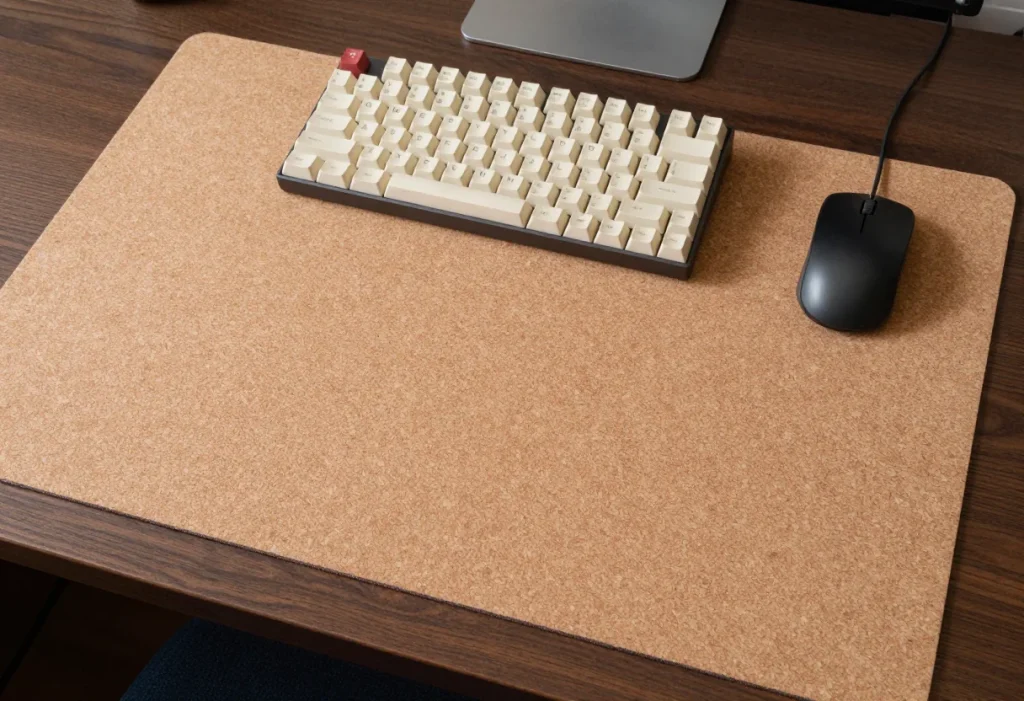
Mechanical keyboard enthusiasts know that switch choice and keycap profiles are only half the acoustic equation. The surface beneath your keyboard plays a massive role in whether your setup produces a sharp, annoying ping or a satisfying, muted thock. Hard desk surfaces—like solid oak, glass, or hollow-core engineered wood—act as sounding boards, amplifying every keystroke and vibrating across your entire workspace. Finding the best cork desk mat for mechanical keyboard typing solves this acoustic headache while shielding your tabletop from scratches, spills, and finish wear.
As workspace aesthetics evolve into 2026, natural cork has emerged as the premier eco-friendly sound dampener for modern home offices. Unlike thick neoprene or synthetic desk mats that trap heat and emit chemical odors, natural cork contains millions of tiny air-filled cellular pockets. These natural chambers trap micro-vibrations, deaden spring ping, and stabilize heavy custom keyboards during rapid typing sessions. Below, the top cork mats available are compared and ranked to help you find the ideal acoustic foundation for your desk.
As an Amazon Associate we earn from qualifying purchases at no extra cost to you.



Our Top Picks


Top 3 picks at a glance
Quick Picks
| Product | Best for | Price tier |
|---|---|---|
| Natural Cork Keyboard Pad,4mm Thick,Honeycomb Structure,Anti-Slip,Sound Dampening,80% Layout Keyboard Mat | Best Compact Sound Dampener | Budget |
| Natural Cork Keyboard Pad,4mm Thick,Honeycomb Structure,Anti-Slip,Sound Dampening,100% Layout Keyboard Mat | Best Full-Size Sound Dampener | Budget |
| Corkor Cork Desk Pad – Table Mat – Vegan Leather – Cruelty Free – Eco Friendly – Light Brown | Best Premium Eco Blotter | Premium |
| AFIING Cork Desk Mat, Black,23.6″ x 13.7″, Desk Pad Protector | Best Budget Compact Mat | Budget |
| HAUTOCO Cork Desk Mat 31.5″x15.7″, Distressed PU Leather & Cloth Desk Pad | Best Distressed Acoustic Cover | Budget |
| YSAGi Double-Sided Desk Pad, 31.5″x15.7″ Leather Desk Mat, Eco Cork Desk Pad Protector,Large Mouse Pad,Waterproof Desk Blotter for Office/Home (Beige/Cork) | Best Double-Sided Versatility | Budget |
| Nordik Cork Leather Desk Mat (Pebble Black, 35 x 17 in) | Best Cork-Backed Leather Desk Mat | Budget to mid-range |
| AFIING Cork & PU Leather Desk Mat (35.4 x 17 in) | Best Wide Dual-Sided Mat | Budget |
How We Compared
These desk mats were compared on key factors essential for mechanical typing setups: acoustic vibration dampening, desk stability, board placement, and overall surface durability. Priority went to mats with dedicated sound-absorbing cores—such as 4mm honeycomb structural cork—for targeted noise reduction under heavy switch actuation. Listed anti-slip features were also weighed, covering both pure natural cork backings and rubberized anti-slip coatings. Finally, the comparison covers surface dimensions across various desk sizes, ranging from dedicated 80% and 100% layout keyboard footprints up to spacious 31.5″ x 15.7″ full-desk blotters.
The 8 Best Picks
Natural Cork Keyboard Pad,4mm Thick,Honeycomb Structure,Anti-Slip,Sound Dampening,80% Layout Keyboard Mat
Designed specifically for 80% tenkeyless and compact mechanical boards, this dedicated 4mm thick pad isolates your keyboard’s footprint without taking over your entire desk. The integrated internal honeycomb structure traps acoustic vibrations right beneath your switches, absorbing low-frequency hollow desk ping. The anti-slip cork base anchors your keyboard in place during high-speed typing sessions on polished wood or glass surfaces.
- Pro: Dedicated 4mm honeycomb core provides exceptional targeted sound dampening.
- Pro: Tailored footprint perfectly fits 80%, 75%, and 65% mechanical keyboard layouts.
- Con: Does not extend wide enough to serve as a mouse tracking surface.
When to skip: Skip if you prefer an all-in-one desk blotter that covers both your keyboard and mouse tracking area.
Natural Cork Keyboard Pad,4mm Thick,Honeycomb Structure,Anti-Slip,Sound Dampening,100% Layout Keyboard Mat
Built for full-sized 104-key mechanical keyboards, this 4mm thick cork pad delivers targeted acoustic absorption beneath your main cluster and number pad. The sound-dampening honeycomb internal structure softens bottom-out impact noise from tactile or clicky switches, converting harsh desk echo into a deeper, warmer sound profile. Its textured anti-slip bottom layer prevents heavy aluminum boards from shifting during intense work sessions.
- Pro: Ideal length for full-size 100% keyboards with numeric keypads.
- Pro: Dense 4mm thickness effectively eliminates hollow tabletop resonance.
- Con: Sized strictly for keyboards, requiring a separate dedicated mousepad.
When to skip: Skip if you use a compact 60% board or want a uniform full-desk protective mat.
Corkor Cork Desk Pad – Table Mat – Vegan Leather – Cruelty Free – Eco Friendly – Light Brown
If you want an executive aesthetic alongside natural sound dampening, Corkor offers a luxury solution. Made from Portuguese cork fabric (sold as cork vegan leather) in a light brown finish, this blotter softens harsh keypress feedback while adding warm organic tones to your workspace. The natural elasticity of the real cork upper absorbs micro-vibrations from custom mechanical switches while protecting fine furniture finishes.
- Pro: Premium sustainable cork construction with elegant vegan leather accents.
- Pro: Smooth natural top texture provides a luxurious feel under palms and wrists.
- Con: Premium price tier compared to basic cork mat options.
When to skip: Skip if you are operating on a tight budget or demand rubberized heavy-duty backing for extreme board grip.
AFIING Cork Desk Mat, Black,23.6″ x 13.7″, Desk Pad Protector
The AFIING Cork Desk Mat is a compact, wallet-friendly option ideal for small study nooks, dorm desks, or narrow laptop risers. Measuring 23.6″ x 13.7″, this sleek black cork pad protects delicate tabletops from scratches while cushioning your mechanical board against hard underlying surfaces. It offers basic acoustic insulation for linear and tactile switches without swallowing up limited desktop real estate.
- Pro: Highly affordable budget-tier price for budget-conscious setups.
- Pro: Space-saving 23.6″ x 13.7″ size fits compact, shallow desks comfortably.
- Con: Thinner profile offers less vibration dampening than 4mm specialized pads.
When to skip: Skip if you need heavy sound isolation for loud clicky mechanical switches.
HAUTOCO Cork Desk Mat 31.5″x15.7″, Distressed PU Leather & Cloth Desk Pad
Combining sound-dampening cork with a textured distressed PU leather and cloth layer, this 31.5″ x 15.7″ mat covers your complete workspace. The multi-layer build dampens acoustic shockwaves produced by heavy typing while offering smooth tracking for optical gaming mice. Its generous dimensions easily fit a custom mechanical keyboard, wrist rest, and oversized mouse without feeling cramped.
- Pro: Hybrid construction pairs natural cork damping with soft cloth/PU tracking.
- Pro: Large 31.5″ x 15.7″ footprint accommodates your full desktop peripheral set.
- Con: Distressed textured finish may capture fine dust within the grain over time.
When to skip: Skip if you want an exposed, 100% natural raw cork visual aesthetic on top.
YSAGi Double-Sided Desk Pad, 31.5″x15.7″ Leather Desk Mat, Eco Cork Desk Pad Protector,Large Mouse Pad,Waterproof Desk Blotter for Office/Home (Beige/Cork)
Versatility is the focus of this reversible 31.5″ x 15.7″ desk mat from YSAGi. Featuring natural eco-cork on one side and smooth beige PU leather on the other, you can flip the mat depending on your daily task. Placing the cork side face-up provides natural traction and sound dampening under mechanical switch actuation, while the waterproof leather side offers smooth mouse glides and easy wipe-down cleaning.
- Pro: Reversible design offers two distinct surface textures and visual styles.
- Pro: Waterproof protection shields wooden desks from coffee spills and condensation.
- Con: Lacks a specialized high-grip rubberized backing on either side.
When to skip: Skip if your keyboard lacks built-in rubber feet and requires maximum surface traction.
Nordik Cork Leather Desk Mat (Pebble Black, 35 x 17 in)
Nordik’s desk mat pairs a pebble-textured vegan PU leather top with a non-slip natural cork base, finished with black stitching. At 35 x 17 inches it covers a full-size keyboard, a mouse area and a wrist rest, and the cork underside grips smooth wood and laminate desks while taking the hard edge off typing noise. The listing also highlights built-in cable management and soft cushioning for wrists and forearms, and the mat ships loosely rolled so it flattens quickly.
- Pro: Natural cork base adds grip and mild vibration damping under a full peripheral setup.
- Pro: Stitched pebble-leather top looks polished and wipes clean easily.
- Con: PU leather top reflects more sound than an exposed cork or felt surface.
When to skip: Skip if you want maximum sound dampening; pair it with a 4mm cork keyboard pad or choose a thick dedicated pad instead.
AFIING Cork & PU Leather Desk Mat (35.4 x 17 in)
This wider AFIING mat is dual-sided, with natural cork on one face and PU leather on the other, and listings put its thickness at roughly 2.3mm with stitched edges. The 35.4 x 17 inch footprint fits a full-size keyboard plus a generous mouse sweep, which suits gaming setups that outgrow 31.5 inch blotters. Keep the cork side up for traction and a softer typing sound, or flip to the waterproof leather side for faster mouse glide and easy spill cleanup.
- Pro: Reversible cork or PU leather surface in a wide 35.4 x 17 inch size.
- Pro: Stitched edges and a waterproof leather side handle daily wear and spills.
- Con: Thin blotter construction gives only mild sound dampening compared with 4mm pads.
When to skip: Skip if you prefer a dedicated minimalist pad limited strictly to your board’s footprint.
More Cork Mats Worth Considering
The eight picks above cover dedicated keyboard pads and mid-size cork blotters well, but they leave a few gaps: a true extra-large mat for wide desks, a felt-and-cork hybrid for typists who want the softest possible sound, and a premium handmade option. The five additions below fill those gaps with products from different makers so you have more than one design approach to choose from.
Chosfox Eco Keyboard Mat (4mm Natural Cork, 370 x 140mm)
Chosfox is a name keyboard hobbyists already know from switches and keycaps, and its cork keyboard mat follows the same formula as the honeycomb pads at the top of this list: a 4mm-thick natural cork pad with a honeycomb-pattern structure, sized at 370 x 140mm to sit directly beneath a compact board. The listing highlights anti-slip grip, sound dampening and a dirt-resistant surface.
That footprint suits 60%, 65% and 75% boards comfortably and matches many tenkeyless layouts, though TKL owners should measure first, because some tenkeyless cases run close to or slightly beyond 370mm wide. The pad isolates only the keyboard, which is the most efficient way to deaden case ping and hollow desk resonance without covering the whole desk. A 4mm layer is thick enough to soften bottom-out noise while staying firm enough that the board does not wobble during fast typing.
- Strengths: 4mm cork with honeycomb structure, compact footprint, from a brand that specializes in mechanical keyboard accessories.
- Drawbacks: Too short for full-size boards with a number pad; not a mouse surface.
Compared with the generic 4mm honeycomb pads ranked first and second, the Chosfox offers a similar construction in a slightly different size, which makes it a useful alternative when the 80% pad is out of stock or your board’s dimensions fit this footprint better. It sits in the budget tier.
Desky Cork/Felt Desk Pad (Large, 24.4 x 11.8 in)

Desky’s pad combines two of the best sound-dampening materials for keyboards: a soft felt top over a cork base. Listings put the thickness at about 4.5mm, which is noticeably thicker than most cork blotters in this guide. Felt absorbs high-frequency clack at the surface, while the cork base adds grip and isolates vibration from the desk. For typists chasing a deep, muted sound profile, that combination is hard to beat.
The large size measures 24.4 x 11.8 inches, enough for a tenkeyless keyboard and a compact mouse area, or a full-size board on its own. An X-large 35.4 x 11.8 inch version covers a full-size keyboard plus mouse. The cork backing is non-slip, so the pad stays in place on smooth wood and laminate desks.
- Strengths: Felt top plus cork base for strong sound absorption, about 4.5mm thick, non-slip cork underside.
- Drawbacks: Felt attracts dust and pet hair and is harder to clean after spills than PU leather; some gamers find felt slower for mouse glide.
Compared with the HAUTOCO and YSAGi mats, which put PU leather or cloth over cork, the Desky trades easy wipe-clean care for softer, quieter typing. It sits in the mid-range tier.
Oakywood Merino Wool Felt & Cork Desk Mat (62 x 30 cm)

Oakywood is a European maker of handmade desk accessories, and its felt-and-cork desk mat is the premium choice for buyers who want natural materials throughout. The top is 100% merino wool felt, and the base is a thin natural cork layer for grip. Total thickness is around 3mm. Oakywood describes the cork base as a stability layer rather than a thick damping core, so most of the sound absorption comes from the dense wool felt.
Merino felt has a pleasant, warm feel under the wrists and helps soften keyboard and mouse noise. The cork base gives moderate grip, which means the mat stays put during typing but can still be slid aside when you want to write directly on the desk. This 62 x 30 cm size fits a tenkeyless keyboard and a small mouse area; larger sizes are available.
- Strengths: Handmade from merino wool felt and natural cork, sustainable materials, refined look.
- Drawbacks: Premium price tier; thin cork base offers less isolation than a 4mm cork pad; wool felt should not go in a washing machine.
Compared with the Corkor blotter, the Oakywood mat offers a softer felt surface instead of vegan leather. It is the right pick when aesthetics and natural materials matter as much as acoustics.
HOMIEAZICOZI Large Cork Desk Mat (47.2 x 17 in)

If your desk is wide and you want one surface under everything, the HOMIEAZICOZI large mat is one of the biggest cork options available at a budget tier. At 47.2 x 17 inches it covers a full-size keyboard, a large mouse sweep and room for a notebook or controller. It is dual-sided, with natural cork on one face and PU leather on the other, and listings put the thickness at about 2mm.
That 2mm profile is typical of full-desk blotters. It protects the desk, adds traction and takes the sharp edge off typing noise, but it will not deaden a hollow desk the way a 4mm keyboard pad does. The most effective approach for loud boards is to layer: use this mat as the full-desk base and place a dedicated cork keyboard pad beneath the keyboard. Several colorways are available, including dark green, gray, blue and black.
- Strengths: Very large coverage, reversible cork or PU leather surface, budget tier.
- Drawbacks: Thin 2mm build gives modest sound dampening; large rolled mats can take a day or two to lie fully flat.
Compared with the 31.5 x 15.7 inch HAUTOCO and YSAGi mats, this one adds about 16 inches of width, which matters for wide gaming setups with a full-size keyboard and low-sensitivity mouse aiming.
AFIING Cork Desk Mat (47 x 23.6 in, Dual-Sided)

The AFIING compact mat earlier in this list suits small desks; this extra-large dual-sided version is its opposite. At 47 x 23.6 inches it is both wide and deep, so it can sit under a keyboard, mouse, monitor stand and laptop at once. One side is natural cork and the other is PU leather, and the listing highlights a non-slip, waterproof build.
The extra depth is the reason to pick it. Most desk mats stop at 15.7 or 17 inches deep, which leaves monitor feet or a laptop resting on the bare desk. A 23.6 inch depth covers more of a standard desk and gives your wrists and forearms a consistent surface. Like other full-desk blotters, its thin construction is best for scratch protection and mild dampening; pair it with a 4mm cork keyboard pad if you want the deepest sound.
- Strengths: Wide and deep coverage, reversible cork or PU leather, waterproof leather side for spills.
- Drawbacks: Needs a large desk (check depth before buying); less acoustic damping than thick dedicated pads.
It sits in the budget-to-mid-range tier and is the best pick here for an L-shaped or deep gaming desk.
Comparison of the Added Cork Mats
| Mat | Size | Construction | Thickness | Best for | Price tier |
|---|---|---|---|---|---|
| Chosfox Eco Keyboard Mat | 370 x 140mm | Natural cork, honeycomb structure | 4mm | Compact keyboards | Budget |
| Desky Cork/Felt Desk Pad (Large) | 24.4 x 11.8 in | Felt top, cork base | About 4.5mm | Quietest typing on a TKL or full-size board | Mid-range |
| Oakywood Merino Wool Felt & Cork | 62 x 30 cm | Merino wool felt, thin cork base | About 3mm | Premium natural-material setups | Premium |
| HOMIEAZICOZI Large Cork Desk Mat | 47.2 x 17 in | Dual-sided cork and PU leather | About 2mm | Wide desks, full peripheral coverage | Budget |
| AFIING Cork Desk Mat XL | 47 x 23.6 in | Dual-sided cork and PU leather | Thin blotter | Deep and L-shaped desks | Budget to mid-range |
Buying Guide
Acoustic Dampening & Core Thickness
When selecting a cork mat for mechanical typing, thickness directly correlates with noise reduction. Dedicated sound-dampening pads feature 4mm thick profiles with internal honeycomb cellular patterns that trap air pockets. This construction muffles bottom-out switch noise and reduces hollow desk echo. Standard desk blotters (1.5mm to 2mm) provide solid scratch protection and mild softening, but typists with loud tactile or clicky switches should prioritize thicker 4mm pure cork options for maximum acoustic dampening.
Surface Dimensions & Footprint Sizing
Desk mats generally fall into two layout categories: dedicated keyboard pads and full desk blotters. Dedicated pads are engineered to match exact keyboard layouts, such as 80% (tenkeyless) or 100% (full-size with numpad), keeping your desk minimal while maximizing acoustic dampening. Full blotters—typically measuring 23.6″ x 13.7″ or 31.5″ x 15.7″—cover your primary work zone, allowing your mechanical keyboard and mouse to sit on the same unified level.
Material Composites & Anti-Slip Stability
Natural cork offers organic texture and shock absorption, but its performance depends on material backing. Reversible mats feature cork on one side and PU leather on the other, allowing you to choose your texture. Hybrid mats layer cork between cloth or synthetic leather to create a smooth surface for gaming mice. For heavy typists, ensure your mat features anti-slip backings or natural high-friction cork surfaces to prevent your mechanical keyboard from shifting during rapid keystrokes.
Cork vs. Felt vs. Cloth vs. Leather: How Mat Materials Affect Keyboard Sound
Cork is not the only sound-dampening option, and the best choice depends on whether you care most about sound, mouse glide, cleaning or looks. The table below compares the common desk mat materials for mechanical keyboard setups.
| Material | Sound dampening | Mouse tracking | Cleaning | Feel and look |
|---|---|---|---|---|
| Thick natural cork (3–4mm) | Strong; absorbs desk resonance and bottom-out thud | Fine for everyday use, slightly textured | Wipe with a damp cloth; avoid soaking | Warm, natural, eco-friendly |
| Thin cork blotter (1.5–2mm) | Mild; softens sharp edges of sound | Fine for everyday use | Wipe clean | Natural, minimal |
| Wool or synthetic felt | Strong at the surface; softens high-frequency clack | Slower, more controlled glide | Brush or lint roller; harder after spills | Soft, cozy, premium |
| Cloth with foam base (3–4mm) | Strong; the standard gaming deskmat build | Excellent for gaming | Hand wash or machine wash on some models | Many printed designs |
| PU leather | Low; hard surface reflects sound | Smooth, fast glide | Easiest; waterproof wipe-clean | Office and executive look |
If your top priority is sound, a thick cork pad or a felt-and-cork hybrid beneath the keyboard does the most work. If you also game seriously, consider pairing a cork keyboard pad with a separate cloth mouse pad rather than relying on one surface for both.
What Size Cork Mat Fits Your Keyboard?
| Keyboard layout | Typical keyboard width | Keyboard-only pad | Keyboard plus mouse |
|---|---|---|---|
| 60% / 65% | About 29–32 cm | Compact cork pad around 30–37 cm long | About 60–70 cm (around 24 in) mat |
| 75% / TKL (80%) | About 32–37 cm | 80% or TKL cork pad | About 70–80 cm (around 31.5 in) mat |
| Full-size (100%) | About 44–46 cm | 100% layout cork pad | About 90 cm (around 35 in) or larger |
| Full-size plus wide mouse sweep | About 44–46 cm | 100% pad on top of a large blotter | About 120 cm (around 47 in) mat |
Also check depth. A 15.7 to 17 inch deep mat fits the keyboard, wrist rest and mouse; a 23.6 inch deep mat can extend under a monitor stand or laptop.
Setup Tips for the Best Typing Sound
- Flatten the mat before use. Rolled cork and felt mats can curl at the edges. Lay the mat flat under a few heavy books for a day, or roll it the opposite way briefly. Avoid direct heat, which can warp cork.
- Layer for hollow desks. On hollow-core or thin desks, place a 4mm cork keyboard pad on top of a full-desk blotter. The two layers isolate vibration far better than either alone.
- Center the keyboard on the pad. Make sure all keyboard feet sit on the cork. A foot hanging off the edge causes rocking and reintroduces desk resonance.
- Combine with keyboard-side mods. A mat handles desk resonance, but case foam, tape mods and lubed stabilizers handle noise inside the keyboard. The quietest setups use both.
- Keep cork away from standing water. Natural cork resists light spills, but pooling liquid can stain it and weaken the binder. Blot spills immediately.
- Give it time to settle. Some cork mats carry a light natural smell when new. Letting the mat air out for a day usually removes it.
How to Judge Cork Quality From a Product Listing
Most cork desk mats are made from agglomerated cork: granules of cork bark bonded together with a binder and pressed into sheets. That is normal and not a sign of low quality, but the size of the granules, the density of the sheet and the quality of the binder vary widely. Since you cannot handle a mat before ordering it online, these listing details are the best clues.
- Stated thickness: A listed thickness is the single most useful number. Around 2mm signals a protective blotter; 3 to 4mm signals a pad designed for sound dampening.
- Construction layers: “Cork top, rubber base” grips best. “Dual-sided cork and PU leather” gives two surfaces but usually a thinner cork layer. “Felt top, cork base” prioritizes softness and quiet typing.
- Edge finish: Stitched or sealed edges resist chipping and fraying. Raw cut cork edges are fine on thick pads but can crumble on thin sheets that get bent.
- Grain description: Fine-grain cork feels smoother under the wrists and is less likely to shed granules than coarse-grain sheets.
- Origin and certification: Many premium mats use Portuguese cork, the largest source of cork bark. That alone does not guarantee quality, but makers who name their sourcing tend to describe their materials more accurately.
- Odor notes: A faint natural smell is normal. Listings that mention strong chemical odors in buyer questions often point to a heavy binder.
Matching a Cork Mat to Your Desk Type
Glass desks
Glass is the loudest surface for a mechanical keyboard and the slipperiest. A cork mat with a rubberized base, or a thick cork pad, adds both damping and grip. Avoid thin PU leather sides face-down on glass, which can slide.
Hollow-core and particle board desks
Budget desks with a hollow core act like a drum, amplifying every keystroke. This is where layering pays off: a full-desk blotter underneath and a 4mm cork pad directly beneath the keyboard.
Solid wood desks
Solid wood already absorbs some vibration, so a thin cork blotter is often enough for sound. The bigger concern is protecting the finish from keyboard feet, mouse wear and drink rings; a dual-sided cork and PU leather mat covers both.
Standing desks
Sit-stand desks can wobble at standing height, which transfers vibration and noise. A thick cork pad helps isolate the keyboard, and a mat with a grippy base keeps peripherals from sliding as the desk moves. Make sure a full-desk mat does not overhang where it could catch on the frame during height changes.
Which Type of Cork Mat Should You Buy?
| Your priority | Best mat type | Matching picks in this guide |
|---|---|---|
| Quietest typing on a compact board | 4mm cork keyboard pad | Natural Cork Keyboard Pad (80%), Chosfox Eco Keyboard Mat |
| Quietest typing on a full-size board | 4mm cork pad or felt-and-cork pad | Natural Cork Keyboard Pad (100%), Desky Cork/Felt Desk Pad |
| One mat for keyboard and mouse | Mid-size dual-material blotter | HAUTOCO, YSAGi |
| Very wide or deep desk | Extra-large dual-sided mat | HOMIEAZICOZI Large, AFIING 47 x 23.6 in |
| Premium natural look | Wool felt or vegan leather with cork | Oakywood, Corkor |
| Small desk on a tight budget | Compact cork blotter | AFIING 23.6 x 13.7 in |
Our Verdict
If your primary goal is acoustic optimization and eliminating keyboard hollow sound, the Natural Cork Keyboard Pads (4mm Thick with Honeycomb Structure) in either 80% or 100% layout deliver the most focused sound dampening. For typists seeking high-end desk aesthetics and sustainable luxury, the Corkor Cork Desk Pad offers premium-tier craftsmanship. Meanwhile, buyers needing maximum surface coverage and mouse functionality will find the YSAGi Double-Sided Cork Mat and HAUTOCO Distressed Desk Mat to be highly versatile, budget-friendly choices.
FAQ
Does a cork desk mat really improve mechanical keyboard sound?
Yes. Mechanical keyboards transfer vibrational energy into your desk surface upon switch bottom-out. Natural cork contains microscopic air pockets that absorb these vibrations before they resonate across your tabletop, transforming sharp metallic pings into a deeper, lower-frequency sound profile.
How do I clean and maintain a natural cork desk mat?
Clean your cork desk mat by wiping it down with a damp microfiber cloth and mild soap. Avoid harsh chemical solvents or submerging raw cork in water, as excessive moisture can degrade natural cork binders over time.
Is cork safe for real wood and glass desk surfaces?
Cork is naturally non-abrasive, making it one of the safest materials for sensitive wood finishes, lacquers, and glass tabletops. It prevents scuffs caused by hard keyboard feet and buffers heat transferred from laptop docks or hot beverages.
Can I use an optical gaming mouse directly on natural cork?
Standard optical mice track reliably on natural cork for everyday productivity and casual browsing. However, competitive gamers who need low-friction, rapid mouse movements may prefer a composite cork mat with a cloth top or a reversible leather/cork hybrid option.
Is a 4mm cork pad better than a thin cork desk mat for typing?
For sound, yes. A 4mm cork pad has much more material to absorb vibration than a 1.5 to 2mm blotter, so it does a better job of reducing hollow desk resonance and bottom-out thud. Thin blotters are better at covering a large area and protecting the desk. Many typists use both, with the thick pad under the keyboard.
Cork or felt: which is quieter for mechanical keyboards?
Both dampen well, in slightly different ways. Felt absorbs high-frequency clack at the surface, while thick cork excels at blocking vibration from reaching the desk. A felt-top, cork-base hybrid such as the Desky pad combines the two and is one of the quietest options in this guide.
Will a cork mat make my keyboard wobble?
Not if it is firm and flat. Natural cork compresses only slightly, which is why 3 to 4mm cork pads stay stable under heavy aluminum keyboards. Very soft foam mats thicker than about 4mm are more likely to cause flex or wobble.
Does cork crumble or wear out over time?
Quality cork mats hold up for years with normal use, but edges can chip if the mat is bent sharply or dragged under heavy objects. Keep the mat flat, avoid soaking it and lift rather than drag heavy equipment across it to extend its life.
Can I cut a cork mat to fit my desk?
Thin cork blotters can usually be trimmed with a sharp utility knife and a straightedge. Dual-sided cork and PU leather mats may separate at a cut edge, so trim carefully, and avoid cutting stitched-edge mats, which can fray.
Related guides
- Best Cheap Tablets for Kids: Eight Listings Sorted by Age, Controls and Storage: 8 Compared (2026)
- Best Ultrawide Gaming Monitors: Six Screens Sized Against Real Desks: 6 Compared (2026)
- Best Game Room Neon Lights: Ten Signs and Icon Lamps Compared: 10 Compared (2026)
- 10 Best 75% Hot-Swappable Mechanical Keyboards (October 2026)









