First-person shooters ask a lot of a mouse pad. A flick to a head-height target, a slow micro-adjustment while holding an angle and a long, low-sensitivity sweep across the surface all need the same predictable glide. Cloth pads have been the default for this job for years because they combine moderate friction with a soft base, and the friction is a feature rather than a flaw: it gives the hand something to push against, so stopping on a target feels controlled rather than slippery.
This guide is for FPS players choosing a cloth surface in 2026, whether upgrading from a bare desk or replacing a worn pad. It compares eight options using only their titles, then explains how to match size, thickness, surface texture and edge construction to your sensitivity and desk. Where a title does not state something like thickness in millimeters, confirm it on the listing. Surface speed claims also vary by sensor and mouse feet, so treat any single label as a starting point.
Our Top Picks

Top 3 picks at a glance
Quick Picks
As an Amazon Associate we earn from qualifying purchases at no extra cost to you.



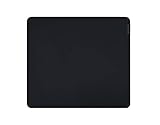


| Product | Best for | Key spec from the title |
|---|---|---|
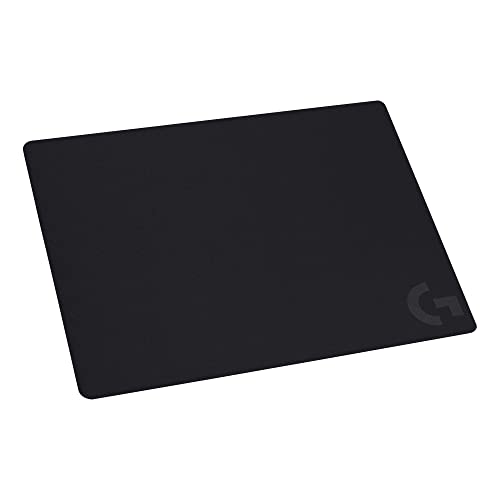
| Logitech G240 | Moderate friction with a non-slip base | Cloth, optimized for gaming sensors, consistent surface |
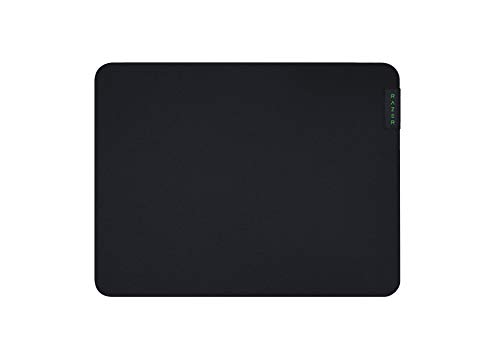
| Razer Gigantus V2 (Medium, Large, XXL) | Soft, thick cushion in several sizes | Textured MicroWeave cloth, high-density rubber foam, non-slip base |
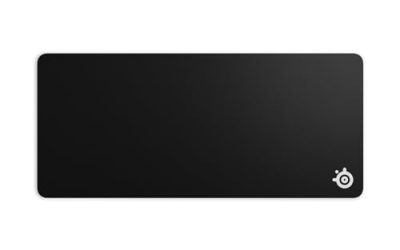
| SteelSeries QcK XXL | Full-desk coverage | XXL cloth, never-slip, esports mousepad |
| 31.5 x 15.7 Waterproof XXL Pad | Large pad on a modest budget | 31.5 by 15.7 inches, waterproof, smooth cloth, non-slip rubber base |
| Legion Gaming XL | Fray resistance and spills | Anti-fray, non-slip, water-repellent |
| Razer Goliathus Speed (Small) | Small desks and travel | Smooth mat, anti-fraying stitched frame, portable |
| SteelSeries QcK Small | Compact, high-sensitivity play | Small cloth, optimized for gaming sensors |
| Large 31.5 x 15.7 Desk Mat | Keyboard and mouse together | Smooth cloth, non-slip rubber base, stitched edges |
How to Choose
Size and your sensitivity
Sensitivity decides pad size more than any other factor. Players who run low sensitivity use wide arm sweeps and need a large pad, often at least 30 inches wide, so the mouse never runs out of room mid-flick. Players with higher sensitivity can use a small or medium pad because the hand barely travels. A good test: lift the mouse and measure how far it travels on a full 360 degree turn in your favorite game. If that distance exceeds your pad, move up a size. Titles that say XL, XXL, or list dimensions in inches make the choice straightforward.
Surface texture and glide
Cloth surfaces vary from tightly woven and slick to textured and grippy. A textured weave provides friction for precise stops and is typically what people mean by a control pad, while a smoother weave supports quick, light glides. New pads can feel a little rough until they settle in, and mouse feet material also changes the feel. Do not rely on labels like speed or control alone; compare the weave description and buyer comments about stopping power. If you share a desk with a wrist rest, a surface that reads well against skin matters too.
Thickness, base and stability
A thin pad (a few millimeters) keeps the wrist low and the surface firm, which many competitive players prefer. Thicker foam adds cushioning but can feel less stable on uneven desks. A non-slip rubber base is essential: a pad that shifts mid-flick ruins aim, so look for a base that grips both wood and glass. If the desk has a lip or a gap, check that the pad lies flat. Rubber bases can have a smell at first that fades after airing out.
Edges, water resistance and care
Stitched edges stop fraying at the border, which is where cloth pads usually fail first. Water-repellent or waterproof coatings are useful for spills, but a coating can change how the surface feels, so read comments for glide. Clean with mild soap and cool water, lay flat to dry and never use a dryer, which can warp rubber. Budget pads often skimp on edge stitching and base quality, so cost-saving shows up in durability rather than in the first week of use.
Break-in and maintenance deserve a mention. A new cloth pad often arrives with creases from packaging, and laying it flat under a heavy book for a day or two helps it settle. Early glide can feel slightly different from the pad’s long-term behavior as the weave softens, so give it a week of regular play before judging. Wipe dust off the surface with a lint roller or a damp cloth, since dirt changes friction and can mimic a sensor problem.
Mouse feet and sensor settings interact with the surface. Worn feet drag on cloth, and a mouse with fresh PTFE feet will feel faster on the same pad. If you change pads, keep your in-game sensitivity the same for a few sessions so you can isolate how the surface feels. Many players who switch to a larger pad find that they can lower their sensitivity slightly, which gives steadier tracking on long-range targets.
Finally, think about the whole desk. A pad that extends under the keyboard keeps wrists on one continuous surface and stops the keyboard from creeping, but it needs a flat desk edge. If the desk has a curve or a monitor arm clamp, measure around those obstacles before choosing an extended size.
The 8 Best Options
Logitech G240 Cloth Gaming Mouse Pad
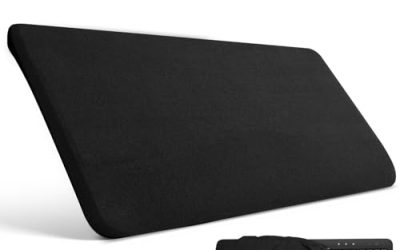
The G240 is described as a black cloth pad optimized for gaming sensors, with moderate surface friction and a consistent surface plus a non-slip base. It is aimed at players who want precise stops for FPS aim at a mid-range tier, and it suits a modest desk because the title implies a standard size. The brand pairs naturally with Logitech sensors.
- Strength: Moderate friction that supports controlled stopping.
- Strength: Non-slip base and sensor-optimized surface.
- Trade-off: Size is not stated in the title, so check dimensions.
Skip it if you need a wide pad for large arm swings.
Razer Gigantus V2 Cloth Gaming Mouse Pad
The Gigantus V2 appears in Medium, Large and XXL listings, all black, with a textured MicroWeave cloth surface, thick high-density rubber foam and a non-slip base. The family lets you match size to sensitivity without changing surface. The thick cushion appeals to players who like a soft landing for the wrist.
- Strength: Textured cloth with a thick high-density foam base.
- Strength: Offered in multiple sizes in the same line.
- Trade-off: Thick foam can feel less firm than a thin, tournament-style pad.
Skip it if you prefer a thin, low-profile surface.
SteelSeries QcK XXL Gaming Mouse Pad
The QcK XXL covers the desk with an extra-large cloth surface, described as an esports mousepad with peak tracking, stability and a never-slip design. It suits low-sensitivity players who need to sweep far and want a mat that doubles as a desk cover for the keyboard.
- Strength: Full desk coverage in XXL size.
- Strength: Marketed for esports tracking and stability.
- Trade-off: Large size needs a wide desk and removes room for other items.
Skip it if your desk is narrow or crowded.
31.5 x 15.7 Waterproof Large Gaming Mouse Pad
This unbranded extended pad lists dimensions of 31.5 by 15.7 inches, a waterproof smooth cloth surface and a non-slip rubber base with stitched edges for gaming and office. It gives a large work area at a lower tier, suitable for combined keyboard and mouse use.
- Strength: Extended size with waterproof surface.
- Strength: Stitched edges and rubber base.
- Trade-off: Unbranded, so surface consistency is less documented.
Skip it if you want a surface designed and tuned by a gaming peripheral brand.
Legion Gaming XL Cloth Mouse Pad
The Legion pad is an XL cloth model that is anti-fray, non-slip and water-repellent, with a model number in the title. It fits players who want durable edges and some spill resistance at a mid-range tier.
- Strength: Anti-fray edges and water-repellent finish.
- Strength: XL size gives good travel for sweeping aim.
- Trade-off: Surface texture is not described, so glide details are unknown.
Skip it if you need a known weave description before buying.
Razer Goliathus Speed Gaming Mousepad, Small
The Goliathus Speed is a small black mat with a smooth surface, anti-slip rubber base and anti-fraying stitched frame, described as portable. It is a good fit for players with high sensitivity, small desks or those who bring a pad to events.
- Strength: Small, portable and stitched around the border.
- Strength: Smooth surface aimed at quick movement.
- Trade-off: Small size limits low-sensitivity play.
Skip it if you make large, sweeping arm movements.
SteelSeries QcK Gaming Mouse Pad, Small
The small QcK is a cloth pad optimized for gaming sensors, with the short title giving little else. Its appeal is a familiar, widely used surface in a compact format that fits tight desks.
- Strength: Sensor-optimized cloth in a compact size.
- Strength: Well-known surface in the competitive scene.
- Trade-off: Small area restricts wide flicks.
Skip it if you want a base thickness or edge details spelled out.
Large Gaming Mouse Pad 31.5 x 15.7 Inch Full Desk Mat
This second extended pad lists the same dimensions, a smooth cloth surface, a non-slip rubber base and stitched edges, for gaming and office use. It works as a full desk mat that carries both keyboard and mouse.
- Strength: Full-desk size with stitched edges.
- Strength: Non-slip rubber base keeps it steady.
- Trade-off: Smooth finish may feel faster than players who like extra control want.
Skip it if you prefer a textured, high-friction weave.
Which One Fits Your Situation
You play at low sensitivity and sweep widely
The SteelSeries QcK XXL or the Razer Gigantus V2 XXL give the most room for big movements. Measure your desk first.
You play at higher sensitivity on a small desk
The Razer Goliathus Speed Small or the SteelSeries QcK Small keeps the surface compact while still offering smooth glide.
You want controlled stops and a steady base
The Logitech G240 stresses moderate friction, and the Gigantus V2 adds a textured weave and thick foam.
You want a big pad at a modest tier
The two 31.5 by 15.7 inch pads cover the keyboard and mouse area, with the Legion XL as a step up for fray resistance.
Common Mistakes
- Choosing a pad that is too small for your sensitivity and running off the edge mid-flick.
- Ignoring thickness, which affects wrist height and desk stability.
- Buying on a speed label without checking the weave description.
- Cleaning with hot water or a dryer, which can warp the rubber base.
- Expecting a new pad to feel perfect on day one without a short break-in.
Related guides
- What Is The Best Budget Most Responsive Gaming Mouse Wired
- Low Latency Gaming Headphones Usb-C 2.4 Ghz Wireless
- Mechanical Gaming Keyboards Competitive Pc Gaming
Frequently Asked Questions
Is cloth better than hard pads for FPS?
Cloth offers more friction and control, while hard pads are faster. The choice depends on your playstyle and sensitivity.
How often should a pad be washed?
Wash it when it looks dingy or glide changes, using mild soap and cool water. Let it air dry flat.
Does pad size affect aim?
It affects comfort and consistency. A pad large enough for your full movement avoids lifting the mouse mid-aim.
Will an XXL pad fit my desk?
Check the listing dimensions against the desk depth and leave room for your elbows and keyboard.
Related guides
More from Amazon
Programs that pair well with the guide above. Offers and eligibility are set by Amazon and may change.
Free shipping on eligible items, Prime Video and more. Eligible new members can start with a free trial.
Start a Prime free trialAd-free music streaming. Eligible new subscribers can start with a free trial.
Try Music Unlimited freeA Prime membership for ages 18-24 with a trial period. Eligibility is set by Amazon.
See Prime for Young AdultsAudiobooks and podcasts to listen to on the go. Eligible new members can start with a free trial.
Try Audible freeAs an Amazon Associate we earn from qualifying purchases.