
Plenty of desks pair a PC with a TV or a monitor that has no Bluetooth, leaving your wireless headphones useless for late-night play. A Bluetooth audio transmitter plugs into the audio output and beams sound to your headset, so you can go wireless from any source. The catch is latency: the wrong transmitter puts your audio noticeably behind the video. Here is how to pick one that stays in sync.
Our Top Picks
 Creative BT-W5 Smart Bluetooth 5.3 Audio Transmitter with1 x 0.6 x 0.3 Inch1 x 0.6 x 0.3 inches0.01 poundsCheck on Amazon


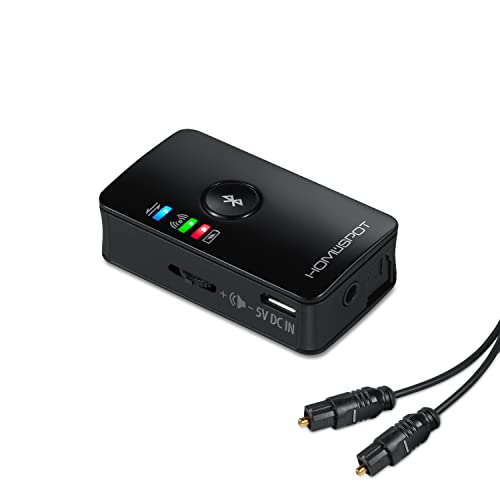

Top 3 picks at a glance
Why latency is the whole game
Standard Bluetooth adds 150-200 ms of delay, enough to make lips and footsteps lag the picture. Low-latency codecs fix this: aptX Low Latency drops delay to around 40 ms, and aptX Adaptive stays low while adjusting quality. Both the transmitter and your headphones must support the same codec, or it falls back to slow standard Bluetooth.
As an Amazon Associate we earn from qualifying purchases at no extra cost to you.



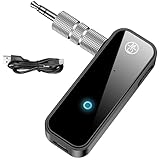

Codec matching
Before buying, check what your headset supports. A transmitter with aptX LL is wasted if your headphones only do SBC and AAC. When they match, the difference between a laggy and a lip-sync-tight experience is dramatic.
Dedicated TV and desk transmitters worth considering
Several of the picks above are USB transmitter dongles built for PCs and consoles, or compact travel adapters. If your main goal is low-latency audio from a TV, monitor, or console display, a dedicated transmitter with optical input and a low-latency codec usually does the job better. These six models cover the main setups: optical-heavy TVs, soundbar passthrough, two-headset co-op, and battery-powered flexibility.
1Mii B06TX Bluetooth 5.3 Transmitter

Who it’s for: anyone connecting a TV or monitor to wireless headphones who wants one box that handles almost every audio output and supports aptX Low Latency.
The B06TX is one of the most frequently recommended TV transmitters in editorial roundups, mainly because it accepts nearly every common output. It works with optical, coaxial, RCA, and 3.5mm sources, and the current listing includes optical, AUX, and RCA cables. It supports SBC, aptX, aptX HD, and aptX Low Latency, and can stream to two headphones or speakers at once. Two external antennas improve range around a room.
Key specs: Bluetooth 5.3 (older units were 5.2), aptX LL / aptX HD / aptX / SBC, optical, coaxial, RCA, and 3.5mm inputs, dual link, volume buttons, USB power.
Strengths: Broad input support makes it a safe choice if you are not sure what your display offers. aptX LL support keeps lip-sync tight with compatible headphones. The antennas help when the transmitter sits behind a TV.
Drawbacks: It does not decode Dolby or DTS, so you must set the TV’s digital output to PCM. When two aptX LL headsets are connected, the maker notes it may drop to standard aptX for stability, which adds some delay. It has no screen to show which codec is active.
How it compares: It is more capable for TV use than the USB dongles above and sits in the mid-range. If you want a screen that shows pairing and codec status, 1Mii’s B06TX+ adds one at a higher tier.
1Mii B03 Bluetooth 5.3 Transmitter Receiver

Who it’s for: people with a soundbar or wired speakers who want headphones and speakers to play at the same time, and who want aptX Adaptive support.
The B03 is a two-way adapter: it can transmit from a TV to headphones or receive from a phone to a wired stereo. In transmit mode it supports aptX Adaptive, aptX HD, aptX Low Latency, aptX, and SBC. Its standout feature is soundbar passthrough, which lets audio go to Bluetooth headphones and a wired soundbar simultaneously. 1Mii lists a range of up to about 164 feet line of sight outdoors and around 82 feet indoors.
Key specs: Bluetooth 5.3, aptX Adaptive / LL / HD in transmit mode, optical, RCA, and 3.5mm connections, dual link, soundbar passthrough, micro-USB power.
Strengths: Passthrough solves the “one person wants headphones, everyone else wants speakers” problem. aptX Adaptive support future-proofs it for newer headphones that dropped aptX LL. It doubles as a receiver for an old stereo.
Drawbacks: It costs more than single-purpose transmitters. Older versions on the market used Bluetooth 5.0 without aptX Adaptive, so check the listing. Range figures depend heavily on walls and interference.
How it compares: It overlaps with the 1Mii transmitter-receiver already in the list above but adds aptX Adaptive and passthrough, which makes it the better fit for a living-room TV setup that is also used for gaming.
Avantree Oasis Plus 2

Who it’s for: couch gamers and movie watchers who want long range, a remote for volume, and aptX Adaptive from an optical or AUX TV output.
The Oasis Plus 2 is Avantree’s flagship TV transmitter. It supports aptX Adaptive and aptX Low Latency, connects two headphones at once, and lists a range of up to 164 feet. Optical passthrough lets a soundbar keep playing while headphones are connected. A small remote controls volume and power without changing TV settings, and optical input gets a volume boost to help with TVs that output fixed-level audio.
Key specs: Bluetooth 5.3, aptX Adaptive / aptX LL / aptX / SBC, optical and 3.5mm AUX inputs, optical passthrough, dual link, remote control, USB-C power.
Strengths: Excellent range for large rooms, the convenience of a remote, and passthrough for shared viewing. aptX Adaptive pairs well with recent headphones that support it.
Drawbacks: It is a premium-tier product. It does not work with HDMI-only TVs or HDMI ARC/eARC, and it is not compatible with Auracast hearing aids. Some listings mention RCA input, while Avantree’s current spec sheet lists only optical and AUX, so check if you need RCA.
How it compares: If range and a remote matter, it is the step up from the 1Mii B03. For a small desk setup, it is more than you need.
Avantree Audikast Plus

Who it’s for: two people sharing a TV or monitor who want a dependable aptX LL transmitter with independent volume per headset.
The Audikast Plus is certified for aptX Low Latency, which Avantree specifies at under 40 ms. It connects two headphones at once over a Class 1 Bluetooth radio rated for about 100 feet, and it ships with optical, AUX, and RCA cables. Separate volume controls for each connected headset help when one person needs the sound louder. It is a transmitter only, with no receiver mode.
Key specs: Bluetooth 5.3 on the current version (older units 5.0), aptX LL / FastStream / aptX / SBC, optical, AUX, and RCA inputs, dual link with per-device volume, about 100 ft range.
Strengths: Proven aptX LL performance, flexible inputs, and per-headset volume make it a strong co-op choice. It is simple to set up and stays powered with the TV.
Drawbacks: No aptX Adaptive, so newer headphones that only support Adaptive will fall back to standard aptX or SBC. No passthrough for soundbars. Per-device volume needs headphones that support the right Bluetooth remote-control profile.
How it compares: It sits in the mid-range, below the Oasis Plus 2. Choose it when you have aptX LL headphones and want two-headset play without extras.
Monoprice Bluetooth 5 Long Range Transmitter and Receiver

Who it’s for: desk users who want a compact, battery-powered unit with optical input and aptX LL that can move between a PC, monitor, and TV.
Monoprice’s adapter works as either a transmitter or a receiver and supports SBC, AAC, aptX, aptX HD, and aptX Low Latency. It has both optical (Toslink) and 3.5mm connections, can stream to two playback devices at once, and runs on a built-in battery rated for up to 25 hours. LEDs show the active mode, codec, and connected devices, which helps you confirm the low-latency link actually negotiated.
Key specs: Bluetooth 5, aptX LL / aptX HD / aptX / AAC / SBC, optical and 3.5mm, dual device, rechargeable battery up to about 25 hours, range listed at about 32 feet.
Strengths: Codec indicator LEDs are rare and genuinely useful. Battery power means you can place it wherever the audio jack is. Optical input covers most monitors and TVs.
Drawbacks: Despite the name, the listed range is only about 32 feet, which is fine at a desk but short for a large living room. It needs charging if you do not leave it plugged in.
How it compares: It is a better desk companion than the TV-focused Avantree models, and the codec LEDs make troubleshooting easier than on the 1Mii B06TX.
SOOMFON aptX-LL Bluetooth 5.3 Transmitter Receiver

Who it’s for: people who want a pocket-size, budget aptX LL transmitter for a PC headphone jack, a handheld, or travel.
This small SOOMFON unit uses a 3.5mm connection and a built-in battery rated at around 23 hours. It supports aptX Low Latency, with latency listed as low as 40 ms when paired with compatible headphones, plus aptX HD. It can transmit to two headphones at once or switch to receiver mode. A small LCD shows status.
Key specs: Bluetooth 5.3, aptX LL / aptX HD, 3.5mm input, dual headphone support, battery around 23 hours, LCD display, transmit and receive modes.
Strengths: Very portable and budget-friendly while still offering aptX LL. The screen makes pairing easier than on blink-code adapters.
Drawbacks: No optical input, so it will not work with TVs or monitors that only output optical. Battery operation means another device to charge.
How it compares: It fills the same role as the small travel adapters above but with confirmed aptX LL support. For a TV, pick the 1Mii or Avantree models instead.
Connection type and features
| Feature | Why it matters | Good target |
|---|---|---|
| Codec | Controls audio delay | aptX LL / Adaptive (~40 ms) |
| Input type | Must match your source | Optical, 3.5mm, USB, RCA |
| Dual link | Two headsets at once | Yes for co-op play |
| Range | Desk-to-couch distance | 30-50 ft line of sight |
| Bypass / passthrough | Keep wired audio too | Optical passthrough handy |
| Price | – | Budget to mid-range |
Where audio delay actually comes from
Codec latency is the biggest piece, but it is not the only one. Total delay between what you see and what you hear is the sum of several stages, and knowing them helps you trim the ones you control.
- Source processing: TVs often delay audio to match their own video processing. Motion smoothing, noise reduction, and other picture enhancements delay the picture, and the TV holds back the audio to match. Game mode turns most of this off and shortens both.
- Audio effects: Virtual surround, dialogue enhancement, and night modes on the TV or soundbar add a few more milliseconds each.
- Encoding in the transmitter: The transmitter compresses audio using the negotiated codec. Low-latency codecs use smaller buffers here.
- Radio transmission: Interference forces retransmissions, and some devices increase buffering when the signal is weak, which raises delay.
- Decoding in the headphones: The headphones buffer and decode audio. Some headphones add extra buffering in their own “gaming” or “quality” modes, so check the companion app.
That is why two people with the same transmitter can report different results. A TV in game mode, a transmitter placed in the open, and headphones in their low-latency mode can feel very different from the same gear with picture processing on and the transmitter hidden behind a metal panel.
Alternatives to a Bluetooth transmitter
A transmitter is the right fix for many setups, but not every one. Consider these options before you buy.
A 2.4 GHz wireless gaming headset
Headsets that use their own USB dongle on a dedicated 2.4 GHz link have lower and steadier delay than Bluetooth and usually include a microphone that works with voice chat. Many also offer Bluetooth for your phone. If you game competitively and do not already own good Bluetooth headphones, this is often the better buy.
A USB audio dongle for consoles and PCs
USB-A or USB-C audio dongles, like the Creative BT-W5, Avantree DG80, and UGREEN adapters in the list above, appear as a USB audio device and send aptX LL or Adaptive to compatible headphones. They are the cleanest way to get Bluetooth headphones working on a PlayStation 5 or a PC without running cables from the audio output.
The controller’s headphone jack
On consoles whose controllers have a 3.5mm jack, a small battery transmitter clipped to the controller sends game audio straight to your headphones. It avoids long cables and works even when the TV has no suitable output, though you will need to charge both the controller and the transmitter.
A TV or monitor with built-in Bluetooth
Many recent TVs can stream to Bluetooth headphones directly. Delay varies by brand and usually uses standard codecs, so a dedicated transmitter with aptX Adaptive can still be faster. Try the built-in option first; if lip-sync is acceptable, you may not need extra hardware.
Wired with an extension
For a single fixed seat, a long 3.5mm extension cable or a wired headset with an amp has zero wireless delay and nothing to charge. It is unglamorous, but it is still the reference for competitive audio.
Buying checklist
- Headphone codecs: You know whether your headphones support aptX LL, aptX Adaptive, or only SBC and AAC.
- Display outputs: You have checked whether your TV or monitor offers optical, 3.5mm, RCA, coaxial, or HDMI only.
- Number of listeners: If two people will listen, the transmitter supports dual link, and you understand that mixing headsets may lower the codec.
- Speakers too: If others will still use the speakers or soundbar, the transmitter offers passthrough or your source keeps another output active.
- Power: You have decided between always-on USB power and portable battery power.
- Distance: Your seating distance fits comfortably within the listed range, with margin for walls and interference.
- Console support: If you play on a console, you know whether it supports Bluetooth audio natively or needs a USB dongle or TV-output route.
Bluetooth versions, classes, and what range really means
Product titles shout about Bluetooth 5.3, 5.4, or even 6.0, but the version number says less about audio than most buyers assume.
Version numbers
Newer Bluetooth versions improve connection stability, power efficiency, and support for features such as LE Audio. They do not by themselves lower audio delay or improve sound quality for classic Bluetooth audio, which is still governed by the codec. A Bluetooth 5.0 transmitter with aptX LL will usually beat a Bluetooth 6.0 adapter that only offers SBC for lip-sync. Treat the version as a tiebreaker, and the codec list as the deciding spec.
Power class and antennas
Range depends mostly on transmit power and antenna design. Class 1 radios, used in models such as the Avantree Audikast Plus, transmit at higher power than the Class 2 radios common in small dongles. External antennas, like those on the 1Mii B06TX, help the signal get around the TV. Remember that range is a two-way street: your headphones also need to reach back, and small earbuds have tiny antennas.
Line-of-sight figures vs real rooms
A listed range of 164 feet is measured in open air with nothing in the way. Indoors, makers themselves often quote half that or less. Every wall, piece of furniture, and person between you and the transmitter absorbs signal, and the 2.4 GHz band is shared with Wi-Fi, wireless mice, and microwave ovens. For a reliable link, keep the transmitter in view of where you sit and treat the outdoor figure as a ceiling, not a promise.
Transmitters for hearing assistance
Many people buy a TV transmitter so one person can listen at a comfortable volume without making the room too loud for everyone else. A few points help here.
- Passthrough: A transmitter that keeps the soundbar or TV speakers playing lets the rest of the room listen normally while one person uses headphones at a higher level.
- Independent volume: Per-device volume, as on the Audikast Plus, lets two listeners set different levels.
- Hearing aid support: Some modern hearing aids accept Bluetooth audio directly, and newer ones support LE Audio and Auracast. Not every TV transmitter works with them; the Avantree Oasis Plus 2, for example, is listed as not Auracast-compatible. Check your hearing aid maker’s compatibility list or choose a transmitter built specifically for Auracast.
- Volume boost: Fixed-level optical outputs can be quiet. A transmitter with an optical volume boost helps without changing TV settings.
When to upgrade an existing transmitter
If you already own a transmitter, upgrading makes sense in a few cases. Your new headphones support aptX Adaptive but your transmitter only does aptX LL or older codecs. You have added a second listener and need dual link with per-device volume. You moved the setup to a larger room and the range is no longer enough. Or you want passthrough so a soundbar can stay connected. If none of these apply and your lip-sync is acceptable, there is little reason to replace a working unit simply because a newer Bluetooth version is out.
Matching input to your gear
PC and monitor outputs
From a PC, a USB transmitter appears as an audio device and avoids extra cables; a 3.5mm version taps the headphone jack. A TV or monitor often outputs only optical (TOSLINK) or, for older sets, RCA, so confirm which port your display has before choosing the transmitter’s input.
Dual connection for co-op
If two people watch or play together, a transmitter that pairs two headsets at once is a small luxury that pays off. Note that dual-link modes sometimes drop the low-latency codec, so test lip-sync when both headsets are connected.
Bluetooth codecs explained
The codec is the language the transmitter and headphones use to compress and send audio. It decides both sound quality and delay, and the two devices always settle on the best codec they share. Here is what each one means for gaming and video.
- SBC: The mandatory baseline every Bluetooth audio device supports. Sound is acceptable, but delay often runs well above 100 ms, which is why lip-sync drifts.
- AAC: Common on Apple devices and many mainstream headphones. Quality is good, but latency from a separate transmitter is usually similar to SBC.
- aptX: Better quality than SBC with somewhat lower delay, but it is not a low-latency codec on its own.
- aptX HD: Higher-resolution aptX for music. It does not reduce delay.
- aptX Low Latency (aptX LL): Designed for video and games, with delay around 40 ms. Qualcomm has been phasing it out of newer chips in favor of aptX Adaptive, so fewer new headphones support it.
- aptX Adaptive: The modern replacement. It balances quality and delay automatically and has a low-latency mode. Look for this on new transmitters if your headphones support it.
- LDAC: Sony’s high-bitrate codec for music. Great quality, but it is not designed for low delay.
- LE Audio (LC3) and Auracast: The newer Bluetooth standard used by recent hearing aids and some newer headphones. Auracast allows broadcasting to many listeners. Support is still growing, so check both ends before buying around it.
The practical takeaway: before choosing a transmitter, look up your headphones’ codec list. If they support aptX Adaptive or aptX LL, buy a transmitter that matches. If they only do SBC and AAC, as many popular earbuds do, a low-latency transmitter will not fix the delay, and a dedicated 2.4 GHz wireless headset may serve you better.
More buying criteria
Power: USB-powered or battery
USB-powered units stay on with the TV or PC and never need charging, which suits a permanent desk or living-room setup. Battery models are better when you want to move the transmitter between devices, or when the only audio port is somewhere awkward. Some do both: they run while charging, so you can leave them plugged in most of the time.
Transmit-only or two-way
Two-way transmitter/receiver units can also add Bluetooth to an old stereo or car. That flexibility is handy, but make sure the mode switch is clear, because accidentally leaving a unit in receive mode is a common reason it “will not pair.”
Range and placement
Listed range assumes clear line of sight. Walls, metal TV backs, PC cases, and crowded Wi-Fi bands all cut it down. At a desk, 30 feet is plenty. For a large room or listening from another room, look for Class 1 radios or models that list 100 feet or more, and place the transmitter in the open.
Display compatibility
Check your display’s outputs before anything else. Many TVs offer optical; many monitors only offer a 3.5mm headphone jack; some newer TVs have only HDMI. An HDMI-only display needs an HDMI audio extractor in between, because none of these transmitters accept HDMI directly. Also set the TV’s digital audio output to PCM, since most transmitters cannot decode Dolby Digital or DTS.
Consoles
Consoles differ a lot. PlayStation 5 does not send game audio to Bluetooth headphones on its own, so you need a USB transmitter dongle plugged into the console, or a transmitter connected to the controller’s headphone jack or the TV. Xbox consoles do not support Bluetooth audio at all, so the TV-output route is the usual workaround. Nintendo Switch supports Bluetooth audio natively, though with limits on how many devices can connect and no microphone support.
Comparison of the added picks
| Model | Low-latency codec | Inputs | Dual link | Power | Best for | Price tier |
|---|---|---|---|---|---|---|
| 1Mii B06TX | aptX LL | Optical, coaxial, RCA, 3.5mm | Yes | USB | Any TV output | Mid-range |
| 1Mii B03 | aptX Adaptive, aptX LL | Optical, RCA, 3.5mm | Yes | USB | Soundbar passthrough | Mid-range |
| Avantree Oasis Plus 2 | aptX Adaptive, aptX LL | Optical, 3.5mm | Yes | USB-C | Long range with remote | Premium |
| Avantree Audikast Plus | aptX LL | Optical, 3.5mm, RCA | Yes, per-device volume | USB | Two-headset co-op | Mid-range |
| Monoprice Long Range | aptX LL | Optical, 3.5mm | Yes | Battery or USB | Desk with codec LEDs | Mid-range |
| SOOMFON aptX-LL | aptX LL | 3.5mm | Yes | Battery | Portable, PC jack | Budget |
FAQ
Will a Bluetooth transmitter add lag to my games?
Only if it lacks a low-latency codec. A unit with aptX Low Latency paired to compatible headphones keeps delay around 40 ms, which is fine for casual and single-player gaming. Competitive players who need frame-tight audio should still prefer a wired or dedicated 2.4 GHz wireless headset.
Can one transmitter serve both my PC and TV?
Yes if it has the right inputs or you move it between devices, but the cleaner setup is matching its input to your primary source. Some transmitters offer both optical and 3.5mm inputs with a switch, which lets one unit cover a PC and a TV on the same desk.
Do AirPods work with an aptX Low Latency transmitter?
They will connect, but AirPods do not support aptX, so the link falls back to SBC or AAC with standard Bluetooth delay. You will hear the TV, but lip-sync may drift. For low latency, pair the transmitter with headphones that list aptX LL or aptX Adaptive.
Why is there still lag even with an aptX LL transmitter?
Usually one end has not negotiated the low-latency codec. Check that your headphones support aptX LL or Adaptive, re-pair them with only one headset connected, and look at the transmitter’s indicator to see which codec is active. TV audio processing can also add delay, so try turning off sound effects or enabling the TV’s game mode.
Can I use a Bluetooth transmitter with an HDMI-only TV?
Not directly. You need an HDMI audio extractor that pulls the audio into an optical or 3.5mm output, then connect the transmitter to that. Alternatively, connect to a soundbar or receiver that has an optical output.
Is a Bluetooth transmitter as good as a 2.4 GHz wireless gaming headset?
For competitive play, no. A dedicated 2.4 GHz headset with its own dongle generally has lower and more consistent delay than any Bluetooth codec. A transmitter is the better choice when you already own Bluetooth headphones, want to watch shows, or play single-player and casual games.
Why is the volume so low through optical?
Many TVs send a fixed-level signal over optical, so the TV remote does not change volume. Use your headphones’ volume buttons, the transmitter’s volume controls, or a model with an optical volume boost such as the Avantree Oasis Plus 2.
Can I use a transmitter with my gaming PC instead of built-in Bluetooth?
Yes, and it often helps. Windows Bluetooth audio commonly uses SBC or AAC, depending on the hardware and drivers. A transmitter plugged into the PC’s optical or 3.5mm output, or a USB audio transmitter dongle, can provide aptX LL or Adaptive when your headphones support it.
Does a Bluetooth transmitter support microphones for voice chat?
Generally no. TV and desk transmitters send audio one way, from the source to your headphones, so the headset microphone will not reach your PC or console through them. For party chat, use a headset with a 2.4 GHz dongle, a wired microphone, or a USB audio dongle that specifically lists microphone support.
Will a transmitter work with Bluetooth speakers as well as headphones?
Yes. Any Bluetooth speaker that accepts audio from a phone can pair with a transmitter. Low-latency codecs still require the speaker to support them, and many portable speakers only use SBC, so expect some delay for video. Dual-link models can even drive a speaker and a headset together.
Setup and pairing details
Pairing quirks trip people up. Put the transmitter in pairing mode first, then your headphones, and keep them close during the initial handshake. Some transmitters remember only one or two devices, so if you swap between several headsets you may re-pair often; a model that stores multiple profiles saves that hassle. If audio comes through but stays laggy, confirm both ends actually negotiated the low-latency codec rather than falling back to standard Bluetooth.
Power and placement affect reliability. A transmitter tucked behind a metal TV or PC case can have its signal blocked, so route it to open air or the front of the desk for a clean 30-50 ft range. USB-powered units stay on with the source; battery models need charging, but let you move the transmitter to wherever the audio jack is without hunting for a spare USB port.
Keeping wired audio available
If other people in the room use the speakers, look for a transmitter with passthrough or a source that keeps its own output active. Optical passthrough, or simply tapping a headphone jack that still feeds the speakers, means you can go wireless without cutting sound to everyone else in the room.
Troubleshooting common problems
Most transmitter issues fall into a handful of patterns. Work through these before deciding a unit is faulty.
- No sound at all over optical: Set the TV’s digital audio output to PCM. Dolby Digital and DTS streams are not decoded by most transmitters and arrive as silence. Also check that the optical cable’s protective caps are removed and the plug is fully seated.
- Sound cuts out every few seconds: Move the transmitter out from behind the TV or PC case, away from Wi-Fi routers and USB 3 hubs, which can interfere with the 2.4 GHz band. Extending it on a short cable to the front of the desk often fixes dropouts.
- Audio is out of sync: Confirm the low-latency codec is active. If your TV or monitor has an audio delay or lip-sync setting, adjust it. Disable surround virtualizers and “clear voice” modes, which add processing time.
- Two headsets but one lags: Dual link can force both headsets onto the lowest common codec. If one headset lacks aptX LL, both may fall back to slower audio. Pair two matching headsets for the best result.
- Headphones keep reconnecting to the phone: Turn off Bluetooth on your phone during pairing, or remove the headphones from the phone’s list, so they connect to the transmitter first.
- Hiss or hum on 3.5mm: A ground loop between the PC and transmitter can cause noise. Try powering the transmitter from a different USB port or a wall adapter, or use the optical output if available.
Example setups for gaming desks
Single monitor with no Bluetooth
Connect a 3.5mm transmitter to the monitor’s headphone jack, which carries audio from HDMI or DisplayPort. A USB-powered model can draw power from the monitor’s USB port if it has one, so it turns on with the screen.
PC plus TV on the same desk
Use a transmitter with both optical and 3.5mm inputs and an input switch, or two small transmitters that both remember your headphones. Many gamers run the PC through the desk monitor and the console through the TV, so choose a transmitter for each display if you switch often.
Couch co-op with two headsets
Choose a dual-link transmitter with per-headset volume, such as the Avantree Audikast Plus, and pair two matching aptX LL headsets. Place the transmitter in front of the TV, not behind it, for a clean signal to the couch.
Shared living room with a soundbar
A passthrough transmitter like the 1Mii B03 or Avantree Oasis Plus 2 lets one person use headphones while the soundbar keeps playing for everyone else, without unplugging anything.
Bottom line
Pick a transmitter with a low-latency codec such as aptX LL that matches your headphones, an input that fits your PC or TV port, and 30-50 ft of range; most good options sit in the budget to mid-range tier. Codec matching is non-negotiable for lip-sync, dual-link is a nice bonus for co-op, and with the right unit your no-Bluetooth display finally goes wireless without the lag.









