Picking a color inkjet printer is really a decision about how you will pay for ink over the next few years. A low-cost cartridge model gets you printing quickly but can be expensive to feed, while a refillable-tank model costs more at the start and then runs for a long time on bottles of ink. Between those poles sit office-style models with automatic document feeders, duplex printing and faster speeds. The right pick depends on how many pages you print, whether you scan or copy, and how much counter space you can spare.
This guide is for home users, students, and small home offices that need color output for homework, forms, photos and the occasional presentation. It compares eight wireless color inkjet printers from their listed specs and leaves two near-twin models out to keep the list distinct. In 2026, the useful questions are still practical ones: do you need a document feeder, is two-sided printing worth it, and do you want a refillable tank or a cartridge system?
Our Top Picks
 HP OfficeJet Pro 8125 Wireless All-in-One Color Inkjetone size13.29 x 18.11 x 9.17 inches17.6 poundsCheck on Amazon
 Canon PIXMA TS6520 Wireless Color Inkjet PrinterMedium14.8 x 14 x 6.7 inches15.42 PoundsCheck on Amazon
 Canon MegaTank G3270 All-in-One Wireless Color PrinterOne Size21.9 x 16.4 x 10.6 inches13.2 poundsCheck on Amazon


Top 3 picks at a glance
Quick Picks
As an Amazon Associate we earn from qualifying purchases at no extra cost to you.





| Product | Best for | Key spec taken from the product title |
|---|---|---|
| HP DeskJet 2923 | Light home printing | Wireless all-in-one, print, scan, copy |
| HP OfficeJet Pro 8125 | Home office document work | Wireless all-in-one with ADF and duplex printing |
| Canon PIXMA TS6520 | Compact home use with a small display | 1.42-inch OLED display, print, scan, copy |
| Canon PIXMA TS4320 | Cost-conscious family printing | Wireless print, copy, scan, photo printer |
| Canon MegaTank G3270 | High-volume home and office use | Refillable tank system, compact desktop design |
| Canon PIXMA TS7720 | Photo-friendly home printing | Auto duplex, 15/10 PPM, 2.7-inch touchscreen |
| Epson EcoTank ET-2900 | Low-cost, high-page-count printing | Refillable supertank, up to 3 years of ink, 11 PPM |
| HP OfficeJet Pro 9135 | Busy small office | ADF, fax, duplex print and scan |
How to Choose
Cartridge or refillable tank
Cartridge printers are cheap to buy, but the replacement ink adds up if you print more than a few dozen pages a month. Tank printers such as the MegaTank and EcoTank cost more up front and are filled from bottles, which lowers the cost of each page considerably. If you print rarely, a cartridge model is fine because ink in a tank can still dry out. If you print weekly or run a home business, the tank route usually pays back sooner than expected. Think in terms of pages per year: a student printing essays and a few photos is a very different case from a freelancer printing client packets, and the second profile is where the tank design earns its keep.
Speed, duplex and the document feeder
Speeds are listed in pages per minute, and the black-and-color pair, like 15/10 PPM, shows how much slower color printing is. For short documents, anything near 10 PPM is workable. Duplex printing prints on both sides automatically and saves paper. An automatic document feeder, or ADF, scans or copies multi-page originals without you lifting the lid for every sheet, which matters if you handle contracts, school forms or invoices. Two-sided scanning, listed on the larger HP model, goes a step further by capturing both sides of each sheet in a single pass instead of two.
Connectivity and controls
Wireless setup is standard in this group, and most support printing from phones. A screen helps with setup and copying: a small OLED display or a larger touchscreen makes menus faster than blinking lights. Check that the printer supports your phone or computer platform and offers a mobile app. Wired USB is a useful fallback when the network misbehaves. Also consider where the printer will sit: front paper trays need space in front of the machine, and wireless range falls off quickly through thick walls, so a spot near your router saves frustration.
What to ignore and where cheap models cut corners
Ignore “best for home office” labels that sellers apply to everything. Low-cost models often skip duplex, lack an ADF, use small starter ink cartridges and print slowly. Several listings include trial subscriptions for ink delivery; treat them as optional extras, and read the terms before you enroll. A printer that looks like a bargain can cost more over time if its cartridges are small and its pages are costly. Paper handling is another weak spot, since entry models often hold fewer sheets in the tray and need refilling sooner. Add up ink, paper and your time, not just the sticker on the box.
The reviews below follow the table order. Judge each on the features its listing states, and keep your own monthly page count in mind while you read.
The 8 Best Options
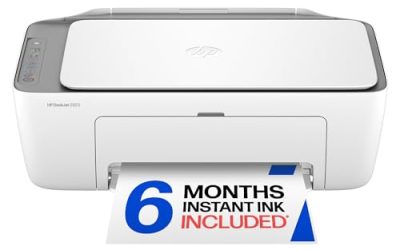
HP DeskJet 2923
This is a wireless all-in-one that prints in color, scans and copies, with mobile compatibility and a focus on easy home printing. It suits a household that prints homework and the occasional form and wants a simple, low-profile machine.
- Strength: All-in-one print, scan and copy in a basic package.
- Strength: Wireless and mobile-friendly for phone printing.
- Trade-off: The title lists no document feeder or duplex feature.
Skip it if you scan stacks of pages or print on both sides. Without a feeder, every page of a long document means lifting the lid, which gets old quickly.
HP OfficeJet Pro 8125
The 8125 is a wireless all-in-one inkjet with an ADF, duplex printing, scanning and copying, and a trial of an ink delivery plan. It targets a home office that handles multi-page documents and wants two-sided output without manual flipping.
- Strength: Automatic document feeder for multi-page originals.
- Strength: Duplex printing saves paper.
- Trade-off: No fax is listed, unlike the larger OfficeJet model.
Skip it if you only print a few pages a month. The feeder and duplex hardware are wasted on light use, and a simpler machine would cost less.
Canon PIXMA TS6520
The TS6520 is a wireless color inkjet with a 1.42-inch OLED display and a compact build, covering print, scan and copy. It suits a small apartment where space is tight and a basic on-device screen makes copying easy.
- Strength: OLED display and an intuitive control panel.
- Strength: Compact design for shelves and small desks.
- Trade-off: The title does not list duplex or an ADF.
Skip it if you need to scan multi-page documents quickly. Looking for a feeder points you to the HP OfficeJet Pro models in this list.
Canon PIXMA TS4320
This one is positioned as a cost-efficient multifunction photo printer for home use, with wireless printing, copying and scanning. It is a straightforward entry model for a family that wants everything in one basic box.
- Strength: Wireless all-in-one with a cost-efficient focus.
- Strength: Photo printing is part of its stated purpose.
- Trade-off: No screen, feeder or duplex detail in the title.
Skip it if you need a touchscreen or office features. The title offers no hint of a feeder, duplex or fax, so it is best seen as a family printer.
Canon MegaTank G3270
The G3270 is a wireless all-in-one with a refillable tank system, a compact desktop design and use in home and office settings. It fits a household that prints regularly and wants to avoid cartridge costs.
- Strength: Refillable tank system for lower ongoing ink cost.
- Strength: Print, copy and scan in a compact body.
- Trade-off: Higher purchase cost than cartridge entry models.
Skip it if you print so little that the savings never arrive. In that case a cartridge model is the cheaper way in, and the ink will not sit unused for months.
Canon PIXMA TS7720
The TS7720 is a wireless all-in-one inkjet with auto duplex printing, 15/10 PPM speeds and a 2.7-inch touchscreen, marketed as a compact home photo printer. It suits someone who wants a feature-rich home machine with two-sided printing and clearer controls.
- Strength: Auto duplex and a 2.7-inch touchscreen.
- Strength: 15/10 PPM listed speeds for everyday documents.
- Trade-off: Cartridge-based, so ink costs depend on your volume.
Skip it if you want a refillable tank. The cartridge approach means the cost per page depends on how you buy ink, and heavy printing adds up faster than on the tank models.
Epson EcoTank ET-2900
The ET-2900 is a wireless all-in-one color supertank printer with refillable tanks, up to 3 years of ink, 11 PPM and a 1.44-inch color screen. It suits families or students who print often and want predictable ink costs.
- Strength: Refillable tanks and a stated three-year ink supply.
- Strength: Small color screen for simple setup.
- Trade-off: 11 PPM is modest, and no duplex is listed.
Skip it if you print mostly double-sided documents. Looking for duplex puts the Canon TS7720 or the HP OfficeJet Pro models ahead of it on features.
HP OfficeJet Pro 9135
The 9135 is a wireless all-in-one with print, scan, copy, fax, ADF and duplex printing and scanning, plus an ink delivery trial. It fits a small office that needs faxing, two-sided scanning and a feeder in one machine.
- Strength: ADF with duplex printing and scanning.
- Strength: Fax capability for office workflows.
- Trade-off: More machine than a light home user needs.
Skip it if you want a small, low-cost home printer. The fax and feeder hardware only pay off if you use them regularly, and the machine takes more room than a compact home model.
Which One Fits Your Situation
You print every week and hate buying cartridges
The Epson EcoTank ET-2900 states up to three years of ink with refillable tanks, which fits steady printing. The Canon MegaTank G3270 is the other tank route.
You handle multi-page paperwork at home
The HP OfficeJet Pro 8125 offers an ADF and duplex printing, so contracts and school forms move faster.
You run a small office with fax needs
The HP OfficeJet Pro 9135 adds fax and duplex scanning to the feeder, which suits an office routine.
You print occasionally and want the simplest setup
The HP DeskJet 2923 keeps things basic with wireless printing, scanning and copying in one machine.
If you cannot decide, begin with volume. Light printers should look at the DeskJet or the PIXMA models, steady printers at the tanks, and document-heavy offices at the OfficeJet Pro line.
Common Mistakes
- Choosing the lowest-cost cartridge model and ignoring ongoing ink costs.
- Skipping the document feeder and then scanning pages one at a time.
- Assuming every all-in-one prints on both sides automatically.
- Letting trial ink subscriptions renew without reading the terms.
- Buying a tank printer for very light use and letting ink dry out.
Finally, keep paper in mind: a printer is only as useful as the sheets you feed it, so buy plain paper for drafts and keep a small pack of photo stock for the occasional picture. Mixing them up wastes both ink and money.
Related guides
- What Is The Best Budget Most Responsive Gaming Mouse Wired
- Low Latency Gaming Headphones Usb-C 2.4 Ghz Wireless
- Low Latency Gaming Headphones Usb-C Dongle 2.4 Ghz
Frequently Asked Questions
Is a tank printer worth it for occasional use?
Usually not. Tank models shine when you print regularly. For a few pages a month, a cartridge model costs less up front.
What does PPM mean?
It means pages per minute. Listings often give a black number and a color number, and color is slower.
Do I need an ADF?
Only if you scan or copy multi-page documents often. For single sheets, the flatbed glass is enough.
Can I print from my phone?
Most wireless models in this list support mobile printing. Confirm app support for your phone on the manufacturer’s page.
Related guides
More from Amazon
Programs that pair well with the guide above. Offers and eligibility are set by Amazon and may change.
Free shipping on eligible items, Prime Video and more. Eligible new members can start with a free trial.
Start a Prime free trialAd-free music streaming. Eligible new subscribers can start with a free trial.
Try Music Unlimited freeA Prime membership for ages 18-24 with a trial period. Eligibility is set by Amazon.
See Prime for Young AdultsAudiobooks and podcasts to listen to on the go. Eligible new members can start with a free trial.
Try Audible freeAs an Amazon Associate we earn from qualifying purchases.