A WiFi printer earns its keep the moment you stop needing a cable: you print a boarding pass from the couch, a permission slip from your phone, or a tax form from a laptop in another room. The real decision behind this keyword is not wireless versus wired, since every printer here is wireless, but what you want the machine to do once it is on your network. Color photos and school projects call for inkjet; stacks of black-and-white pages call for something different. Add a fax requirement or a need to scan a multi-page stack, and the list narrows quickly, so decide those two points first.
This guide is for households and small home offices choosing among eight all-in-one models in 2026. We lean on what the titles state: print, scan, copy, an automatic document feeder, duplex printing, fax, and display type. Where a listing is silent, we say so rather than guess. Costs appear as tiers only, because the real expense of a printer is what you spend on ink or toner after you unbox it.
Our Top Picks

Top 3 picks at a glance
Quick Picks
As an Amazon Associate we earn from qualifying purchases at no extra cost to you.



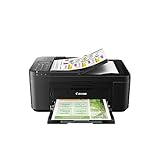

| Product | Best for | Key spec from the title |
|---|---|---|
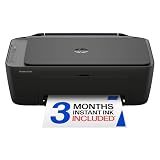
| HP DeskJet 2923 | Light home use | Wireless color inkjet, print/scan/copy |
| Canon PIXMA TS6520 | Compact color and photos | 1.42-inch OLED display |
| HP OfficeJet Pro 8125 | Home office documents | ADF and duplex printing |
| Canon PIXMA TS4320 | Cost-conscious photo printing | Print, copy, scan for home use |
| HP DeskJet 2955 | Entry-level family printer | Wireless color, mobile compatibility |
| Brother DCP-L2640DW | Black-and-white volume | Monochrome, duplex, compact |
| Canon PIXMA TR4720 | Home use with fax | Auto document feeder, built-in fax |
| HP OfficeJet Pro 8135 | Busy small office | ADF, duplex, fax |
How to Choose
Inkjet or monochrome
Color inkjets handle photos, school posters, and mixed documents. A monochrome model like the Brother prints only black, which is the right trade if 95 percent of your pages are text. Think about the pages you printed last month. If you rarely print color, a monochrome machine avoids dried-out color cartridges. A monochrome machine also tends to sit idle without trouble, while color inkjets reward regular use. If your printing comes in bursts around tax season or school projects, factor that idle time into the choice.
Document feeder and duplex
An automatic document feeder (ADF) lets you scan or copy a multi-page stack without lifting the lid for each sheet. Duplex printing flips the page for you, halving paper use. Look for both if you handle contracts or homework packets; skip them if you print one page at a time. Also check the feeder’s role in copying: scanning a ten-page lease to email is a two-minute job with an ADF and a long chore without one. Fax-capable models in this group, such as the Canon TR4720 and HP 8135, pair the feeder with fax for that reason.
Connectivity and mobile printing
Every model here is wireless, and several list mobile printing. Confirm the printer supports your phone’s platform, and check that setup does not demand an account you dislike. A small display, such as the 1.42-inch OLED on the TS6520, makes network setup and error messages far easier than blinking icons. Also confirm the printer can be reached from a laptop on the same network without installing bulky software, because driver-heavy setups are the most common source of frustration in a home with several devices.
Ongoing supply costs
Budget printers cut corners on cartridge capacity, so they feel cheap at checkout and expensive over time. Instant-subscription trials mentioned in some titles can help if you print a lot, but they are not free forever. Compare cartridge options before you commit, and avoid assuming a low sticker tier means low cost per page. A printer used for a few pages a week rarely needs the biggest cartridges, while a home office printing daily should look hard at high-capacity options.
The 8 Best Options
HP DeskJet 2923
An all-in-one wireless color inkjet that prints, scans, and copies, with mobile compatibility called out in the title. It is for light users: a student, a family that prints a few pages a week, or someone who needs a printer for occasional forms. The title does not list a feeder or duplex, so every double-sided job is manual, and that is fine for a household that prints in small amounts.
- Print, scan, and copy in one machine
- Wireless setup and mobile printing support
- Trade-off: no automatic document feeder or duplex mentioned
Skip it if you scan stacks of documents or print daily.
Canon PIXMA TS6520
This wireless color inkjet adds a 1.42-inch OLED display and a compact build. It is for photo-minded households that want a printer to sit on a shelf and still be easy to manage from its control panel. A compact body suits a bookshelf or desk corner, and the screen shows ink status and Wi-Fi state without a trip to the computer.
- OLED display eases setup and status checks
- Print, scan, and copy functions
- Trade-off: the title does not mention an ADF
Skip it if you want document-feeder speed for office paperwork.
HP OfficeJet Pro 8125
A wireless all-in-one color inkjet with ADF and duplex printing, positioned for the home office. The title also lists a trial of an ink subscription. It fits freelancers and remote workers who handle multi-page documents. The ink subscription trial is a bonus only if you intend to keep the plan, so read its terms before enrolling and decide whether pay-per-page suits your volume.
- ADF handles multi-page scanning and copying
- Duplex printing saves paper
- Trade-off: a bigger body than the entry-level DeskJets
Skip it if you only print an occasional page.
Canon PIXMA TS4320
Described as cost efficient and multifunction for photos, copies, and scans at home. It is for families who want to print school photos and homework without paying office-class prices. Because the title stresses cost efficiency, it makes sense for a household that wants to learn its real print volume before upgrading to a larger machine.
- Photo-friendly multifunction design
- Wireless with print, copy, and scan
- Trade-off: no ADF or duplex in the title
Skip it if you need heavy document handling.
HP DeskJet 2955
A near-twin to the 2923, with wireless color inkjet printing, mobile compatibility, and print, scan, and copy. It is for first-time buyers who want a simple printer with minimal fuss. Keep it where the Wi-Fi signal is strong and let it handle school forms, shipping labels, and recipes, and it should feel invisible.
- Easy home printing focus
- Mobile compatibility listed
- Trade-off: compare it with the 2923 to see which is a better fit, since both read similarly
Skip it if you need duplex or an ADF.
Brother DCP-L2640DW
A wireless compact monochrome multifunction printer that copies, scans, prints, and supports duplex and mobile printing. It is for students and home offices that produce lots of black text and want less fuss with color cartridges. The compact build helps in a dorm, and duplex halves the paper in a stack of lecture notes.
- Duplex printing included
- Compact monochrome design
- Trade-off: no color output
Skip it if you print photos or colorful charts. A color machine such as the TS6520 is a better fit for those jobs.
Canon PIXMA TR4720
A wireless all-in-one with an auto document feeder, mobile printing, and built-in fax, in black. It is for households that still need to send or receive a fax occasionally, such as for medical or legal paperwork. The feeder helps when copying a multi-page form, and the mobile printing mention means a phone can still start a job.
- ADF plus built-in fax
- Mobile printing support
- Trade-off: the title does not highlight duplex printing
Skip it if fax is irrelevant to you. In that case the TS4320 or an HP DeskJet does the home job with fewer features to learn.
HP OfficeJet Pro 8135
The 8135 lists print, scan, copy, fax, ADF, and duplex printing in a wireless color inkjet. It is for small offices that want the broadest feature set in this group. The same trio of feeder, duplex, and fax also makes it a candidate for a shared family office where several people print different things all day.
- Fax, ADF, and duplex together
- Color inkjet printing for presentations and invoices
- Trade-off: more features mean a larger footprint than entry models
Skip it if you only need a basic home printer. The fax line is the tiebreaker against the 8125, so buy the 8135 only if you will genuinely use it; otherwise the 8125 covers the same feeder and duplex needs.
Which One Fits Your Situation
A student dorm or small apartment
The HP DeskJet 2923 or 2955 keeps the footprint small and handles homework, forms, and the odd scan. If the dorm network requires registering devices, check the policy before you buy, since some campus Wi-Fi blocks printers that rely on local discovery.
A home office with paper-heavy work
Choose the HP OfficeJet Pro 8125 for ADF and duplex, or the 8135 if you also need fax. The extra feeder and duplex features pay off quickly when you handle forms and stacks of pages.
A family that prints photos and projects
The Canon PIXMA TS6520 pairs color output with a small display that makes everyday use less confusing. The TS4320 is the more modest alternative if the family wants photo output without the display.
A black-and-white document workload
Take the Brother DCP-L2640DW. Monochrome and duplex are the right match for reports, tickets, and class notes. If a stray color page is needed once a month, most libraries and print shops can cover that cheaply.
Common Mistakes
- Choosing by sticker tier alone and ignoring cartridge capacity.
- Buying a color inkjet for a household that only prints text.
- Skipping the ADF, then hand-feeding forty pages at the scanner glass.
- Assuming fax is built in when the title does not list it.
- Forgetting that mobile printing needs your phone’s platform to be supported.
Related guides
- What Is The Best Budget Most Responsive Gaming Mouse Wired
- Low Latency Gaming Headphones Usb-C 2.4 Ghz Wireless
- Mechanical Gaming Keyboards Competitive Pc Gaming
Frequently Asked Questions
Do all of these printers connect to WiFi?
The titles list each as wireless. You join the printer to your home network once, then print from computers and phones. If the signal is weak where the printer sits, move it or add a network extender rather than falling back to a cable.
Which model is best for occasional printing?
The HP DeskJet 2923 and 2955 suit light use. Inkjets can dry out when left idle, so print a test page now and then. A short weekly print keeps the nozzles active and saves a cleaning cycle that wastes cartridge capacity.
Is duplex worth it?
Yes, if you print multi-page documents. It cuts paper use and makes packets easier to staple. Just remember that duplex printing is slower than single-sided output, which matters if you are in a hurry.
Should I get monochrome or color?
Choose monochrome if you rarely need color. Choose a color inkjet if you print photos, posters, or school projects.