The phrase “Switch Pro controller” describes a shape as much as a product: a full-size, two-handled gamepad with proper grips, a real directional pad, and sticks placed like a traditional console pad. Buyers searching for it usually want one of two things, either the first-party original or a third-party pad that copies the layout and adds something the original lacks, such as remappable back buttons, lighting, or a different stick mechanism.
This guide is for players who dock their console and want comfort over a long session, for owners of the newer Switch 2 trying to avoid a compatibility mistake, and for anyone replacing a worn pad. In 2026 the practical dividing line is simple: check which console models the title names, then decide how much you care about extras. Every judgment below rests on what the listing title states, not on invented durability or latency figures.
Our Top Picks


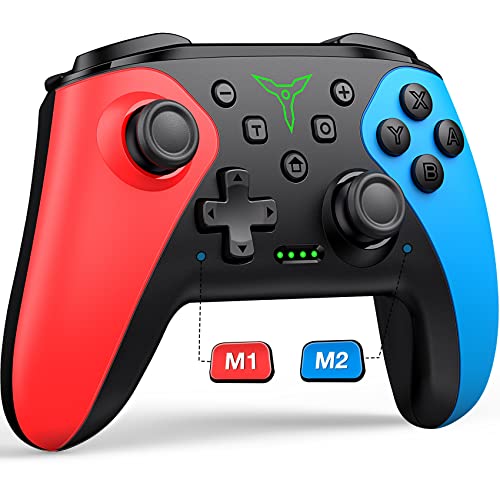


Top 3 picks at a glance


Quick Picks
As an Amazon Associate we earn from qualifying purchases at no extra cost to you.


| Product | Best for | Key spec from the title |
|---|---|---|
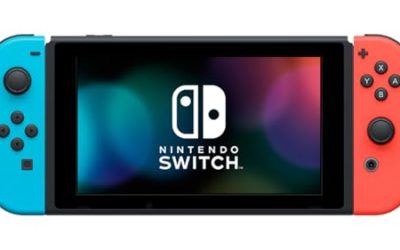
| Nintendo Switch Pro Controller | The standard first-party choice | Original Pro Controller |
| Nintendo Switch 2 Pro Controller | Switch 2 owners | Named for Switch 2 |
| PowerA Wireless Controller | Mid-range, multi-model use | Switch, Lite, OLED, Switch 2; Bluetooth; motion controls |
| 8BitDo Ultimate 2C Bluetooth | Customizers and drift-wary players | Hall Effect joystick, remappable L4/R4, 6-axis motion |
| PDP Afterglow Wave | Style-minded players | RGB lighting, app customization, rechargeable |
| AceGamer Wireless Pro Controller, 2 Pack | Two-player homes | 2 pack, Hall Effect joystick, wake-up |
How to Choose
Console compatibility comes first
Not every pad works with every Switch. The title should name your console: Switch, Lite, OLED, or Switch 2. A pad that mentions only one generation is a risk on another. Switch Lite owners should also remember that the Lite has no dock, so a wireless Pro-style pad is mainly useful with a stand or when you connect the console to a screen through other means.
Stick mechanism and drift worries
Analog stick drift is the most common complaint about controllers of this type. A Hall Effect joystick uses magnets and is marketed as drift-resistant, which is why it shows up in titles from third-party makers. The title cannot prove a lifespan, so treat it as a design advantage rather than a guarantee. If you rarely use sticks, for example in turn-based or puzzle games, this matters less.
Extra buttons, motion, and customization
Remappable back buttons, often labeled L4 and R4, help in shooters and fighters. Six-axis motion control supports aiming in games that offer it. App customization and RGB lighting add personality but not performance. Decide whether these features would change how you actually play, and ignore the ones that would not. A basic first-party pad has none of these, and that is fine for many players.
What to ignore and where budget pads cut corners
Ignore claims about response speed that the title cannot back up. Budget pads commonly cut corners in stick feel, rumble strength, and wireless pairing consistency. Mid-range pads usually offer a solid shell and a few extras, while premium options add customization. Multi-packs look like bargains but only help if you genuinely need two pads, since otherwise you carry a spare you never use.
The 6 Best Options
Nintendo Switch Pro Controller
This is the original first-party pad that third-party designs imitate. Its listing is short and clear, and its main appeal is simplicity: a familiar full-size shape, no feature clutter, and the reassurance of buying from the console maker. Docked players who spend evenings with sports, racing, or adventure games will appreciate the comfortable hold, and households that already own one can add a second without relearning anything. Because the shape has been the reference for years, accessories, skins, and carrying cases built around it are easy to find, which matters if you plan to take the pad along on trips.
- Strength: the full-size layout makes long sessions comfortable.
- Strength: simple, recognizable naming reduces buying risk.
- Trade-off: no extra buttons or lighting are listed in the title.
Skip it if you want remappable buttons or need a pad confirmed for Switch 2 in the listing.
Nintendo Switch 2 Pro Controller
Named for the newer console, this pad removes the compatibility question entirely for Switch 2 owners. It suits players who upgraded and want a matched controller from the platform maker, particularly those who dislike reading fine print on third-party listings. The title gives few details, so the case for it rests on its first-party origin and clear console match rather than a long feature list. It also fits gift buyers who simply want a safe, correct pick. If the recipient already has the console set up, this is the kind of present that works straight away, with no menus to explore beyond a normal controller pairing.
- Strength: console-specific naming means no guesswork.
- Strength: first-party design suits players who prefer a traditional feel.
- Trade-off: the title lists no extras for the buyer to compare.
Skip it if you own an older model only or want remappable back buttons.
PowerA Wireless Controller
PowerA’s listing names Switch, Switch Lite, OLED, and Switch 2, along with Bluetooth and motion controls in a Jet Black finish. For homes with more than one console generation, one pad covering them all is practical. It occupies the mid-range slot, aimed at players who want a Pro-style layout without paying for the maker’s own name, and who value a plain, no-nonsense finish over flashy extras or lighting. It also makes sense as a second pad for guests, because nobody needs a tutorial to pick it up and the broad model list means it will still be useful if you replace your console later.
- Strength: broad model coverage in the title.
- Strength: Bluetooth and motion controls cover most games.
- Trade-off: the title lists no stick type or customization features.
Skip it if you want lighting, an app, or remappable buttons.
8BitDo Ultimate 2C Bluetooth
This one targets players who want more than the basics. The title lists a Hall Effect joystick, remappable L4 and R4 bumpers, six-axis motion control, and support for Switch and Switch 2. That feature mix suits competitive players, shooter fans, and anyone who has suffered stick drift and wants a different mechanism. The blue finish stands out from standard black pads, and the Bluetooth connection keeps pairing simple on supported models. Players who like tuning a controller to their hands will enjoy having the bumper remap available, since it lets a thumb stay on the stick while a finger handles a function that would normally need a face button.
- Strength: Hall Effect stick and remappable bumpers add real control options.
- Strength: Switch and Switch 2 are both named.
- Trade-off: the title does not mention Lite or OLED, so verify before using with those models.
Skip it if you only play slower games where the extra buttons never matter.
PDP Afterglow Wave
The Afterglow Wave leans into appearance, with RGB LED lighting, app customization, and a rechargeable design listed alongside support for Switch 2, Lite, and OLED. It is meant for players who like a pad that looks good on a desk and can be tuned through an app. Streamers and decorators who enjoy matching accessories to a setup will find it the most expressive choice here. The rechargeable design also means no hunting for batteries, which suits a pad that lives on a desk and gets picked up daily, while app customization hints at profiles that can be adjusted without touching the console menus.
- Strength: RGB lighting and app customization add personality.
- Strength: rechargeable design is listed in the title.
- Trade-off: lighting does nothing for gameplay and may use extra battery.
Skip it if you want a plain pad or care only about stick feel.
AceGamer Wireless Pro Controller, 2 Pack
AceGamer sells two wireless Pro-style pads with a Hall Effect joystick and wake-up, listed for Switch, Lite, OLED, Switch 2, and PC. The pack is aimed at two-player homes and at buyers who want a spare ready for when a battery dies. Having both controllers arrive together means game night starts immediately, and the PC mention adds flexibility for players who also game on a computer. Roommates sharing one console will appreciate that each person gets a matching pad, and nobody has to argue over which one has the fresher battery or the tighter stick.
- Strength: two pads in one purchase suits shared play.
- Strength: broad console and PC support is named.
- Trade-off: third-party packs rarely match first-party polish, and the title offers no durability details.
Skip it if you need only one controller or want a name-brand shell.
Which One Fits Your Situation
You want the dependable default
The Nintendo Switch Pro Controller is the straightforward choice for the original console family, and the Switch 2 Pro Controller fills the same role for the newer model. Both suit buyers who would rather skip feature comparisons and just get a pad that matches the platform.
You are tired of stick drift
The 8BitDo Ultimate 2C or the AceGamer pack, both listing Hall Effect joysticks, address that concern by design.
You play shooters and fighters
The 8BitDo Ultimate 2C offers remappable L4 and R4 bumpers, which is the most relevant feature for fast, button-heavy games.
You care how your setup looks
The PDP Afterglow Wave brings RGB lighting and app customization, making it the natural fit for a decorated desk. Pair it with matching accessories if you stream, since the lighting shows up well on camera.
Common Mistakes
- Assuming a pad for the original console works on Switch 2 without seeing it in the title.
- Paying for lighting when stick feel and comfort matter more.
- Expecting a Hall Effect stick to be a guarantee against drift forever.
- Buying a two-pack when only a single extra controller is needed.
- Overlooking the Lite’s lack of a dock when planning to use a full-size pad, then having no screen to play on comfortably.
Specs and Terms Explained
Hall effect sticks
These sensors read stick position with magnets, so there is no contact surface to wear down the way there is in a traditional potentiometer. If drift is your main worry, look for this wording in the product description. If it is missing, assume a standard stick.
Remappable back buttons
Extra paddles let you assign a face-button action to a finger that is already resting on the grip. Players of shooters and fighting games like them because they avoid lifting the thumb off the right stick. They are optional, and many people never use them.
Turbo and macros
Turbo repeats a button press automatically. It helps in some arcade-style games but may be restricted or pointless in online play. Treat it as a bonus, not a reason to buy.
Motion sensors and rumble
Gyro support is needed for motion aiming and some minigames, and vibration quality varies widely. The first-party Nintendo Switch Pro Controller has HD rumble and motion, whereas alternatives such as the PowerA, PDP Afterglow Wave, and AceGamer pads may offer less, so compare the feature lists line by line.
Bluetooth versus receiver or wired
A Bluetooth pad pairs directly with the console, while some third-party designs use a dongle or cable. Wireless is more convenient; wired avoids battery concerns.
Who Should Skip These
If you play mostly handheld, a full-size pad adds little, because the built-in controls already work. Single-player story gamers who rarely touch shooters will gain little from paddles or turbo. Buyers planning to use the pad across several consoles should check that the listing explicitly mentions Switch 2 compatibility before ordering, as not every older design supports it.
Setup and Care Tips
Pair the pad through the controller menu on the console and keep system software current. If a stick shows drift, run the calibration option in the console’s controller settings before assuming the hardware is faulty. Wipe the grips and buttons with a slightly damp cloth, and keep the pad out of hot cars, since heat shortens battery life.
Sizing and Compatibility Checklist
- Match the pad to the console generation. The Nintendo Switch 2 Pro Controller is designed for the newer system, while older pads are usually fine on original hardware.
- Hold the dimensions in mind: a full-size pad has long grips, so very small hands may prefer a slimmer shell.
- Look at what comes in the box. A cable, a carrying pouch, or a second pad can change the real value of a listing.
- Verify the wireless method, since a Bluetooth model such as the 8BitDo Ultimate 2C Bluetooth behaves differently from a dongle-based design.
- Read the battery description so you know whether it recharges over USB or uses replaceable cells.
Related guides
- What Is The Best Budget Most Responsive Gaming Mouse Wired
- Low Latency Gaming Headphones Usb-C 2.4 Ghz Wireless
- Low Latency Gaming Headphones Usb-C Dongle 2.4 Ghz
Frequently Asked Questions
What makes a controller a “Pro” controller?
It generally means a full-size gamepad with larger grips and a traditional layout, as opposed to the small detachable controllers that come with the console. The extra size is what makes it comfortable for sessions that last an hour or more.
Is a third-party pad as good as the first-party one?
It depends on the model. Third-party pads can add useful features, but they often differ in stick feel and wireless consistency. The title alone cannot settle that, so check detailed specs.
Do I need motion controls?
Only for games that use aiming or tilt features. Many pads list six-axis motion, which keeps those games playable.
Can a Pro-style pad wake the console?
Some pads list a wake-up feature in their title. If waking the console from the couch matters to you, look for that phrase. Among the options here, the AceGamer pack names it directly, and the others leave it unmentioned, so confirm on the product page before relying on it.