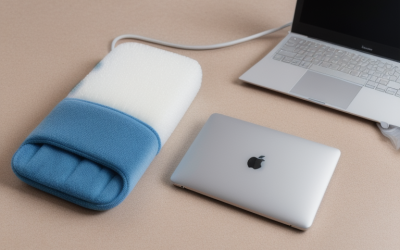
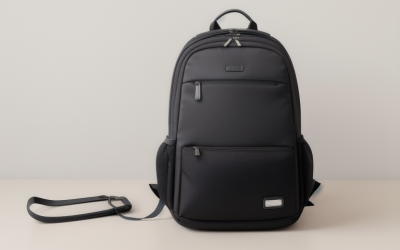
The word “case” covers three different products: a slim sleeve that lives inside another bag, a padded carrying case with a handle, and a briefcase-style bag with a shoulder strap. Choosing correctly starts with how you move: if your laptop already rides in a backpack, a thin sleeve is all you need, but if the laptop travels alone from the car to the office, you want handles, an accessory pocket, and enough padding to survive a drop from desk height.
This roundup is for anyone shopping for protection in 2026, from MacBook owners to people with 15.6-inch Windows laptops. Every pick is judged only by the details in its title, such as the stated laptop size range, water resistance, pockets, and handles. Fit is the biggest risk with cases, so measure your laptop’s width, depth, and thickness and compare them with the interior dimensions on the product page before you order.
Our Top Picks
Top 3 picks at a glance
Quick Picks
As an Amazon Associate we earn from qualifying purchases at no extra cost to you.





| Product | Best for | Key spec from the title |
|---|---|---|
| MOSISO 360 Protective Case 16 | Full-wrap protection for 16-inch laptops | Fits 15-15.6 and 16-inch, side-open carrying case |
| Shockproof Briefcase Sleeve 15.6 | Budget carry with a briefcase look | 15.6-inch fit, shockproof, protective |
| Ytonet Laptop Case 16 | Travelers who want water resistance | 15-15.6 and 16-inch fit, TSA design, water resistant |
| MOSISO Laptop Case 16 with Pocket | Mac owners who need an extra pocket | MacBook Pro 16 compatibility, front pocket |
| Targus 15-16 Inch Briefcase | Commuters who want a shoulder bag | Padded compartment, trolley strap, 16-inch fit |
| Shockproof Sleeve 14 Inch | Compact 14-inch laptops | 14-inch fit, accessory pocket |
| BAGSMART Sleeve with Handle | Lightweight carry with front pockets | 15-15.6 inch, water-resistant, handle |
| MOSISO Laptop Case 13.3 | Thin ultrabooks and MacBook Air models | 13-13.3 inch sleeve with pocket |
How to Choose
Match the size range exactly
Laptop cases are sold in narrow size bands, such as 13-13.3, 14, 15-15.6, and 16 inches. Screen size is a rough guide only, because bezel width and chassis depth differ between models. A case that is too tight scratches the finish and strains zippers, while one that is too loose lets the laptop slide and bang around. If your laptop sits between two sizes, choose the case with a listed range that spans it.
Choose a form: sleeve, case, or briefcase
Sleeves are thin and light, perfect inside a backpack. Padded carrying cases add handles and sometimes a shoulder strap, which suits short walks. Briefcase-style bags hold the charger, a mouse, papers, and a notebook, but weigh more and cost more. Think about how much else you carry before choosing a style.
Check padding, closures, and materials
Look for foam or plush padding on all sides, a zipper that opens wide enough to slide the laptop in without scraping, and a soft lining. Water-resistant fabric helps in drizzle, but it does not protect from submersion. Check that the zipper pulls are sturdy; they tend to be the first part to fail on lower-priced cases.
Plan for accessories
A small front pocket holds a charger brick, a mouse, or earbuds, but overstuffing it creates pressure on the laptop’s lid. If you carry a bulky power adapter, prefer a case with a dedicated accessory compartment so the cable does not push against the screen.
The 8 Best Options
MOSISO 360 Protective Case 16
This MOSISO listing describes a 360-degree protective laptop case in a 16-inch class that also covers 15-15.6-inch laptops, with compatibility named for MacBook Pro 16 and laptops from HP, Acer, Dell, Lenovo, and ASUS, and a side-open carrying design. It suits owners who want a snug wrap and a handle for short trips, such as moving between a home desk and a library or office. Because the listing names so many laptop brands, it also works for households where one family member uses a Mac and another a Windows machine of similar size.
- Strength: a side-open design makes it easy to slide the laptop in and out.
- Strength: broad brand compatibility reduces fit guesswork.
- Trade-off: a form-fitting case adds bulk compared with a thin sleeve.
Skip it if you want the thinnest possible sleeve for a backpack.
Shockproof Briefcase Sleeve 15.6
The unbranded 15.6-inch listing combines a shockproof protective notebook case with a briefcase-style cover and a carrying bag design for popular HP and other brands. It appeals to students and office workers who want a straightforward, lower-cost cover with a bit of carrying convenience and do not care much about a brand name. A freelancer who tosses the laptop into a tote on the way to a client meeting is the kind of buyer this budget-oriented style is designed for.
- Strength: the briefcase styling gives a more polished look than a plain sleeve.
- Strength: shockproof padding is the core selling point for rough commutes.
- Trade-off: the listing offers few specifics, so quality details are harder to verify.
Skip it if you want a recognizable brand or clear material details in the title.
Ytonet Laptop Case 16
The Ytonet case lists a 16-inch size for laptops from 15 to 15.6 inches, a TSA-style sleeve and computer bag design, water-resistant fabric, and compatibility with MacBook Pro and Acer models. It makes sense for travelers who want a case that handles drizzle and slides easily out of a carry-on at security, and who want a bit of padding on the move. The listing mentions a computer bag layout, which suggests extra storage for a charger and papers beyond the laptop itself.
- Strength: water resistance helps with commutes in light rain.
- Strength: the travel-oriented design suits airports and trains.
- Trade-off: water resistant does not mean waterproof, so keep it out of heavy downpours.
Skip it if you need a rigid shell for maximum impact protection.
MOSISO Laptop Case 16 with Pocket
This MOSISO variant lists a sleeve bag with a pocket for 15-15.6-inch and 16-inch laptops, with a long list of MacBook Pro 16 chip generations plus HP, Acer, Dell, Lenovo, and ASUS compatibility. It targets Mac owners who also use other brands and want an accessory pocket for a charger, cable, or mouse in the same cover. The listing’s long chip-generation list is useful for Mac owners confirming that a newer MacBook Pro 16 will fit, which is a common worry when replacing an older laptop.
- Strength: the front pocket keeps small accessories close at hand.
- Strength: a wide compatibility list helps with fit across models.
- Trade-off: stuffing the pocket too full can press on the laptop.
Skip it if you carry nothing but the laptop and want the slimmest profile.
Targus 15-16 Inch Briefcase
The Targus listing is a slim, lightweight messenger and shoulder bag for laptops up to 16 inches, with a padded compartment and a trolley strap. It is the most bag-like option in this group, built for commuters who need room for a charger, notes, and small items without wearing a backpack, and who travel with rolling luggage. Because it carries the Targus name, it also suits office workers who want a bag that looks professional in meetings while still holding a laptop up to 16 inches.
- Strength: the trolley strap lets the bag ride on a suitcase handle.
- Strength: a shoulder-bag format works well in offices and on public transit.
- Trade-off: it carries more weight on one shoulder than a backpack would.
Skip it if you want a thin sleeve to slide into another bag.
Shockproof Sleeve 14 Inch
This 14-inch listing describes a shockproof protective briefcase-style sleeve with an accessory pocket for portable computers. It fits owners of compact laptops and 14-inch ultrabooks who want a simple cover with a small pocket for a charger or mouse, particularly students moving between classes with a lightweight laptop. It is also a reasonable gift for a younger student, as long as the laptop’s real dimensions are measured first, since 14-inch models vary in depth more than people expect.
- Strength: the 14-inch size suits compact laptops that larger cases would swallow.
- Strength: an accessory pocket adds convenience.
- Trade-off: the visible title offers limited material and brand details.
Skip it if you have a 15-inch or 16-inch laptop.
BAGSMART Sleeve with Handle
The BAGSMART listing describes a protective, water-resistant sleeve with a carrying handle for 15-15.6-inch laptops, with front pockets and a lightweight build marketed toward women. It suits people who want to carry a laptop by hand through offices or classrooms, and who like having a dedicated spot for a charger and small items. In a busy office, the handle also means you can grab the laptop quickly for an impromptu meeting without unzipping a backpack or rearranging anything else.
- Strength: a handle makes quick trips easier than a plain sleeve.
- Strength: front pockets and a light build balance protection and convenience.
- Trade-off: the sleeve format gives less padding than a thick briefcase.
Skip it if you want a shoulder strap for all-day carrying.
MOSISO Laptop Case 13.3
The smallest option lists a 13-13.3-inch sleeve with a pocket and names MacBook Air and Pro 13 and 14 models alongside HP, Dell, and ASUS laptops. Because 14-inch MacBook dimensions differ from 13.3-inch ones, owners of larger models should verify the fit. It suits thin ultrabook users who want a sleek cover that slides into a tote or backpack. For a student or traveler who already owns a roomy bag and only wants scratch and bump protection, this thin approach adds little weight and keeps the laptop easy to retrieve.
- Strength: a slim cut keeps bulk to a minimum for thin laptops.
- Strength: an included pocket handles a charger or cable.
- Trade-off: the compatibility list mixes sizes, so the fit needs a measurement check.
Skip it if your laptop is 14 inches or larger.
Which One Fits Your Situation
You commute with a backpack already
A slim sleeve, such as the MOSISO Laptop Case 13.3 for ultrabooks or the BAGSMART sleeve for 15.6-inch laptops, adds padding without taking up much of your bag.
You carry the laptop by hand
The MOSISO 360 Protective Case 16 and the BAGSMART Sleeve with Handle both add grab handles, which makes short walks and office-to-office trips easier.
You want a bag, not a sleeve
The Targus 15-16 Inch Briefcase gives you a shoulder strap, a padded compartment, and a trolley strap in a single product.
You travel through rain or crowded stations
The Ytonet Laptop Case 16 pairs water-resistant fabric with a travel-focused layout, which helps in drizzle and queues.
Common Mistakes
- Choosing by screen size alone without checking the case’s interior dimensions.
- Assuming a water-resistant label means the laptop can survive a downpour.
- Stuffing the front pocket until it presses against the laptop lid.
- Using a loose case that lets the laptop slide and hit the sides.
- Buying a thick bag when a thin sleeve inside a backpack would have been enough.
Related guides
- What Is The Best Budget Most Responsive Gaming Mouse Wired
- Low Latency Gaming Headphones Usb-C 2.4 Ghz Wireless
- Mechanical Gaming Keyboards Competitive Pc Gaming
Frequently Asked Questions
Does a sleeve protect against drops?
A padded sleeve absorbs minor bumps and scrapes, but it offers limited protection against a hard fall. For more safety, pair it with a padded backpack compartment or choose a thicker carrying case.
How do I measure my laptop for a case?
Measure the width, depth, and thickness of the closed laptop, then compare them with the case’s interior dimensions. Leave a little room for the zipper to close without strain.
Can a 16-inch case hold a 15.6-inch laptop?
Many cases list both sizes together, which means the stretch material accommodates the range. Check the listed range rather than assuming, since a loose fit can let the laptop slide around.
Is a hard-shell case better than a soft sleeve?
A hard shell resists crushing, while a soft sleeve is lighter and easier to pack. Choose based on whether your main risk is a crowded bag or a bump on the way to work.