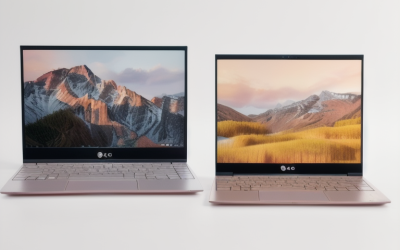
The Zenbook name covers a surprisingly wide range of ideas. One branch is the conventional 14-inch ultraportable with an OLED screen, another is the Snapdragon-powered A14 built around battery life, and a third is the Duo, which swaps one display for two. Choosing among them in 2026 is mostly a question of which trade-off you can live with: x86 software compatibility, all-day efficiency, or a second screen that changes how you lay out your work.
This roundup is aimed at people who already like the Zenbook formula (thin chassis, OLED panel, business-class looks) and need to decide between processors, memory, and form factors. Each pick is judged only on what the product title states, so use the notes below to narrow the field and then confirm the finer points, such as ports and weight, on the listing page before you commit.
Our Top Picks
Top 3 picks at a glance
Quick Picks
As an Amazon Associate we earn from qualifying purchases at no extra cost to you.


| Product | Best for | Key spec from the title |
|---|---|---|
| ASUS Zenbook Duo (Core Ultra 9 386H) | Multitaskers who want two screens | Dual 14-inch OLED 3K 144Hz touch, 32GB RAM, 1TB SSD |
| ASUS Zenbook Duo (Core Ultra X9 378H) | Dual-screen work with Arc graphics | Intel Arc Graphics, 32GB RAM, 1TB SSD |
| ASUS Zenbook 14 OLED (1TB) | Roomy storage in a light body | Ryzen AI 9 465, 16GB RAM, 1TB SSD, 500 nits HDR |
| ASUS Zenbook 14 FHD+ OLED | Business use on a lower memory tier | Ryzen AI 9 465, 16GB DDR5, 512GB SSD |
| ASUS Zenbook A14 AI (DCI-P3) | Color-sensitive creative work | 100% DCI-P3, 600 nits HDR, 45 NPU TOPS |
| ASUS Zenbook A14 UX3407QA | Wi-Fi 6E and a Copilot+ feature set | Snapdragon X, 16GB, 512GB SSD, Wi-Fi 6E |
| ASUS Zenbook A14 Copilot+ | Lightweight business travel | Snapdragon X Plus 8-core, 16GB/512GB |
| ASUS Zenbook 14 (LPDDR5X) | Fast memory and AI features | 50 NPU TOPS, 16GB LPDDR5X, 2K OLED |
How to Choose
Pick the processor family for your software, not the badge
The three families here behave differently. Intel Core Ultra chips run standard Windows software with no surprises, and the Arc graphics named on one Duo can handle light creative work. AMD Ryzen AI 9 parts offer strong all-around speed in a thin body. Snapdragon X chips emphasize efficiency and AI features, but older or niche programs, such as specialized drivers or some anti-cheat tools, may not run perfectly. If your job depends on one legacy application, verify compatibility first.
Judge the OLED panel by brightness and color coverage
OLED brings deep blacks and vivid color, yet specs still differ. Peak brightness of 500 nits suits indoor use, while 600 nits gives extra margin for bright rooms or HDR clips. If you edit photos, look for a stated color gamut such as 100% DCI-P3. Resolution matters too: FHD+ and WUXGA are crisp on 14 inches, while 2K and 3K add detail that mainly benefits photo and video work.
Set memory and storage floors
Soldered memory cannot usually be upgraded later, so buy what you need now. Sixteen gigabytes is a sensible floor for a laptop meant to last several years; 32GB is worth considering for large spreadsheets, virtual machines, or editing. For storage, 512GB is workable, but a 1TB drive is far more comfortable if you keep media or project files locally.
Decide whether you need a second screen
The Duo format adds a second 14-inch OLED, which is useful for reference material, chat windows, or timelines beside your main work. It also adds weight and cost, and the keyboard arrangement takes adjustment. If you rarely work with multiple windows, a single-screen Zenbook 14 or A14 is lighter and simpler.
The 8 Best Options
ASUS Zenbook Duo (Core Ultra 9 386H)
The title describes a dual 14-inch OLED 3K 144Hz touch display setup, an Intel Core Ultra 9 processor, Intel graphics, 32GB of RAM, a 1TB SSD, and an included sleeve. It is aimed at professionals who would otherwise plug in a portable monitor to keep reference material visible while they work, such as analysts with a spreadsheet on one panel and a report on the other, or editors who keep a timeline open beside a preview window. The listed 144Hz refresh rate also keeps scrolling and pen motion smooth across both panels.
- Strength: two OLED touch screens make parallel work feel natural.
- Strength: 32GB of RAM and a 1TB SSD leave plenty of room for demanding workloads.
- Trade-off: a two-screen design is heavier and likely to drain the battery faster than a single-display model.
Skip it if you mostly use one app at a time or travel light.
ASUS Zenbook Duo (Core Ultra X9 378H)
This second Duo listing names an Intel Core Ultra X9 378H processor with Intel Arc Graphics, again with dual 14-inch OLED 3K 144Hz touch displays, 32GB of RAM, and a 1TB SSD. The visible title also mentions a sleeve and a stylus, which appeals to note-takers and sketchers who like writing directly on the screen. For a student or designer who annotates documents all day, having two touch panels and a pen in one bundle is the main draw here, and the Arc graphics label hints at smoother handling of photo edits than basic integrated options.
- Strength: the stylus mention makes it a candidate for handwritten notes and annotation.
- Strength: Arc graphics are a step up from basic integrated options for light creative tasks.
- Trade-off: it shares the Duo’s added bulk, and the exact accessories should be confirmed on the page.
Skip it if you want a thin, light laptop for commuting.
ASUS Zenbook 14 OLED (1TB)
This Zenbook 14 emphasizes an ultra-light build and long battery life, paired with a Ryzen AI 9 465, 16GB of RAM, a 1TB SSD, and a 2K OLED touchscreen at 500 nits with HDR. A backlit keyboard rounds out the listing. It fits students and professionals who want generous storage in a portable frame, such as someone carrying lecture recordings, design files, and a full application library on the same machine without leaning on an external drive or cloud syncing during a commute.
- Strength: 1TB of storage doubles the space of most 512GB siblings in this lineup.
- Strength: the 2K OLED touchscreen gives sharp text and rich color.
- Trade-off: 16GB of RAM is adequate, but heavy multitaskers may want 32GB.
Skip it if you need the dual-screen workspace of a Duo.
ASUS Zenbook 14 FHD+ OLED
The 14-inch FHD+ OLED touchscreen here sits alongside a Ryzen AI 9 465, 16GB of DDR5, and a 512GB SSD. The title positions it as a thin and light business AI PC, with a comparison to an Intel Ultra 9 288V that is best treated as marketing language rather than a measured result. Practically, it suits office-focused buyers who want the OLED look, touch input, and a business-style laptop without paying for extra storage they will not use on a daily basis.
- Strength: FHD+ OLED is crisp and easier on the battery than higher resolutions.
- Strength: DDR5 memory is a modern standard.
- Trade-off: 512GB of storage fills up faster than the 1TB version.
Skip it if you store large video libraries locally.
ASUS Zenbook A14 AI (DCI-P3)
The A14 AI pairs a 14-inch WUXGA OLED panel, listed at 100% DCI-P3 and 600 nits HDR, with a Qualcomm 8-core Snapdragon X Plus, 45 NPU TOPS, 16GB of RAM, and a 512GB SSD. It targets creators and business users who value accurate color and an efficiency-focused processor. The NPU figure and the Windows AI features that come with it add to the pitch for people who spend long days in video calls, note apps, and design tools, and want a quiet, cool machine on their lap during those hours.
- Strength: the stated 100% DCI-P3 coverage suits photo and design review.
- Strength: 600 nits is the brightest panel rating among the single-screen options here.
- Trade-off: Snapdragon laptops can face compatibility gaps with niche software.
Skip it if you rely on specialized x86-only tools.
ASUS Zenbook A14 UX3407QA
This UX3407QA listing describes a Copilot+ PC with an ultrathin body, a 14-inch WUXGA OLED display, a Snapdragon X processor, 16GB of memory, a 512GB SSD, Wi-Fi 6E, and a Zabriskie Beige finish. It suits anyone who wants a distinctive color and modern wireless in a travel-friendly package. Because the visible title names the exact model code, it is also easier to look up drivers, manuals, and accessory compatibility later, which matters for anyone managing several laptops for a small team or family.
- Strength: Wi-Fi 6E support helps on congested networks with a compatible router.
- Strength: the beige finish stands apart from the usual gray laptops.
- Trade-off: 16GB and 512GB match the other A14 listings without anything extra.
Skip it if you want expanded storage or a dual-screen setup.
ASUS Zenbook A14 Copilot+
The third A14 listing offers a 14-inch WUXGA OLED display, a Snapdragon X Plus 8-core processor, and a 16GB/512GB configuration, billed as a lightweight business laptop. It is a straightforward choice for frequent travelers who attend many video meetings and live in browsers and office suites. It is a plain, no-surprises configuration, and the lightweight positioning in the title makes it a natural fit for a daily bag that also carries a charger, a notebook, and a water bottle without feeling heavy by the end of the workday.
- Strength: an 8-core efficiency-oriented processor suits office and web workloads.
- Strength: the Copilot+ label points to built-in AI features.
- Trade-off: the title offers fewer display details than the AI variant above.
Skip it if you need verified color accuracy for creative work.
ASUS Zenbook 14 (LPDDR5X)
The last Zenbook 14 lists an AMD AI 9 465 processor, a 14-inch 2K OLED at 500 nits, 16GB of LPDDR5X memory, a 512GB SSD, a Copilot+ AI PC badge with 50 NPU TOPS, and a backlit keyboard. It appeals to buyers wanting fast memory and AI features without stepping up to a Duo. It also suits anyone who keeps many browser tabs and productivity apps open at once, since faster memory helps the system stay responsive while switching between them throughout a long workday, and the backlit keyboard helps in dim rooms.
- Strength: LPDDR5X is a quick, power-efficient memory type.
- Strength: 50 NPU TOPS meets the Copilot+ expectations named in the title.
- Trade-off: only 512GB of storage, with no option stated.
Skip it if you need terabyte-class local storage.
Which One Fits Your Situation
A consultant who wants two screens without carrying a monitor
The ASUS Zenbook Duo with the Core Ultra 9 386H gives you a second OLED panel built in, with 32GB of RAM for heavy multitasking.
A photographer reviewing edits on the go
The Zenbook A14 AI with its 100% DCI-P3 and 600-nit panel is the strongest match, provided your editing software runs well on Snapdragon.
A student who needs space for lecture recordings
The Zenbook 14 OLED with a 1TB SSD and a Ryzen AI 9 465 keeps files local without needing an external drive.
A frequent flyer who values simplicity
The Zenbook A14 Copilot+ with a Snapdragon X Plus keeps things light and straightforward for email, meetings, and documents.
Common Mistakes
- Choosing a Snapdragon model without checking that your essential software supports it.
- Paying extra for a second screen when you rarely use multiple windows.
- Buying 512GB of storage and then storing large media libraries locally.
- Reading marketing comparisons in a title as measured performance results.
- Assuming every listing includes the same accessories; the sleeve and stylus mentions vary and should be confirmed.
Related guides
- What Is The Best Budget Most Responsive Gaming Mouse Wired
- Low Latency Gaming Headphones Usb-C 2.4 Ghz Wireless
- Mechanical Gaming Keyboards Competitive Pc Gaming
Frequently Asked Questions
Are Zenbook OLED screens prone to burn-in?
OLED panels can show retained images if a static element stays on screen for very long periods. Using a dark theme, auto-hiding the taskbar, and setting a screen timeout reduce the risk during normal use.
Is 16GB of RAM enough for a Zenbook?
For office work, browsing, and video calls, yes. Because memory on thin laptops is usually soldered, choose 32GB up front if you expect heavier workloads such as editing or virtual machines.
What does Copilot+ mean?
It refers to Windows laptops with a neural processing unit rated at 40 TOPS or more that run on-device AI features. Several Zenbooks here list NPU figures of 45 or 50 TOPS.
Is the Zenbook Duo practical for travel?
It can be, since it replaces a separate portable monitor, but it is heavier than a single-screen Zenbook. If bag weight matters more than screen space, a 14-inch model is the easier carry.