
After a few hours in a cheap chair, you know it. The lower back goes numb, then achy, then you are shifting every minute to find a spot that does not hurt. Premium ergonomic gaming chairs solve that specific problem, not with extra padding alone but with lumbar systems that actually hold your spine in a neutral position while you play or work. The difference between a mediocre chair and a great one usually comes down to how that lumbar support behaves when you lean, recline, and move.
This guide compares big and tall frames, mesh versus leather, spring-based cushions, and adjustable lumbar modules to see what keeps you comfortable from the first match to the last call of the day. Good chairs in this class keep pressure off the tailbone, let you fine-tune lumbar height and depth, and stay supportive without feeling rigid. Bad ones look the part but push against your back in one fixed spot or flatten after a few weeks. The picks below focus on models that balance long-session comfort, build quality, and adjustability for a wide range of body types.
As an Amazon Associate we earn from qualifying purchases at no extra cost to you.




Our Top Picks
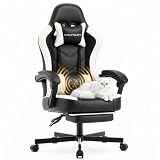
 GTPLAYER Big and Tall Gaming Chair 400lbs HeavyBig and Tall22.05 x 31.5 x 40 inches41.5 PoundsCheck on Amazon
 ELABEST X100 Ergonomic Mesh Office Chair with Footrest18.3 in x 20.47 in x 41 in26 x 24 x 41 Inches43 poundsCheck on Amazon
 GTPOFFICE Executive Office Chair with Comfortable Lumbar Support24.4 x 18.5 x 41.7 inches18.5 x 24.4 x 41.7 inches18 PoundsCheck on Amazon


Top 3 picks at a glance
Quick Picks
| Product | Best for | Price |
|---|---|---|
| GTPLAYER Big and Tall Matte-Black | Best for heavy-duty comfort with footrest | Check on Amazon |
| ELABEST X100 Mesh | Best for fully adjustable ergonomic support | Check on Amazon |
| Kslysuty White Leather | Best value for casual gaming | Check on Amazon |
| GTPLAYER Big and Tall Carbon-Black | Best for wide cushioned seating | Check on Amazon |
| GTPOFFICE Executive PU Leather | Best for compact executive styling | Check on Amazon |
| Ergonomic Mesh Office Chair Black | Best for breathable mesh cooling | Check on Amazon |
| HOLLUDLE Mesh White | Best for precise lumbar and arm tuning | Check on Amazon |
| Dowinx Big and Tall with Massage | Best for massage lumbar and 4D arms | Check on Amazon |
How We Compared
We prioritized lumbar systems that adapt to the spine rather than a single fixed pillow, judging pocket spring designs, adjustable depth and height controls, and zoned cushions on how well they maintain lower back contact when you recline or shift. We also weighed cushion construction and pressure distribution, armrest and headrest adjustability for different tasks, and frame stability plus breathability for long sessions where heat and posture fatigue matter more than looks.
The 8 Best Premium Ergonomic Gaming Chairs With Advanced Lumbar Support in 2026
1. GTPLAYER Big and Tall Gaming Chair Matte-Black
Built for larger frames who want a chair that does not sag or pinch, this GTPLAYER pairs a heavy-duty base with a pocket spring lumbar system that flexes with your back instead of jabbing it. The high back and 3D saddle shaped cushion spread weight more evenly, which helps reduce tailbone pressure during long sessions. The integrated footrest is a real plus for breaks between matches. It feels substantial without being bulky at the desk.
- Pro: Pocket spring lumbar adapts to movement and maintains consistent lower back contact
- Pro: Saddle shaped cushion improves pressure relief for extended sitting
- Con: Matte leather-style surface retains more heat than mesh in warm rooms
Skip it if you run hot or prefer maximum airflow over plush cushioning.
2. ELABEST X100 Ergonomic Mesh Office Chair
The X100 is for buyers who want to dial in every contact point. The mesh back keeps you cool, while the adjustable 3D lumbar support and 5D flip-up arms let you tune height, depth, and angle for gaming, typing, or leaning back with the footrest extended. Big and tall users will appreciate the roomy proportions and supportive mesh that does not flatten. It is the most adjustable chair in this roundup and feels closer to a high-end office chair than a traditional gamer.
- Pro: Highly adjustable lumbar and flip-up arms accommodate multiple sitting positions
- Pro: Breathable mesh excels for all-day comfort and temperature control
- Con: Premium price is higher than most alternatives in this group
Skip it if you want a low-cost pick or prefer a heavily padded leather feel.
3. Kslysuty Desk Computer Gaming Chair White Leather
This Kslysuty is an affordable entry point for casual gamers and home offices that need footrest versatility without a big investment. The high back, pocket spring cushion, and dedicated lumbar support provide more structure than typical budget chairs, and the white leather finish looks clean in smaller setups. It swivels smoothly and reclines for quick rest periods. Comfort is best for average-sized users and shorter to medium sessions.
- Pro: Very accessible price with footrest and lumbar support included
- Pro: Pocket spring cushion feels more resilient than flat foam at this tier
- Con: Less robust for heavy-duty or extra wide seating needs
Skip it if you need maximum weight capacity or highly adjustable arm and lumbar controls.
4. GTPLAYER Big and Tall Gaming Chair Carbon-Black
For gamers who prioritize a wide, cushioned seat and steady lumbar support, the Carbon-Black version of GTPLAYER’s big and tall platform delivers. The high back pocket spring lumbar remains supportive when you recline, and the wide comfy seated cushion reduces edge pressure on thighs and hips. Build quality feels solid for daily use, and the footrest adds useful versatility for between-game downtime. It strikes a strong balance between plush comfort and postural support.
- Pro: Wide cushion design enhances comfort for broader frames
- Pro: Pocket spring lumbar holds alignment better than static pillows
- Con: Larger footprint may dominate compact rooms
Skip it if you have limited space or prefer a lightweight mesh chair.
5. GTPOFFICE Executive Office Chair Black
The GTPOFFICE Executive model suits users who want ergonomic support without a race-car aesthetic. Its comfortable lumbar support and zoned pressure-relief cushion target lower back fatigue, while flip-up armrests make it easy to slide under a desk or switch to a more open posture. The PU leather is easy to clean and looks professional for work calls. It is a smart crossover pick if your chair pulls double duty for office and gaming.
- Pro: Flip-up armrests add flexibility for desk clearance and varied postures
- Pro: Zoned cushion helps distribute pressure during long work sessions
- Con: Lumbar adjustment is less granular than dedicated mesh adjustable systems
Skip it if you need deep, multi-directional lumbar tuning for chronic back sensitivity.
6. Ergonomic Mesh Office Chair Black
This breathable mesh chair is ideal for users who run warm and sit for many hours. The adjustable lumbar support works with a high back mesh frame to keep your spine supported while airflow prevents heat buildup. Flip-up arms with multiple adjustments and a 3D headrest let you fine-tune neck and shoulder position, which matters for posture over time. The frame is rated for heavy-duty use yet remains relatively compact at the desk.
- Pro: Mesh construction keeps you cooler than leather during long sessions
- Pro: Adjustable lumbar plus 4D flip-up arms and 3D headrest cover key ergonomic needs
- Con: Mesh firmness may feel less plush if you prefer sink-in cushioning
Skip it if you want a soft, padded leather seat rather than supportive mesh.
7. HOLLUDLE Ergonomic Mesh Office Chair White
HOLLUDLE focuses on precise fit with 3D adjustable lumbar support and 3D armrests inside a V-shaped back that cradles the upper body. The white mesh design is modern and breathable, and the range of adjustments makes it easier to align lumbar contact with your natural curve rather than forcing one position. It feels especially good for users who have struggled with fixed lumbar pillows that sit too high or too low.
- Pro: V-shaped back and 3D lumbar allow more accurate alignment
- Pro: 3D armrests help reduce shoulder and wrist strain
- Con: Light color mesh requires more frequent cleaning to stay fresh
Skip it if you prefer darker finishes or need an integrated footrest for reclining.
8. Dowinx Big and Tall Gaming Chair Black
Dowinx combines big and tall support with extra comfort features for marathon sessions. The massage lumbar unit adds gentle stimulation when your lower back needs relief, and the footrest plus 4D armrests let you shift between upright gaming and reclined viewing. PU leather gives it that classic gaming look while padding remains supportive. It is a strong option for users who want both ergonomic structure and lounge-like flexibility.
- Pro: Massage lumbar provides active relief during long sits
- Pro: 4D armrests and footrest expand usable positions
- Con: Massage function adds weight and complexity some users may not need
Skip it if you want a simpler, lighter mesh chair with maximum breathability.
More Premium Chairs With Advanced Lumbar Systems
The eight chairs above cover the budget and mid-range end of the market well, but buyers who want a true premium build, longer warranties and lumbar mechanisms built into the backrest itself should also look at the established names below. These models sit higher up the price ladder, and in exchange they replace strap-on pillows with integrated, multi-way lumbar adjustment, better foam and more durable frames.
Secretlab Titan Evo

The Secretlab Titan Evo is the chair most competitor roundups name as the default premium gaming chair, and its lumbar system is the main reason. Instead of a loose pillow, the backrest has a built-in 4-way L-ADAPT lumbar support: one control raises or lowers the support zone, and a second pushes it forward or pulls it back, so you can place the curve exactly where your lower back bends and set how firmly it pushes. Because it lives inside the backrest, it does not slide down the moment you recline or shift.
Around that lumbar system, Secretlab adds a magnetic memory foam head pillow that stays put, 4D armrests with magnetic top caps that swap without tools, a multi-tilt mechanism and a deep recline for breaks. The leatherette version shown here is easy to wipe clean; Secretlab also sells a softer, more breathable fabric weave. The chair comes in three frame sizes (Small, Regular and XL), which matters more than most buyers realize, because the right size is what puts the lumbar zone and seat depth in the correct spot for your height.
Who it is for: gamers and remote workers who want a racing-style look with genuinely adjustable lumbar support, and who are willing to pick the correct size rather than accept one-size-fits-all.
Strengths: integrated height and depth lumbar adjustment, high build quality, three sizes, strong accessory and replacement-part ecosystem.
Drawbacks: sits firmly in the premium tier, the seat cushion is on the firm side, and the side bolsters of the racing shape can feel restrictive if you sit cross-legged.
Compared with the picks above: the GTPLAYER and Dowinx chairs rely on pocket springs and pillow-style massage units, while the Titan Evo lets you move the lumbar curve itself. It is the better long-term chair if you sit for many hours daily; the GTPLAYER models remain better value if you mostly want plush comfort and a footrest.
Anda Seat Kaiser 4 Large
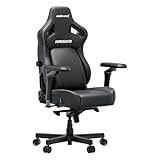
Anda Seat’s Kaiser 4 is one of the most adjustable lumbar designs in the gaming chair category. Its built-in pop-out lumbar can be pushed outward through a 24-degree range and locked at any point, with around three inches of vertical adjustment and over an inch of depth adjustment. Separate levers let you move the support zone and change how aggressive the curve is, which suits people whose lower back pain responds to a strong, defined arch rather than gentle padding.
The current version adds 6D armrests, a high-density cold-cure foam seat with a slight 5-degree slope, a magnetic memory foam head pillow with a cooling layer, and a 90 to 135-degree recline with a rocking function. This listing is the Large size in PVC leather, rated for users up to roughly 260 lbs and about 5’11” in height; heavier or taller buyers should step up to the XL version of the same chair.
Who it is for: buyers who want the most aggressive, finely tunable built-in lumbar in a gaming chair, and who are within the Large size range.
Strengths: adjustable lumbar angle, height and depth; wide seat; 6D armrests; solid foam density for long sessions.
Drawbacks: heavy chair that is awkward to move, premium tier pricing, and the lever-based lumbar takes some trial and error to dial in.
Compared with the picks above: it offers far more lumbar control than the fixed pocket-spring backs of the GTPLAYER pair, and more structure than the Kslysuty. If you are big and tall, check the size chart carefully: the Large here has a lower weight rating than the 400-lb GTPLAYER and Dowinx chairs.
Corsair TC500 Luxe

The Corsair TC500 Luxe takes a different approach from traditional racing-style gaming chairs. Its seat is wide and flat with only subtle bolstering, roughly 23 inches across, so broader users and people who like to shift positions are not squeezed by raised side wings. The lumbar support is built into the backrest and adjusted with side knobs rather than a pillow, letting you tune how much it presses into your lower back without anything sliding out of place.
The rest of the package is solid: a steel inner frame, a soft breathable fabric cover, five-way adjustable armrests, a generous recline and a 360-degree swivel. Corsair rates it for users up to about 264 lbs and 6’2″ tall, and backs it with a two-year warranty.
Who it is for: gamers who dislike the bucket seat of most racing chairs, who run warm in leatherette, and who want integrated lumbar without the bulk of a big and tall frame.
Strengths: wide, flat seat; breathable fabric; built-in adjustable lumbar; well-finished, modern look in several colors.
Drawbacks: weight rating is modest for a premium chair, the warranty is shorter than Secretlab or Steelcase, and the lumbar has less range than the Kaiser 4.
Compared with the picks above: it shares the cooling benefit of the ELABEST and HOLLUDLE mesh chairs while keeping a padded gaming chair feel. Choose it over the GTPOFFICE if you want a fabric finish and an integrated lumbar knob rather than a fixed cushion.
noblechairs Hero

The noblechairs Hero is a long-running premium gaming chair built around a car-seat-style integrated lumbar support. A rotary dial on the side of the backrest increases or decreases how far the lumbar section pushes forward. It adjusts depth only, not height, so it suits users whose lower back naturally lines up with the fixed support zone; the brand still includes a lumbar pillow in the box for extra fine-tuning.
This Black Edition uses a PU hybrid leather cover over firm cold foam, with 4D armrests, a class 4 gas lift and a weight rating of about 330 lbs. The backrest reclines for breaks (noblechairs’ current listing gives a range up to about 125 degrees, shallower than many rivals) and the seat height runs from roughly 19 to 22 inches.
Who it is for: users who prefer a firm, supportive seat and a clean, understated design, and who want lumbar adjustment without levers or pillows.
Strengths: dial-adjustable integrated lumbar, high weight rating, sturdy steel frame and quality stitching.
Drawbacks: very firm foam that some users find hard at first, lumbar height is fixed, and recline range is limited compared with racing-style rivals.
Compared with the picks above: it is firmer and better finished than the GTPLAYER and Dowinx chairs, and its lumbar dial is simpler to use than most mesh chair lumbar pads. It does not include a footrest, so buyers who love the recline-and-rest features of the budget picks should note that.
Branch Ergonomic Chair Pro
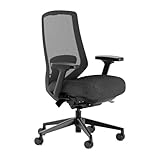
If your chair serves an eight-hour workday before it hosts an evening of gaming, an office-style ergonomic chair can outperform any racing seat. The Branch Ergonomic Chair Pro offers 14 points of adjustment, including a cushioned lumbar support that moves up and down and in and out, seat height and depth, tilt tension, a tilt lock, forward seat tilt and 5D armrests that adjust in height, width, depth and pivot.
The performance mesh back keeps airflow high, the chair is rated for users up to 275 lbs, and Branch covers it with a seven-year warranty. A headrest is sold as an add-on, and a taller gas cylinder is available for users around 5’11” and above.
Who it is for: hybrid work-and-play users who want office-grade ergonomics at a price below the big office chair brands.
Strengths: two-way adjustable lumbar, forward tilt for typing posture, breathable mesh, long warranty.
Drawbacks: no footrest or deep recline for lounging, the headrest costs extra, and the 275-lb rating is lower than the big and tall picks above.
Compared with the picks above: it is a step up in mechanism quality from the ELABEST X100, Ergonomic Mesh Office Chair and HOLLUDLE, trading their footrests and flip-up arms for finer seat and lumbar control and a longer warranty.
Steelcase Gesture

The Steelcase Gesture is the benchmark office chair that ergonomic buyers often end up with after outgrowing gaming chairs. Its 3D LiveBack backrest flexes with your spine as you move, and Steelcase’s Core Equalizer keeps lower back support consistent through the recline. Adjustable lumbar is available on many configurations, so check the specific listing if you need height-adjustable lumbar rather than the built-in firmness of the standard back.
The Gesture’s signature feature is its 360-degree armrests, which pivot, slide and widen to support your forearms whether you are typing, holding a controller close to your chest or using a phone. The seat depth adjusts, the chair is rated for users up to 400 lbs, and Steelcase backs it with a 12-year warranty on most components plus lifetime coverage on the frame. This listing is the Licorice fabric version with carpet casters and no headrest.
Who it is for: people who sit most of the day, have recurring back or shoulder discomfort, and want a chair that will last a decade or more.
Strengths: class-leading armrest adjustability, flexing back that supports movement, 400-lb rating, long warranty, ships assembled.
Drawbacks: the most expensive chair in this guide by a wide margin, no headrest in this configuration, and a plain office look.
Compared with the picks above: it is the opposite of the plush GTPLAYER approach. You give up footrests and deep recline, and gain a support system built for all-day posture rather than lounging.
Buying Guide
Lumbar System Design
Advanced lumbar support should move with you. Pocket spring arrays and adjustable modules that change height and depth maintain contact as you lean, while zoned cushions keep pressure off the spine. Test whether the support feels like a gentle hand holding your lower back rather than a hard bump. If you have prior back pain, prioritize models where you can fine-tune lumbar position without tools.
Cushion and Back Material
Your material choice affects heat, pressure relief, and durability. Mesh breathes and keeps you cooler, making it better for long workdays and warm rooms. Pocket spring and high-density foam cushions with saddle or zoned shapes distribute weight and reduce tailbone soreness. Leather-style surfaces feel plusher initially but can trap heat, so consider your climate and session length.
Fit, Adjustability, and Footrest Use
Fit matters as much as features. Big and tall frames need wider seats and stronger bases for stable recline, while smaller users benefit from adjustable armrests and headrests that prevent shoulder shrugging. Flip-up or 4D arms help you get closer to the desk or create more space. A footrest is valuable if you frequently recline between tasks, but ensure it tucks away cleanly so it does not interfere with upright gaming posture.
Premium Picks Compared
| Chair | Lumbar mechanism | Lumbar adjustment | Cover | Best for | Price tier |
|---|---|---|---|---|---|
| Secretlab Titan Evo | Built-in L-ADAPT | Height and depth | Leatherette (fabric option) | All-round premium gaming chair | Premium |
| Anda Seat Kaiser 4 Large | Built-in pop-out arch | Height, depth and curve angle | PVC leather | Strong, finely tuned lumbar arch | Premium |
| Corsair TC500 Luxe | Built-in, knob adjusted | Firmness and position via knobs | Breathable fabric | Wide, flat seat for broad users | Mid-range to premium |
| noblechairs Hero | Built-in, dial adjusted | Depth only (fixed height) | PU hybrid leather | Firm support, simple controls | Mid-range to premium |
| Branch Ergonomic Chair Pro | Cushioned lumbar pad | Height and depth | Performance mesh | Work-first hybrid setups | Premium |
| Steelcase Gesture | LiveBack flexing back, optional adjustable lumbar | Depends on configuration | Fabric | All-day sitting, long warranty | Premium (top of range) |
Built-In Lumbar vs. Pillows vs. Pocket Springs
Lumbar support in this category falls into three broad designs, and knowing which one a chair uses tells you more than any marketing term.
- Strap-on pillows: cheap and replaceable, but they slide when you recline and rarely stay at the correct height. Fine for occasional use, weak for long sessions.
- Pocket springs or fixed contoured backs: found on the GTPLAYER and Kslysuty chairs. They spread pressure evenly and feel plush, but you cannot move the support zone, so fit depends on your torso length matching the chair.
- Built-in adjustable mechanisms: found on the Titan Evo, Kaiser 4, TC500 Luxe and Hero. A knob, dial or lever moves a panel inside the backrest. This is the only design that lets you match the support to your spine instead of adapting your posture to the chair.
Office-style chairs such as the Branch Pro and Gesture blend these approaches: a flexible back follows your movement, and an adjustable pad fine-tunes lower back contact.
Sizing, Weight Ratings and Seat Dimensions
Many lumbar complaints are really sizing problems. If a chair is too tall for you, the lumbar zone sits above the small of your back; too short, and it presses into your tailbone. Before buying, compare three numbers against your own body:
- Recommended height range: premium brands publish one per size. Secretlab and Anda Seat split their chairs into multiple sizes for this reason.
- Weight rating: treat it as a ceiling, not a target. If you are close to the limit, choose the next size or a big and tall frame like the GTPLAYER or Dowinx models above, which are rated to 400 lbs.
- Seat depth: you should be able to fit two to three fingers between the front edge of the seat and the back of your knees while your back touches the lumbar support. Adjustable seat depth (Branch Pro, Gesture) solves this for most body types.
How to Set Up Your Chair for Proper Lumbar Support
- Set seat height first. Feet flat on the floor, thighs roughly parallel to the floor, knees at about 90 degrees. Use a footrest under the desk if your desk forces the seat higher.
- Sit all the way back. Your hips should touch the backrest. Lumbar support cannot work if you perch on the front edge of the seat.
- Find the lumbar height. Move the support until it fills the inward curve just above your belt line. If you can slide a flat hand easily between your back and the chair, it is too low or too shallow.
- Set the depth last. Start shallow and increase it a step at a time over a few days. Too much depth on day one feels supportive for an hour and sore by evening.
- Adjust armrests to elbow height. Shoulders relaxed, elbows near 90 degrees, forearms resting lightly. Armrests that are too high push your shoulders up and pull your back off the lumbar support.
- Use recline for breaks, not work. Keep the backrest at about 100 to 110 degrees while gaming or typing, and save deeper recline for videos or rest.
Warranty and Long-Term Durability
The price gap between budget and premium chairs is largest in the parts you cannot see: foam density, gas lift class, frame material and the tilt mechanism. Warranty length is the best public signal of how long a maker expects those parts to last. In this guide, office-grade chairs lead (Steelcase’s 12-year coverage, Branch’s seven years), established gaming brands sit in the middle, and many budget chairs offer a year or less. If you sit six or more hours a day, spreading a premium chair’s cost over its warranty period often makes it cheaper per year than replacing a budget chair every couple of years.
When a Premium Chair Is Worth It, and When It Is Not
A premium chair makes the most sense when three things are true: you sit for more than four or five hours most days, you have had lower back or shoulder discomfort in cheaper chairs, and you plan to keep the chair for years. In that case, integrated lumbar adjustment, denser foam and a longer warranty pay off every day.
A budget or mid-range pick like the Kslysuty or GTPLAYER models above is the smarter buy if you game a few evenings a week, share the chair with family members of very different sizes, or mainly want a footrest and plush recline for watching content. In those cases, comfort features matter more than precise lumbar tuning, and the money saved can go toward a better desk height or monitor arm, which also improves posture.
Whichever tier you choose, check the return policy before buying. Lumbar fit is personal, and the only reliable way to judge it is to sit in the chair for several full sessions over the first week.
Our Verdict
For most buyers seeking premium ergonomic support, the GTPLAYER Big and Tall Gaming Chair in Matte-Black is the top pick for its heavy-duty 400-lb frame, pocket spring lumbar that flexes with your back, saddle-shaped cushion and built-in footrest. If you want the most adjustable chair in the roundup, the ELABEST X100 Ergonomic Mesh Office Chair adds breathable mesh, adjustable 3D lumbar and 5D flip-up arms. The budget pick is the Kslysuty White Leather model, which delivers pocket spring cushioning and lumbar support with a footrest at a very accessible price. If you need heavy-duty stability with plush, wide seating and a resilient pocket spring back, the GTPLAYER Big and Tall Carbon-Black model wins when maximum cushioned support is the priority.
FAQ
What makes lumbar support advanced versus a basic pillow?
Advanced systems adjust to your spine with springs or multi-directional controls that change height and depth, keeping support consistent as you move. A basic pillow only adds padding in one fixed spot and often pushes at the wrong height.
Is mesh or leather better for long gaming sessions?
Mesh runs cooler and maintains support without compacting, which helps over several hours. Leather-style materials feel softer and look more traditional but can retain heat, so choose based on your room temperature and comfort preference.
Do I need a footrest on a gaming chair?
A footrest is helpful if you recline often to watch content or take breaks, as it supports the legs and reduces lower back strain. If you mostly sit upright at a desk, flip-up armrests and adjustable lumbar matter more than a footrest.
How important are adjustable armrests for ergonomics?
Very important. Proper armrest height and position keep shoulders relaxed and wrists neutral, which reduces neck and forearm fatigue. Models with multi-dimensional adjustment make it easier to align arms for typing, controller use, and reclining.
Are premium gaming chairs better than office chairs for back pain?
Not automatically. The best results come from adjustable lumbar support and correct sizing, whatever the chair is called. Premium gaming chairs like the Secretlab Titan Evo and Anda Seat Kaiser 4 now offer built-in, multi-way lumbar adjustment, while office chairs like the Steelcase Gesture and Branch Ergonomic Chair Pro add seat depth adjustment and more flexible backs. If you mostly work, lean office-style; if you game, recline often and like a bolstered seat, a premium gaming chair is a reasonable choice.
How long should a premium ergonomic chair last?
With daily use, a well-built premium chair should last many years, and the warranty is a good guide. Office-grade chairs often carry coverage of seven to twelve years, while gaming chairs typically range from two to five years depending on the brand. Foam and cover materials wear first; the frame and base should outlast them.
Should I choose a chair size up if I am between sizes?
Usually yes if your weight is near the smaller size’s limit, because weight ratings affect gas lift and frame durability. If you are near the height limit but light, compare seat depth and backrest height instead: a chair that is too large puts the lumbar support above the curve of your lower back.
Is a built-in lumbar support better than a lumbar pillow?
For most people, yes. Built-in lumbar systems stay in position when you recline or shift, and you can adjust them precisely. Pillows are easy to replace and add, but they slide out of place and often sit at the wrong height. Some premium chairs, such as the noblechairs Hero, include both, letting you combine them.
Can a chair fix poor posture on its own?
No. A chair supports good posture but cannot force it. Pair a well-adjusted chair with a monitor at eye level, a desk at elbow height, and regular breaks to stand and move every 30 to 60 minutes. If you have ongoing back pain, consult a medical professional before relying on any chair as a fix.
Related guides
- Best Ultrawide Gaming Monitors: Six Screens Sized Against Real Desks: 6 Compared (2026)
- Best Game Room Neon Lights: Ten Signs and Icon Lamps Compared: 10 Compared (2026)
- 10 Best 75% Hot-Swappable Mechanical Keyboards (October 2026)
- Best Mini-LED Monitor: Five Listings From a Renewed KTC to a 5K LG, Compared by Pixels and Ports (2026)









