Buying a doorbell camera for an Alexa household is really two decisions stacked together. First, the camera has to be good at its own job: a clear picture of the porch, a reliable motion alert, and power that suits the door. Second, it has to hand its video and its button press to a speaker or display in the house, so that a visitor can show up on an Echo Show or trigger an announcement without anyone opening a phone app. That second layer is where listings get vague, and it is the reason a shortlist built for Alexa looks different from a generic one.
This guide is for people who already have, or plan to add, Alexa-enabled hardware and want the front door to join in. As of 2026, plenty of battery and wired doorbells are sold with a no-subscription pitch, and several list local storage, so the ongoing cost can be near zero if you choose carefully. The six models below span wired and battery power, 1080p up to 2K video, and designs with and without an indoor monitor. Only one product title spells out Alexa support, so the sections that follow show you how to confirm the rest before you commit.
Our Top Picks
Top 3 picks at a glance
Quick Picks
As an Amazon Associate we earn from qualifying purchases at no extra cost to you.


| Product | Best for | Key spec from the title |
|---|---|---|
| aosu 5MP Doorbell | Wired or wireless install with local storage | 5MP Ultra HD, 8GB local storage, no subscription required |
| Orbitell 1080p Doorbell | Entry-level battery setup with AI alerts | 1080p, smart AI motion detection, cloud storage |
| Wyze Battery Video Doorbell | Square view of visitors and packages | 1536×1536 HD+ with 1:1 head-to-toe view |
| Wyze Wired Doorbell Camera v2 | Homes with existing doorbell wiring | 2K HD, color night vision, package monitor |
| XTU 2K Doorbell | Buyers who want Alexa named in the listing | 2K, chime included, local and cloud storage, Alexa |
| SwitchBot Video Doorbell | Answering at an indoor screen | 4.3 inch monitor, 2K FHD, battery powered |
How to Choose
Confirm the Alexa link before anything else
A doorbell can be compatible with Alexa in several different ways. The most basic is a skill that lets you ask an Echo Show for the live view. A deeper integration pushes an announcement to speakers when someone presses the button. Some cameras only send alerts to their own app. Read the listing for the words Alexa, Echo Show, or Fire TV and look for the specific feature promised, not just a logo. If the title is silent, scroll to the compatibility or smart-home section before buying, and prefer a model where the manufacturer documents the integration.
Match the power source to your door
Battery models mount with screws or adhesive and need no electrician, but you will recharge or swap the battery on a schedule. Wired models, like the Wyze v2 here, draw from existing doorbell wiring, so they never need charging but demand a compatible transformer and chime. Check the voltage range in the specifications and confirm your current bell works before ordering. Renters and anyone without low-voltage wiring should lean toward battery power.
Video resolution and field of view
Resolution tiers on this list run from 1080p through 2K to 5MP. For a porch, 1080p is usable for faces at arm’s length, while 2K and above help when you want to read a package label or a license plate on the curb. Field of view matters as much as pixels. A 1:1 or head-to-toe frame catches parcels left on the doormat, which a wide but short 16:9 frame can miss. Night vision should be listed as color or infrared so you know what to expect after dark.
Storage, subscription, and Wi-Fi band
Most listings here advertise no subscription, and two mention onboard or local storage. Look at what the free tier really includes: continuous local clips, event-only recording, or cloud storage that expires. Nearly all of these cameras connect on 2.4GHz Wi-Fi only, so a router that merges bands under one name can complicate setup. Check signal strength at the front door before mounting, because weak Wi-Fi causes delayed alerts that no camera spec can fix.
What to ignore: inflated marketing phrases such as ultra clear or super smart carry no measurable meaning. Focus on resolution, field of view, power type, and the storage terms. Where budget models cut corners is usually the app and the long-term software support, so a very cheap unit with no stated update policy can lose features or Alexa compatibility after a few months. Mid-range and premium tiers tend to be more transparent about firmware updates, though even then you should read the support page, not just the headline specs.
It also helps to think about where the indoor receiver will sit. A chime that plugs into an outlet near the kitchen is more useful than one in a far bedroom, and an Echo Show in a central room will catch more alerts than one on a desk upstairs. Plan the whole chain, from porch to router to display, before picking a brand.
The 6 Best Options
aosu 5MP Doorbell
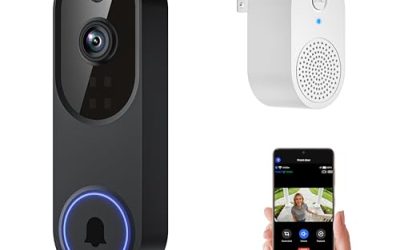
The aosu stands out for a headline resolution of 5MP and for supporting both wireless and wired installation, which makes it adaptable if you are unsure what your door can provide. It is aimed at buyers who want to avoid monthly fees, since the title promises no subscription and 8GB of local storage. Triple motion detection suggests several ways of triggering a recording, which can help in a yard with moving shadows. As with any lesser-known brand, look at the app experience and update history before relying on it as your only camera.
- Strength: Flexible wired or wireless install suits a range of doors.
- Strength: Local storage plus triple motion detection reduces dependence on cloud plans.
- Trade-off: The title does not mention Alexa, so integration needs to be verified before purchase.
Skip it if an indoor Echo Show feed is your main goal and you want the integration spelled out in the title.
Orbitell 1080p Doorbell
The Orbitell is a straightforward battery-style Wi-Fi doorbell for people who want core features without paying for the highest resolution. The listing covers two-way audio, night vision, and smart AI motion detection, which helps filter out passing cars and swaying branches. It is a sensible first doorbell for a small apartment entry, where wide-angle detail matters less than getting a reliable alert and a voice link to the courier. Think of it as the budget tier of this list, with the compromises that implies.
- Strength: AI motion detection can cut alert noise on a busy street.
- Strength: Two-way audio lets you talk to couriers from anywhere.
- Trade-off: 1080p and cloud storage make it less appealing for detail or free long-term recording.
Skip it if you want local recording or a sharper frame for reading labels.
Wyze Battery Video Doorbell
This Wyze model uses a square 1536×1536 HD+ image, and the title highlights a 1:1 head-to-toe view. That shape is helpful for seeing a visitor and the parcel at their feet in one frame. Color night vision and person, vehicle, and package monitoring round out the feature list. For a household that gets frequent deliveries, those labeled detection types are more useful than a generic motion alert, because the notification tells you what actually arrived.
- Strength: The square frame covers both faces and packages on the step.
- Strength: Person, vehicle, and package detection targets the events most people care about.
- Trade-off: Battery power means periodic recharging, and the title does not name Alexa.
Skip it if you prefer never to charge a device, in which case the wired sibling below is a better fit.
Wyze Wired Doorbell Camera v2
The v2 is built for houses that already have a working doorbell circuit. The title is blunt that existing doorbell wiring is required, and it lists 2K HD video, color night vision, two-way audio, and a package monitor. Hardwiring removes the battery routine entirely. In a family home where the doorbell gets pressed all day, never worrying about a low battery warning is a real quality-of-life gain, and the higher resolution suits a front step with a long approach.
- Strength: Constant power means no recharging and steadier availability.
- Strength: 2K video with color night vision gives good detail after dark.
- Trade-off: It cannot be installed without compatible wiring, which rules out many apartments.
Skip it if you rent or if your current bell does not use a low-voltage transformer.
XTU 2K Doorbell
XTU is the only title here that includes Alexa by name, alongside a chime, no-subscription positioning, and both local and cloud storage. At 2K with 2.4GHz Wi-Fi, it fits buyers who want a plug-and-play route into an Alexa home without spending time decoding vague compatibility notes. The chime is included, so someone inside hears the ring even if no speaker is nearby, and the title also mentions flexible viewing options on the app side.
- Strength: Alexa is named directly in the listing.
- Strength: Local and cloud storage options give flexibility over how clips are kept.
- Trade-off: The brand is less established, so check how long updates and support are promised.
Skip it if you prefer a brand with a long app and support track record.
SwitchBot Video Doorbell
SwitchBot pairs the camera with an indoor monitor, and the title calls out a 4.3 inch screen, 2K FHD video, battery power, and a head-to-toe view. The screen lets anyone at home answer without a phone or speaker, which is useful in a household where not everyone owns a smartphone. It is also a good fit for older relatives who prefer a physical screen and a button to a notification they may miss.
- Strength: The indoor monitor works even when apps and speakers are not at hand.
- Strength: 2K video with a head-to-toe view covers visitors and parcels.
- Trade-off: A monitor adds another device to place and keep charged or powered.
Skip it if you want everything to appear on an existing Echo display rather than a separate screen.
Which One Fits Your Situation
You want Alexa written in the listing
Start with the XTU 2K Doorbell. It is the one title that names Alexa outright, which saves you from guessing about integration. Confirm the specific features, such as live view or announcements, on the product page.
You own your home and have doorbell wiring
The Wyze Wired Doorbell Camera v2 avoids battery maintenance and delivers 2K video. Make sure your transformer and chime are compatible before ordering.
You rent and cannot touch the wiring
Choose between the Wyze Battery Video Doorbell and the aosu 5MP Doorbell. The Wyze gives a square frame for parcels, while the aosu offers local storage and the option to go wired later if you move.
The household includes people who avoid apps
The SwitchBot Video Doorbell with its 4.3 inch screen puts the visitor on a wall-side display. Pair it with the Orbitell 1080p Doorbell only if budget is the priority and app-based alerts are acceptable.
Common Mistakes
- Assuming every doorbell with a smart-home badge works with Alexa in the same way, when the supported features differ.
- Ignoring the 2.4GHz Wi-Fi requirement and discovering during setup that the router hides that band.
- Buying a wired model without confirming the existing transformer voltage and chime type.
- Choosing on megapixels alone and overlooking field of view, which decides whether packages appear in frame.
- Forgetting to read what the no-subscription promise includes, such as how long clips are stored.
Related guides
- What Is The Best Budget Most Responsive Gaming Mouse Wired
- Low Latency Gaming Headphones Usb-C 2.4 Ghz Wireless
- Mechanical Gaming Keyboards Competitive Pc Gaming
Frequently Asked Questions
Does a doorbell camera need an Echo Show to work with Alexa?
Not always, but a screen is what lets you view live video by voice. Speakers can still announce a button press if the integration supports it. Check whether the feature you want is listed.
Are no-subscription doorbells really free to run?
Many include basic alerts and local or limited cloud storage at no charge. Advanced features such as long cloud history may still sit behind a paid plan, so read the details on the listing.
Is 2K video worth choosing over 1080p?
For a small porch, 1080p works. 2K helps when you want more detail at distance, for example a delivery label or a plate on the street.
Can I install a battery doorbell without drilling?
Many battery models include an adhesive or no-drill bracket option, but the included hardware varies. Look at the box contents in the listing and keep a drill-free plan in mind if you rent.