A gaming mouse under 40 dollars is a puzzle with a hard budget line. At this level you can still get a decent optical sensor, a handful of programmable buttons and a comfortable shell, but you usually have to pick a lane: wired reliability, honeycomb-shell lightness, or the convenience of wireless. Trying to get all three is how budget buyers end up with a mouse that has impressive numbers on the box and a mushy click in the hand.
This guide is for students, first-time PC gamers, office-and-gaming desks and anyone buying a spare or a gift in 2026 who does not want to spend more than the cap. Eight mice are judged on what their titles state: sensor class, DPI range, button count, weight where listed, and connection type. Prices move around, so confirm that the current listing for any mouse you like is still under 40 dollars before you order.
Our Top Picks
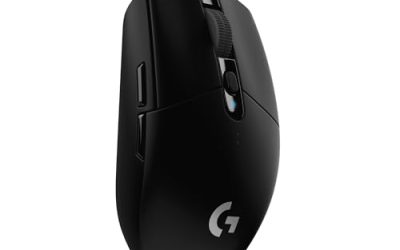
 Razer DeathAdder Essential Ergonomic Wired Gaming Mouse5.01 x 2.86 x 1.69 inches0.3 PoundsCheck on Amazon
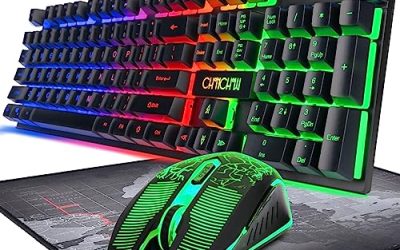
 Razer Basilisk V3 Customizable RGB Wired Ergonomic GamingMouse2.96 x 5.12 x 1.67 inches0.2 poundsCheck on Amazon
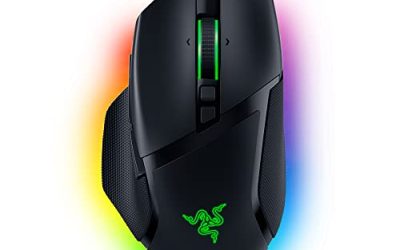
 Razer Basilisk V3 X HyperSpeed Customizable Wireless GamingStandard5.12 x 2.96 x 1.67 Inches0.2 PoundsCheck on Amazon


Top 3 picks at a glance
Quick Picks
As an Amazon Associate we earn from qualifying purchases at no extra cost to you.





| Product | Best for | Key spec from the title |
|---|---|---|
| Razer DeathAdder Essential | Comfort-first wired play | 6400 DPI, 5 programmable buttons, rubber grips |
| Razer Basilisk V3 | Feature-rich wired mouse | 26K DPI sensor, 11 programmable buttons |
| BENGOO Gaming Mouse | Cheapest wired RGB | Up to 3600 DPI, 6 programmable buttons |
| SOLAKAKA SM600 | Three connection modes | BT5.0, Type-C wired, 2.4G wireless |
| WolfLawS KM-1 | Simple wireless with a light shell | 2.4G receiver, 6 buttons, 3 DPI levels |
| Aula SC620 | Tri-mode with macros | 12000 DPI, 2.4GHz/USB-C/BT5.3, rapid fire key |
| Razer Basilisk V3 X HyperSpeed | Brand-name wireless | 18K optical sensor, 9 programmable buttons |
| Redragon M617 Ultralight | Fast, light wired play | 41g, 10,000 DPI, 6 buttons, paracord cable |
How to Choose
Decide wired or wireless before comparing specs
Wired mice at this budget, such as the DeathAdder Essential and the BENGOO, avoid batteries and dongles and tend to deliver the most consistent clicks. Wireless models add convenience but bring charging, receiver loss and sometimes a small lag penalty on cheaper radios. If you game on a fixed desk, wired is the safer choice at this price. If you move between a laptop and a desktop, a tri-mode model earns its keep.
Weight and shell style
A honeycomb shell, like those on the Redragon M617, SOLAKAKA and WolfLawS listings, cuts weight by punching holes in the body. The Redragon title states 41g, which is very light for a wired mouse. Lightweight mice help with fast flicks, but the open shell can let in dust and feel less sturdy in a larger hand. A heavier, solid shell like the Razer ergonomic models suits a palm grip and long sessions.
Sensor, DPI and buttons that matter
Ignore the biggest DPI number. A mouse listing 3600 DPI and one listing 26K DPI will play the same at a normal sensitivity, because most gamers use 800 to 1600 DPI. A named brand sensor and sturdy switches matter more. Count buttons you will actually use: five or six is plenty, while eleven is only useful if you play MMOs or bind many macros.
Where budget mice cut corners
Sub-cap mice often use thin cables, loose side buttons, lighter-grade switches and clunky software. Rapid-fire and macro keys are marketing for shooters in many cases and may be disallowed in competitive play. Look for a braided or paracord cable on wired models, a lock-in USB receiver on wireless ones, and some warranty detail in the listing instead of long feature lists.
The 8 Best Options
Razer DeathAdder Essential
A classic ergonomic wired mouse for players who value comfort. The title lists a 6400 DPI optical sensor, 5 programmable buttons, rubber side grips and mechanical mouse switches in a black shell.
- Strength: a proven ergonomic shape with rubber side grips that help control.
- Strength: a simple, wired design with no battery or pairing to manage.
- Trade-off: only five buttons and a modest DPI ceiling compared with newer rivals.
Skip it if you want wireless or an ultralight body. It suits palm-grip players who want a dependable daily mouse and do not care about lighting effects or extra binds. Its plain approach is a strength for an office-and-gaming desk, where a mouse that simply works every morning beats one with a long feature list that nobody ever opens.
Razer Basilisk V3
The most feature-heavy wired mouse in the group. The title lists a customizable RGB wired ergonomic design, a fast mechanical switch claim, Chroma RGB lighting, a 26K DPI optical sensor and 11 programmable buttons.
- Strength: 11 programmable buttons give far more binding room than the rest of the list.
- Strength: an ergonomic shape suits long sessions and varied games.
- Trade-off: it carries the most features, so it may sit closer to the cap, and the larger body is heavier.
Skip it if you want a featherweight shell. It fits MMO and strategy players who want thumb-side binds without leaving the budget tier. If your hand is on the small side, check the dimensions on the full listing, since a large ergonomic body can feel unwieldy and tire the wrist during fast tracking.
BENGOO Gaming Mouse
The no-frills wired RGB option. The title lists an ergonomic shape, four adjustable DPI levels up to 3600, six programmable buttons and an optical sensor for computers and laptops.
- Strength: six programmable buttons for a very simple price tier.
- Strength: four preset DPI levels cover typical gaming and desktop use.
- Trade-off: no named sensor or switch brand appears in the title.
Skip it if you care about long-term durability or a recognized sensor. It suits a spare desk, a younger player or an occasional gamer who wants backlighting. The rainbow lighting looks fun on a desk but does nothing for accuracy, so treat it as the price of admission rather than a reason to choose this model over a plainer one.
SOLAKAKA SM600
A white honeycomb-shell mouse with three ways to connect. The title lists Bluetooth 5.0, Type-C wired and 2.4G wireless modes, two side buttons and programmable macro support.
- Strength: three connection modes let you switch between a laptop, a tablet and a desktop.
- Strength: the honeycomb shell reduces weight for easier swipes.
- Trade-off: the title does not list a DPI range or a named sensor.
Skip it if you want a documented sensor or a solid shell. It fits people who split time between work devices and games, such as a student with a tablet, a laptop and a desktop who wants a single mouse for all three. Test the Bluetooth link during the return window, because pairing quality varies widely at this tier.
WolfLawS KM-1
A simple rechargeable wireless mouse with RGB lighting. The title lists a honeycomb shell, a 2.4G USB receiver, six buttons, three adjustable DPI levels and an ergonomic, rechargeable body.
- Strength: rechargeable power removes the need for spare batteries.
- Strength: six buttons and three DPI steps cover everyday needs.
- Trade-off: only a 2.4G dongle is listed, so no Bluetooth fallback.
Skip it if you need a named sensor or Bluetooth. It suits a basic wireless desk where the mouse stays near the receiver. Plug the dongle into a front or desk-level port rather than a rear one, because a clear line of sight helps avoid dropouts, and keep the receiver in the mouse when you pack it away.
Aula SC620
A tri-mode wireless mouse with extra gaming features. The title lists 2.4GHz, USB-C and Bluetooth 5.3 connections, 12000 DPI, a programmable macro setup, a rapid fire key and RGB lighting.
- Strength: tri-mode connectivity gives wired, dongle and Bluetooth options.
- Strength: 12000 DPI and macro support suit tinkerers.
- Trade-off: rapid-fire and macros have limited use and may break competitive rules.
Skip it if you play competitive shooters or want a minimal mouse. It fits hobbyists who enjoy customizing buttons and switching between wired and wireless depending on the day. A rapid-fire key can be useful in some single-player games, but it is a poor fit for ranked matches, so check each game’s rules before you assign it.
Razer Basilisk V3 X HyperSpeed
A wireless mouse from a major brand. The title lists second-generation mechanical switches, a 5G advanced 18K optical sensor, Chroma RGB and 9 programmable buttons.
- Strength: a named brand with a stated 18K optical sensor and nine buttons.
- Strength: wireless play with a mechanical switch design.
- Trade-off: it may sit near the top of the budget, so verify the current listing is under the cap.
Skip it if you want ultralight or the lowest possible cost. It suits buyers who want a recognized brand without a cable, and who prefer fewer surprises with software and driver support. If the current listing sits above the cap, the wired DeathAdder Essential and Basilisk V3 are the cheaper ways to get the same brand name.
Redragon M617 Ultralight
The lightest mouse in the group. The title lists a honeycomb shell, a 41g weight, 10,000 DPI, six programmable buttons, a drag-free paracord cable and a Type-C connection.
- Strength: a stated 41g weight and paracord cable help fast, smooth movement.
- Strength: wired play with six buttons keeps things consistent.
- Trade-off: an open honeycomb shell can feel less solid and may collect dust.
Skip it if you prefer a heavier ergonomic palm-grip mouse. It suits FPS players who want a fast, light wired mouse under 40 dollars. A soft paracord cable drags less than a stiff rubber one, which is a nice touch for low-sensitivity players who make wide arm movements across a large mousepad.
Which One Fits Your Situation
You play shooters and want a light mouse
Choose the Redragon M617 Ultralight, which states a 41g weight and a flexible cable. Pair it with a smooth, low-friction mousepad and you get the feel of a much pricier lightweight mouse.
You want comfort for long sessions
The Razer DeathAdder Essential gives an ergonomic shape and rubber grips.
You switch between a laptop and a desktop
Go for the Aula SC620 or the SOLAKAKA SM600, both of which list multiple connection modes.
You play MMOs or like many binds
The Razer Basilisk V3 offers 11 programmable buttons.
Common Mistakes
- Ignoring the cap and not checking the current listing before ordering.
- Buying on the DPI number instead of shape and weight.
- Assuming wireless is always better at this budget.
- Choosing a honeycomb shell without thinking about dust and grip.
- Counting on macro keys that may be banned in competitive games.
Related guides
- What Is The Best Budget Most Responsive Gaming Mouse Wired
- Low Latency Gaming Headphones Usb-C 2.4 Ghz Wireless
- Mechanical Gaming Keyboards Competitive Pc Gaming
Frequently Asked Questions
Can a budget mouse be good for competitive games?
Yes, if it has a comfortable shape and a reliable sensor. Fancy features matter less than consistency.
Are wireless mice under 40 dollars laggy?
Reputable 2.4G wireless is usually fine for most players. Bluetooth is better for office use than fast shooters.
How many DPI levels do I need?
Three or four steps are plenty. Most players settle on one and stay there. Pick a value you can keep for a few weeks so that your hand learns the distance, and change it only when a game genuinely calls for something different.
Is a honeycomb shell worth it?
It cuts weight, which helps with fast movement. It can feel less sturdy, so decide whether weight or solidity matters more. People with sweaty hands may also prefer a solid shell, since the holes can feel unusual under the fingers and collect skin oils over time.