The best FPS mouse pad is a flat, consistent surface that is wide enough for your full arm swing, with a base that never creeps mid-fight. For most low-sensitivity tactical shooter players that means a cloth pad of roughly 45 cm or wider; for high-sensitivity players on a small desk, a medium pad with a firmer feel is enough. This guide covers ten listings from SteelSeries, Logitech G, Razer, Corsair and three near-identical budget pads, and every size is quoted the way the seller states it. Skim the quick picks, check the table for dimensions, then use the sensitivity table in the buying section to decide how much pad you actually need.
Our Top Picks
Top 3 picks at a glance
Quick picks by aiming style
As an Amazon Associate we earn from qualifying purchases at no extra cost to you.


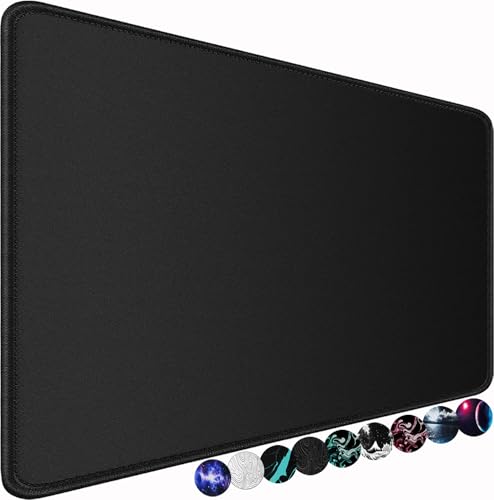




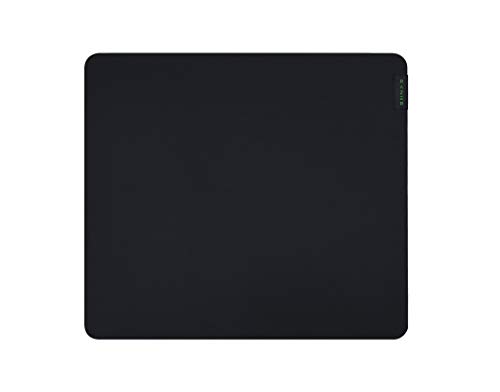


- SteelSeries QcK Medium – best for compact desks and high-sensitivity players
- Logitech G240 – best for a slim cloth pad that stays out of the way
- Logitech G440 – best for anyone who wants a hard, fast, 5 mm surface
- Razer Gigantus V2 (Large) – best for a thick, cushioned feel under the wrist
- Corsair MM300 Extended – best for wide sweeps with anti-fray edging
- SteelSeries QcK XL Performance Speed – best for a speed-leaning cloth in a mid-size footprint
- SteelSeries QcK XXL – best for full desk coverage and very low sensitivity
- Naukay, AREYLO and Hsmienk 80 x 40 cm pads – best for low-cost wide swipes (check the surface on the listing)
Size and surface comparison
| Model | Type | Size as stated in the title | Best for |
|---|---|---|---|
| SteelSeries QcK Medium | Pad, silicone rubber base | 320 mm x 270 mm | Small desks, higher sensitivity |
| Logitech G240 | Cloth, 1 mm | 340 x 280 x 1 mm | Slim, moderate-friction cloth |
| Logitech G440 | Hard, 5 mm | 340 x 280 x 5 mm | Fast glide, firm feel |
| Razer Gigantus V2 (Large) | Cloth, thick foam | Check the listing | Cushioned wrist height |
| Corsair MM300 Extended | Anti-fray cloth | Check the listing (Extended) | Wide sweeps, control |
| SteelSeries QcK XL Performance Speed | Pad, neoprene rubber base | 16.54 x 19.29 in (about 42 x 49 cm) | Speed-leaning mid-size pad |
| SteelSeries QcK XXL | XXL cloth | Check the listing (full desk coverage) | Low-sensitivity arm aimers |
| Naukay | Pad, rubber base | 31.5 x 15.7 in (about 80 x 40 cm) | Budget wide pad |
| AREYLO | Pad, stitched edges, rubber base | 31.5 x 15.7 in (about 80 x 40 cm) | Budget wide pad |
| Hsmienk | Pad, stitched edges, natural rubber base | 31.5 x 15.7 in (about 80 x 40 cm) | Budget wide pad |
The ten pads, one by one
SteelSeries QcK Medium: the compact control pick
The listing gives this pad as 320 mm x 270 mm with a non-slip silicone rubber base and a pitch built around stability and tracking with gaming sensors. The title does not name the surface material, so confirm that on the listing before ordering. At 32 cm wide it is the smallest pad in this guide, which is exactly its appeal for players who run 800 DPI or higher with an in-game sensitivity that finishes a full turn inside about 25 to 30 cm of travel.
A small footprint also helps on shallow desks, where the pad can sit clear of cable bumps and desk seams. The trade-off is plain geometry: anyone who plays a low-sensitivity tactical shooter will run out of pad on a wide turn and have to lift and reset the mouse.
Pros
- Smallest footprint here, easy to place on a shallow desk
- Silicone rubber base stated in the title
Cons
- Surface material is not named in the title
- Too narrow for low-sensitivity arm aiming
Who it’s for: Players using higher sensitivity who want a tidy, predictable patch of desk.
Who should skip it: Anyone whose 360-degree turn takes more than about 35 cm of mouse travel.
Logitech G240: the thin cloth standard
The title describes a cloth pad at 340 x 280 x 1 mm with moderate surface friction and an optimization pitch for gaming sensors. One millimetre is very thin, so this pad follows the desk surface closely and a desk with a grain or a seam will be felt through the cloth.
Moderate friction is the useful phrase for FPS play. It usually means you can stop the crosshair without fighting the pad, which suits tap-and-burst shooters, though flick-heavy players may find it less slick than a pad pitched for speed. The size is only a few centimetres larger than the QcK Medium above, so the same warning applies: it is a high-sensitivity footprint, not an arm-sweep one.
Pros
- Very thin, so the wrist stays close to the desk
- Moderate friction stated in the title
Cons
- Only 34 cm wide, so limited for low-sensitivity play
- 1 mm thickness shows desk imperfections
Who it’s for: Players who want a no-fuss cloth pad that sits flat and travels well to a LAN.
Who should skip it: Wrist-comfort seekers who want a cushioned pad, and low-sensitivity aimers.
Logitech G440: the hard-surface alternative
This is the only hard pad in the guide. The title lists 340 x 280 x 5 mm, calls it a hard gaming mouse pad, and mentions an optimization for gaming sensors, a moderate surface and a non-slip mat. Hard surfaces generally offer a faster, more uniform glide than cloth and do not pick up skin oil or crumbs the same way, though they can sound louder and feel less forgiving to stop on.
For FPS use, the draw is repeatability: the glide at the left edge is the glide at the right edge, which helps when you are training muscle memory on a fixed sensitivity. The 5 mm thickness also raises the mouse slightly, so check how it sits against your wrist rest or desk edge. The title says only non-slip for the base, so check buyer feedback on grip if your desk is glossy.
Pros
- Hard, uniform glide stated in the listing
- Same 34 x 28 cm footprint as the G240, easy to compare
Cons
- Smaller than most FPS players want for low sensitivity
- Hard pads can be louder and less forgiving to stop on
Who it’s for: Players who prefer a fast, firm surface and run medium sensitivity.
Who should skip it: Anyone who likes a soft, quiet glide or needs a wide area.
Razer Gigantus V2 (Large): the thick, cushioned cloth
The listing describes a textured MicroWeave cloth surface on thick, high-density rubber foam with a non-slip base, in the Large size and classic black. The title gives no dimensions, so open the listing for the exact footprint and for the thickness options before buying. The pitch here is clearly about feel: a thicker foam layer raises the wrist and soaks up the small bumps of a poorly finished desk.
For FPS the textured weave is worth reading as a middle path. Textured cloth normally gives a bit more stopping power than a very smooth weave, which can help with micro-adjustments on distant targets, while still leaving room for sweeps in the Large size. Thick foam also lifts the mouse relative to the keyboard, which some players like and some do not.
Pros
- Thick, high-density foam for a cushioned feel
- Textured cloth surface and non-slip base
Cons
- Dimensions are not in the title
- Thickness raises the wrist, which not everyone likes
Who it’s for: Players who want comfort over long sessions and a surface with some texture.
Who should skip it: Anyone who wants an ultra-low-profile pad or a pad with a stated exact size.
Corsair MM300 Extended: the anti-fray control cloth
The title pairs two phrases that matter to shooter players: anti-fray cloth and designed for maximum control. It also says optimized for gaming sensors and comes in black/gray. As with the Razer, the Extended size is not given in numbers in the title, so take the measurements from the listing rather than assuming a width.
Control-leaning cloth is a sensible default for FPS because the first thing most players want is predictable stops, not maximum glide. Extended pads in general are designed to be wide enough for a mouse swipe plus part of a keyboard, which makes them popular as a mid-size step up from the small pads above. Check the stated size against your desk depth, since an overhanging pad curls and shifts.
Pros
- Anti-fray stitching stated in the title
- Control-oriented surface pitch suits crosshair placement
Cons
- Exact size not in the title
- Control cloth can feel slow for flick-first styles
Who it’s for: Players who value stopping power and want a durable edge.
Who should skip it: Players chasing the fastest glide possible.
SteelSeries QcK XL Performance Speed: the speed-leaning mid-size
Here the title does give a size: 16.54 x 19.29 inch, which works out to about 42 x 49 cm. That is a squarer footprint than the long desk mats elsewhere in this guide, and the extra depth is useful for players who sweep forward and back as well as side to side. The listing also stresses extra density for a smooth glide, low-profile edge stitching and a non-slip neoprene rubber base.
The name Performance Speed points to a glide-first design, so it fits players who like to flick and are comfortable stopping the mouse with their wrist. Check that the depth does not push against your keyboard, and compare the numbers in the title, not the XL label, against your desk.
Pros
- Size stated in the title: about 42 x 49 cm
- Neoprene rubber base and low-profile edge stitching
Cons
- Speed-leaning surface may feel slippery for stopping
- Square-ish shape does not span a keyboard and mouse together
Who it’s for: Flick-oriented players who want more depth than a medium pad.
Who should skip it: Anyone who needs 80 cm or more of horizontal travel.
SteelSeries QcK XXL: full desk coverage for low sensitivity
The title calls this an XXL cloth esports mousepad with a never-slip pitch and full desk coverage. It gives no millimetre figures, so check the listing for width, depth and thickness options before you commit. Judging from the phrase full desk coverage, it is aimed at players who want the mouse and keyboard on the same surface.
That is the main FPS argument for a pad this large. A low sensitivity setting means slow, long arm movements, and an XXL surface lets you make the big turn without lifting. The cost is desk space and a thinner thickness profile than the foam-backed pads above, so confirm the thickness on the listing if wrist height matters to you.
Pros
- Full desk coverage stated in the title
- Cloth surface aimed at esports use
Cons
- Exact size and thickness not in the title
- Needs a desk deep and wide enough to take it
Who it’s for: Low-sensitivity players who want the whole desk under the mouse and keyboard.
Who should skip it: Small-desk owners and high-sensitivity players who never leave a 30 cm patch.
Naukay, AREYLO and Hsmienk: three near-identical 80 x 40 cm pads
These three listings share the same core spec in their titles: a 31.5 x 15.7 inch extended pad (about 80 x 40 cm), a non-slip rubber base, and water resistance or waterproofing. AREYLO and Hsmienk also mention stitched edges, and Hsmienk specifies a natural rubber base. None of the titles name the surface weave, so treat them as variants of the same product idea rather than distinct models, and read buyer feedback on the surface before choosing between them.
For FPS, the draw is simple: 80 cm of width is enough to cover a full turn at moderate sensitivity and most of one at low sensitivity, with a keyboard space beside it. The uncertainty is consistency; unbranded pads can differ in glide across the surface and in how well the coating holds up, so look for comments about edge fraying, corners lifting and whether the glide changes over weeks.
Pros
- 80 x 40 cm footprint stated in all three titles
- Rubber bases and, on two listings, stitched edges
Cons
- Surface material not named in the titles
- Quality and glide can vary more than with the big brands
Who it’s for: Budget buyers who want wide travel and a keyboard-and-mouse mat in one.
Who should skip it: Players who care about a named, documented surface and a long track record.
How we picked these
This roundup is built from published specifications, manufacturer documentation and buyer reviews. We kept listings that are clearly mouse pads sold for gaming, then compared the sizes, thicknesses, surface wording and base materials that each title states. Where a title is silent, the entry tells you to check the listing rather than guessing. Nobody on the team used or measured these units. Prices change often and are left out on purpose, so the retailer page is the source of truth for price, size variants and return terms. Near-identical generic listings are grouped in one entry because their titles describe the same thing.
What to look for in an FPS mouse pad
Start with your sensitivity, not the pad
FPS players tend to split into two groups. Tactical-shooter players usually keep sensitivity low so that small wrist movements land on a head-sized target, then use the whole arm for turns. Movement-heavy players run higher sensitivity and move less. The first group needs a lot of pad; the second is happy with a medium one. The distance you need is easy to estimate. For Source-engine-style games the commonly cited yaw value is 0.022 degrees per count, so one full turn takes 360 / (0.022 x sensitivity) counts; divide by DPI and convert inches to centimetres. The table applies that to four common settings and shows how much of a turn two pad widths cover in a single sweep.
| DPI x in-game sensitivity | Distance for a full 360 turn | Turn covered by a 32 cm pad | Turn covered by an 80 cm pad |
|---|---|---|---|
| 800 x 2.0 | about 26 cm | about 1.2 turns | about 3.1 turns |
| 800 x 1.0 | about 52 cm | about 0.6 turn (220 degrees) | about 1.5 turns |
| 400 x 1.0 (same as 800 x 0.5) | about 104 cm | about 0.3 turn (110 degrees) | about 0.8 turn (280 degrees) |
| 400 x 0.5 | about 208 cm | about 0.15 turn (55 degrees) | about 0.4 turn (140 degrees) |
A useful target is a pad that covers at least half a turn in one sweep, so you can flick to look behind you without lifting. By that rule a 32 cm pad suits the first row, a 45 to 50 cm pad suits the second, and rows three and four are where an 80 cm pad earns its place.
Speed or control: read the surface wording
Manufacturers describe surfaces in marketing terms, but the direction is usable. Titles that mention control, moderate friction or stability usually mean more resistance, which makes stopping the crosshair on a target easier. Titles that stress speed or a smooth glide mean less resistance, which helps flicks and fast wipes but asks more of your wrist at the stop. If you often overshoot targets, lean toward control. If you rarely overshoot but feel held back on big turns, lean toward speed.
Thickness, edges and base
Pad thickness changes where your wrist sits. A 1 mm pad leaves the mouse close to the desk; a 5 mm pad or thick foam raises everything, which can feel cushioned or awkward depending on your grip. Stitched or anti-fray edges matter because large cloth pads fray at the border over months, and a frayed edge can catch the mouse during a swipe. For the base, rubber or silicone beats bare fabric on smooth desks. Roll-packed pads can arrive curled; most flatten within a day, but corners that keep lifting can interfere with tracking.
Cloth, hard and unnamed surfaces
Cloth is the FPS default: quiet, forgiving and sold in every size. Hard pads like the Logitech G440 glide uniformly and wipe clean, but are usually small and louder. Budget pads that do not name the surface are a gamble on consistency, so read feedback on glide across the whole pad.
Fit the pad to the desk and keyboard
Measure the free area of your desk, not the whole desk. Subtract the monitor stand footprint, any cable ports and the space you want for a keyboard. A practical trick is to mark out your candidate size with painter’s tape on the desk and play a few matches. If your forearm leaves the tape, go bigger; if you never touch the outer 10 cm, go smaller. For help setting up the rest of the desk, the guide to workspace ergonomics, desk and noise covers monitor height and posture, and if you are pairing the pad with a fast display the 240Hz gaming monitors comparison is a good companion read.
Mistakes that cost FPS players aim
Buying small for low sensitivity. A 30 cm pad and a 40 cm-per-turn setting guarantee lifting and resetting. Do the arithmetic from the table before you choose a size.
Trusting the word pro. Esports labels on titles describe marketing intent, not a proven advantage. The numbers that matter are size, thickness and the base.
Ignoring thickness. A 5 mm hard pad and a 1 mm cloth pad change your wrist angle, and a pad that feels fine for an hour can irritate over a long session.
Going biggest by default. A pad that hangs off the desk edge curls and slides, and one that collides with the keyboard tray interrupts the swing it was bought to enable.
Skipping the break-in. A pad right out of its tube may not lie flat for a day.
Forgetting the mouse feet. Worn skates on the mouse change glide on every surface. If a new pad feels wrong, check the feet first.
Verdict: which FPS pad to buy
If your sensitivity is low, the SteelSeries QcK XXL (full desk coverage) or an 80 x 40 cm pad gives you the room, and you should confirm the exact size on the listing. If your sensitivity is moderate, the Corsair MM300 Extended and the Razer Gigantus V2 Large are the balanced picks, and the QcK XL Performance Speed suits flick-heavy players. For a small desk, the SteelSeries QcK Medium and Logitech G240 are the compact choices, while the Logitech G440 is the one hard option. Choose by sensitivity first, then surface wording, then thickness.
Related guides
- What Is The Best Budget Most Responsive Gaming Mouse Wired
- Low Latency Gaming Headphones Usb-C 2.4 Ghz Wireless
- Mechanical Gaming Keyboards Competitive Pc Gaming
Frequently asked questions
What size mouse pad is best for FPS games?
Size follows sensitivity. At about 800 DPI and a sensitivity that gives a 360-degree turn in 25 cm or less, a 32 to 34 cm pad is enough. At a 50 cm turn, aim for 45 cm or wider. At 100 cm or more per turn, an 80 cm pad is more comfortable. The table in the buying section shows the arithmetic for each case.
Is a hard or a cloth mouse pad better for FPS?
Neither is better in general. Hard pads offer a uniform, fast glide and are easy to wipe, but are usually small and can be louder. Cloth is quiet, available in large sizes and typically offers more stopping control. The Logitech G440 here is the one hard pad; the rest are cloth or unspecified.
Does a thicker mouse pad help aiming?
Thickness does not change tracking directly, but it changes wrist position. Thin pads like the 1 mm Logitech G240 keep the hand low, while thick foam pads like the Razer Gigantus V2 raise it. Pick the one that feels neutral for your grip and desk height.
Do you need an 80 cm pad for FPS?
Only if your sensitivity is low enough that your turns span more than about 50 cm, or if you want the keyboard and mouse on one surface. Otherwise a medium or extended pad is enough, and a smaller pad is easier to fit on a shallow desk.
How do you clean a cloth mouse pad?
Follow the instructions on the listing first. Many cloth pads can be hand washed with mild soap and cold water, then air dried flat; avoid wringing, high heat and machine drying unless the maker says it is safe. Wipe hard pads with a damp cloth.