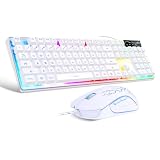
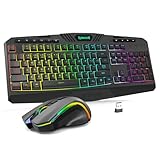
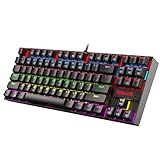
The Razer Tartarus V2 is the best gaming keypad for most MMO players because it pairs 32 programmable keys with an 8-way thumbpad and an adjustable palm rest, which covers a typical action-bar layout without leaning on modifier keys. An MMO keypad is a one-handed, programmable key block that sits under your left hand so skills, bags and macros stay a short finger movement away from the mouse. If you want mechanical keys and more of them, the Redragon K585 fits; if you want a customized analog-stick design, the Azeron Cyborg II is the specialist choice.
Our Top Picks
 Razer Tartarus V2 Left-Handed Gaming Keypad6.02x 2.36 x 0.8 Inch2.36 x 7.98 x 6.02 inches0.8 poundsCheck on Amazon
 Redragon K585 Wired One-Handed RGB Gaming KeypadBlue Switch11 x 2 x 9 inches1.3 PoundsCheck on Amazon


Top 3 picks at a glance
Quick List
- Razer Tartarus V2 (Left-Handed Listing) – best for a proven 32-key MMO layout under the left hand
- Redragon K585 DITI – best for a 42-key mechanical keypad with onboard macro slots
- AZERON Cyborg II (Black) – best for a 3D-printed, fully adjustable layout with an analog Hall effect thumbstick
- AZERON Cyborg II (Red) – best for the same Azeron layout in a different color
- HORI Tactical Assault Commander – best for PlayStation players who want a keypad on console and PC
- Razer Tartarus V2 (Standard Listing) – best for the same Tartarus design under a second listing name
Which One Is Right for You?
| If you… | Choose |
|---|---|
| want a layout built around a long MMO skill bar | Razer Tartarus V2 |
| prefer clicky mechanical switches and more keys | Redragon K585 DITI |
| want the keypad shaped to your hand and an analog stick | AZERON Cyborg II |
| play on PlayStation as well as PC | HORI Tactical Assault Commander |
| are comparing the two Tartarus listings | Razer Tartarus V2 (either listing) |
| want to avoid learning new hand positions | Razer Tartarus V2, with its familiar grid layout |
Most MMO players do best with a grid-style keypad such as the Tartarus or the K585, because rows of keys map neatly onto action bars. Analog-stick designs like the Azeron take longer to learn but can be shaped around your hand. Console-oriented keypads add convenience if you play on a PlayStation, but offer fewer keys and fewer MMO-specific tools.
All 6 Picks in Detail
1. Razer Tartarus V2 (Left-Handed Listing) – Best for a Proven 32-Key MMO Layout
As an Amazon Associate we earn from qualifying purchases at no extra cost to you.

This listing names the Razer Tartarus V2 as a left-handed gaming keypad with 32 programmable keys, mecha-membrane switches and customizable Chroma RGB lighting. The design is meant to rest under the left hand while the right hand uses the mouse, which is the layout most MMO players already know. Razer’s spec information describes an 8-way directional thumbpad, a 3-way scroll wheel and a detachable palm rest with two adjustable positions, and a USB connection with a cord of roughly six feet.
For MMOs, the useful part is the combination of a number-row style grid and a thumb-controlled pad. You can put your main rotation on the central keys, put utility spells and mounts on the outer keys, and use the thumbpad as a modifier or as an extra layer for another bar. Razer Synapse handles profile creation and key remapping. Exact key layout details and the software requirements are on the product page.
- 32 programmable keys, per the listing
- Mecha-membrane key switches, a cushioned hybrid between membrane and mechanical feel
- 8-way directional thumbpad and scroll wheel, per Razer’s materials
- Customizable Chroma RGB lighting
- Wired USB; cable length and software support: confirm on listing
Pros:
- Well-known layout with a thumbpad for extra layers
- Adjustable palm rest for longer sessions
Cons:
- Mecha-membrane switches feel softer than fully mechanical ones
- Remapping relies on installing Razer software
The “left-handed” wording in the listing simply reflects that the keypad is meant to sit under the left hand while the right hand holds the mouse. If you are left-handed and use the mouse with your left hand, check whether the product page says anything about mirrored use before buying. Cable routing is straightforward since the connection is a single wired lead, but give yourself enough slack to place the keypad where your wrist stays straight.
Compared with the Redragon K585, it offers fewer keys but a thumbpad and a more established layout.
2. Redragon K585 DITI – Best for a Mechanical 42-Key Layout

The Redragon listing describes a wired one-handed RGB gaming keypad with a tactical 42-key layout, onboard storage of 28 combo slots across four profiles, and a USB pass-through port. Retailer information for this family describes seven dedicated macro keys and a detachable wrist rest, and Redragon sells the board with several mechanical switch options, with clicky Blue switches commonly cited. Confirm the exact switch type for the listing you choose.
The K585 suits MMO players who want real mechanical keys, since the clicky feedback makes it easy to know a skill has registered. The onboard profile memory means your bindings stay with the keypad when you move between computers, without needing software running in the background. The trade-off is a layout that is less ergonomic than the Tartarus for some hands, and a loud click if you play late at night.
- 42-key tactical layout, per the listing
- 28 onboard combo slots and 4 profiles
- USB pass-through port, per the listing
- Wired RGB keypad; switch type and hot-swap support: confirm on listing
- Detachable wrist rest mentioned for the model family
Pros:
- Mechanical switches and many keys
- Onboard profile storage
Cons:
- Clicky switches can be loud
- No dedicated thumbpad for movement
One practical use for a pass-through USB port is to keep a wireless dongle close to your hand, which shortens the path between the dongle and your mouse. Combine that with the four onboard profiles and you can keep one for your main MMO, one for a second game and one for general desktop shortcuts without installing anything on a shared machine. Because the listing does not state the switch type, check the exact variant on the page if you care about noise.
Against the Azeron, it is easier to start using because it keeps the familiar key grid.
3. AZERON Cyborg II (Black) – Best for a Hand-Shaped Layout With an Analog Stick

This listing is for a programmable one-handed gaming keypad with a Hall effect analog thumbstick and 30 programmable keys, 3D printed and customized, for right-handed users, in black, in the Cyborg II line. The design differs from grid keypads: finger towers and a thumbstick module are arranged around your resting hand, and you adjust their angles and distances to fit. For MMOs, that means your thumb can control movement or a second layer without leaving the resting position.
The learning curve is longer than with a grid layout, because you will remap your habits to fit. Many players find that skills for each finger sit in predictable spots after a week or two. The Hall effect stick is meant to avoid drift because it uses magnetic sensing rather than contact, and it can act as WASD or analog movement. Confirm the model’s orientation, size options and software details on the product page, as the right-handed label may be unexpected for players who use the left hand for keys.
- 30 programmable keys, per the listing
- Hall effect analog thumbstick
- 3D-printed customized design, for righties
- Black finish, Cyborg II line
- Switch type, connection and software: confirm on listing
Pros:
- Adjustable layout fits your hand shape
- Analog stick adds movement options
Cons:
- Longer learning curve than a grid keypad
- The listing is labeled for righties, so check orientation for your hand
Compared with the red Azeron listing, the differences appear to be color only; confirm on each page.
4. AZERON Cyborg II (Red) – Best for the Same Design in Red

The second Azeron listing carries the same description: a programmable one-handed gaming keypad with Hall effect analog thumbstick and 30 programmable keys, 3D printed and customized, for righties, in the Cyborg II line. The listing names the color as red. The title text otherwise matches the black one, so the practical difference is appearance. Choose it if red fits your desk theme better, or if it is the one available in your preferred configuration.
For an MMO, the same strengths and cautions apply. The thumbstick can take over movement or a secondary bar, and the finger towers let you put rotations under each finger. Players with large macro libraries should plan their profiles before they start: group abilities by function, assign the top three or four to the most comfortable keys, and keep rarely used actions on the outer positions.
- 30 programmable keys, per the listing
- Hall effect analog thumbstick
- 3D-printed customized design, for righties
- Red finish, Cyborg II line
- Any size or configuration differences from the black listing: confirm on listing
Pros:
- Same adjustable layout and analog stick
- Color option suits themed setups
Cons:
- Same learning curve as the black version
- Right-handed designation in the listing
It is functionally a twin of the black Azeron listing; choose by color and availability.
5. HORI Tactical Assault Commander – Best for PlayStation Players Who Also Use PC

The HORI listing describes a mechanical keypad for PlayStation 5, PlayStation 4 and PC, with a PC-style layout for FPS, MMO and other genres, officially licensed by Sony. Other retailers describe an analog stick, an adjustable palm rest, LED-backlit mechanical keys and a companion app for settings and profiles. It plugs in by USB, and a mouse is needed separately. On PlayStation consoles it works with games that support keyboard and mouse mode.
This is the outlier on the list. It is built mainly around console use, and MMO support on PlayStation is limited by which games allow keyboard and mouse input. On PC it works as a general keypad but has fewer keys than the Tartarus or K585. It is the right pick if you split your time between a PlayStation and a PC and want one keypad for both; for PC-only MMO play, the others offer more keys and more mature software.
- Mechanical keypad for PS5, PS4 and PC, per the listing
- Marketed for FPS, MMO and more
- Analog stick and palm rest described by retailers
- Wired USB; mouse not included
- Exact key count and switch type: confirm on listing
Pros:
- Works across PlayStation and PC
- Companion app for profiles
Cons:
- Fewer keys than the dedicated MMO keypads
- Console support depends on game keyboard-and-mouse support
If your MMO of choice lives on PC, think of this as a bridge product rather than a specialist. Its main appeal is carrying the same bindings across both platforms, so check how many profiles the companion app supports and whether the game you play on PlayStation accepts keyboard and mouse input at all. If it does not, the keypad will do nothing on the console side for that title.
Compared with the Tartarus V2, it trades key count and PC depth for console flexibility.
6. Razer Tartarus V2 (Standard Listing) – Best for the Same Keypad Under a Second Listing

This second Tartarus listing is for the Razer Tartarus V2 Mecha-Membrane Gaming Keypad with 32 programmable keys. It describes the same product family as the first Razer entry, and the difference appears to be the listing name, not the hardware. Choose between the two based on which page shows the configuration, seller and delivery you prefer, and verify the specifications on each page before buying.
The Tartarus remains a strong match for MMOs: players commonly bind a skill bar to the main keys, put consumables on the outer keys and use the thumbpad for a modifier layer. If you have used a regular keyboard for MMOs, the Tartarus feels familiar because the keys sit in a grid, and the palm rest helps keep your wrist relaxed. If you have large hands, check the dimensions on the product page.
- 32 programmable keys, per the listing
- Mecha-membrane key switches
- Razer Chroma RGB lighting through Synapse, per Razer
- Wired USB
- Differences from the first Tartarus listing: confirm on listing
Pros:
- Familiar layout and software support
- Thumbpad adds an extra layer
Cons:
- Softer switch feel than fully mechanical keypads
- Remapping needs Razer software
It is effectively interchangeable with the first Tartarus listing; the closest alternative with a different feel is the Redragon K585.
Specs Compared
| Keypad | Keys | Switch type | Thumb control | Connection | Platforms per listing |
|---|---|---|---|---|---|
| Razer Tartarus V2 (Left-Handed) | 32 programmable | Mecha-membrane | 8-way thumbpad | Wired USB | PC; confirm on listing |
| Redragon K585 DITI | 42-key layout | Confirm on listing | None named | Wired, USB pass-through | PC; confirm on listing |
| AZERON Cyborg II (Black) | 30 programmable | Confirm on listing | Hall effect analog thumbstick | Confirm on listing | Confirm on listing |
| AZERON Cyborg II (Red) | 30 programmable | Confirm on listing | Hall effect analog thumbstick | Confirm on listing | Confirm on listing |
| HORI Tactical Assault Commander | Confirm on listing | Mechanical | Analog stick per retailers | Wired USB | PS5, PS4, PC |
| Razer Tartarus V2 (Standard) | 32 programmable | Mecha-membrane | 8-way thumbpad | Wired USB | PC; confirm on listing |
How We Chose These
This guide is based on research rather than physical evaluation. We compared the key counts, switch types, thumb controls and platforms stated in each listing name and checked manufacturer and retailer descriptions for the Razer, Redragon, Azeron and HORI models. We focused on what matters for MMO play: enough keys for a full action bar, a way to add layers, comfortable hand support and profile storage. Because several listings are near duplicates, we note where two entries appear to describe the same hardware. Where a listing did not state switch type or connection details, we say so and send you to the product page.
What to Look For
Key Count and Layout
MMO skill bars commonly use ten to twelve primary slots, plus shifted or controlled versions of each. A keypad with 30 to 42 inputs lets you place the main bar on the central keys and use the rest for utility. A grid layout such as the Tartarus or K585 maps easily onto numeric rows. A finger-tower layout such as the Azeron suits players who want each finger to own a few keys. A rule of thumb: count how many abilities you press in a normal fight, add a few for movement and utility, and pick a keypad that gives you roughly that many keys without stretching your fingers.
Switch Feel
Mecha-membrane switches combine a rubber dome with a tactile response, so they are quieter and softer than fully mechanical switches. Clicky mechanical switches, such as the Blue type commonly cited for the Redragon family, give a distinct click and a firm actuation, but they are loud. Linear and tactile switches sit in between. If you play late at night or on voice chat, consider how much noise the switch makes. For MMOs, where you press keys in a rhythm for long sessions, comfort and consistency matter more than raw speed.
Thumb Controls and Layers
A thumbpad or analog stick adds more than movement. It can act as a modifier, shifting the keys to a second set of bindings while held, which doubles the effective key count. Many keypad programs offer a layer or shift function for this purpose; confirm the exact feature set in the software for your model. An analog stick such as the Hall effect version on the Azeron supports 360-degree movement in games that allow it and can also act as WASD. Choose a thumb control you will actually use, because an unused stick adds bulk without benefit.
Profiles, Software and Storage
MMO players often keep several profiles, for example one for raids, one for crafting and one for travel. Onboard memory stores a few profiles on the keypad so they follow you between computers, while cloud profiles depend on software and an account. Check whether the software is required for everyday use or only for setup, and whether it runs on your operating system. If you play several games, make sure profiles can switch automatically when a game launches.
A Worked Example: Mapping a Raid Bar
Say your class uses eight main abilities, four defensive cooldowns, three movement tools, a mount, and a handful of consumables. That is roughly sixteen to eighteen actions you press often, plus another dozen you press now and then. On a 32-key keypad, put the eight main abilities on the two central rows closest to your index and middle fingers, the cooldowns on the row above them, movement tools on the keys under your ring finger, and the mount and consumables on the outer edge. Use the thumb control as a modifier that swaps the central rows to a second set for utility spells. That setup keeps your hand in one resting spot for a whole fight. If the same plan feels cramped, a 42-key layout gives extra room; if it feels sprawling, a 30-key finger-tower layout keeps everything close to a natural hand curl.
Ergonomics and Hand Fit
Hand size affects keypad fit. A fixed grid with a palm rest suits medium hands; the Azeron’s adjustable towers suit hands outside the average. Orientation matters too: if you use your left hand on the keypad, confirm the model is meant for that hand. Keep your wrist straight, rest your palm lightly, and take short breaks. Try to map the most frequent actions to the keys your fingers reach without stretching, and keep rare ones on the edges.
Questions
Are gaming keypads good for MMOs?
Yes, because they give you many programmable keys under one hand while the mouse stays in the other. They reduce the need for multi-key combos and can feel more comfortable than stretching across a full keyboard.
Are the two Tartarus listings different products?
They appear to describe the same Tartarus V2 family under different listing names. Check each page for configuration details before choosing.
Is the Azeron worth the learning curve?
If you want a layout shaped to your hand and an analog thumbstick, the adjustment period can pay off. If you prefer a familiar grid, the Tartarus or K585 is quicker to adopt.
Can I use a keypad on PlayStation?
Only some. The HORI model is designed for PlayStation and PC, but console support depends on each game allowing keyboard and mouse input.
Do I need software to use these keypads?
Most need it for remapping and lighting, and some store profiles onboard. Check which features require software before you buy.
Should I choose clicky or quiet switches?
Choose clicky if you like firm feedback and play alone. Choose a quieter hybrid or tactile style if you share space or stream with a microphone.
Update History
- October 20, 2026 – Initial publication; product set drawn from current catalog listings.
- Check the product page for current specifications and availability before buying.
Sources
- Retailer listing titles and specification fields for each keypad named above
- Manufacturer and retailer product pages for the Razer Tartarus V2, Redragon K585 DITI, Azeron Cyborg II and HORI Tactical Assault Commander