
The best Kindle e-readers in 2026 are the Kindle Paperwhite for most readers, the basic Kindle for portability and value, the Paperwhite Signature Edition for premium convenience, the Colorsoft for illustrated books, and the Kindle Scribe for large pages and handwritten notes. The right choice depends less on raw speed than on screen size, warm front-light control, waterproofing, storage, battery expectations, and whether you need a pen.
As an Amazon Associate we earn from qualifying purchases at no extra cost to you.



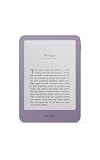
Top 3 picks at a glance
Best Kindle e-readers at a glance
| Model | Screen and light | Waterproofing | Storage | Best for |
|---|---|---|---|---|
| Kindle (2024) | 6-inch, 300 ppi, front light without warm adjustment | No | 16GB | Lightweight everyday reading and travel |
| Kindle Paperwhite (2024) | 7-inch, 300 ppi, adjustable warm light | IPX8 | 16GB | Most readers and reading near water |
| Kindle Paperwhite Signature Edition | 7-inch, 300 ppi, warm light and automatic brightness | IPX8 | 32GB | Premium Paperwhite features and audiobooks |
| Kindle Colorsoft | 7-inch color display, adjustable warm light | IPX8 | 32GB | Comics, covers, maps, cookbooks, and illustrated books |
| Kindle Scribe (2024) | 10.2-inch, 300 ppi, adjustable warm light | Not waterproof | 16GB, 32GB, or 64GB | PDFs, large-format reading, and handwritten notes |
Kindle Paperwhite: the best all-round Kindle
The 2024 Kindle Paperwhite is the strongest default recommendation for the best Kindle e readers because its 7-inch display gives novels more comfortable line lengths without becoming difficult to carry. Its 300 ppi resolution keeps small text sharp, while the adjustable warm front light is useful for evening reading. A warmer setting reduces the cool, blue appearance of the screen; it does not turn the display into a tablet-style illuminated panel.
Its IPX8 water resistance makes it a better choice than the basic Kindle for baths, poolsides, beaches, and accidental splashes. Waterproofing is not permission to use it underwater for extended periods: keep the charging port dry and rinse salt or chlorinated water away with fresh water if necessary.
The standard model has 16GB, which is more than enough for a large text-library. It also handles Audible-compatible audiobooks, although spoken-word files consume substantially more storage than ordinary ebooks. Battery life is advertised in weeks rather than days, but actual results depend on brightness, wireless use, Bluetooth, and page-turn frequency.
Choose the Paperwhite if you:
- Read most days and want one device that suits both daytime and nighttime use.
- Read outdoors or near water.
- Want warm lighting without paying for premium extras.
- Prefer a larger screen than the compact 6-inch Kindle.
Kindle Paperwhite Signature Edition: premium convenience, not a different reading experience
The Paperwhite Signature Edition keeps the same 7-inch, 300 ppi reading surface and IPX8 protection as the regular Paperwhite. Its meaningful upgrades are 32GB of storage, an auto-adjusting front light, and support for wireless charging accessories. That makes it particularly useful if the device is frequently left on a desk or bedside charging stand.
Do not choose the Signature Edition expecting sharper text or a fundamentally faster reading experience. The extra cost is easier to justify for people who want a larger audiobook collection, automatic brightness, or the convenience of wireless charging. For plain novels, the standard Paperwhite usually delivers nearly the same core experience.
Basic Kindle: the smallest and lightest option
The current basic Kindle is the sensible pick for commuters, travelers, children, and readers who want the smallest device. Its 6-inch, 300 ppi screen is sharp enough for crisp ebook text, and its compact body can fit into smaller bags or jacket pockets.
The compromise is lighting. It has a front light for dark rooms, but it does not provide the Paperwhite models’ adjustable warm-light range. It also lacks waterproofing, so it deserves more care around sinks, rain, and swimming pools. Its 16GB capacity is generous for novels, but illustrated content and audiobooks can reduce free space more quickly.
Its battery can last for weeks under light-to-moderate reading, but the smaller body has less room for battery capacity than larger models. If you regularly read for several hours a day, the Paperwhite’s larger screen and longer advertised endurance may be worth the increase in size.
Kindle Colorsoft: best for color content
The Kindle Colorsoft is the best Kindle e-reader for readers whose books benefit from color rather than merely containing occasional black-and-white illustrations. Covers, graphic novels, children’s books, travel guides, maps, recipes, and highlighted diagrams are more informative in color.
It still uses an e-paper-style display rather than a conventional tablet screen, so color is more muted than on a phone or tablet. Page turns and animations are also not intended to match an LCD or OLED device. For text-only novels, the color layer adds cost without improving the words themselves.
Its 32GB storage is useful for comics and image-heavy books, which can be much larger than ordinary ebooks. IPX8 protection and adjustable warm lighting make it more versatile than the basic Kindle, but expect battery life to vary with color use, brightness, wireless connectivity, and page-turn activity.
Kindle Scribe: best for notes, PDFs, and large pages
The Kindle Scribe is the outlier in the range. Its 10.2-inch, 300 ppi screen is much better suited to PDFs, textbooks, sheet music, diagrams, and wide page layouts than a 6- or 7-inch reader. It includes a stylus for writing in notebooks and adding handwritten notes to supported documents.
The large display reduces the need to zoom and pan through a fixed-layout PDF. That is the Scribe’s most practical advantage: a document that requires repeated resizing on a smaller reader can often be viewed at a more usable scale. The trade-offs are size, weight, price, and the lack of waterproofing.
It is not a full tablet or a replacement for a professional tablet-based annotation workflow. Handwriting is best for meeting notes, planning, brainstorming, and marking up reading material; advanced drawing, app multitasking, and general-purpose document editing remain outside its focus. Select 32GB or 64GB if you keep many PDFs, notebooks, and graphic documents locally.
Decision matrix: which Kindle fits your reading habit?
| Your situation | Best match | Why | Main compromise |
|---|---|---|---|
| Mostly novels, smallest possible device | Kindle (2024) | Compact, sharp 6-inch display and 16GB | No warm light or waterproofing |
| One reader for bedside, travel, and holidays | Kindle Paperwhite | Warm light, 7-inch screen, IPX8 protection | Larger than the basic Kindle |
| Many audiobooks or automatic brightness wanted | Paperwhite Signature Edition | 32GB, auto-adjusting light, wireless charging support | Core text display is similar to the standard Paperwhite |
| Comics, recipes, maps, or children’s picture books | Kindle Colorsoft | Color display and 32GB storage | Higher cost and muted e-paper color |
| PDFs, handwritten notes, or large page layouts | Kindle Scribe | 10.2-inch screen and included stylus | Not waterproof and less portable |
Storage and battery: how much do you really need?
For text-heavy novels, 16GB is ample. As a practical estimate, if an ordinary ebook averages 2MB, 16GB provides roughly 8,000 ebook-sized slots before allowing for the operating system and other content. The calculation is 16,000MB divided by 2MB, although real ebook sizes vary widely. Illustrated books, comics, and audiobooks can be tens or hundreds of megabytes, so 32GB becomes more valuable for those libraries.
Battery claims are best understood as usage budgets rather than promises of a fixed calendar duration. Suppose a reader completes 30 minutes per day and a device provides a manufacturer-rated six weeks under its specified conditions: 42 days × 0.5 hours equals about 21 reading-hours in that simplified schedule. A person reading two hours each day uses the same nominal hours in around 10 or 11 days, before accounting for lighting, wireless activity, and audiobook playback. This is why “weeks of battery” does not mean every reader will charge only once every six weeks.
Which front light should you choose?
- Basic Kindle: choose it if a cool-white front light is sufficient and low weight matters most.
- Paperwhite: choose adjustable warmth if you read in bed or find cool lighting distracting at night.
- Signature Edition: choose it when automatic brightness is more useful than manually changing settings.
- Colorsoft and Scribe: choose adjustable warmth when you want color or a large writing surface without giving up nighttime reading comfort.
For evening use, start with moderate brightness and a warmer setting, then lower brightness until the page remains comfortable rather than aiming for maximum warmth. A very bright front light can still feel harsh even when its color temperature is warm.
Prices and final recommendations
Typical market pricing places the basic Kindle in the lower budget range, the Paperwhite in the mid-range, the Paperwhite Signature Edition and Colorsoft in the upper mid-range, and the Scribe in the premium range. Discounts can change those positions, so compare storage and included accessories rather than choosing by headline price alone.
For most people, buy the Kindle Paperwhite. Choose the basic Kindle when compact size and lower cost outweigh warm lighting and waterproofing. Choose the Paperwhite Signature Edition for 32GB, automatic brightness, and wireless charging convenience. Choose the Colorsoft for genuinely color-dependent books, and the Kindle Scribe when note-taking or large-format documents are central to the purchase.


