
The best electronic drum pads for practice and performance are the Roland SPD-SX PRO for serious live sampling, the Alesis Strike Multipad for the broadest built-in performance feature set, and the Roland SPD-30 OCTAPAD for durable, low-noise multi-pad playing without relying on a computer.
Electronic drum pads sit between a drum machine, a compact percussion kit, and a MIDI controller. The right choice depends less on the number of pads than on trigger response, velocity control, monitoring options, and whether you need to launch samples on stage or simply practice quietly at home.
As an Amazon Associate we earn from qualifying purchases at no extra cost to you.
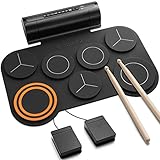


Top 3 picks at a glance
Best electronic drum pads at a glance
| Model | Best for | Pads / inputs | Velocity and response | Headphone use | Typical market range |
|---|---|---|---|---|---|
| Roland SPD-SX PRO | Professional live sampling | 9 onboard pads, multiple external inputs | Highly adjustable; supports expressive layered triggering | Yes | Usually $900–$1,200 |
| Alesis Strike Multipad | All-in-one performance and practice | 9 onboard pads, external trigger connections | Large playing surfaces and multi-zone control | Yes | Usually $700–$900 |
| Roland SPD-30 OCTAPAD | Reliable percussion performance | 8 onboard pads, external trigger inputs | Consistent dynamic response and strong trigger editing | Yes | Usually $700–$900 |
| Yamaha DTX-MULTI 12 | Compact acoustic-style percussion practice | 12 onboard zones | Good sensitivity, with a smaller and firmer playing feel | Yes | Usually $600–$900 |
| Alesis SamplePad Pro | Affordable sample triggering | 8 onboard pads, external trigger support | Capable but less refined at very soft dynamics | Yes | Usually $300–$450 |
Best overall for live use: Roland SPD-SX PRO
The Roland SPD-SX PRO is the strongest choice when a pad must behave like a dependable stage instrument. Its large pads are easy to hit accurately under concert lighting, and its trigger settings provide control over sensitivity, threshold, retrigger cancellation, and other response parameters. That matters when a loud kick drum, monitor wedge, or stage vibration could otherwise create false hits.
It is particularly well suited to launching backing tracks, one-shot effects, vocal drops, percussion samples, and complete song sections. The large display and dedicated controls make it more practical on stage than a generic MIDI pad connected to a laptop. USB connectivity also supports computer-based sample management and MIDI integration.
For quiet practice, the SPD-SX PRO works well with headphones, but it is optimized for performance rather than being the smallest or cheapest practice instrument. The rubber pads are quieter than acoustic drums, although stick impact still transfers through a stand and floor. A thick isolation mat is worthwhile in an apartment.
Why choose it
- Excellent live-oriented workflow for samples and backing tracks.
- Detailed trigger adjustment for different sticks, playing styles, and external triggers.
- Bright interface and clearly separated performance controls.
- Strong construction for frequent transport and stage use.
Best feature-rich alternative: Alesis Strike Multipad
The Alesis Strike Multipad is a compelling choice if you want one unit to cover drum practice, sample playback, looping, effects, and expanded trigger setups. Its large pads and color display make it approachable, while its internal sounds and sample features reduce the need to bring a computer to rehearsal.
The Strike Multipad is also attractive for players who want to connect additional kick, hi-hat, cymbal, or auxiliary triggers. It offers more of an electronic-kit workflow than a simple sample launcher, although its physical feel and trigger behavior still depend heavily on careful setup.
For live use, organize sounds by song and keep the most important samples on clearly labeled pads. For home practice, lower pad volume and headphone volume independently if possible: reducing only the master output can make the headphones quieter without changing the balance of the kit sounds.
Best for percussion practice: Roland SPD-30 OCTAPAD
The Roland SPD-30 OCTAPAD is better suited to players who want to play percussion patterns, electronic drum parts, and hybrid setups rather than primarily fire samples. Its eight pads respond consistently across a wide dynamic range, and its internal sounds cover drums and percussion without requiring a computer.
Its compact layout makes it useful for hand percussion and stick technique, while external trigger inputs allow expansion. Compared with a basic sample pad, it offers a more musical instrument-like response: soft hits can remain quiet and detailed, while harder hits produce a clear increase in volume and tone.
The OCTAPAD is a sensible apartment option because it has no acoustic drum shell or resonant head. It is not silent, however. The main noise comes from stick contact, stand movement, and low-frequency impact traveling into the floor. Place it on a dense rubber mat, use lighter sticks or rods for routine practice, and avoid a hollow desk or lightweight folding stand.
Best compact multi-zone option: Yamaha DTX-MULTI 12
The Yamaha DTX-MULTI 12 provides 12 playable zones in a relatively compact body, making it useful when you need many sounds but limited floor or stand space. Its smaller pads favor controlled percussion playing and finger or hand techniques more than wide, full-power drum strokes.
It is a good fit for percussionists, keyboard players adding electronic drums, and apartment musicians who need a broad sound palette in a compact footprint. The playing surface is firm, so it may feel less forgiving than larger rubber pads when practicing repeated rimshots or powerful snare patterns.
Choose this model when the number of accessible zones matters more than a large kick-style playing area. If you need expressive sample launching in a rock or pop set, the SPD-SX PRO or Strike Multipad is usually a better match.
Best budget choice: Alesis SamplePad Pro
The Alesis SamplePad Pro is a practical entry point for triggering one-shot samples, percussion sounds, and short backing elements. It offers multiple onboard pads, external trigger support, MIDI, USB, and headphone monitoring at a lower market price than professional sampling units.
Its main compromise is refinement. Very soft strokes may not feel as nuanced as they do on more expensive units, and players may need more time adjusting sensitivity and threshold to avoid missed hits or accidental triggers. It remains a useful choice for rehearsals, small performances, and home practice when the budget is limited.
Decision matrix: match the pad to your situation
| Your situation | Priority | Best fit | Reason |
|---|---|---|---|
| Apartment practice after work | Low mechanical noise and headphones | Roland SPD-30 or Yamaha DTX-MULTI 12 | Compact, quiet electronics with no acoustic shell resonance |
| Band set with backing tracks | Reliable sample launching | Roland SPD-SX PRO | Stage-focused controls and detailed trigger configuration |
| One unit for drums, samples, and external triggers | Versatility | Alesis Strike Multipad | Broad performance features and expansion capability |
| Small percussion rig with many sounds | Many accessible zones | Yamaha DTX-MULTI 12 | 12-zone layout in a compact footprint |
| First sample pad under a tighter budget | Basic triggering and MIDI | Alesis SamplePad Pro | Core sample-pad features without professional-unit pricing |
How sensitivity and velocity layers affect playing
Sensitivity determines how much signal the pad produces from a physical hit. A high sensitivity setting can make quiet playing easier, but it can also create double triggers or false hits. A low setting reduces accidental activation but may make ghost notes disappear.
Velocity layers are different: they determine how the sound changes as your playing force changes. A sample instrument with several velocity layers can move from a soft recorded hit to a louder, brighter hit instead of merely increasing volume. This is why a pad can feel expressive even when its surface is physically simple.
When setting up a new pad, begin with a moderate sensitivity and a threshold just above the level of accidental vibration. Play three tests:
- Tap the pad softly. If it does not trigger consistently, raise sensitivity or lower threshold.
- Play repeated fast strokes. If one hit produces two sounds, increase retrigger cancellation or scan-time filtering slightly.
- Hit nearby pads and kick hardware. If the target pad fires without being struck, raise threshold or improve stand isolation.
Make the smallest adjustment that solves the problem. Excessive filtering can remove genuine fast notes, which is more damaging to musical response than a small amount of false-trigger risk.
Apartment noise: what headphones do not solve
Headphones eliminate speaker noise, but they do not eliminate impact noise. Rubber pad contact, pedal movement, and vibrations through the stand can travel into a downstairs room. A useful isolation setup is a rigid board or drum stand placed on a dense rubber mat, with the pedal area given extra isolation.
For the quietest routine, use lighter sticks, lower the pad volume, and practice rudiments on the smaller or less resonant surfaces. Avoid placing the unit directly on a hollow desk. If you use a kick tower, a soft beater and a layered mat can reduce the sharp impact that neighbors notice most.
Connectivity and live-system planning
Look for USB MIDI when you want a computer or tablet to record performance, and standard five-pin MIDI when the pad must control older drum modules, synthesizers, or a dedicated hardware rig. Audio outputs matter just as much: separate or assignable outputs can let a front-of-house engineer mix kick, samples, and percussion independently.
A simple live power calculation prevents overloaded adapters and unreliable setups. Suppose a pad consumes 15 watts, a small mixer uses 8 watts, and an audio interface uses 6 watts. The total is:
15 W + 8 W + 6 W = 29 W.
Allowing a 30 percent reserve gives 37.7 watts, so a power solution rated for at least 40 watts is the sensible minimum. This does not mean connecting devices to an incompatible voltage supply; use each manufacturer’s specified adapter or a properly rated power distribution system.
Durability and final buying advice
For frequent transport, prioritize recessed connectors, a solid mounting system, replaceable or available power supplies, and trigger controls that can be locked or recalled by kit. A sturdy case is often more valuable than an extra bank of sounds because damaged jacks and cracked displays end a performance faster than limited presets.
Choose the Roland SPD-SX PRO if live sample control is your main job. Choose the Alesis Strike Multipad for a broad all-in-one feature set. Choose the Roland SPD-30 or Yamaha DTX-MULTI 12 for compact, expressive percussion practice, especially in an apartment. Choose the Alesis SamplePad Pro when you need the essential functions at the lowest general market cost. In every case, budget for a stable stand, isolation mat, headphones, and time to tune the trigger settings; those four details have a bigger effect on daily usability than a longer preset list.
Frequently asked questions
Can I use these pads without connecting them to a computer?
Yes, several can work without a computer. The SPD-30 OCTAPAD has internal drum and percussion sounds, and the Strike Multipad offers internal sounds and sample features. The SPD-SX PRO can launch samples and backing tracks on stage, while the SamplePad Pro can trigger samples and percussion sounds. The article describes computer connectivity as useful for sample management and MIDI integration, not as a requirement for every use.
Which pad is best if I need to connect extra triggers?
The Strike Multipad is a strong fit if you want to connect additional kick, hi-hat, cymbal, or auxiliary triggers. The SPD-30 OCTAPAD and SamplePad Pro also support external triggers, while the SPD-SX PRO offers multiple external inputs. Choose based on whether your priority is an expanded electronic-kit setup, percussion playing, affordable sample triggering, or live sample control.
Will headphones make an electronic drum pad silent in an apartment?
No. Headphones let you monitor the sounds quietly, but stick contact, stand movement, and impact traveling through the floor can still be heard. The article recommends placing a pad on a dense or thick isolation mat and avoiding a hollow desk or lightweight folding stand. Lighter sticks or rods can also help for routine practice.
What should I adjust if soft notes are missed or one hit triggers twice?
If soft hits do not trigger consistently, raise sensitivity or lower the threshold. If one hit produces two sounds, increase retrigger cancellation or scan-time filtering slightly. Start with moderate sensitivity and set the threshold just above accidental vibration. Sensitivity affects how readily a hit triggers; velocity layers affect how the sound changes with playing force.
Which pad is better for launching backing tracks during a band set?
The Roland SPD-SX PRO is the article’s best fit for a band set with backing tracks. It is designed for launching backing tracks, one-shot effects, vocal drops, percussion samples, and song sections, with stage-focused controls and trigger adjustment. The Strike Multipad is an alternative if you also want looping, effects, and a broader set of practice and performance features.


