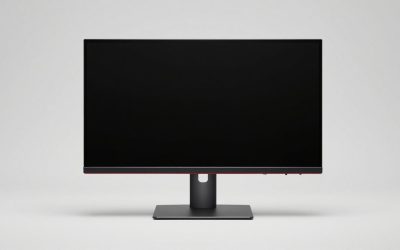
When a single laptop screen is not enough, you have two paths: a portable USB-C monitor that travels with you, or a full-size desktop monitor that lives on the desk. They serve different lives, and picking wrong means either lugging a screen you never move or being stuck at a desk you wanted to leave. Here is how to choose based on how you actually work.
As an Amazon Associate we earn from qualifying purchases at no extra cost to you.


Our Top Picks
 ASUS ZenScreen MB16ACV 15.6 Inch 1080p USB-C Portable16 Inch8.85 x 14.09 x 0.41 inches1.83 poundsCheck on Amazon
 ASUS ZenScreen MB169CK 15.6 Inch 1080p Portable Monitor16 Inch16 x 0.6 x 8 inches2.1 poundsCheck on Amazon
Top 3 picks at a glance
The core trade-off
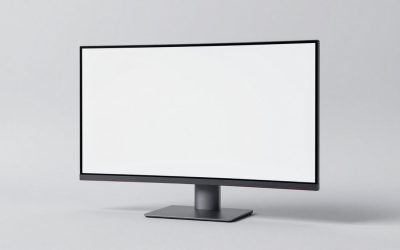
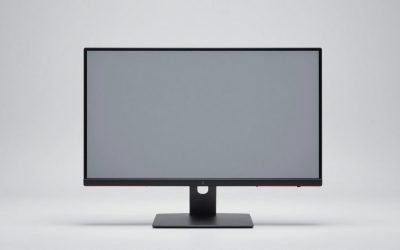
A portable monitor (usually 14 to 16 inches, powered over a single USB-C cable) is light, thin, and folds into a laptop bag, extending your screen anywhere. A desktop monitor (24 to 32 inches) gives far more screen area, better stands, higher brightness, and often higher refresh rates, but it stays put. The decision hinges on whether your bottleneck is mobility or workspace.
Side by side
| Factor | Portable monitor | Desktop monitor |
|---|---|---|
| Size | 13-16 in | 24-32 in |
| Power | USB-C from laptop (or adapter) | Wall power |
| Portability | Fits in a bag | Stationary |
| Brightness | ~250-400 nits | ~300-600 nits |
| Typical cost | $120-300 | $130-400 |
| Ergonomics | Low, flimsy kickstand | Height-adjustable / arm |
When the portable wins
If you work from cafes, hotels, a couch, or travel often, a portable monitor is the obvious pick. Powered by a single USB-C cable that carries video and power, it deploys in seconds and doubles your screen wherever you land. It is also great for a laptop plus console setup or a temporary second screen you can stash. The compromises are a small, low-set panel with a wobbly kickstand and modest brightness.
When the desktop wins
If your laptop mostly lives at one desk, a desktop monitor is the better value and the healthier ergonomic choice. You get much more usable area, a proper adjustable stand or arm to raise the screen to eye level, and brighter, often faster panels. Run the laptop in clamshell mode on a vertical stand, or open beside the monitor as a second screen, and you have a real workstation.
Ergonomics and docking
A portable monitor’s biggest weakness is height; its kickstand sits low, pulling your neck down, so a small portable stand that raises it to eye level is a worthwhile add-on. A desktop monitor solves this natively. Either way, a USB-C connection that carries video, data, and charging in one cable keeps a laptop desk clean; check that your laptop’s USB-C port supports DisplayPort Alt Mode, since not all do.
FAQ
Can a portable monitor fully replace a desktop one at home?
For occasional use, yes, but for daily desk work a portable monitor’s small size and low kickstand height cause more neck strain and less screen area. If the screen rarely leaves the desk, a desktop monitor is more comfortable and a better value.
Will one USB-C cable power a portable monitor?
Often, if your laptop’s USB-C port supports video (DisplayPort Alt Mode) and can supply enough power. Some brighter portable panels need a second USB-C cable to a charger for full brightness. Check your laptop port’s capabilities before assuming single-cable operation.
Hybrid approach and connection gotchas
Many people end up owning both for different roles: a desktop monitor at the home desk for comfort and area, and a portable monitor in the bag for travel. If you can only buy one, weigh how many days a week you actually work away from the desk. Occasional travel rarely justifies compromising your daily ergonomics, while frequent mobile work makes a stationary monitor the thing gathering dust.
Watch the connection details either way. A portable monitor needs a laptop USB-C port with DisplayPort Alt Mode; ports that are charging-and-data only will not carry video, forcing a bulkier HDMI plus separate power arrangement. Desktop monitors are more flexible, accepting HDMI or DisplayPort from nearly any laptop, though a single USB-C cable that also charges the laptop keeps the desk cleanest. Confirm your specific laptop’s port capabilities before buying to avoid an unpleasant surprise.
Bottom line
Buy a portable monitor if your real need is a screen that travels; it deploys anywhere over USB-C and stashes in a bag, at the cost of size and ergonomics. Buy a desktop monitor if the laptop mostly stays at one desk, where you get more area, brightness, and a proper adjustable stand. Match the screen to your mobility, not just your budget.
Related guides
- Best Cheap Tablets for Kids: Eight Listings Sorted by Age, Controls and Storage: 7 Compared (2026)
- Best Ultrawide Gaming Monitors: Six Screens Sized Against Real Desks: 6 Compared (2026)
- Best Game Room Neon Lights: Ten Signs and Icon Lamps Compared: 10 Compared (2026)
- 10 Best 75% Hot-Swappable Mechanical Keyboards (October 2026)
More from Amazon
Programs that pair well with the guide above. Offers and eligibility are set by Amazon and may change.
Free shipping on eligible items, Prime Video and more. Eligible new members can start with a free trial.
Start a Prime free trialAd-free music streaming. Eligible new subscribers can start with a free trial.
Try Music Unlimited freeA Prime membership for ages 18-24 with a trial period. Eligibility is set by Amazon.
See Prime for Young AdultsAudiobooks and podcasts to listen to on the go. Eligible new members can start with a free trial.
Try Audible freeAs an Amazon Associate we earn from qualifying purchases.