
As an Amazon Associate we earn from qualifying purchases at no extra cost to you. Product prices and availability are accurate as of the date shown and are subject to change.


# What to Look for in a Monitor Stand for Ultrawide: What Actually Matters
Most people buy an ultrawide stand the wrong way: they see a VESA mount, check the price, and click buy. Three months later, the arm sags, the base walks across the desk, or — worst case — a 35-pound monitor drops an inch and stays tilted. Ultrawide monitors punish cheap stands because they concentrate weight on a wide, often curved panel. A stand that handles a 27-inch flat display with ease can slowly sink under a 49-inch super ultrawide.
The second mistake is ignoring the desk. A $100 stand on a hollow-core particleboard desk is worse than a $40 stand on solid wood. And the third mistake: buying a single-monitor arm rated for the *size* of the screen but not the *weight*. A 49-inch ultrawide often weighs more than a standard 32-inch panel because of the metal rear housing.
Here’s what actually matters, in the order you should think about it.
Top 3 picks at a glance
Decide These 3 Things First
1. Your monitor’s actual weight and dimensions. Find the spec sheet — not the box. A 34-inch ultrawide typically weighs 14–20 pounds; a 49-inch super ultrawide runs 25–35 pounds. Write down the weight, diagonal size, and VESA pattern (most ultrawides use 75x75mm or 100x100mm).
2. Your desk. Measure thickness. Most clamp mounts handle desks from 0.4 to 3.1 inches thick. If you have a glass desk, a hollow-core top, or a metal frame edge, you’ll need a grommet mount or a freestanding base instead of a clamp.
3. Freestanding, clamp, or grommet. Freestanding stands sit on the desk (easiest setup, least desk space saved). Clamps bolt to the desk edge (sturdiest for heavy panels). Grommet mounts use the existing cable hole or a drilled hole (cleanest look, most permanent).
Now the factors that separate a good buy from a wasted $40.
Weight Capacity and Size Range
This is the single most important spec, and the one buyers misjudge most often.
– Match the weight rating to your monitor’s real weight, then add 20% headroom. A 34-inch panel at 18 pounds needs a stand rated at least 22 pounds.
– For 30–35-inch ultrawides: look for a minimum rating of 22–26 lbs and a size range starting at 17 inches.
– For 38-inch panels: 26–30 lbs minimum.
– For 43–49-inch super ultrawides: nothing under 33 lbs. The ErGear heavy-duty arm, for example, covers 13–49 inches at 37.4 lbs capacity — that’s the tier you want for a 49-inch panel. The WALI ultrawide arm (17–49 inches, 33 lbs) sits right at the edge; fine for a 32-pound monitor, no room for error above that.
– Check the maximum depth spec too. Curved 1000R and 800R panels extend farther back than flat ones; a stand rated for a 49-inch flat panel may not clear a deep curve.
– VESA compatibility: confirm 75x75mm and 100x100mm. Larger ultrawides sometimes skip VESA holes entirely — check before you buy anything.
Material and Build Quality
The pole and joint hardware determine whether your monitor stays at the height you set.
– Pole diameter: freestanding stands should use a steel pole of at least 1.3 inches diameter. Thinner poles flex, which causes slow height drift and wobble when you type.
– Gas spring vs. mechanical spring: gas-spring arms hold position smoothly across the full weight range; cheap mechanical-spring arms sag under load near the top of their rating.
– Steel vs. aluminum arms: steel (common on the VIVO and WALI lines) handles heavy static loads better; aluminum looks cleaner but flexes more on long panels.
– Joint construction: look for metal gears in the tilt/swivel joints, not nylon. Nylon gears strip under 25+ pound loads.
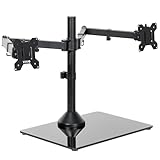
– Base weight (freestanding): the base should weigh 15+ pounds for a single ultrawide, 25+ for dual. The VIVO STAND-V038FG uses a heavy glass-and-steel base specifically because two 38-inch panels generate serious leverage.
– Plastic cable covers and plastic VESA plates are acceptable; plastic main joints are not.
Ergonomics and Adjustability
Ultrawide monitors are awkward to adjust, so range of motion matters more than with standard panels.
– Height range: at least 10–16 inches of vertical travel. You want the top of the screen at or slightly below eye level.
– Tilt: ±15° minimum. Curved panels benefit from slight downward tilt.
– Swivel: ±45–90° so you can angle the screen for guests or pull it flat against the wall.
– Rotation: less critical for ultrawides (few people use portrait), but useful for cable access.
– Depth from the desk edge: a 49-inch panel on an arm can extend 20+ inches from the pole; make sure your desk depth (24–30 inches typical) accommodates it without the screen hanging over your keyboard tray.
– Keyboard clearance: with the monitor pushed back, you want at least 10 inches between the screen bottom and the desk.
Clamp, Grommet, and Freestanding Fit
– Clamp thickness range: look for 0.4–3.1 inches (roughly 10–80mm), which covers most desks. Clamp throat depth (how far it reaches under the desk) should be at least 2 inches to clear a crossbar.
– Grommet hole size: most mounts need a hole 0.39–1.9 inches wide. Existing cable grommets often work.
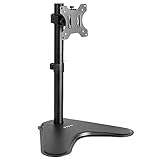
– Base footprint (freestanding): expect 16–18 inches wide by 9–11 inches deep for a single-monitor base. Dual stands run 26–30 inches wide. Measure your desk before ordering.
– Desk edge rule: never clamp to the short edge of a desk or within 2 inches of a cutout — that’s where particleboard fails.
– Cable management: integrated clips or channels along the arm keep a 49-inch panel’s cable bundle from yanking on the VESA plate when you swivel.
Price Tiers
Prices for ultrawide-capable stands are reasonable in 2026, and you don’t need to overspend.
– Budget ($25–$45): mechanical or basic gas arms like the WALI (17–49 inch, 33 lbs, $33.99) or ErGear heavy-duty arm ($39.99). Expect steel construction, dual clamp/grommet mounting, adequate but not buttery adjustment. Right choice for 34-inch and lighter panels.
– Mid ($45–$90): refined gas springs, taller poles, better cable routing, dual-screen setups like the VIVO STAND-V038FG ($69.99) for two ultrawides up to 38 inches and 22 lbs each. Buy here if you have a 38-inch panel or plan a dual setup.
– Premium ($90–$250+): polished gas springs, 5-year-plus warranties, tool-free micro-adjustment, higher weight ceilings (up to 44 lbs). Worth it mainly for 49-inch panels you adjust daily.
– A sub-$25 “ultrawide” stand is almost always under-rated for anything above 34 inches — skip it.
Warranty and Support
– Look for a minimum 3-year warranty; 5 years is standard on mid and premium tiers.
– Check that the warranty covers the gas spring specifically — that’s the component that fails.
– Prefer brands with replacement-part programs (new clamps, VESA plates, hardware kits) rather than whole-unit replacement only.
– Read the return window: 30 days is enough to find sag or wobble, since height drift usually appears within two weeks of setup.
Delivery and Assembly
– Expect the box to weigh 10–25 pounds; even freestanding bases ship heavy because of the steel pole and base plate.
– Assembly time: 20–40 minutes for a freestanding stand, 30–60 minutes for a clamp or grommet arm. Two people are genuinely helpful above the 40-pound monitor mark.
– Included hardware varies: most budget stands include 4mm and 5mm Allen keys but nothing else. Have a Phillips screwdriver and a second pair of hands ready.
– Check that the VESA screws are included — some monitors ship with none, and M4 x 10mm screws are annoying to source separately.
Spec Checklist
| Spec | Budget ($25–$45) | Mid ($45–$90) | Premium ($90+) |
|---|---|---|---|
| Max weight | 26–37 lbs | 26–33 lbs per arm | 33–44 lbs |
| Size range | 13–49 in | 17–49 in (single/dual) | up to 49–57 in |
| Spring type | Basic gas or mechanical | Gas spring | Refined gas spring |
| Height adjustment | 10–12 in | 12–16 in | 16–20 in |
| Mounting | C-clamp + grommet | Clamp + grommet, or weighted base | Clamp, grommet, tool-free |
| VESA | 75×75 / 100x100mm | 75×75 / 100x100mm | 75×75–200x200mm |
| Desk thickness | 0.4–3.1 in | 0.4–3.5 in | 0.4–4 in |
| Warranty | 1–3 years | 3–5 years | 5–10 years |
Red Flags
– “Fits up to 49 inches” with no weight rating. Size means nothing without pounds. Demand both numbers.
– Weight ratings measured in kilograms only, or listings that quote capacity for a *pair* of arms rather than one.
– Plastic tilt/swivel joints or nylon gears on any stand rated above 20 lbs.
– Freestanding bases under 12 pounds. They tip forward when a heavy ultrawide extends past the base edge.
– No desk-thickness spec for the clamp. If the listing doesn’t say, assume it won’t fit anything over 2 inches.
– VESA 100x100mm only, if your monitor uses 75x75mm — verify before ordering.
– Reviews mentioning “slowly lowers,” “sag,” or “drift” on monitors near the weight limit — that’s the tell for an under-spec’d spring.
– No curved-panel depth spec on stands marketed to 1000R or 800R owners.
FAQ
Can a regular monitor stand hold an ultrawide?
Sometimes, but don’t count on it. A stand rated for a 32-inch regular panel is usually rated around 19–22 lbs, while a 34-inch ultrawide often weighs more. Match the weight rating, not the screen size, and add 20% headroom.
Is a freestanding stand or a clamp arm better for a heavy ultrawide?
A clamp or grommet mount is sturdier for anything above 25 lbs because it ties into the desk structure rather than relying on base weight. Freestanding stands work fine up to about 30 lbs if the base is heavy (15+ lbs) and the monitor stays centered over it.
Will a monitor arm damage my desk?
Clamps can dent soft wood or crush hollow-core particleboard over time. Use the included rubber or foam padding on the clamp feet, keep the clamp at least 2 inches from any edge cutout, and on weak desks use a grommet mount with a reinforcement plate, or a freestanding base instead.
What size stand do I need for a 49-inch super ultrawide?
Look for a stand rated for at least 33 lbs — ideally 35–40 lbs — covering 49 inches with 100x100mm VESA support, plus a listed max depth of at least 20 inches to clear the curve. Budget picks like the ErGear at 37.4 lbs capacity exist in this class; anything rated lower risks sag.
Related guides
- 5 Best Usb C Hubs for Macbook Air with Dual Monitors in 2026: Tested and Ranked (2026)
- What Size Monitor Stand for Two 27 Inch Monitors? Size Guide With Measurements
- How Much Desk Space Does a Kvm Switch Need? Size Guide With Measurements
- What Height Laptop Stand for Eye Level Typing? Size Guide With Measurements


