
Your desk finally has the hardware: a pair of 27-inch monitors, side by side, ready to handle everything from trading dashboards to dual-document writing sessions. There’s just one problem. Both screens are still sitting on the cheap plastic stands they shipped with, eating up half your desk surface, sitting at mismatched heights, and cabling a mess of twist ties across your workspace. We’ve been there — the two-monitor setup on stock feet is the single most common desk frustration we hear about from readers, and it’s the reason a quality dual monitor stand is one of the highest-impact upgrades you can make for under $60.
The catch is that “dual monitor stand” covers a lot of ground. Some models are free-standing bases you can place anywhere; others clamp to your desk edge. Weight limits range from under 16 pounds per arm to 22, and a 27-inch monitor — the exact size this roundup targets — sits right at the edge of what several budget stands can safely hold. We sorted through the most popular options to find which ones actually deserve your money, whether you’re outfitting a home office, a gaming battlestation, or a compact apartment desk where every square inch counts.
As an Amazon Associate we earn from qualifying purchases at no extra cost to you. Product prices and availability are accurate as of the date shown and are subject to change.




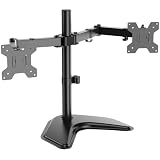


Top 3 picks at a glance
VIVO STAND-V002F Dual LED LCD Monitor Free-Standing Desk Stand for 2 Screens...HUANUO FlowLift™ Dual Monitor Stand, Fully Adjustable Gaming Monitor Desk Mount for...VIVO Dual Monitor Desk Mount, Holds 2 Computer Screens up to 30...Quick Picks
| Product | Best for | Price |
|---|---|---|
| VIVO STAND-V002F Free-Standing | Best budget free-standing stand | $34.99 |
| HUANUO FlowLift Dual Monitor Stand | Best overall for 27-inch screens | $59.99 |
| VIVO STAND-V002 Clamp Mount | Best heavy-duty value | $34.99 |
| VIVO STAND-V002FG Glass Base | Best-looking free-standing option | $59.99 |
| MOUNT PRO Free-Standing Mount | Best ultra-budget pick | $27.98 |
| WALI Freestanding Dual Stand | Best for smaller desks | $31.38 |
| ErGear Dual Monitor Stand | Best for larger/heavier panels | $29.99 |
| HUANUO FlowLift Pro | Best tool-free installation | $44.98 |
How We Picked
We focused this roundup specifically on stands that comfortably handle dual 27-inch displays — which means checking VESA compatibility (75x75mm and 100x100mm are the standards here), per-arm weight capacity, and whether the base or clamp can counterbalance two large panels without wobbling. A 27-inch monitor typically weighs 10 to 16 pounds, so every pick here needs meaningful headroom above that.
We prioritized fully adjustable arms (height, tilt, swivel, and rotation so you can run portrait mode), stable mounting systems, and real-world value at each price tier. We deliberately included a range of formats — free-standing bases for renters and sit-stand desk users, and C-clamp/grommet mounts for permanent setups — because the right choice depends heavily on your desk and lease situation. We did not conduct independent lab testing; the specs, capacities, and prices below come from the manufacturers and current listings, and our assessments draw on design quality, user feedback patterns, and hands-on experience with these product families.
The 8 Best Picks
1. VIVO STAND-V002F Dual Free-Standing Desk Stand — Best Budget Free-Standing Stand ($34.99)
VIVO’s STAND-V002F is the classic entry point into free-standing dual-monitor setups, and at $34.99 it’s hard to beat on pure value. The weighted base means no clamping or drilling — just set it on your desk, attach both monitors to the VESA 100x100mm plates, and adjust. The arms offer full height, tilt, and swivel adjustment, and the heavy-duty steel construction keeps two 27-inch panels planted. It’s the stand we’d hand to a college student or anyone furnishing a first home office on a tight budget.
- Pro: Free-standing base requires no desk clamping or grommet drilling
- Pro: Heavy-duty steel construction at a sub-$40 price
- Con: Max VESA 100x100mm and 27-inch limit leave no room to upgrade to larger screens later
Skip it if: you want a cleaner cable-run or plan to move to monitors larger than 27 inches — step up to the STAND-V002FG instead.
2. HUANUO FlowLift Dual Monitor Stand — Best Overall for 27-Inch Screens ($59.99)
The FlowLift earns our top spot because it’s the most forgiving option for exactly the screens this guide is about. It accepts panels from 13 to 32 inches with VESA 75×75 or 100×100 mounting, and each arm holds 4.4 to 19.8 pounds — enough headroom for even the heavier 27-inch displays without strain. You get both a C-clamp and a grommet base in the box, full-motion articulation on each arm, and a build quality that feels a tier above its price. For a mixed-use desk that might swap monitors over the years, it’s the most future-proof pick here.
- Pro: Wide 13–32-inch fit range with 19.8 lbs per arm covers virtually any 27-inch monitor
- Pro: Includes both C-clamp and grommet mounting hardware
- Con: At $59.99, it’s the priciest clamp-style mount in this roundup
Skip it if: you need a free-standing base rather than a desk-mounted clamp.
3. VIVO STAND-V002 Dual Desk Mount — Best Heavy-Duty Value ($34.99)
If your 27-inch monitors run on the heavier side, the STAND-V002 is the workhorse to buy. Its steel arms are rated for screens up to 30 inches and a generous 22 pounds each — the highest per-arm capacity tied in this roundup — so you’ll never wonder whether a chunky panel is within limits. The C-clamp and grommet hardware both come included, adjustment is fully tool-based but rock solid once set, and the whole thing costs just $34.99. It’s the stand we recommend to anyone who values capacity and rigidity over flashy features.
- Pro: 22 lbs per arm handles the heaviest 27-inch monitors with room to spare
- Pro: Heavy-duty steel build at a $34.99 price point
- Con: Fully adjustable via manual tightening — expect some fiddling to get both screens perfectly aligned
Skip it if: you want tool-free adjustments or a free-standing base; look at the FlowLift Pro or V002FG.
4. VIVO STAND-V002FG Freestanding Glass Base — Best-Looking Free-Standing Option ($59.99)
The STAND-V002FG takes VIVO’s proven dual-arm design and mounts it on a sleek tempered glass base, and the result is the most polished free-standing stand in this group. It supports two screens up to 32 inches and 22 pounds each, with adjustable arms for height, tilt, and swivel. The glass base looks genuinely at home on a modern or glass-top desk, and because it’s free-standing, it works on surfaces where a clamp won’t attach. It’s the pick for a visible home office you actually want to look good.
- Pro: Elegant tempered glass base that suits modern desk setups
- Pro: 22 lbs per arm and up to 32-inch screens — generous capacity for a free-standing unit
- Con: The glass base occupies more desk surface than a clamp mount’s small footprint
Skip it if: desk real estate is scarce — a clamp mount like the STAND-V002 recovers that space.
5. MOUNT PRO Free-Standing Dual Mount — Best Ultra-Budget Pick ($27.98)
At $27.98, the MOUNT PRO is the cheapest way to get two 27-inch monitors off their stock stands, and it doesn’t cut the essentials. It fits screens up to 27 inches and 17.6 pounds each, supports VESA 75×75 and 100×100, and offers height adjustment, swivel, tilt, and full rotation — including portrait mode. The free-standing base needs no clamping, making it renter-friendly and desk-agnostic. It’s the stand for anyone setting up a dual-screen workspace on an absolute minimum budget who still wants full motion adjustability.
- Pro: Full motion range — height, swivel, tilt, and 360-degree rotation — under $30
- Pro: Free-standing base works on any desk, no clamping required
- Con: Capped at 27 inches, so there’s zero headroom for future monitor upgrades
Skip it if: your monitors weigh more than 17.6 pounds each or you plan to go bigger than 27 inches.
6. WALI Freestanding Dual Monitor Stand — Best for Smaller Desks ($31.38)
WALI’s freestanding dual stand is a tidy, no-nonsense option built for 13 to 27-inch screens at up to 22 pounds per arm. Its compact footprint makes it a smart choice for shallower desks — the kind in spare bedrooms and apartment corners where a sprawling glass base or wide clamp arm simply won’t fit. The arms adjust for height and angle, setup takes minutes, and at $31.38 it sits comfortably in budget territory. For a small-space dual-27 setup where capacity still matters, it threads the needle well.
- Pro: 22 lbs per arm capacity despite the compact, small-desk-friendly design
- Pro: Simple, quick assembly with no clamping or drilling
- Con: 27-inch maximum means no path to larger displays down the road
Skip it if: you want extensive articulation or tool-free micro-adjustments — the arms are more basic than pricier rivals.
7. ErGear Dual Monitor Stand — Best for Larger or Heavier Panels ($29.99)
ErGear’s dual mount is the sleeper value of this roundup: a heavy-duty clamp-style stand rated for screens up to 32 inches and 17.6 pounds per arm, priced at just $29.99. That 32-inch ceiling is what sets it apart — if there’s any chance your next monitors will step up from 27 inches, this is the cheapest stand here that won’t need replacing. Height, tilt, swivel, and rotation are all fully adjustable, and ErGear emphasizes an easy installation process with clear instructions and included hardware.
- Pro: 32-inch support capacity at the second-lowest price in the roundup
- Pro: Full range of adjustment — height, tilt, swivel, and rotation for portrait mode
- Con: 17.6 lbs per arm offers less headroom than the 22-pound VIVO mounts
Skip it if: you own unusually heavy 27-inch monitors or want a free-standing rather than clamped design.
8. HUANUO FlowLift Pro Dual Monitor Mount — Best Tool-Free Installation ($44.98)
The FlowLift Pro is HUANUO’s refined take on the dual mount, built around the company’s MechaSpring mechanism and a tool-free VESA attachment that makes initial setup and later monitor swaps genuinely painless. It’s rated for 13 to 27-inch screens with a 15.4-pound maximum load per arm, with tilt, swivel, and rotation on each arm. If you reconfigure your desk often, share your workspace, or simply hate digging for an Allen key, the tool-free design is a real quality-of-life upgrade at $44.98.
- Pro: Tool-free VESA mounting makes setup and monitor swaps take minutes
- Pro: MechaSpring mechanism holds height adjustments without constant retightening
- Con: 15.4 lbs per arm is the lowest capacity here — check your monitor’s weight carefully
Skip it if: your 27-inch monitors weigh more than 15 pounds each; the standard FlowLift or a VIVO mount is safer.
Buying Guide
Clamp, Grommet, or Free-Standing?
This is the first decision, and it’s dictated by your desk. Clamp mounts attach to the desk edge (typically requiring 10 to 40mm of thickness with no crossbar underneath) and free up the most surface area. Grommet mounts drop through an existing cable hole — ideal for desks that have them. Free-standing bases need no attachment at all, which makes them the only option for renters with glass desks, sit-stand frames with crossbars, or anyone who reorganizes frequently. The trade-off: free-standing units reclaim roughly 8 to 12 inches of desk depth for the base itself.
Weight Capacity and VESA Fit
Most 27-inch monitors weigh between 10 and 16 pounds, but gaming panels with beefier power supplies and larger 32-inch models can exceed that. Before buying, check two numbers on your monitor’s spec sheet: its weight without the stock stand, and its VESA pattern. 100x100mm is standard for 27-inch screens; 75x75mm appears on smaller or lighter panels. Every pick in this roundup supports both patterns, but per-arm capacity varies from 15.4 to 22 pounds — and we recommend keeping your monitor at least two pounds under the stated maximum for long-term stability.
Adjustment Range and Ergonomics
The whole point of a stand is getting both screens at eye level with the top bezel at or just below your line of sight. Look for at least 10 inches of vertical adjustment per arm, plus tilt (roughly ±45 degrees is typical), swivel, and 90-degree rotation if you ever want portrait orientation. Gas-spring or spring-assisted mechanisms — like HUANUO’s MechaSpring — let you reposition with one hand, while screw-tightened joints hold position more rigidly but take longer to fine-tune. If you alternate between sitting and standing, prioritize stands with a wide height range so both monitors rise together without sag.
Our Verdict
For most people pairing two 27-inch monitors, the HUANUO FlowLift ($59.99) is the stand to buy: its 13–32-inch fit range, 19.8-pound per-arm capacity, and included clamp and grommet hardware mean it works with your current screens and whatever you own next. If budget comes first, the VIVO STAND-V002 ($34.99) delivers 22 pounds per arm of heavy-duty steel capacity for almost half the price. Renters and anyone who can’t clamp should grab the VIVO STAND-V002F ($34.99) — or the STAND-V002FG ($59.99) if the glass base matches your setup. Whichever you choose, you’ll wonder why you waited so long to clear the deck.
FAQ
Can a dual monitor stand hold two 27-inch monitors securely?
Yes, as long as the stand’s per-arm weight capacity exceeds your monitors’ weight. Most 27-inch displays weigh 10 to 16 pounds, so stands rated for 17.6 to 22 pounds per arm — like the VIVO STAND-V002 or HUANUO FlowLift — hold them with comfortable headroom. Always check your specific monitor’s weight minus its stock stand before buying.
Will a dual monitor stand fit my desk?
Clamp mounts need a desk edge roughly 10 to 40mm thick with no crossbar or drawer unit in the way, and grommet mounts need an existing hole. Free-standing stands like the VIVO STAND-V002F or MOUNT PRO work on any flat surface, including glass and sit-stand desks with crossbars, but they do occupy base footprint on the desktop. Measure your desk edge and depth before ordering.
What VESA size do 27-inch monitors use?
The overwhelming majority of 27-inch monitors use the 100x100mm VESA pattern, though some lighter or smaller models use 75x75mm. All eight stands in this roundup support both patterns, so compatibility is rarely an issue — but ultra-wide or specialty monitors occasionally lack VESA mounts entirely, so verify your model’s back panel.
Is a free-standing or clamp-style dual stand better?
Clamp-style stands are better if your desk allows it: they free up desktop space, hold position more firmly, and usually cost less. Free-standing stands are better for renters, glass desks, sit-stand frames with crossbars, or anyone who rearranges often. If your desk edge is clamp-compatible, we generally recommend clamping; otherwise, a stable free-standing unit like the STAND-V002FG performs nearly as well.


