
Top 3 picks at a glance
The Short Answer
On a standard medium-sized desk shelf (typically measuring 31 to 38 inches wide and 9 inches deep), you can comfortably fit two to four single or dual-controller stands, or one to two vertical multi-tier stands. This calculation assumes you also have a standard 27-inch monitor resting on the center of the shelf.
If your desk shelf is completely clear of a monitor—acting strictly as a storage or display riser—you can line up as many as six single stands or three to four multi-tier stands. The exact capacity depends on the footprint of your controller stands, which typically range from a compact 3″ x 3.5″ for single plastic wedges up to 7″ x 7″ for heavy-duty, multi-tier steel or solid wood trees. When planning your layout, always reserve at least 1.5 inches of depth behind the stands for charging cable clearance to prevent cord strain and connector damage.
As an Amazon Associate we earn from qualifying purchases at no extra cost to you. Product prices and availability are accurate as of the date shown and are subject to change.


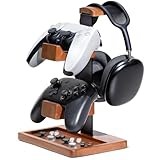
Standard Sizes
To determine how many controller stands will fit on your setup, you must compare the footprint of the stand against the usable surface area of your desk shelf. Desk shelves (often called monitor risers) generally fall into three standard size categories, while controller stands vary based on their capacity and materials.
Single-controller stands made of molded plastic or acrylic are incredibly compact, whereas premium wooden blocks or vertical multi-tier metal stands require a broader, more stable base to prevent tipping. Looking ahead to 2026, the trend in home office design emphasizes clean, cable-free surfaces where every peripheral has its designated zone, making these footprints crucial for spatial planning.
| Shelf Category | Typical Shelf Dimensions (W x D) | Compatible Controller Stand Type | Max Stands (With Monitor on Shelf) | Max Stands (Clear Shelf / No Monitor) |
|---|---|---|---|---|
| Small Shelf | 18″ to 26″ x 9″ (45.7 to 66 cm x 22.8 cm) |
Single horizontal wedges or 1 slim vertical tree | 1 single stand | 2 to 3 single stands or 1 multi-tier stand |
| Medium Shelf | 31″ to 38″ x 9″ (78.7 to 96.5 cm x 22.8 cm) |
Dual-zone stands, wooden blocks, or 4-tier vertical trees | 2 single stands OR 1 vertical tree | 4 to 5 single stands or 2 vertical trees |
| Large Shelf | 42″ to 46″ x 9″ (106.6 to 116.8 cm x 22.8 cm) |
All types, including combined headset/controller stations | 2 to 3 single stands OR 2 vertical trees | 6 to 8 single stands or 3 to 4 vertical trees |
In terms of weight, standard desk shelves crafted from solid wood, premium plywood, or medium-density fiberboard (MDF) can support between 30 and 50 lbs (13.6 to 22.6 kg). A standard gaming controller weighs approximately 0.6 lbs (280 grams), and a typical metal or wood stand weighs between 0.5 and 2.5 lbs (0.22 to 1.1 kg). Consequently, weight limits are rarely an issue; physical surface area and vertical clearance are the true limiting factors.
How to Measure Your Space
To avoid crowded surfaces and ensure your gaming gear remains easily accessible, follow these four steps to measure your desk shelf accurately before purchasing any storage accessories.
-
Step 1: Measure Usable Shelf Depth
Place a tape measure flat on the top surface of your shelf. Measure from the very front edge to the back edge. Note any decorative bevels, rounded corners, or cable-routing cutouts, as these reduce the flat, usable depth. Most standard shelves offer 9 inches (22.8 cm) of depth, which is ideal for stands with footprints under 7 inches (17.8 cm). -
Step 2: Subtract the Monitor Base Footprint
If your monitor sits directly on the desk shelf, measure its base. A typical 27-inch monitor stand has a trapezoidal or circular base measuring roughly 10 inches wide by 8 inches deep (25.4 cm x 20.3 cm). Mark off this zone. The remaining linear width to the left and right of this boundary is your safe zone for controller stands. -
Step 3: Calculate Vertical Clearance
If your desk shelf sits beneath a wall-mounted monitor, floating shelves, or a hutch, measure the vertical distance from the top of the shelf to the obstruction above. While a single-tier horizontal stand only requires about 5 inches (12.7 cm) of height with a controller docked, a 4-tier vertical stand or a combined headset/controller stand can stand 11 to 14 inches (27.9 to 35.6 cm) tall. -
Step 4: Factor in Cable Splay and Connector Length
Do not just measure the physical stand footprint. If you plan to charge your controllers while they are docked, measure the length of the USB-C or proprietary charging connectors. Cable boots require an additional 1 to 1.5 inches (2.5 to 3.8 cm) of clearance behind or in front of the stand to prevent the cables from bending sharply against your wall or monitor.
By Room or Use Case
The ideal layout and quantity of controller stands depend heavily on how you use your space. Different environments demand different configurations to balance aesthetics and utility.
The Minimalist Home Office
If your desk serves primarily as a professional workspace during the day and a casual gaming station at night, visual clutter must be kept to a minimum. For this setup, opt for a medium desk shelf with a single, high-end solid wood controller and headphone stand (typically priced between $25 and $35). A wooden block stand with a footprint of 5.5″ x 5.5″ (14 cm x 14 cm) fits elegantly on one side of your monitor, keeping one primary controller and your work headset neatly docked. This setup preserves clean lines and leaves ample room for a keyboard, mouse pad, and notepad on the desk surface below.
The Dedicated Gaming Den
For enthusiasts with multiple consoles (such as an Xbox Series X, PlayStation 5, and Nintendo Switch), vertical storage is essential to maximize space. On a large 46-inch desk shelf, you can position two vertical 4-tier stands (ranging from $15 to $25 each) on either side of your monitor. With a compact footprint of 6.7″ x 6.7″ (17 cm x 17 cm) per tower, these stands utilize vertical height to hold up to eight controllers total, leaving the center of your desk completely free for high-speed mouse movements and mechanical keyboards.
The Shared Family Media Console
When your desk shelf is integrated into a family room setup or a shared study space, stability is the top priority. Children and pets can easily knock over lightweight plastic stands. For these environments, select a heavy metal-base controller and headset holder (priced between $15 and $25) featuring a wide, rubber-padded base of roughly 6.5″ x 5.5″ (16.5 cm x 14 cm). Placing one or two of these heavy-base stands on a medium shelf ensures that your expensive peripherals remain secure and organized, even in high-traffic households.
Common Sizing Mistakes
Even with careful planning, it is easy to overlook small physical details that can ruin the functionality of your desk shelf. Avoid these four common sizing pitfalls:
- Ignoring the Overhang of Docked Controllers: The physical base of a controller stand might only be 3 inches deep, but once a controller is resting on the cradle, its handgrips and analog sticks will extend past the edges of the stand. Always add 1 to 2 inches of clearance to the front and sides of the stand’s listed dimensions to account for the actual controller profile.
- Neglecting the Height of Mounted Headsets: Combined controller and headset stands feature a tall hanger hook. When a bulky gaming headset is hung on the top rack, it can add 2 to 3 inches of height above the top of the stand itself. Ensure your vertical clearance measurements account for this extra height, especially if the shelf sits below a monitor.
- Forgetting Center of Gravity and Tip Risks: Vertical multi-tier stands save a massive amount of horizontal space, but they require balanced loading. Placing a heavy, customized controller on the top tier of a lightweight plastic tower while leaving the bottom tiers empty can make the tower top-heavy, leading to costly falls if the desk is bumped.
- Overcrowding the Monitor’s Rotation Path: If you use a dual-monitor arm or frequently pivot your primary screen from landscape to portrait mode, ensure your controller stands are placed well outside the rotation radius of the monitor’s lower corners.
FAQ
How much weight can a standard desk shelf support?
Most standard wooden, plywood, or steel-supported desk shelves can safely support between 30 and 50 lbs (13.6 to 22.6 kg) of evenly distributed weight. Since a typical controller stand loaded with two controllers weighs less than 3 lbs (1.36 kg), you can safely place multiple stands on your shelf without risking structural bowing or collapse, provided your monitor does not exceed the shelf’s overall weight limit.
Can I fit a combined headphone and controller stand on an 8-inch deep shelf?
Yes. Most combined stands feature a weighted metal or solid wood base with a footprint ranging from 5.5″ x 5.5″ to 7″ x 7″ (14 cm to 17.8 cm). This fits comfortably within an 8-inch depth. However, you must ensure the stand is pushed back far enough so that the docked controller’s handles do not hang off the front edge of the shelf, which can make it easy to knock down.
Will vertical multi-tier stands tip over on a narrow desk shelf?
Vertical stands that hold four to eight controllers are safe on shelves that are at least 8 inches deep, provided they have a heavy steel base or are equipped with high-grip silicone feet. Avoid using tall, all-plastic vertical stands on narrow shelves, as they lack the low center of gravity required to remain stable when controllers are pulled off or placed back onto the racks.
How do I manage charging cables on a crowded desk shelf?
To keep a clean aesthetic, look for controller stands that feature built-in cable routing clips, hollow vertical shafts, or rear cable organizer loops. Route your charging cables behind the desk shelf, leaving about 1.5 inches (3.8 cm) of space between the back of the shelf and the wall to allow the cords to drop cleanly down to your power source or USB hub without pinching.

