
Our Top Picks
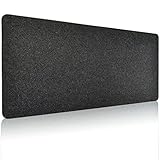
 KTRIO Oversized Gaming Mouse Pad Desk Mat for47.3l x 23.6w Inches47.3 x 23.6 x 0.12 inches2.3 PoundsCheck on Amazon


Top 3 picks at a glance
The Short Answer
For full desk coverage, most people need a desk mat between 40″ and 55″ wide (102–140 cm) and 16″ to 24″ deep (40–60 cm). If you want the mat to span the entire width of a standard 60-inch desk edge to edge, look for mats in the 55″ range — anything shorter will leave visible gaps on both sides.
The quickest way to decide: measure your desk’s width and depth, then subtract 0–2 inches from each. A mat that’s slightly smaller than the surface looks intentional and lets the desk edge show; a mat that exactly matches or exceeds the dimensions will curl, overhang, and catch on your sleeves. For most full-size desks (60″ x 30″), a 55″ x 24″ mat is the closest off-the-shelf fit.
As an Amazon Associate we earn from qualifying purchases at no extra cost to you.


Standard Sizes
Desk mats come in a handful of common size categories. Here is how they compare:
| Size Category | Dimensions (inches) | Dimensions (cm) | Best For | Typical Price Range |
|---|---|---|---|---|
| Standard extended | 31.5″ x 15.7″ | 80 x 40 cm | Compact keyboards and mouse on one pad | $10–$20 |
| Full keyboard and mouse | 40″ x 16″ | 101.6 x 40.6 cm | Tenkeyless boards, small desks, dorm setups | $18–$25 |
| Large / dual setup | 47.2″ x 23.6″ | 120 x 60 cm | Full-size keyboards, monitors up to 27″, mouse room | $28–$38 |
| Oversized / near-full coverage | 55″ x 24″ | 139.7 x 61 cm | 60″ desks, dual monitors, full surface coverage | $30–$45 |
| Extra oversized | 63″ x 32″ | 160 x 80 cm | Executive desks, L-shaped workstations (one leg) | $40–$60 |
A few real-world reference points: the KTRIO Oversized Gaming Mouse Pad (47.3″ x 23.6″, around $35) fits the “large” category and covers a 48-inch desk with almost no margin. The AFIING Large Desk Mat (55″ x 24″, around $35) is the go-to size for true full coverage on a standard 60″ x 30″ office desk. DAWNTREES offers both tiers in felt: a 47.2″ x 23.6″ mat at around $32 and a 40″ x 16″ full keyboard-and-mouse pad at around $19.
How to Measure Your Space
- Measure desk width. Run a tape measure along the front edge, from left edge to right edge. Note it in inches. Typical office desks are 47″, 55″, 60″, or 71″ wide.
- Measure desk depth. Measure front to back at the center. Standard depths are 24″ and 30″; shallow apartment desks run 20–22″.
- Account for fixed items. If your monitor stand, monitor arm clamp, or cable grommets sit near the back edge, subtract their footprint from usable depth. Most people can safely use 22″ of a 24″-deep desk once a monitor foot is placed.
- Subtract a margin. Take 1–2 inches off your width measurement. A 60″ desk pairs best with a 55–58″ mat, not a 60″ mat. Exact-match mats slide around and show wear along the edge.
- Check thickness clearance. Mats run 2–4 mm thick (cloth) or up to 1/8″ (PU leather and felt). This is negligible for typing but matters if your keyboard tray or slide-out shelf has minimal clearance.
- Consider chair arm clearance. For desks deeper than 28″, a 24″-deep mat leaves a strip of bare desk behind it — fine for monitors, but confirm your keyboard ends up on the mat, not the bare edge.
By Room or Use Case
Home Office Desks
The standard home office desk is 60″ x 30″. For full coverage here, the 55″ x 24″ size is the sweet spot — it leaves a 2.5″ margin on each side and covers everything except the strip under your monitor. PU leather options like the AFIING at around $35 work well because they wipe clean after coffee spills and don’t absorb odor. If your desk is a 47″ compact model, drop to the 47.2″ x 23.6″ size instead, which covers it nearly edge to edge.
Gaming Setups
Gamers benefit from extra mouse travel room, especially at low DPI (400–800), where a single swipe can travel 12″ or more. A 47.3″ x 23.6″ cloth mat like the KTRIO at around $35 places the entire keyboard and a wide mouse sweep zone on one low-friction surface. Cloth tops dominate gaming because they offer consistent glide; hard PU surfaces track faster but feel different. If you use a full-size keyboard plus a tenkeyless backup or a stream deck, stay at 47″ wide or larger.
Small Desks, Apartments, and Dorms
On desks under 43″ wide, an oversized mat will overhang the edges. The 40″ x 16″ size is the right call — the DAWNTREES felt version at around $19 covers a full keyboard plus mouse on a 40″ x 20″ writing desk without crowding. Felt is a good material pick here since it’s lightweight (typically under 1.5 lb), won’t damage wall-facing desk edges, and adds a warmer look in shared living space.
Dual-Monitor and Creator Workstations
Two 27″ monitors side by side span roughly 48″ of width including bezels and stand feet. For these setups, choose 55″ or wider so both monitor feet sit on the mat. If your desk is an L-shape, measure the longest straight run and buy for that span; most L-desk returns are 24″ deep, matching a 24″-deep mat well.
Executive and Standing Desks
Standing desks at 71″ x 30″ exceed most off-the-shelf mats. Your realistic options are a 63″ x 32″ extra-oversized mat (leaving 4″ margins) or two matched large mats. Height-adjustable frames add one consideration: route the mat’s position so it never crosses the crossbar area, and keep it at least 2″ clear of the rear frame rail so raising the desk doesn’t pinch the edge.
Common Sizing Mistakes
- Buying to exactly match desk width. A 60″ mat on a 60″ desk leaves zero margin, slides to one side, and the overhanging corner peels up. Go 2–5 inches shorter than the desk, not equal to it.
- Ignoring desk depth. A 47″ x 23.6″ mat on a 22″-deep desk hangs 1.6″ off the front edge, catches knees, and curls permanently.
- Forgetting the monitor footprint. Monitor stands commonly occupy 8–10″ of depth. If you want the stand on the mat, verify your depth budget before buying a 16″-deep mat.
- Confusing mouse pad width with usable width. Some stitched-edge mats lose 1/4″ per side to the hem; stitched mats also shouldn’t be trimmed, so order the finished size you need.
- Skipping the roll-up check. Mats shipped rolled arrive with edge memory. Measure only after letting the mat flatten under books for 24 hours, or your “fit” test will be wrong.
- Buying thin for large sizes. Very large mats under 2 mm thick tend to bunch. For mats above 47″ wide, prefer 3–4 mm thickness so the surface stays taut.
FAQ
What size desk mat covers a full 60-inch desk?
A 55″ x 24″ mat is the best standard fit. It covers the entire working surface, keeps about 2.5″ of visible desk on each side, and fits comfortably within a 30″-deep desk. The AFIING 55″ x 24″ PU leather mat at around $35 is a typical example in this size class.
Should a desk mat cover the whole desk?
It should cover the whole working area — keyboard, mouse, and ideally your monitor feet — but not necessarily the whole surface. Leaving 1–3 inches of bare desk at each side looks cleaner, prevents edge curl, and makes the mat easier to reposition for cleaning.
What size desk mat do I need for a keyboard and mouse?
For a tenkeyless keyboard plus mouse, 31.5″ x 15.7″ is the minimum comfortable size. For a full-size keyboard with a number pad, step up to 40″ x 16″ — the DAWNTREES felt mat at around $19 is sized for exactly this. If you game at low DPI, add 6–12 inches of width for mouse travel.
Is a 47-inch desk mat big enough?
For most people, yes. A 47.2″ x 23.6″ mat covers a full-size keyboard, a wide mouse area, and room for a notebook or tablet. It fully covers desks up to about 48″ wide and covers the working zone of a 60″ desk with visible margins on both sides. Choose 55″ only if you specifically want near-total surface coverage or run dual monitors.
Related guides
- Best Ultrawide Gaming Monitors: Six Screens Sized Against Real Desks: 6 Compared (2026)
- Best Game Room Neon Lights: Ten Signs and Icon Lamps Compared: 10 Compared (2026)
- 10 Best 75% Hot-Swappable Mechanical Keyboards (October 2026)
- Best Mini-LED Monitor: Five Listings From a Renewed KTC to a 5K LG, Compared by Pixels and Ports (2026)









