
A desk mat looks simple, but the wrong one can make a work surface feel cramped, slippery, hot, noisy, or oddly difficult to clean. The most common mistake is buying by color alone, then discovering the mat is too shallow for a keyboard and mouse, too wide for the desk’s usable space, or made from a material that curls at the edges after a few weeks.
Another frequent misstep is confusing a desk mat with an oversized mouse pad. Some mats are designed primarily to protect a desktop and create a smooth writing surface; others prioritize precise mouse tracking, wrist comfort, or a soft gaming-style feel. The best choice depends on how you actually use the desk—not just how it looks in a product photo.
As an Amazon Associate we earn from qualifying purchases at no extra cost to you.




As of 2026, practical desk mats are available at nearly every price point, from under-$10 PU leather protectors to $100-plus full-grain leather pads. Here is what actually matters before you buy.
Our Top Picks
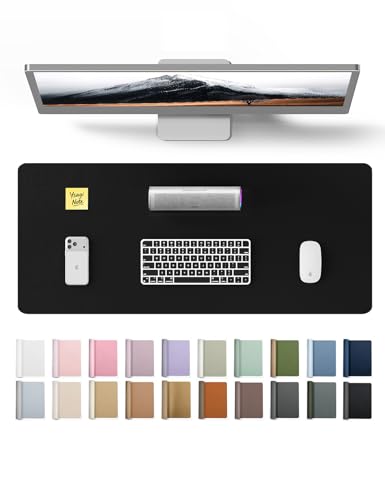

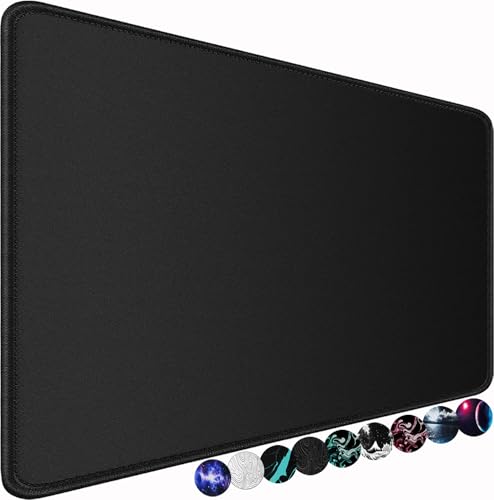

Top 3 picks at a glance
Decide These 3 Things First
- Measure the usable work zone, not the whole desk. Exclude monitor stands, desk lamps, docking stations, speakers, and the 2 to 4 inches of clearance you may want around the mat. A 48-inch-wide desk does not automatically need a 48-inch mat.
- Choose the primary job. Pick one priority: desktop protection, keyboard-and-mouse coverage, writing comfort, gaming performance, or visual polish. A plush felt mat can be excellent for a quiet office but less ideal for a fast-gliding mouse.
- Match the material to your habits. If you drink coffee at your desk, a wipe-clean PU or vinyl surface is more forgiving than felt. If you write frequently, a firmer leather-like or linoleum-style surface generally feels better than a thick fabric pad.
Size: Start With the Equipment Footprint
Desk mat dimensions should be driven by the objects that stay on top of it. For a compact setup with a laptop, small keyboard, and mouse, a mat around 23.6 by 13.7 inches is often enough. That is the size of common PU leather desk pads such as the YSAGi and Aothia examples, both priced around $9. These are useful for narrow desks, small home-office tables, and laptop stations, but they can feel shallow if you use a full-size keyboard with a numeric keypad.
For a standard keyboard-and-mouse setup, look at widths of 30 to 36 inches and depths of 12 to 16 inches. A 31.5-by-15.7-inch gaming-style desk mat gives a full-size keyboard room while leaving a generous mouse area. A 36-by-12-inch felt mat, such as the DAWNTREES style, works well when desk depth is limited but horizontal space is available.
Use these practical size ranges as a starting point:
- Small: 20 to 24 inches wide by 12 to 14 inches deep. Best for laptops, compact keyboards, and writing areas.
- Medium: 28 to 32 inches wide by 14 to 16 inches deep. Best all-purpose range for most single-monitor workstations.
- Large: 35 to 40 inches wide by 16 to 20 inches deep. Best for full-size keyboards, wide mouse movement, and dual-purpose work-and-play setups.
- Extra-large: 42 to 48 inches wide by 20 to 24 inches deep. Best for spacious desks, dual monitors, and a fully unified surface.
Depth is often more important than shoppers expect. A 12-inch-deep mat may fit a keyboard but leave little room to rest your wrists or move a mouse vertically. For a full-size keyboard and mouse, 15 to 18 inches deep is generally more comfortable. If you write on paper often, allow at least 6 to 8 inches of clear mat surface in front of the keyboard.
Material: Choose for Cleanup, Feel, and Longevity
PU leather, sometimes called vegan leather or faux leather, is the value leader. It is usually water-resistant, easy to wipe down, and available in many colors. Thin PU mats typically cost $8 to $25. They are a sensible option for a dining table used as a temporary office, a student desk, or any workspace where spills are likely. The tradeoff is that lower-cost versions may arrive rolled, retain a curl, or show peeling after extended use—especially around the edges.
Genuine leather offers a warmer, more refined finish and can last for years with basic care. Expect prices from roughly $45 to $200 or more, depending on hide quality, thickness, and size. Look for a thickness of about 2 to 4 mm for a substantial feel. Leather develops a patina, but it can stain from ink, oil, and dark beverages, so it is not the easiest choice for messy desks.
Felt is soft, quiet, and particularly good at making a hard desk feel less stark. A 3 mm felt mat is fine for light protection; 4 to 5 mm offers more cushioning and helps dampen keyboard noise. Felt usually costs $12 to $40. However, it absorbs liquid rather than repelling it, can collect dust, and may not provide consistent tracking for every mouse sensor. It is best for laptop work, light writing, and quiet home offices.
Cloth gaming mats have a fabric top bonded to a rubber base. Prices commonly run $10 to $50, with premium stitched-edge versions reaching higher. They provide dependable mouse control and a comfortable surface for long sessions. Their weaknesses are cleanup and bulk: a thick 3 to 5 mm pad takes longer to dry after washing and may feel too soft for handwriting.
Cork, linoleum, and rigid desk blotters occupy a smaller niche. Cork offers a natural look but can crumble or stain. Linoleum is durable and pleasant to write on, while rigid blotters keep a crisp, flat edge. These materials are often better for dedicated writing desks than for high-speed mouse use.
Construction: Thin Is Not Always Better
Construction determines whether a mat stays put, lies flat, and survives daily use. For PU leather mats, a thickness of 1.5 to 2 mm is typical. That is thin enough to blend into the desktop but thick enough to avoid feeling flimsy. Double-sided mats can be useful if both surfaces are usable, but verify that the underside is actually nonslip rather than simply a second decorative color.
For fabric mats, inspect the edge finish. A stitched edge reduces fraying and is especially worthwhile on mats wider than 30 inches. The stitching should sit close to the edge and feel low enough that it does not rub against your forearm. A rubber or natural-rubber backing should cover the full underside, not just appear as a few small grip dots.
Flat shipping is ideal for leather, PU, and rigid mats. If a mat arrives rolled, lay it flat with the curled side facing down and place a few books around the perimeter for 24 to 72 hours. Avoid using a hair dryer or placing it in direct sun; excessive heat can distort PU coatings and rubber bases.
Comfort and Performance: Consider Your Daily Tasks
If you spend hours typing, your forearms will contact the mat more than you may realize. A soft fabric or felt surface is gentler against bare skin, while PU leather tends to feel cooler and smoother. In warm rooms, however, some synthetic leather finishes can feel tacky against damp skin.
For handwriting, aim for a firm surface. Very soft mats can make pen strokes feel uneven and can leave impressions under heavy pressure. A thin PU leather mat, a 2 to 4 mm leather pad, or a rigid blotter generally works better than a 5 mm plush gaming mat.
Mouse performance depends on both the mat and the mouse sensor. Cloth surfaces typically favor controlled movement; smoother PU leather may feel faster but can be inconsistent with certain older or lower-quality optical mice. If you edit photos, play fast-paced games, or work in CAD, choose a purpose-built cloth or hybrid mouse surface at least 15 inches deep. If your work is primarily email, documents, and video calls, a desk-protection mat is usually sufficient.
Price Tiers: Spend Where It Changes the Experience
Budget: $8 to $20. This includes basic PU leather mats, entry-level cloth pads, and thinner felt options. At this level, expect straightforward designs, rolled packaging, and limited long-term edge durability. A around $8 23.6-by-13.8-inch PU mat can still be a smart purchase when the goal is simple spill protection and a cleaner-looking desk.
Mid-range: $20 to $60. This is the strongest value range for most buyers. You can find larger dimensions, thicker felt, stitched cloth edges, better nonslip backings, and more consistent finishing. Look for a mat that solves a specific problem: a 36-inch-wide felt pad for noise reduction, or a large stitched cloth mat for keyboard-and-mouse coverage.
Premium: $60 to $200+. This tier is largely about material quality and finish. Full-grain or top-grain leather, dense wool felt, custom sizing, hand-finished edges, and rigid construction belong here. Buy premium when the desk is a permanent focal point and you value aging gracefully over replacing a $10 mat every year or two.
Warranty, Returns, and Delivery
Desk mats do not need complicated assembly, but delivery condition matters. Before ordering, confirm whether the mat ships flat or rolled and check the return window. A reasonable return period is 30 days; premium leather makers may offer 1-year coverage for workmanship, though normal scratches, stains, and wear are usually excluded.
For a large mat measuring 36 by 18 inches or more, confirm the package dimensions if you live in an apartment building or use a parcel locker. Most mats weigh only 1 to 4 pounds, but rigid desk blotters and thick leather versions can weigh 5 pounds or more. There should be no assembly beyond unrolling, flattening, and wiping the desktop before placement.
Spec Checklist
| Spec | Budget | Mid | Premium |
|---|---|---|---|
| Typical price | $8–$20 | $20–$60 | $60–$200+ |
| Common materials | PU leather, thin cloth, polyester felt | Stitched cloth, thicker felt, better PU, cork | Full-grain leather, wool felt, rigid blotter |
| Useful size range | 23.6 x 13.7 to 31.5 x 15.7 in. | 30 x 16 to 40 x 20 in. | Custom sizes; often 36 x 20 to 48 x 24 in. |
| Typical thickness | 1–3 mm | 2–5 mm | 2–4 mm leather or 4–6 mm dense felt |
| Best for | Basic protection and small desks | Daily workstations and gaming setups | Long-term office furniture and design-focused spaces |
| Expected features | Simple wipe-clean surface or basic rubber backing | Stitched edges, better grip, larger formats | Premium materials, refined edges, stronger warranty |
Red Flags
- Only overall dimensions are listed. Look for thickness and material details too. “Leather” without clarification may mean PU leather.
- No mention of backing. A mat that slides each time you move the mouse becomes irritating quickly.
- Product photos hide the edges. This can make it difficult to judge whether the mat is stitched, raw-cut, curled, or unusually thin.
- Claims of being waterproof and machine-washable. Those claims can conflict depending on the material. PU is usually wipe-clean, while cloth mats may be washable but need air-drying.
- A very low price for “genuine leather” at a large size. Read the material description closely and expect bonded leather, split leather, or a synthetic alternative unless details are clear.
- An oversized mat with no desk-depth check. A 20-inch-deep mat can interfere with drawers or leave too little forearm clearance on a shallow desk.
FAQ
What size desk mat should I get for a full-size keyboard and mouse?
Start with at least 31.5 by 15.7 inches. If you use a low-sensitivity mouse setting, prefer 36 by 16 inches or larger. Measure from the back edge of your keyboard to the front edge of the desk to make sure the mat will not crowd your wrists.
Is PU leather or felt better for a desk mat?
Choose PU leather for spill resistance, easy cleaning, and a firmer writing surface. Choose felt for softness, noise reduction, and a warmer appearance. For desks used for meals, crafts, or frequent coffee breaks, PU leather is usually the safer choice.
Will a desk mat damage a wood desk?
A quality mat should protect a wood desk, but moisture trapped underneath can be a problem. Keep both the desktop and mat dry, especially with natural leather, rubber-backed fabric, or felt. Lift the mat occasionally to clean underneath it and allow the surface to air out.
Can I use a desk mat as a mouse pad?
Often, yes. Smooth PU leather and cloth mats work with many modern optical mice. If precise tracking is important, choose a cloth or hybrid mat made specifically for mouse use. Felt and heavily textured natural materials may be less consistent, particularly for fast movements.
Related guides
- Best Ultrawide Gaming Monitors: Six Screens Sized Against Real Desks: 6 Compared (2026)
- Best Game Room Neon Lights: Ten Signs and Icon Lamps Compared: 10 Compared (2026)
- 10 Best 75% Hot-Swappable Mechanical Keyboards (October 2026)
- Best Mini-LED Monitor: Five Listings From a Renewed KTC to a 5K LG, Compared by Pixels and Ports (2026)









