Your hand spends more hours on your mouse than on any other piece of gear at your desk, yet most players never think about how they hold it until something goes wrong. Aim starts feeling inconsistent, the wrist aches after a long session, or clicks land a fraction late. The grip you use shapes all of that. It decides how much of your hand contacts the shell, which muscles do the work, and how quickly your fingers can fire. Getting it right is less about copying a famous player and more about matching a hold to your hand and the games you play.
This guide is for shooter players chasing steadier aim, strategy players who click thousands of times a session, and anyone who games for hours and wants their hand to feel fresh late into the night. It breaks down the three main grips, explains how to find the one that fits your hand, and shows how sensitivity, mouse shape and game genre should shape the choice.
As an Amazon Associate we earn from qualifying purchases.
How to Choose
Start With Your Hand Size
Hand size is the first filter for any grip, because one hold rarely suits every hand. Measure from the base of your palm to the tip of your middle finger. Hands under about 17 centimetres long usually find a full palm grip hard to maintain, since the fingers must stretch to reach the buttons, while hands over 19 centimetres often find small, low shells leave the palm hanging. Long fingers favour a claw or fingertip hold because they can arch and reach without strain, whereas shorter fingers tend to sit more naturally flat. Try each grip for a few minutes and notice which one lets your fingers rest on the buttons without stretching or curling hard.
Match the Grip to Your Game Genre
Different games reward different kinds of hand movement, so the genre you play most should steer the grip you practise. Tactical shooters with long tracking duels favour a palm or relaxed claw grip, because the full hand contact keeps the mouse steady while you follow a moving target. Fast arena shooters and flick-heavy aim trainers reward a claw or fingertip hold, since the fingers alone can snap the mouse to a new target with little arm movement. MOBA and strategy games, where you click constantly but rarely need pixel-perfect flicks, suit a comfortable palm grip for thousands of small movements. MMO players who lean on side buttons often prefer a claw grip that keeps the thumb free and mobile.
Let the Mouse Shape Guide You
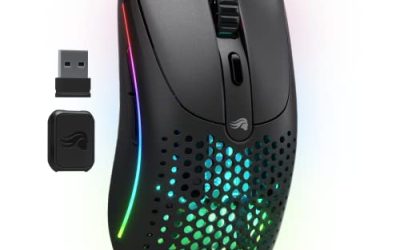
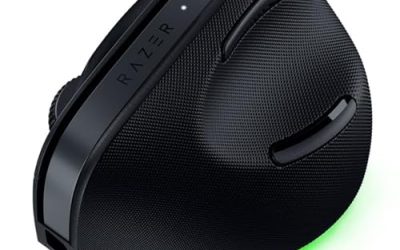
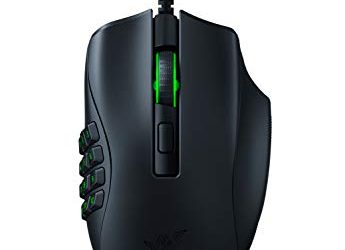
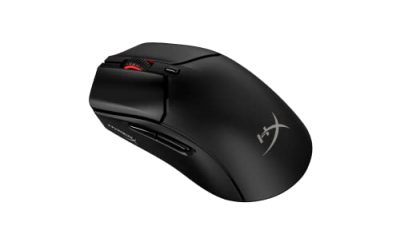
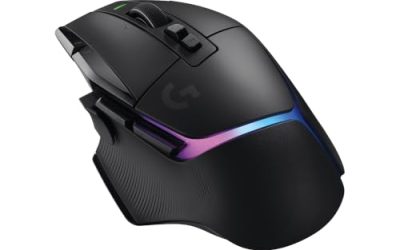
Your mouse shell is either working with your grip or fighting it, and no amount of practice fixes a bad pairing. Tall mice with a high rear hump support a palm grip by supporting the whole hand, while low, flat shells suit a fingertip hold. A wide body gives the thumb and outer fingers room to sit without dragging on the pad, whereas a narrow body lets claw and fingertip players pinch the sides for control. Weight plays a part too: a heavier mouse suits the planted stability of a palm grip, while a lighter one lets fingertip players lift and reposition. If your current mouse forces your hand into one shape, the grip is not the problem.
Pair the Grip With Your Sensitivity
Sensitivity and grip work as a pair, and changing one without the other is why many players feel worse. A low sensitivity asks the arm to do the moving, which pairs naturally with a palm grip, because the whole hand stays planted through long, smooth sweeps. A high sensitivity puts the wrist and fingers in charge, which suits a claw or fingertip hold, since the fingers can make the small, quick corrections. If your aim feels floaty and hard to stop on target, your sensitivity may be too high for a palm grip; if flicks feel sluggish and heavy, it may be too low for a fingertip hold. Adjust in small steps and give each change a few days.
Which One Fits Your Situation
You Play Long Sessions and Want Comfort
A relaxed palm grip is the easiest hold to sustain across a three or four hour session. Let the whole hand rest on the shell, keep the fingers loose on the buttons, and move mostly from the forearm. Pair it with a low to moderate sensitivity so small hand movements do not send the cursor flying, and take a short break every hour to stretch. Comfort comes from a grip you can forget about, not one you have to maintain.
You Play Competitive Shooters and Need Fast Flicks
A claw grip is the usual pick for players who live on flick shots. Arch the fingers so only the fingertips and the base of the palm touch the shell, which leaves the fingers free to snap the mouse sideways. Keep the sensitivity high enough that a short wrist movement covers a wide angle, and anchor the forearm on the desk. Expect the first week to feel strange; speed arrives once the finger muscles learn the new motion.
Your Hands Are Small or Your Mouse Feels Too Big
A fingertip grip solves the problem small-handed players face when a shell swallows the hand. Lift the palm clear of the mouse entirely and steer with the fingertips, thumb and outer fingers pinching the sides. Choose a small, light shell with a low profile, because a tall body will keep pushing the palm upward. Short, quick movements from the fingers replace the broad arm sweeps a larger hand would use, and precision follows once the grip fits.
You Switch Between Games and Everyday Work
A hybrid grip, usually palm with a light claw arch, is the practical choice when one mouse has to do everything. It gives enough palm contact to stay comfortable through long work sessions, while the slightly raised fingers keep clicks quick. Keep one sensitivity setting for both uses, since muscle memory builds faster with one setting. The goal is a hold that works well everywhere instead of a specialised grip that only suits one game.
Common Mistakes
- Squeezing the mouse hard during tense moments, which tires the hand fast and makes aim shaky; hold it only firmly enough to lift and steer it.
- Resting the wrist on the sharp edge of the desk and bending it upward, which strains the tendons; keep the wrist straight and let the forearm carry the weight.
- Copying a professional player’s grip without matching their hand size and mouse shape, which usually creates discomfort instead of better aim.
- Switching grips every few days and never giving one hold enough time to settle; a new grip needs at least a week of regular play before you can judge it fairly.
- Playing through tingling, numbness or aching in the hand or wrist instead of stopping; persistent discomfort is a sign to rest and, if it keeps returning, to speak with a clinician.
Frequently Asked Questions
Which grip is best for FPS games?
No single grip wins for every shooter player, because the right choice depends on hand size, mouse shape and sensitivity. Claw and fingertip grips are the most common among competitive FPS players since they allow fast flicks, while palm grip suits players who prioritise steady tracking. Try each grip for a week in your main game and keep the one that gives the most consistent aim.
Can I change my grip style?
Yes, and most players who switch do so gradually. Pick the new grip, use it for one to two weeks, and expect your aim to dip while the muscles adapt. Keep your sensitivity the same during the change so you only relearn one thing at a time. If the hold feels forced after two weeks, it probably does not suit your hand, and returning to your old grip makes sense.
Does grip style cause wrist pain?
Grip style alone rarely causes wrist pain; the usual culprits are a tense hold, a bent wrist, a desk setup at an awkward angle, and long sessions without breaks. A relaxed grip with a straight wrist and regular pauses does more for comfort than any particular finger position. If pain, tingling or numbness keeps coming back despite those changes, stop playing through it and speak with a clinician.
Should my palm touch the mouse at all?
That depends entirely on the grip you choose, and each answer suits different players. In a palm grip the whole hand rests on the shell, in a claw grip only the base of the palm touches, and in a fingertip grip the palm floats clear. What matters is that the contact feels natural for your hand size and does not force the wrist into a bend.
Related guides
More from Amazon
Programs that pair well with the guide above. Offers and eligibility are set by Amazon and may change.
Free shipping on eligible items, Prime Video and more. Eligible new members can start with a free trial.
Start a Prime free trialAd-free music streaming. Eligible new subscribers can start with a free trial.
Try Music Unlimited freeA Prime membership for ages 18-24 with a trial period. Eligibility is set by Amazon.
See Prime for Young AdultsAudiobooks and podcasts to listen to on the go. Eligible new members can start with a free trial.
Try Audible freeAs an Amazon Associate we earn from qualifying purchases.