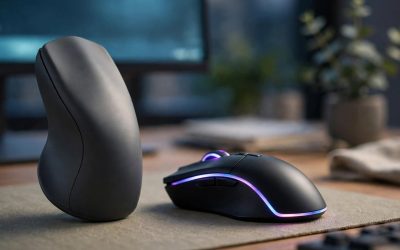
A gaming keyboard and an office keyboard may look similar on a desk, but they are built around opposite priorities. Gaming boards chase speed: fast switches, adjustable actuation, rapid trigger features, macro keys and per-key RGB lighting controlled through gaming software. Office keyboards chase endurance and quiet: low-profile keys, soft and silent typing, multi-device wireless switching, long battery life and ergonomics designed for eight hours of continuous typing.
The right choice depends on how your desk time splits between play and work. Competitive players benefit from hardware that registers and resets keys as fast as possible, while writers, programmers and anyone sharing a room with other people usually care more about noise, comfort and battery life. This guide compares the two categories across switches, layout, connectivity and software, then recommends five real keyboards — three gaming models and two office models — so you can match a board to the way you actually use your desk.
As an Amazon Associate, we earn from qualifying purchases.
Our Top Picks
 Razer BlackWidow V4 X Mechanical Gaming Keyboard20.5 x 8 x 2 Inch18.36 x 6.01 x 1.71 inches2.51 poundsCheck on Amazon


Table of Contents
- The Short Answer
- Key Differences at a Glance
- Switches and Actuation
- Layout, Noise and Keycaps
- Connectivity and Software
- The 5 Keyboards Compared
- How to Choose Between Them
- FAQ
- Conclusion
The Short Answer
Choose a gaming keyboard if you play fast-paced PC games and want mechanical or magnetic switches, adjustable actuation, rapid trigger, macro keys and deep lighting customization. Choose an office keyboard if most of your day is typing, calls and documents, and you value quiet keys, wireless multi-device switching and a battery that lasts days or months between charges. If your desk does double duty, a tenkeyless gaming board with silent linear switches or a backlit office board with low latency wireless can cover both roles, and the five picks below include options for each scenario.
Key Differences at a Glance
| Factor | Gaming Keyboard | Office Keyboard |
|---|---|---|
| Switch focus | Speed, adjustable actuation, rapid trigger | Quiet, soft, consistent key feel |
| Typical switches | Mechanical, optical or magnetic (Hall effect) | Scissor-switch membrane, low profile |
| Layouts | Full-size, tenkeyless, 75 percent and 60 percent | Mostly full-size with number pad |
| Connectivity | Wired or low-latency 2.4 GHz wireless | Bluetooth and USB receiver, multi-device |
| Battery priority | Secondary; RGB drains charge quickly | Central; days to months per charge |
| Extra keys | Dedicated macros, media rollers, dials | Device-switch keys, dictation and call keys |
| Lighting | Per-key RGB with effects | White backlight, often proximity-activated |
| Software | Game profiles, macros, actuation tuning | Workflow shortcuts, cross-computer control |
| Noise | Moderate to loud, depending on switch | Low; designed for shared spaces |
Switches and Actuation
The biggest gap between the two categories is what happens under each keycap. Gaming keyboards use mechanical, optical or magnetic switches with a defined actuation point, and premium models let you adjust that point per key. Magnetic Hall effect boards go further with rapid trigger, which resets a key the moment you release pressure instead of at a fixed point — a real advantage in shooters and rhythm games where repeated strafing and counter-movement matter. Gaming switches are also rated for tens of millions of keystrokes and are often hot-swappable, so a worn switch can be replaced instead of the whole board.
Office keyboards mostly use scissor-switch mechanisms under low-profile keys. Travel is short, the feel is soft and consistent, and there is no actuation tuning — but the keys are far quieter, the board sits nearly flat on the desk, and the typing action stays comfortable across long documents. Neither approach is objectively better; they optimize for different definitions of a good keystroke.
Layout, Noise and Keycaps
Gaming lineups cover every size from full-size boards with macro columns down to 60 percent boards that free up mouse space. Tenkeyless is the most popular gaming layout because it keeps the function row and arrow keys while moving the mouse hand closer. Office keyboards stay close to full-size, because number pads matter for spreadsheets, data entry and accounting shortcuts, and because a familiar layout needs no adjustment period.
Noise follows the switches. Clicky and tactile mechanical switches are clearly audible across a room, while linear switches with dampening are much tamer. Office boards are engineered for open-plan rooms and video calls, with stabilized keys that reduce rattle. Keycaps differ too: gaming boards favor durable double-shot PBT or ABS caps with shine-through legends for RGB, while office boards use printed or laser-etched legends under a clean white backlight.
Connectivity and Software
Gaming keyboards default to a wired connection or a dedicated low-latency wireless dongle, because input delay matters in play and because RGB lighting drains batteries quickly. Office keyboards default to Bluetooth plus a USB receiver, with one-touch switching between two or three paired devices — a work laptop, a personal PC and a tablet, for example.
Software philosophy differs just as much. Gaming suites such as Razer Synapse, SteelSeries GG and HyperX NGENUITY manage macros, per-game profiles, lighting and actuation settings. Office software such as Logi Options+ manages workflow instead: custom shortcut actions, app-specific key assignments and features like Flow, which moves the cursor and files between computers. Both ecosystems are powerful, but they automate different parts of your day.
The 5 Keyboards Compared
1. SteelSeries Apex Pro TKL Gen 3 — Premium Gaming Pick
The Apex Pro TKL Gen 3 is the clearest expression of the gaming side of this comparison. Its OmniPoint 3.0 HyperMagnetic switches let you set a different actuation point for every key, so movement keys can fire almost instantly while less critical keys stay deliberate. Rapid Trigger resets keys dynamically as you release them, Rapid Tap handles SOCD-style priority between opposing movement keys, and Protection Mode reduces accidental presses on neighboring keys. An OLED Smart Display handles quick adjustments and notifications, and the tenkeyless frame leaves generous room for wide mouse sweeps.
Specs
- Layout: Tenkeyless (TKL)
- Switches: OmniPoint 3.0 HyperMagnetic (Hall effect), adjustable actuation
- Gaming features: Rapid Trigger, Rapid Tap, Protection Mode
- Display: OLED Smart Display
- Keycaps: Double-shot PBT
- Lighting: Per-key RGB
- Connectivity: Wired USB-C
- Tier: Premium
2. Razer BlackWidow V4 X (Yellow Switches) — Mid-Range Gaming Pick
The BlackWidow V4 X keeps the classic full-size gaming layout and adds a column of six dedicated macro keys on the left edge, a multi-function roller and media keys along the top. The Razer Yellow mechanical switches are linear and silent, which makes this one of the quieter full-size gaming boards — a useful trait if your gaming desk is also your work desk. Doubleshot ABS keycaps keep the Chroma RGB legends crisp, and Snap Tap support covers counter-strafing in compatible play.
Specs
- Layout: Full-size, 104 keys plus 6 dedicated macro keys
- Switches: Razer Yellow mechanical, linear and silent
- Keycaps: Doubleshot ABS
- Lighting: Razer Chroma RGB
- Extras: Multi-function roller, media keys, Snap Tap mode
- Connectivity: Wired
- Model number: RZ03-04701900-R3U1
- Tier: Mid-range
3. HyperX Alloy Origins (HyperX Red) — Budget Gaming Pick
The Alloy Origins strips the gaming formula back to the essentials and puts the money into build quality. The full aircraft-grade aluminum body feels rigid in a way plastic boards do not, and the HyperX Red linear switches are rated for 80 million keypresses with a short, light actuation suited to fast play. A detachable braided USB-C cable and three keyboard tilt angles (3, 7 and 11 degrees) make it easy to pack and comfortable to angle, while NGENUITY software handles lighting, Game Mode and macros, with onboard memory for up to three profiles.
Specs
- Layout: Full-size, 104 keys
- Switches: HyperX Red mechanical, linear, rated for 80 million keypresses
- Body: Aircraft-grade aluminum
- Keycaps: ABS with exposed-LED switch design for brighter RGB
- Connectivity: Wired, detachable braided USB-C cable
- Extras: Three tilt angles, Game Mode, full anti-ghosting and N-key rollover
- Weight: 1,075 g
- Model number: HX-KB6RDX-US
- Tier: Budget
4. Logitech MX Keys S (Graphite) — Premium Office Pick
The MX Keys S is the benchmark office keyboard in this comparison. Its low-profile scissor keys are spherically dished to match fingertip shape, keeping long typing sessions accurate and quiet. Smart backlighting wakes as your hands approach and adjusts to room light, and the board pairs with three devices over Bluetooth or the included Logi Bolt receiver, switching between them with a single key. Logi Options+ adds Smart Actions that automate multi-step tasks into one keystroke, and Flow lets the keyboard and a compatible mouse move between computers. The internal battery recharges over USB-C and runs up to 10 days with backlighting on.
Specs
- Layout: Full-size, low profile, 104 keys
- Switches: Low-profile scissor, spherically-dished keys
- Backlighting: White, proximity-activated with auto brightness
- Connectivity: Bluetooth Low Energy and Logi Bolt USB receiver, 3-device switching
- Battery: USB-C rechargeable, up to 10 days with backlighting on
- Software: Logi Options+ with Smart Actions and Flow
- Dimensions: 430.2 x 131.63 x 20.5 mm
- Weight: 810 g
- Model number: 920-011558
- Tier: Premium
5. Logitech Ergo K860 — Mid-Range Ergonomic Office Pick
The Ergo K860 answers the comfort question directly. Its curved, split keyframe angles each half of the keyboard so your wrists stay in a more natural position, and the integrated cushioned wrist rest supports your palms across the full width of the board. It keeps a full-size layout with a number pad, connects over Bluetooth or the included Unifying USB receiver with multi-device support, and runs on two AAA batteries, so there is no charging cable in the routine at all. Adjustable tilt legs let you set the typing angle that suits your posture and desk height.
Specs
- Layout: Full-size split ergonomic, curved keyframe, number pad included
- Wrist rest: Integrated cushioned palm rest
- Switches: Low-profile scissor
- Connectivity: Bluetooth and Logitech Unifying USB receiver, multi-device
- Battery: 2 AAA batteries
- Extras: Adjustable tilt legs, stain-resistant fabric wrist rest surface
- Compatibility: Windows and macOS
- Model number: 920-009166
- Tier: Mid-range
How to Choose Between Them
Start with your hours. If most of your desk time is gaming — especially competitive titles — a gaming keyboard’s switches, actuation control and macro support will matter every session, and the SteelSeries Apex Pro TKL Gen 3 or Razer BlackWidow V4 X fits that role. If most of your time is typing, the quiet keys, battery life and device switching of the Logitech MX Keys S will pay off daily, and the Ergo K860 adds genuine ergonomic structure for anyone whose wrists complain by mid-afternoon.
Then check your environment. Shared rooms, open-plan offices and late-night households push toward quiet linear gaming switches or an office board outright. A solo desk with a door you can close removes that constraint. Finally, count your devices: multi-device Bluetooth switching is an office-category strength, while wired and dongle connections with gaming software profiles remain the gaming category’s home ground. The HyperX Alloy Origins is the natural middle pick — a real mechanical gaming board with a clean, professional look that will not embarrass itself in a work call.
FAQ
Can you game on an office keyboard?
Yes, for most genres. Strategy games, RPGs, simulation titles and casual play work fine on an office board like the MX Keys S. The limits show up in fast competitive games, where Bluetooth latency, the absence of rapid trigger and fixed actuation make a dedicated gaming keyboard noticeably more responsive.
Can you type all day on a gaming keyboard?
You can, and many people do. Choose linear or silent switches if the board shares space with other people, and consider a wrist rest for taller mechanical boards. The main trade-offs are noise, a higher typing position and, on wireless models, shorter battery life than office keyboards offer.
Are gaming keyboards always louder than office keyboards?
No. Switch type matters more than category. A gaming board with silent linear switches, like the BlackWidow V4 X with Razer Yellow switches, can be quieter than a cheap office keyboard with rattly keys. Clicky mechanical switches are the loud option in either category, and office scissor switches remain the quietest overall.
Which type is better for a desk shared between work and gaming?
Pick based on which activity suffers more from compromise. Gamers who also work usually do best with a tenkeyless gaming board and silent or linear switches. Writers and analysts who also game usually do best with a premium office board for the workday and accept its limits in play. Either way, one good keyboard beats two mediocre ones.
Conclusion
Gaming keyboards and office keyboards are both excellent at the job they were designed for, and the differences are concrete: adjustable magnetic or mechanical switches, rapid trigger and macro keys on one side; quiet low-profile typing, multi-device wireless and long battery life on the other. For pure gaming performance, the SteelSeries Apex Pro TKL Gen 3 leads this list. For a full-size gaming board that stays civilized during the workday, choose the Razer BlackWidow V4 X, and for gaming value in a metal frame, the HyperX Alloy Origins. For office work, the Logitech MX Keys S is the refined default, while the Logitech Ergo K860 is the pick when wrist comfort is the deciding factor. Match the board to the hours you actually spend at your desk, and either category will serve you well.
Related guides
More from Amazon
Programs that pair well with the guide above. Offers and eligibility are set by Amazon and may change.
Free shipping on eligible items, Prime Video and more. Eligible new members can start with a free trial.
Start a Prime free trialAd-free music streaming. Eligible new subscribers can start with a free trial.
Try Music Unlimited freeA Prime membership for ages 18-24 with a trial period. Eligibility is set by Amazon.
See Prime for Young AdultsAudiobooks and podcasts to listen to on the go. Eligible new members can start with a free trial.
Try Audible freeAs an Amazon Associate we earn from qualifying purchases.