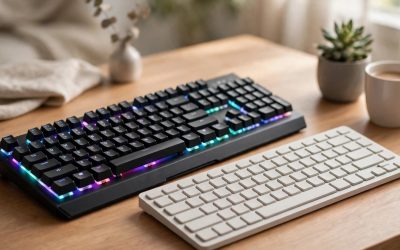
If your wrist aches after long desk sessions, an ergonomic mouse is the better buy; if you play fast-paced games and care about reaction time, a gaming mouse wins. Ergonomic mice reshape your hand position to reduce strain, while gaming mice chase low weight, fast sensors and high polling rates. Many desk setups actually need a bit of both thinking, so this guide compares the two categories head to head, explains where each design compromises, and finishes with five real products split across both sides.
As an Amazon Associate, we earn from qualifying purchases.
Our Top Picks
 Logitech MX Vertical Wireless Mouse Ergonomic Design1 Pack4.7 x 3.11 x 3.09 inches0.5 poundsCheck on Amazon
 Logitech G Pro X Superlight 2 Lightspeed WirelessClassic1.57 x 2.5 x 4.92 inches0.1 poundsCheck on Amazon


Table of Contents
- Quick Verdict
- What Makes a Mouse Ergonomic?
- What Makes a Mouse a Gaming Mouse?
- Side-by-Side Differences
- The Ergonomic Picks
- The Gaming Picks
- Who Should Choose an Ergonomic Mouse
- Who Should Choose a Gaming Mouse
- FAQ
- Conclusion
- Product and ASIN Reference
Quick Verdict
Choose an ergonomic mouse if you work eight or more hours a day at a desk, already feel wrist or forearm discomfort, or mostly browse, write and edit documents. Choose a gaming mouse if you play shooters, MOBAs or other reaction-based titles, use a claw or fingertip grip, or want the lightest possible shell with the fastest wireless link. Neither category is strictly better; they simply optimize for different problems, comfort over long hours on one side and raw pointing performance on the other.
What Makes a Mouse Ergonomic?
An ergonomic mouse is shaped around the hand instead of asking the hand to flatten itself over a symmetrical shell. The most common design is the vertical mouse, which rotates the hand into a handshake position. Logitech rates its vertical models at a 57-degree angle, a posture intended to reduce wrist pressure and forearm rotation compared with a standard flat mouse. Other ergonomic designs stay horizontal but add a tall sculpted hump, a deep thumb rest and a tilted scroll wheel so the palm is supported rather than hovering.
Because the goal is all-day comfort, ergonomic mice tend to be heavier, use moderate sensors in the 4,000 to 8,000 DPI range, and report at standard polling rates. Battery life is usually measured in months rather than hours, and productivity features such as multi-device pairing, silent clicks and fast scroll wheels matter more than click latency. The trade-off is precision at speed: a tall vertical shell is harder to flick quickly, and the relaxed grip that protects your wrist is not the grip competitive players use to snap between targets.
What Makes a Mouse a Gaming Mouse?
A gaming mouse is built around three numbers: weight, sensor speed and polling rate. Current esports models weigh between roughly 54 and 65 grams, use optical sensors rated at 35,000 DPI or higher, and poll at up to 8,000 Hz over a dedicated 2.4 GHz wireless dongle, which means the mouse reports its position far more often than a standard office mouse. Switches are usually optical, rated for tens of millions of clicks, and engineered to register with minimal delay.
The shells are low, flat and symmetrical or lightly contoured, shaped for claw and fingertip grips that favor fast, small movements. Battery life drops sharply at the highest polling rates, so gaming mice are charged weekly or even daily during heavy use, and their software focuses on DPI stages, lift-off distance and button macros for games rather than document workflows. Comfort is present, but it is comfort for a two-hour ranked session, not for an eight-hour spreadsheet shift, and players with existing wrist pain often find flat ultralight shells aggravate it.
Side-by-Side Differences
| Feature | Ergonomic Mouse | Gaming Mouse |
|---|---|---|
| Shape | Vertical or tall sculpted shell, handshake grip | Low, flat shell for claw or fingertip grip |
| Typical weight | Around 125 to 141 g | Around 54 to 65 g |
| Sensor range | 4,000 to 8,000 DPI | 32,000 to 44,000 DPI |
| Polling rate | Standard 125 to 1,000 Hz | Up to 8,000 Hz on flagship models |
| Battery life | Weeks to months per charge or battery | Roughly 70 to 95 hours, less at high polling |
| Scroll wheel | Fast or free-spin wheels for documents | Notched wheel tuned for weapon switching |
| Best software fit | Multi-device flow, app-specific shortcuts | DPI stages, macros, lift-off settings |
| Main risk | Slower for fast aiming, adjustment period | Can aggravate wrist strain in long workdays |
The Ergonomic Picks
Logitech MX Vertical
The MX Vertical is the reference point for vertical mice. Its 57-degree shell keeps the hand in a handshake position, and Logitech positions it for medium to large right hands. The 4,000 DPI sensor includes a cursor speed switch on top, so you can drop sensitivity for detailed work without opening software. It pairs over Bluetooth or the included USB receiver, connects to up to three computers, and recharges over USB-C with up to four months of use per charge.
Specs
- Shape: Vertical, 57-degree angle, right-handed
- Sensor: Optical, up to 4,000 DPI with cursor speed switch
- Connectivity: Bluetooth or USB receiver, up to 3 devices
- Battery: Rechargeable via USB-C, up to 4 months per charge
- Buttons: 6 total, 4 customizable
- Weight: 125 g
- Tier: Premium
Logitech Lift Vertical Ergonomic Mouse
The Lift takes the same 57-degree idea and shrinks it for small to medium hands, which makes it the easier recommendation for anyone who found the MX Vertical bulky. It uses quiet clicks, a textured grip and a snug thumb rest, and it runs for up to 24 months on a single AA battery, so charging cables disappear from the desk entirely. It connects by Bluetooth or a Logi Bolt USB receiver and suits office work, browsing and light creative tasks far better than fast-paced gaming.
Specs
- Shape: Vertical, 57-degree angle, right-handed (left version also sold)
- Sensor: Optical, up to 4,000 DPI, fully adjustable
- Connectivity: Bluetooth or Logi Bolt USB receiver
- Battery: 1 AA battery, up to 24 months
- Buttons: 6 total, 4 customizable, quiet clicks
- Weight: 125 g
- Tier: Mid-range
Logitech MX Master 3S
The MX Master 3S is the ergonomic pick for people who do not want a vertical mouse. Its sculpted horizontal shell, deep thumb rest and thumb wheel support a relaxed palm grip, while the 8,000 DPI Darkfield sensor tracks on almost any surface, including glass. The MagSpeed scroll wheel is the standout productivity feature, switching between precise notches and free-spin scrolling for long documents. It is heavy at 141 g and its polling rate is standard, so it is a work mouse first, but for mixed desk setups it is the most versatile ergonomic option here.
Specs
- Shape: Sculpted horizontal ergonomic shell, right-handed
- Sensor: Darkfield optical, up to 8,000 DPI, tracks on glass
- Connectivity: Bluetooth or Logi Bolt USB receiver, up to 3 devices
- Battery: Rechargeable via USB-C, up to 70 days per charge
- Buttons: 7, plus thumb wheel and gesture button, quiet clicks
- Weight: 141 g
- Tier: Premium
The Gaming Picks
Logitech G Pro X Superlight 2
The Superlight 2 is the default esports recommendation for a reason. At 60 g it is light enough for fast flicks without feeling hollow, and the HERO 2 sensor tracks at up to 44,000 DPI with sub-micron precision. LIGHTSPEED wireless supports polling up to 8 kHz, and the LIGHTFORCE hybrid switches pair optical speed with a mechanical click feel. Battery life reaches up to 95 hours of constant motion, and it charges over USB-C. The shape is a safe, medium symmetrical shell that suits claw and fingertip grips, though palm-grip players with large hands may find it small.
Specs
- Shape: Symmetrical, right-handed use, medium size
- Sensor: HERO 2 optical, up to 44,000 DPI
- Connectivity: LIGHTSPEED 2.4 GHz wireless, up to 8 kHz polling
- Battery: Rechargeable via USB-C, up to 95 hours
- Switches: LIGHTFORCE hybrid optical-mechanical
- Weight: 60 g
- Tier: Premium
Razer Viper V3 Pro
The Viper V3 Pro is Razer’s answer in the same ultralight class, at 55 g in the white finish. Its Focus Pro 35K optical sensor (Gen-2) tracks reliably even on glass, and the included HyperPolling dongle pushes wireless polling to a true 8,000 Hz. Razer’s Gen-3 optical switches are rated for 90 million clicks, and battery life runs up to 95 hours at 1,000 Hz polling, dropping sharply at 8,000 Hz. The low, symmetrical shape favors fingertip and claw grips, and eight programmable buttons give it more flexibility for MOBA and MMO players than most ultralight rivals.
Specs
- Shape: Symmetrical, low profile, right-handed use
- Sensor: Focus Pro 35K optical Gen-2, up to 35,000 DPI
- Connectivity: HyperSpeed 2.4 GHz wireless or wired, up to 8,000 Hz polling with included dongle
- Battery: Up to 95 hours at 1,000 Hz polling
- Switches: Razer Gen-3 optical, rated for 90 million clicks
- Weight: 55 g (white finish)
- Tier: Premium
Who Should Choose an Ergonomic Mouse
Pick the ergonomic side if your mouse time is mostly work: writing, spreadsheets, browsing, photo editing or coding across long, unbroken sessions. It is also the right call if you already notice wrist, forearm or shoulder discomfort by the end of the day, because the handshake posture and supported palm directly target that strain. Smaller hands should start with the Lift, larger hands with the MX Vertical, and anyone who dislikes the vertical learning curve should take the MX Master 3S. Expect a short adjustment period of a few days while your aim recalibrates to the new angle.
Who Should Choose a Gaming Mouse
Pick the gaming side if your mouse time includes competitive titles where flicks, tracking and click timing decide rounds. The low weight, high polling rates and fast optical switches on the Superlight 2 and Viper V3 Pro are measurable advantages in shooters that no ergonomic mouse attempts to match. Gaming mice also suit fingertip and claw grips and smaller, faster hand movements in general. If you split your time evenly, a common setup is a gaming mouse for play and an ergonomic mouse for the workday, swapping at the same desk.
FAQ
Can I use an ergonomic mouse for gaming?
Yes, for slower-paced games such as strategy titles, RPGs and casual play, an ergonomic mouse works fine. For competitive shooters, the heavier weight, taller shell and standard polling rate put you at a disadvantage against players using ultralight gaming mice, so most serious players keep a dedicated gaming mouse for ranked sessions.
Is a gaming mouse bad for your wrist?
A gaming mouse is not harmful by itself, but its flat shape encourages a pronated wrist posture and fingertip tension that can aggravate existing strain during long work sessions. If you only game for an hour or two at a time and take breaks, the risk is low; if you also work at the same desk all day, an ergonomic mouse for work hours is the safer pattern.
What is the difference between polling rate and DPI?
DPI describes how far the cursor moves relative to hand movement, so it is a sensitivity measure. Polling rate describes how often the mouse reports its position to the computer each second. Ergonomic mice cap out at modest values of both because office work does not need more, while gaming mice push polling to 8,000 Hz to shave down input delay in fast games.
How long does a vertical mouse take to get used to?
Most people need a few days of regular use before a vertical mouse feels natural, and precision tasks such as photo editing can feel clumsy during the first sessions. Starting with the Lift or MX Vertical for work tasks and keeping your old mouse nearby for the first week makes the transition easier.
Conclusion
The ergonomic mouse vs gaming mouse decision comes down to what your hand does most of the day. Hours of work and any sign of wrist strain point to the ergonomic side: the MX Vertical for large hands, the Lift for smaller hands, and the MX Master 3S if you want comfort without going vertical. Reaction-based gaming points the other way, to the 60 g Logitech G Pro X Superlight 2 or the 55 g Razer Viper V3 Pro. Match the mouse to your dominant activity first, and your wrist and your aim will both notice the difference.
Related guides
More from Amazon
Programs that pair well with the guide above. Offers and eligibility are set by Amazon and may change.
Free shipping on eligible items, Prime Video and more. Eligible new members can start with a free trial.
Start a Prime free trialAd-free music streaming. Eligible new subscribers can start with a free trial.
Try Music Unlimited freeA Prime membership for ages 18-24 with a trial period. Eligibility is set by Amazon.
See Prime for Young AdultsAudiobooks and podcasts to listen to on the go. Eligible new members can start with a free trial.
Try Audible freeAs an Amazon Associate we earn from qualifying purchases.