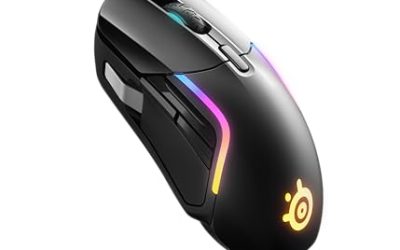
The best bluetooth and wireless mouse depends on how many devices you switch between and whether you also game on it: the Logitech MX Master 3S suits work-first users, the TECKNET dual-mode mouse suits tight budgets, and the Logitech G305 or Razer Basilisk V3 X HyperSpeed suit play.
Our Top Picks
 Logitech MX Master 3S Bluetooth Wireless Mouse NoMouse without USB Receiver4.92 x 3.32 x 0.1 inches0.3 poundsCheck on Amazon
 Razer Basilisk V3 X HyperSpeed Customizable Wireless GamingStandard5.12 x 2.96 x 1.67 inches0.2 poundsCheck on Amazon
 Logitech MK270 Full Size Wireless Keyboard and Mouse1 Pack20.08 x 6.22 x 1.81 inches1.05 poundsCheck on Amazon

Top 3 picks at a glance
Quick answer: which wireless mouse should you pick?
If you only need a quiet mouse that pairs with a laptop and tablet, a budget Bluetooth model is enough. If you also play shooters or MOBAs, move up to a dedicated wireless gaming mouse with its own 2.4 GHz link, because Bluetooth alone usually adds more input delay than a USB dongle. If you type and click all day, a full-size mouse or a keyboard-and-mouse combo is a better fit than a compact travel mouse.
This guide covers the whole range in one place: pure Bluetooth mice, dual-mode mice (Bluetooth plus a receiver), wireless gaming mice, and keyboard-and-mouse combos. It also answers a handful of related questions that come up again and again, such as whether a Logitech MX518 exists in wireless form, what the most expensive wireless mice look like, and what to buy on a very small budget.
Our picks at a glance
| Pick | Connection | Best for | Budget tier |
|---|---|---|---|
| Logitech MX Master 3S | Bluetooth, no receiver | Office work, multi-device desks | Premium |
| TECKNET BT 5.0/2.4G Silent Mouse | Bluetooth plus USB-A receiver | Cheap all-rounder, 2-device switching | Budget |
| Razer Basilisk V3 X HyperSpeed | HyperSpeed wireless (see notes) | Wireless gaming with programmable buttons | Mid |
| Logitech G305 LIGHTSPEED | 2.4 GHz LIGHTSPEED receiver | Entry wireless gaming | Budget to mid |
| Lenovo WL310 Bluetooth Silent Mouse | Bluetooth 5.0 | Students, Chromebook and Mac users | Budget |
| wegear Bluetooth Silent Mouse | Bluetooth | Quiet shared spaces, six buttons | Budget |
| Afaartcci Rechargeable Wireless Mouse | Bluetooth 5.2 plus 2.4 GHz receiver | iPad and MacBook users who want rechargeable | Budget |
| Logitech MK270 keyboard and mouse combo | Single USB-A Nano Receiver | Home office desktop with full-size keyboard | Budget |
Wireless vs Bluetooth: what is the difference?
A Bluetooth mouse pairs directly with the device and needs no dongle, while a “wireless” mouse usually ships with a USB receiver that uses a proprietary 2.4 GHz link. Many modern mice offer both so you can switch.
The practical differences are small for office use and larger for gaming:
- Bluetooth only: no USB port used, works with tablets and phones, and is easy to pair across several devices. Reconnect time after sleep can be a second or two.
- 2.4 GHz receiver: uses a USB port, but typically gives steadier response, which is why competitive gaming mice rely on it.
- Dual-mode: carries both. This is the sweet spot for people who game on a desktop and take the same mouse to a laptop or tablet.
Best Bluetooth and wireless mouse picks
Logitech MX Master 3S
As an Amazon Associate we earn from qualifying purchases at no extra cost to you.

The MX Master 3S is the work-first flagship in this list. The listing describes MagSpeed scrolling, 8K DPI tracking, quiet clicks and programmable buttons, with Bluetooth and no receiver, and support for Windows, Mac, Linux and Chrome. It is the mouse to choose if your day is spreadsheets, editing timelines and long documents rather than games.
- Connection: Bluetooth, no receiver
- Sensor: up to 8K DPI as listed
- Scrolling: MagSpeed wheel
- Buttons: programmable
- Platforms: Windows, Mac, Linux, Chrome
Best for: people who split time between a laptop and a desktop and want one capable mouse for both.
Skip if: you mostly play fast shooters, because a dedicated gaming mouse is lighter and has a receiver link.
Pros
- Bluetooth-only setup keeps USB ports free
- Quiet clicks suit shared offices
- Programmable buttons for shortcuts
- Works across several operating systems
Cons
- Sits in the premium price tier
- Large body is less suited to very small hands
TECKNET Wireless Mouse BT 5.0/2.4G
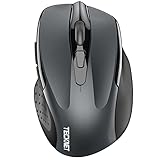
For anyone who just wants a dependable cheap mouse, this TECKNET model covers the basics. The listing mentions Bluetooth 5.0/3.0 plus a USB-A receiver, two-device easy switching, silent clicks, 4800 DPI with six DPI steps, six buttons and a shape aimed at small to medium hands.
- Connection: Bluetooth 5.0/3.0 and USB-A receiver
- Devices: 2-device easy switch
- Sensor: 4800 DPI, 6 DPI levels
- Buttons: 6
- Fit: small to medium hands
Best for: students and office users who want Bluetooth plus a receiver fallback at the lowest price tier.
Skip if: you have large hands or want a low-latency gaming sensor.
Pros
- Two connection types in one mouse
- Silent clicks
- Six buttons for back and forward navigation
- Very low price tier
Cons
- Plastic build feels basic
- Software and button remapping are limited compared with premium brands
Razer Basilisk V3 X HyperSpeed

This is the pick when your wireless mouse has to be a gaming mouse. The listing highlights Razer Mechanical Switches Gen-2, a 5G Advanced 18K optical sensor, Chroma RGB and nine programmable controls on an ergonomic right-handed shell. Whether it also offers Bluetooth is not stated in the listing text we reviewed, so check the maker page if Bluetooth matters to you.
- Sensor: 18K optical (5G Advanced)
- Switches: Mechanical Gen-2
- Controls: 9 programmable
- Lighting: Chroma RGB
- Wireless: HyperSpeed
Best for: gamers who want a familiar ergonomic shape with extra thumb buttons.
Skip if: you want an ambidextrous or ultralight mouse, since this shape is right-hand oriented.
Pros
- Programmable buttons for MMO or MOBA binds
- Optical sensor with high DPI ceiling
- Comfortable ergonomic shape for palm and claw grips
Cons
- Heavier than ultralight esports mice
- Bluetooth support should be confirmed with the maker
Logitech G305 LIGHTSPEED Wireless Gaming Mouse

The G305 is a long-running entry point to wireless gaming. The listing gives a Hero 12K sensor, 12,000 DPI, six programmable buttons, on-board memory and a lightweight build for PC and Mac. It uses the LIGHTSPEED receiver rather than Bluetooth, so treat it as a gaming mouse first and a travel mouse second.
- Sensor: Hero 12K, 12,000 DPI
- Buttons: 6 programmable
- Memory: on-board
- Link: LIGHTSPEED 2.4 GHz receiver
- Platforms: PC and Mac
Best for: first-time wireless gaming upgrades on a modest budget.
Skip if: you need Bluetooth pairing with a phone or tablet.
Pros
- Strong sensor for the price tier
- Light enough for fast flicks
- Settings stored on the mouse
Cons
- No Bluetooth
- Plain styling and only six buttons
Lenovo WL310 Bluetooth Silent Mouse
The WL310 targets everyday portable use. Its listing points to Bluetooth 5.0, silent clicks, adjustable DPI, an ergonomic shape and compatibility with Windows, Mac and Chromebook. It is a sensible pick for a school bag or a coffee-shop laptop.
- Connection: Bluetooth 5.0
- Clicks: silent
- DPI: adjustable
- Compatibility: Windows, Mac, Chromebook
- Form: portable ergonomic
Best for: students and travellers who want a compact quiet mouse with no receiver to lose.
Skip if: you want programmable buttons or gaming-grade tracking.
Pros
- No dongle to misplace
- Quiet clicks in libraries and meetings
- Works with Chromebooks
Cons
- Basic feature set
- Not designed for gaming
wegear Bluetooth Mouse Silent Wireless Mice
This wegear mouse is another low-cost Bluetooth option. The listing mentions quiet clicks, six buttons, a sculpted grip, adjustable DPI and use with laptops, PCs and Macs. It sits close to the Lenovo in purpose, with a couple more buttons.
- Connection: Bluetooth
- Buttons: 6
- Clicks: quiet
- DPI: adjustable
- Grip: sculpted
Best for: shared rooms and bedrooms where click noise matters.
Skip if: you want a recognised brand’s support and software.
Pros
- Six buttons at a very low tier
- Quiet clicks
- Works across laptop, PC and Mac
Cons
- Lesser-known brand
- Little in the way of customisation
Afaartcci Rechargeable Wireless Mouse
Described as a rechargeable silent Bluetooth mouse, the Afaartcci offers Bluetooth 5.2 and a 2.4 GHz USB receiver in a portable ergonomic body aimed at laptops, iPads and MacBooks. The dual connection gives it flexibility few budget mice have.
- Connection: Bluetooth 5.2 and 2.4 GHz receiver
- Power: rechargeable
- Clicks: silent
- Targets: laptops, iPads, MacBooks
Best for: Apple users who want a rechargeable budget mouse.
Skip if: you prefer replaceable batteries, or want a heavier premium feel.
Pros
- Two connection types
- Rechargeable design avoids spare cells
- Very low price tier
Cons
- Unknown brand
- Build quality is budget-level
Logitech MK270 Wireless Keyboard and Mouse Combo

For a desk setup that needs both pieces, the MK270 bundles a full-size spill-resistant keyboard with a compact ambidextrous mouse on one USB-A Nano Receiver. It is not a gaming set, but it answers the common question about a Logitech wireless keyboard and mouse combo with a low-risk option.
- Keyboard: full size, spill-resistant
- Mouse: compact, ambidextrous
- Link: one USB-A Nano Receiver
Best for: home offices and family PCs that need a simple, reliable pair.
Skip if: you want mechanical switches or Bluetooth pairing.
Pros
- One receiver for both devices
- Full-size layout with number pad
- Low price tier
Cons
- No Bluetooth
- Membrane keys rather than mechanical
Also consider
- Logitech M240 Silent Bluetooth Mouse: a compact, receiver-free Bluetooth mouse with three buttons, suited to light travel use.
- Logitech M720 Triathlon: a full-size multi-device mouse with Bluetooth or receiver and six customizable buttons, a mid-tier step down from the MX Master.
- Logitech Signature M550 L: a large-hand silent mouse for people who find compact mice cramped.
Logitech MX518 wireless: does it exist?
The MX518 is remembered as a wired gaming mouse, and we did not find a wireless MX518 in current store listings. Check the maker’s page before buying anything sold as an MX518 wireless.
If you liked the MX518 for its shape and thumb buttons, the closest modern fits are mice with a similar ergonomic claw-friendly body, such as the Logitech G502 and G403 Hero, though both are wired in the models listed. For a wireless alternative with side buttons, the Razer Basilisk V3 X HyperSpeed above is the nearest option in this guide.
Keyboard and mouse combos: which type to pick
A Logitech wireless backlit keyboard and mouse combo is easy to find, but most backlit models sit in the higher tiers. Check each listing for the word backlit, since budget combos such as the MK270 do not include it.
If you want a mechanical wireless keyboard and mouse combo, options are narrower: most wireless combos use membrane or low-profile scissor-style keys. A better plan is to buy a wireless mechanical keyboard and a separate mouse from this guide, which also lets you choose the mouse for your hand size.
| Combo type | Typical keys | Good for | Watch out for |
|---|---|---|---|
| Basic receiver combo (MK270 class) | Membrane | Offices, family PCs | No backlight, no Bluetooth |
| Quiet combo (MK295, MK335 class) | Low-noise membrane | Shared spaces | Fewer extras |
| Advanced combo (MK540, MK850 class) | Palm rest, wave or quiet design | Long typing days | Higher price tier |
What is the most expensive wireless mouse?
Among the store listings reviewed for this guide, the highest price band belongs to Logitech G’s PRO X3 SUPERSTRIKE and PRO X2 SUPERSTRIKE esports mice, followed by 3Dconnexion SpaceMouse devices if you count 3D navigation tools.
Expensive does not mean better for everyone. The premium here pays for ultralight shells, very high polling rates and newer switch types that matter mainly to competitive players. For office use, the MX Master 3S gives most of the benefit at a lower tier.
Best Bluetooth mouse under 500
If your budget is around 500 in your own currency, treat that as the lowest price tier and target Bluetooth mice such as the TECKNET, wegear, Lenovo WL310 or Afaartcci above. Prices vary by region and by day, so compare current store prices.
At this tier, check four things: Bluetooth version (5.0 or newer), whether a receiver is included, silent or regular clicks, and whether the mouse needs replaceable batteries or charges by cable.
Which mouse fits which use?
Office and remote work
Office work rewards comfort, quiet clicks and the ability to pair two or three computers. The MX Master 3S is the strongest here, and the TECKNET and Lenovo WL310 are the economical alternatives. A full-size shape reduces wrist strain over long days, so if you spend more than four hours a day on a mouse, avoid tiny travel models.
Travel and school
Choose something light with a receiver-free Bluetooth link: the Lenovo WL310 or wegear fit a laptop sleeve easily. If you carry an iPad, check that the listing names iPadOS or Apple devices, as the Afaartcci listing does. Silent clicks are worth paying for in libraries and lecture halls.
Gaming
For gaming, prioritise the sensor, weight, and a 2.4 GHz connection. The Logitech G305 gives a well-known sensor at a friendly tier, and the Razer Basilisk V3 X HyperSpeed adds extra buttons for MMO and MOBA binds. Remember that a “wireless” label does not guarantee a gaming-grade link, so read whether the listing names a receiver standard.
Creative and mixed use
If you edit photos or video, extra programmable buttons and a precise scroll wheel matter more than raw DPI. The MX Master 3S is built for that kind of use, and the Basilisk V3 X can double as a shortcut pad if you map thumb buttons to common actions.
Setup and pairing tips
- Pair one device at a time, then use the mouse’s switch button to add the second so profiles do not collide.
- If Bluetooth drops, remove the old pairing from the computer and re-pair; stale entries are a common cause of stutter.
- Keep a 2.4 GHz receiver on a short USB extension away from a USB 3 hub to reduce interference.
- On Windows, turn off enhanced pointer precision if you want the cursor to behave consistently between mice.
- Update the maker’s companion software only from the maker’s own page.
Common mistakes when buying a wireless mouse
The most frequent mistake is buying on DPI alone. A budget mouse with a 4800 DPI sensor tracks perfectly well on a normal desk; a much higher DPI figure rarely changes what you feel. The second mistake is ignoring hand size: a mouse that is too small causes cramped fingers, and one that is too large makes precise clicks harder. The third is forgetting how you will power it. If you travel, a rechargeable body avoids hunting for batteries, while a desk mouse with replaceable cells is simpler to keep running.
Another trap is assuming a combo includes Bluetooth. Many keyboard and mouse combos use a single USB receiver and offer no Bluetooth at all, which matters if your laptop has few ports. Likewise, if you plan to use a mouse with a tablet or phone, a receiver-only model will not work without an adapter.
How we chose
This guide is research-based. We did not use the products ourselves. We compared maker specifications, the product listings in the site’s store, and editorial coverage of wireless mice, then sorted picks by how people actually connect and use them. Specs not shown in a listing are marked as unconfirmed rather than guessed.
Buying guide: thresholds that matter
Connection type
Choose Bluetooth-only if you switch between laptop, tablet and phone and never game. Choose dual-mode if you want a fallback receiver. Choose a 2.4 GHz gaming mouse for fast action games.
Size and grip
Measure your hand from wrist crease to the tip of the middle finger. Under about 17 cm suits compact mice; 18 to 20 cm suits full-size mice. Large hands often prefer a body like the M550 L or MX Master.
Sensor and DPI
For desktop work, 1000 to 1600 DPI is plenty. For gaming, 12,000 DPI listings (G305) are already more than most players use. High numbers are marketing; consistent tracking matters more.
Click noise and buttons
Silent clicks help in shared rooms. If you want to bind shortcuts, look for at least six buttons, and check whether the software lets you remap them.
Power
Decide between replaceable batteries and a rechargeable design. Rechargeable suits daily travel; replaceable suits desks where you do not want to stop to charge.
Bluetooth versions and what they change
Bluetooth 5.0 and newer improves range and connection stability compared with older versions, and most laptops sold in the last few years support it. The TECKNET, Lenovo WL310 and Afaartcci listings name Bluetooth 5.0 or 5.2, so they should pair cleanly with current laptops. If your computer is older, a small Bluetooth adapter can fix a weak built-in radio, but a mouse with a receiver in the box avoids the problem entirely.
Bluetooth Low Energy keeps power draw small, which is why many Bluetooth mice run for months on a single set of cells. The trade-off is slightly higher latency than a dedicated receiver, so a desk gamer should keep a 2.4 GHz mouse for play and a Bluetooth mouse for travel.
Budget tiers explained
Tiers in this guide are relative to the store catalog: “very low” covers simple no-name Bluetooth mice, “budget” covers recognised brands with basic features, “mid” covers feature-rich gaming mice, and “premium” covers flagship productivity mice. Moving up a tier buys sturdier switches, better software and a more refined shape rather than a dramatic jump in pointing accuracy.
Frequently asked questions
What is the best bluetooth and wireless mouse?
The Logitech MX Master 3S is the best for work, and the Logitech G305 or Razer Basilisk V3 X HyperSpeed leads for gaming. Budget buyers should look at the TECKNET dual-mode model.
Is a Bluetooth mouse good for gaming?
Bluetooth works for casual play, but a 2.4 GHz receiver link is usually better for fast shooters. Dedicated wireless gaming mice use their own receiver for this reason.
Does the Logitech MX518 come in wireless?
We found no wireless MX518 in current listings; the MX518 is known as a wired mouse. Confirm on the maker’s page before buying any listing that claims otherwise.
What is the most expensive wireless mouse?
In the store catalog reviewed, Logitech G PRO X3 and X2 SUPERSTRIKE sit in the top band, with 3Dconnexion SpaceMouse products also premium. Price rarely tracks usefulness for office tasks.
Which Logitech wireless keyboard and mouse combo should I buy?
For basic use pick the MK270; for quiet typing look at MK295 or MK335; for long typing days consider MK540 or MK850. Check each listing for backlighting and Bluetooth.
Is there a wireless mechanical keyboard and mouse combo?
True mechanical combos are rare. It is usually better to buy a wireless mechanical keyboard and a separate mouse, which also gives you more control over mouse size.
Can I use one wireless mouse with several devices?
Yes, if it supports multi-device pairing. The TECKNET listing mentions two-device switching, and Logitech’s M720 lists up to three devices.
Which one should you buy?
Pick the Logitech MX Master 3S if work comes first, the TECKNET mouse if budget comes first, the Logitech G305 if gaming comes first on a small budget, and the Razer Basilisk V3 X HyperSpeed if you want extra programmable buttons. Choose the MK270 if you need a keyboard and mouse pair in one go.
If you are still undecided, start from your main device. For a Mac or iPad, the Afaartcci or MX Master 3S pair easily. For a Chromebook, the Lenovo WL310 lists Chromebook support. For a Windows gaming desktop, go straight to the G305 or Basilisk V3 X and keep a cheap Bluetooth mouse in your bag for trips. Whatever you pick, confirm the connection type in the listing before checkout, since that single detail separates a perfect fit from a mouse that cannot pair with your tablet.
Sources
- Logitech product pages
- Razer product pages
- TECKNET, Lenovo and wegear product listings
- Editorial wireless mouse buying guides
Last updated: November 2026
Related guides
More from Amazon
Programs that pair well with the guide above. Offers and eligibility are set by Amazon and may change.
Free shipping on eligible items, Prime Video and more. Eligible new members can start with a free trial.
Start a Prime free trialAd-free music streaming. Eligible new subscribers can start with a free trial.
Try Music Unlimited freeA Prime membership for ages 18-24 with a trial period. Eligibility is set by Amazon.
See Prime for Young AdultsAudiobooks and podcasts to listen to on the go. Eligible new members can start with a free trial.
Try Audible freeAs an Amazon Associate we earn from qualifying purchases.