The best webcam for a streamer is the one that gives a clean 1080p picture at a steady frame rate in your room’s light, with an autofocus that does not hunt and software that OBS recognizes. Higher numbers like 4K and 2K appear in several listings, but they are not the deciding factor for a corner face cam. The nine below range from a simple HD camera to a kit with a microphone and light, and each is described from its listing title only. Where a title is silent on frame rate, focus or lighting, we say so, because those are the details that decide how a face cam looks on stream.
Our Top Picks
Top 3 picks at a glance
Quick picks
As an Amazon Associate we earn from qualifying purchases at no extra cost to you.

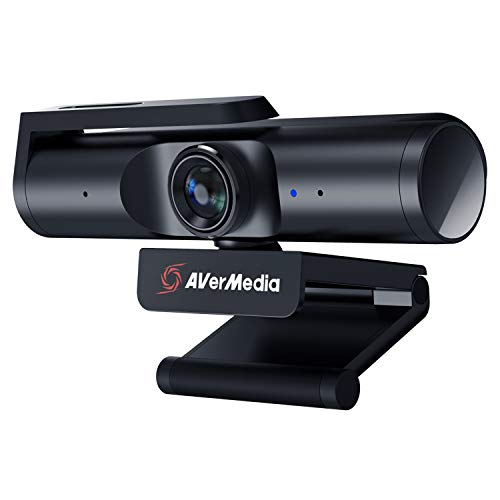


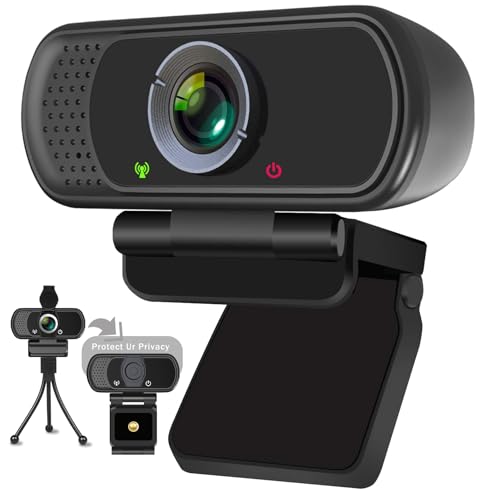


- NexiGo N930E Pro – 4K with ring light and PDAF autofocus
- NexiGo N660P Pro – 4K, 1080p 60 fps and a mention of Switch 2
- OIEXEN 4K – 4K with a named Sony sensor and PDAF autofocus
- AVerMedia PW513 – 4K from a capture-hardware brand
- Abel Gaming Streaming Kit – 2K 60 fps camera plus cardioid mic and LED light
- ToLuLu 2K – 2K with RGB light and tripod
- Hprosper 2K – 2K with automatic light correction
- SweetLink 1080P – 1080p with an RGB light
- XPCAM HD 1080p – basic 1080p with a 110 degree view
Comparison table
| Model | Resolution as stated | Other stated features | Best for |
|---|---|---|---|
| NexiGo N930E Pro | 4K, 1080P@60FPS | Ring light, PDAF autofocus, dual mics, shutter | Lit face cam |
| NexiGo N660P Pro | 4K, 1080p 60 fps | Autofocus, 3DNR, mics, cover, Switch 2 mention | Mixed PC and console use |
| OIEXEN 4K | 4K, 1080P@60FPS | Sony 1/2.8 in sensor, PDAF, dual mics, cover | Sensor-focused buyers |
| AVerMedia PW513 | 4K | Built-in mic, privacy cover, OBS | Known streaming brand |
| Abel Gaming Kit | 2K 60 FPS | Cardioid mic, LED flat light | All-in-one kit |
| ToLuLu 2K | 2K | RGB LED light, autofocus, cover, tripod | Budget lit camera |
| Hprosper 2K | 2K | Auto light correction, privacy cover, wide angle | Dim rooms |
| SweetLink 1080P | 1080P | RGB light, noise cancellation, cover | Basic stream setup |
| XPCAM HD | 1080p | 110 degree FOV, cover and tripod | Wide shot |
The nine webcams, one at a time
NexiGo N930E Pro 4K Webcam with Ring Light
The N930E Pro pairs a 4K sensor with a built-in ring light, PDAF autofocus, 1080P at 60 fps, dual noise-canceling microphones and a built-in privacy shutter. The ring light is the practical difference: a face cam that brings its own front light is useful in a dark gaming room.
The title does not say whether 4K runs at the same frame rate as 1080p, so check the specification before assuming 4K at 60. A ring light attached to the webcam is also close to the lens, which can give a flat look and reflections in glasses. If you sit close to the screen, a ring light on the camera can also feel bright in a dark room, so check whether it can be dimmed or switched off.
Pros
- Built-in ring light
- PDAF autofocus stated
- Privacy shutter and dual mics
Cons
- Frame rate at 4K not stated
- Ring light placement can reflect in glasses
Who it’s for: A streamer in a dim room who wants one device for the camera and a front light.
Who should skip it: Anyone who already has a key light or wears reflective glasses.
NexiGo N660P Pro 4K Webcam
This NexiGo model lists a 4K sensor, a distortion-free lens, 1080p at 60 fps, autofocus, 3DNR noise reduction, noise-canceling mics and a privacy cover. It is the only title here that mentions Switch 2, so it is the only one that names a console, and the colour listed is pink.
3DNR is a noise-reduction feature that may help in dim light, but it can soften motion, so the benefit depends on your room. As with the others, 4K on a small face-cam box is rarely visible, and the title does not state the 4K frame rate. The privacy cover and mics are standard for this price tier, so the lens claim and the 60 fps mode are what set it apart.
Pros
- Distortion-free lens stated
- 3DNR and autofocus stated
- Mentions Switch 2
Cons
- Pink colour on the listing
- 4K frame rate not stated
Who it’s for: A streamer who wants a modern NexiGo with a lens claim and possible console use, and who will confirm the Switch 2 detail on the listing page.
Who should skip it: Buyers who need a neutral colour or a confirmed console workflow.
OIEXEN 4K Ultra HD Webcam with Sony Sensor
OIEXEN names a Sony 1/2.8 inch sensor, PDAF autofocus, 4K and 1080P at 60 FPS, dual noise-canceling mics and a privacy cover, for PC and Mac. Naming the sensor size is helpful: a larger sensor tends to collect more light, though image processing matters too.
The title does not clarify whether 4K is native or interpolated, nor which modes run at which frame rate. Read the specification table and a few buyer comments about low-light performance before buying. A named sensor size is a useful clue, but it does not tell you about lens quality or the image processing behind it.
Pros
- Sensor size named in the title
- PDAF autofocus
- Dual mics and a privacy cover
Cons
- 4K mode details are unclear
- Less known brand
Who it’s for: A buyer who values a stated sensor and wants autofocus.
Who should skip it: Anyone who wants a well-known brand or confirmed software support.
AVerMedia 4K Webcam PW513 Live Streamer CAM
AVerMedia is known for capture hardware, and the PW513 is described as a 4K camera for gaming, streaming and calls, with a built-in mic, privacy cover and support for Teams, Meet, Zoom and OBS. The title does not list a 60 fps mode, so assume the 4K setting runs at a lower frame rate and confirm on the page.
Because the brand sells streaming products, the software and drivers are a reason to look at this camera, though the title does not mention an app. A streaming-focused brand does not guarantee better image quality in your room. Also check whether the privacy cover is a physical slider, since the title only says cover.
Pros
- 4K stated
- OBS mentioned
- Privacy cover and built-in mic
Cons
- Frame rate not in the title
- No light or tripod mentioned
Who it’s for: A streamer who prefers a streaming-focused brand and wants a straightforward 4K camera without extras.
Who should skip it: Anyone who needs 60 fps confirmed or a built-in light.
Abel Gaming Live Video Streaming Kit (Deluxe)
This kit includes a 2K webcam at 60 fps, a professional cardioid microphone and an LED flat light, for calls, gaming, podcasts, YouTube and content creation on Android, Mac and Windows. The cardioid mic is the biggest difference here: a dedicated mic usually sounds better than any built-in webcam microphone.
The title does not say what connection the mic uses, nor the light brightness or the stand type, so check the description. Treat it as a starter kit rather than a premium setup. If the microphone is a USB model, it may show up as a separate device in OBS, which is useful for mixing voice and game audio separately.
Pros
- Camera, cardioid mic and light in one kit
- 2K at 60 fps stated
- Works across Android, Mac, Windows
Cons
- Details on the mic and light are thin
- Bundle quality varies by part
Who it’s for: A new streamer who wants everything in one purchase.
Who should skip it: Anyone who already owns a microphone or a key light.
ToLuLu 2K Streaming Webcam with RGB LED Light
ToLuLu offers a 2K webcam with an LED RGB light, a microphone, autofocus, a cover and a tripod. The RGB light is a style element for gaming rooms, and may also add some fill light on the face.
The title does not give a frame rate, so check whether the 2K mode runs at 30 fps or higher. The light is attached to the camera, so it may be less flexible than a separate lamp. The included tripod also makes it easy to place the camera on a shelf or a stand rather than on top of the monitor.
Pros
- 2K and autofocus stated
- RGB LED light and tripod included
- Plug and play
Cons
- Frame rate not stated
- RGB lighting is mostly decorative
Who it’s for: A gamer who wants a budget camera with a bit of room style.
Who should skip it: People who want precise colour or a bright key light.
Hprosper 2K Webcam with Microphone
Hprosper, listed under a generic brand, lists a 2K webcam with a microphone, automatic light correction, a privacy cover and a wide-angle lens, for PC, Mac, Zoom and streaming. Automatic light correction is aimed at dim rooms, though it can make brightness shift when you move.
The title gives no frame rate, and the generic brand name makes it harder to judge support, so read the description and warranty terms. If you stream every day, consider whether a known brand’s software is worth more to you. Automatic light correction can make exposure drift during a stream, so check whether you can turn it off in the app.
Pros
- 2K stated
- Auto light correction
- Wide-angle lens
Cons
- Generic brand
- Frame rate not stated
Who it’s for: A user in a dim room who wants a 2K camera at a modest tier.
Who should skip it: Anyone who wants guaranteed driver support.
SweetLink HD 1080P Gaming Webcam with RGB Light
SweetLink is a 1080P webcam with a microphone, RGB light, noise cancellation, privacy cover and plug and play use, for streaming and conferencing. It is the most basic camera among the lit models here.
The title does not mention a frame rate or autofocus, so check both. A fixed-focus lens will look fine if you stay in a fixed position and may soften when you lean in. The RGB light is for style, not a key light. Many beginners choose a model like this to learn how framing and light work before they spend more.
Pros
- 1080P resolution
- RGB light
- Plug and play
Cons
- No frame rate or autofocus in the title
- Basic specification
Who it’s for: A new streamer who wants a simple, lit 1080p camera.
Who should skip it: Anyone who needs smooth 60 fps or autofocus.
XPCAM HD 1080p Webcam with Microphone
XPCAM lists a 1080p USB webcam with a mic, a cover, a tripod and a 110 degree field of view, for Zoom, Teams and Twitch. The wide angle shows more of the room, which is useful when you want the desk in view and less useful if your room is untidy.
The title does not say what the frame rate is, so check the page. It is a plain-spec option that may suit a secondary camera or a first webcam. Keep the tripod low and tilt the lens slightly down so the wide angle does not exaggerate your forehead.
Pros
- 110 degree field of view
- Tripod and cover included
- Mentions Twitch use
Cons
- Frame rate not stated
- Wide angle can distort edges
Who it’s for: A streamer who wants a wide shot and a basic camera.
Who should skip it: People who want a tight crop or a premium look.
How we picked these
We chose marketplace listings that match the streaming webcam keyword, including USB cameras with a built-in microphone and one kit that adds a microphone and a light. Nobody on the team used or measured these units. We also checked each title for claims that read like marketing rather than specification. Resolution, frame rate and features come from listing titles only, and anything not in the title is marked check the listing. Near-duplicate models are grouped honestly, and prices and ratings are left out because they change. General advice draws on published specifications, manufacturer documentation and buyer reviews.
What to look for in a streaming webcam
Resolution versus what your stream shows
Most streams are 1080p, and a face cam usually fills a quarter of the screen or less. A 4K sensor therefore gets scaled down. The benefit is flexibility: you can crop in OBS without losing detail. Choose 4K only if you plan to reposition or record separately, and otherwise treat 1080p with good light as the sensible target. If your PC is also running the game and the encoder, a heavier camera feed adds a little more load, which is another reason not to push the resolution higher than you need.
Frame rate and exposure
Frame rate is the number many listings bury. A 1080p picture at 60 fps looks smoother with hand motion, while 30 fps allows longer exposures in dim light. If a title lists 4K and 1080P@60FPS together, the 4K mode probably runs at a lower rate, so confirm before you buy. Compressed formats such as MJPEG let a camera reach high resolutions over USB, but each mode has its own limit, and the manufacturer page lists them.
| Spec on the listing | What it means for streaming | What to check |
|---|---|---|
| 4K | Allows cropping, larger file sizes | Frame rate at 4K |
| 1080P@60FPS | Smoother face-cam motion | Light level in your room |
| PDAF autofocus | Faster focus on movement | Focus hunting in low light |
| Privacy cover | Physical lens cover | Fit and ease of use |
| Noise-canceling mic | Reduces some room sound | Replace with a headset mic if needed |
Microphones, privacy covers and mounts
Built-in microphones sit close to your keyboard and fans, so they pick up more than you expect. A dedicated cardioid mic, as in the Abel kit, rejects more of the sides and rear. A physical privacy cover is useful if you leave the camera plugged in, and a clip that fits flat monitors, curved monitors and thin bezels makes setup easier. Also check whether the camera has a standard tripod thread so you can move it to an arm or a shelf, and whether the cable is long enough to reach a rear port on your PC.
Autofocus, field of view and lens
Autofocus should hold your face while you lean and move, and phase-detection (PDAF) is generally quicker than contrast-only focus. A 110 degree field of view shows a lot of the room and can stretch the edges, so a narrower lens suits a tight face shot. Lens distortion claims, as on the NexiGo N660P, are seller descriptions, so judge them from sample footage rather than the title.
Light, sensor and noise
Sensor size helps, but light helps more. A soft light in front and slightly above the eyeline improves almost any camera more than moving from 1080p to 4K. Lights built into the camera are convenient, but a separate lamp positioned off-axis gives a more flattering result. Window light changes through the day, so a lamp you control keeps the picture the same on every stream. Also check whether the webcam lets you lock exposure and white balance in its software.
Face-cam setup checklist
- Mount the camera at or just above eye level, centered above the monitor.
- Place a soft light in front of you at a slight angle, and avoid a bright window behind you.
- Plug into a USB 3.0 port that is not shared with a capture card or external drive.
- In OBS, set the resolution and frame rate manually and lock the exposure and white balance.
- Use a scene crop to size the camera box rather than shrinking the whole shot.
Desk layout matters too: see our workspace ergonomics guide for monitor height and camera position.
Mistakes buyers make with streaming webcams
The first mistake is buying on the 4K label alone, when a face cam in a small box rarely shows it. Second, ignoring the frame rate that goes with each resolution. Third, expecting the built-in mic to sound like a dedicated one, then blaming the software. Fourth, relying on a camera-mounted RGB light as the main light. Fifth, ignoring the cable and plugging several cameras and capture cards into the same USB controller, which can drop frames and stutter the video. Sixth, forgetting the privacy cover and mount type until the camera arrives, then finding the clip does not fit a curved monitor. Finally, skipping a test: record a short clip in OBS at the settings you will actually use, in your usual room light, before deciding to keep it. Finally, do not forget the return window: webcam performance in your own room is the one thing you cannot judge from a listing.
Verdict
If you want a lit, autofocus face cam, the NexiGo N930E Pro and the OIEXEN 4K are the strongest on paper, with the N660P as a cleaner choice if you do not need the ring light. The Abel Gaming kit is the easiest way to add a proper microphone and light together. For basic 1080p, the SweetLink and XPCAM listings cover the minimum, and ToLuLu and Hprosper sit in between. Check frame rate at every resolution before you decide, and plan to add a separate light, since that will do more for your picture than any extra pixels.
Related guides
- What Is The Best Budget Most Responsive Gaming Mouse Wired
- Low Latency Gaming Headphones Usb-C 2.4 Ghz Wireless
- Low Latency Gaming Headphones Usb-C Dongle 2.4 Ghz
Frequently asked questions
Is a 4K webcam worth it for streaming?
For a face cam in the corner of a 1080p scene, usually not. Your stream shrinks the image to a small box, so 1080p at 30 or 60 fps looks nearly the same. 4K helps if you want to crop and reposition the shot, or if you record full-screen talking-head video. Check what frame rate the 4K mode actually runs at.
What does 1080p at 60 fps give a streamer?
Smoother motion when you move your hands or lean into the shot, which looks more natural next to 60 fps game footage. It also demands more USB bandwidth and light, since the camera uses a shorter exposure. In a dim room 30 fps can look cleaner, so test both modes in OBS.
Do you need a ring light or key light with a webcam?
Light matters more than the sensor. A dark room forces a camera to raise gain, which adds noise and softens detail. A soft light in front of you, slightly above eye level, helps every model here. Listings with a ring light, LED panel or RGB light help, but a separate lamp usually gives a better result.
Are built-in webcam microphones good enough for streaming?
They are fine for calls and casual streams, but they pick up keyboard noise, fans and room echo. Noise-cancelling claims are seller descriptions, not measurements. If voice quality matters, use a headset or a separate microphone and treat the webcam mic as a backup, unless the kit includes a dedicated cardioid microphone.
Will these webcams work on a console or only on PC?
Most list PC and Mac use, and generic plug-and-play UVC webcams may work on other systems, but this varies. The NexiGo N660P Pro title mentions Switch 2, which is the only console reference here. Check the compatibility notes on the listing and the app you plan to use, such as OBS or a console camera feature.