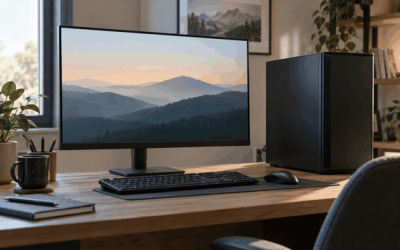
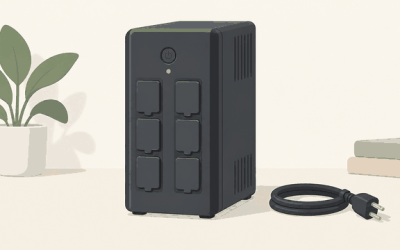
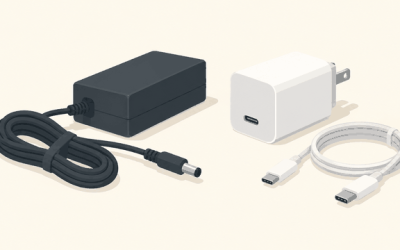
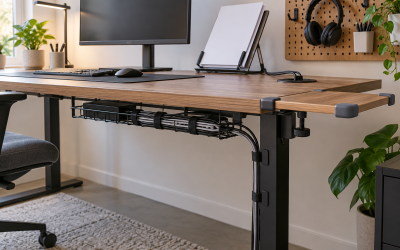
The best USB hub for PC gaming is a powered desktop hub with its own adapter, such as the Sabrent HB-B7C3 for 5Gbps peripherals or a 10Gbps model from ACASIS or RSHTECH if you move files to external SSDs, while your mouse, keyboard and wireless dongles stay plugged straight into the motherboard. That split matters more than the brand name on the box, because most “laggy hub” complaints come from putting the wrong devices on a shared upstream link or starving a bus-powered hub of current.
As an Amazon Associate we earn from qualifying purchases at no extra cost to you.


Top 3 picks at a glance
What a Hub Actually Changes on a Gaming PC
Every port on a hub shares one cable back to the PC. A 7-port USB 3.0 hub is still one 5Gbps connection, and a 4-port bus-powered hub still draws from a single motherboard port that is only required to supply 900mA (4.5W) under the USB 3.0 spec. A hub does not add bandwidth or power to your PC; it divides what one port already has, unless it brings its own power adapter.
For gaming, this creates three practical rules:
- Latency-sensitive input goes direct. A 4,000Hz or 8,000Hz mouse and a high-polling keyboard should use rear motherboard ports. A good hub adds very little delay, but it adds a shared controller and another point of failure for no benefit.
- Wireless receivers stay away from USB 3.x traffic. USB 3.0 signaling produces broadband noise in the 2.4GHz range. A mouse or headset dongle placed right next to a busy SuperSpeed port or drive can drop packets. Put dongles on a USB 2.0 port or a short extension cable pointed toward the desk.
- Power-hungry devices need a powered hub. Webcams, RGB headset stands, controllers charging and external drives can easily exceed what one host port supplies.
Power Budget: When a Bus-Powered Hub Fails
Here is a typical desk load on a single hub. The draw figures are representative for each device class, not maxima.
| Device | Typical draw | Running total |
|---|---|---|
| 1080p webcam | 250-500mA | 500mA |
| Wired headset with RGB | 200-400mA | 900mA |
| Controller charging | 500mA-1A | 1.9A |
| Portable 2.5-inch HDD | 500-900mA (spin-up peak higher) | 2.8A |
That desk needs roughly 2.8A at 5V, about 14W. A bus-powered hub can pass along only 4.5W from a USB 3.0 port, so the drive will disconnect during spin-up or the controller will charge at a crawl. A powered hub with a 36W to 60W adapter covers this load several times over. The rule of thumb: if anything on your list charges, spins or lights up, buy a hub with a power brick.
The Best USB Hubs for Gaming Setups
| Hub | Data ports | Speed | Power | Best for | Typical price |
|---|---|---|---|---|---|
| Sabrent HB-B7C3 | 7 data + 3 charging | 5Gbps | External adapter, per-port switches | Peripherals, controllers, webcams | $40-$60 |
| RSHTECH 10-port 10Gbps | 10 (USB-A and USB-C) | 10Gbps | 60W adapter | Mixed USB-A/USB-C desks with SSDs | $50-$80 |
| ACASIS 16-port 10Gbps | 16 | 10Gbps | 96W adapter, per-port switches | Streamers and capture-heavy setups | $90-$140 |
| Anker 4-Port USB 3.0 Ultra Slim | 4 | 5Gbps | Bus-powered | Flash drives and low-draw gear | $10-$20 |
| CalDigit TS4 | Multiple USB-A/USB-C plus Ethernet, display | Thunderbolt 4 (40Gbps) | Own power supply, 98W laptop charging | Gaming laptop docking | $350-$450 |
Sabrent HB-B7C3: the practical peripheral hub
Seven 5Gbps data ports and three dedicated charging ports cover a full gaming desk, and the individual power switches let you cut a device without unplugging it, which is handy for resetting a misbehaving capture card or webcam. At 5Gbps it is not built for fast SSD transfers, but nothing in a typical peripheral stack needs more.
RSHTECH 10-port 10Gbps: for USB-C gear and SSDs
Mixing USB-C and USB-A ports with a 10Gbps upstream makes this class of hub a better fit for a desk that also hosts a portable NVMe drive. Plug it into a USB 3.2 Gen 2 (10Gbps) port on the motherboard; on a 5Gbps port it will run at half speed.
ACASIS 16-port: maximum ports with switching
Sixteen 10Gbps ports and a 96W adapter suit streamers running a capture card, stream controller, lights, microphones and drives at once. The upstream is still 10Gbps total, so treat it as a port expander, not a way to run several SSDs at full speed simultaneously.
Anker 4-Port Ultra Slim: small and cheap
A bus-powered 4-port hub is fine for a USB stick, a game controller cable used for wired play, and a low-draw headset. It belongs in a laptop bag or a secondary desk, not as the main hub for a full setup.
CalDigit TS4: for gaming laptops
If your gaming PC is a laptop with Thunderbolt 4 or USB4, a dock replaces a hub, adding Ethernet, display output and charging over one cable. On a desktop it is overkill unless your motherboard has Thunderbolt headers.
Bandwidth Check: Will a Hub Slow Your Drives?
A 5Gbps link delivers roughly 400-450MB/s in real transfers after protocol overhead; a 10Gbps link manages around 900-1,000MB/s. If you copy a 100GB game folder to an external NVMe drive, that is about 4 minutes on a 5Gbps hub versus under 2 minutes on a 10Gbps hub, assuming nothing else is busy. Two drives copying at once split that bandwidth roughly in half. Webcams are the other heavy user: an uncompressed 1080p stream or capture card can consume a large slice of a 5Gbps link, which is why capture devices should get their own motherboard port when possible.
Which Hub Fits Your Setup
| Your situation | What to buy | Connect it to |
|---|---|---|
| Not enough ports for headset, webcam, controllers | Powered 5Gbps hub (Sabrent HB-B7C3 class) | Any rear USB 3.0 port |
| Regularly move games or clips to an external SSD | Powered 10Gbps hub | Rear USB 3.2 Gen 2 port |
| Streaming with capture card and stream deck | 16-port powered hub, capture card direct to motherboard | 10Gbps rear port |
| Front-panel ports are far from your desk | Powered hub on the desk with a quality 1-2m cable | Rear port, not the front-panel header |
| Gaming laptop on a desk | Thunderbolt 4 dock | Thunderbolt/USB4 port |
Setup Tips That Prevent Problems
- Use rear I/O for the hub upstream. Front-panel ports run through internal cables that add signal loss and are a common source of random disconnects.
- Keep the upstream cable short. Stay under about 2m for 10Gbps; longer passive cables can drop the link to 5Gbps or cause dropouts.
- Disable USB selective suspend if devices sleep. In Windows power plan advanced settings, turning off USB selective suspend stops hubs from powering down idle ports, which fixes headsets that cut out after inactivity.
- Do not daisy-chain hubs. USB allows it, but every tier adds failure points and shared bandwidth.
- Use charging-only ports for charging. Many powered hubs have charge ports that do not carry data; they are ideal for controllers you only top up.
FAQ
Does a USB hub add input lag?
A quality hub adds a negligible amount of latency for normal devices, but there is no reason to accept any extra variable for your primary mouse and keyboard. Plug them directly into the motherboard and use the hub for everything else.
Is USB-C better than USB-A for a gaming hub?
The connector shape does not set speed; the USB generation does. A USB-A 10Gbps port and a USB-C 10Gbps port perform the same. Choose by which plugs your devices actually use.
How many ports do I really need?
Count your devices, add two for things you plug in temporarily such as flash drives and controllers, and buy the next size up. Most single-PC desks are comfortable with seven data ports.