
A white keyboard is simply a keyboard whose case, keycaps, or both are white rather than the default black. It is an aesthetic category, not a technical one – a white board can be membrane or mechanical, wired or wireless, full-size or 60 percent, and the colour tells you nothing about how it types.
What the colour does change is a short, specific list of practical things: how legends read in different lighting, how backlighting diffuses, how visible dirt and dye transfer become, and whether the plastic will yellow. Those four points are the whole substance of the decision, and they are what I set out to measure. I am Sofia Lindqvist, a peripherals reviewer of seven years, and my bench runs on a high-speed camera rig for latency measurement and a switch-force gauge that plots the full travel curve of a keypress. For this piece I added two things: a controlled ultraviolet exposure box and a colour meter, so that “it yellows” could become a number instead of an opinion.
Eight boards went through the process, from a $15.99 wired office combo to a $119 Apple full-size. Below is what white actually costs you, which features are genuinely necessary, which are decoration, and how each of the eight performed.
Top 3 picks at a glance

What Changes When a Keyboard Is White
As an Amazon Associate we earn from qualifying purchases at no extra cost to you.




Four things, and only four.
Legend contrast flips with the lighting. A white cap with a dark legend is the most readable combination in a daylit room, better than white-on-black by a small margin because the light surface reduces glare around the character. In a dark room with backlighting, that same cap is the worst option here: the legend is opaque, so it stays dark while the surrounding cap glows, which is visually the wrong way round. Shine-through legends solve it and cost daylight contrast in return.
Backlight spreads instead of staying put. White plastic reflects light internally. On my meter, the same LED under a white cap produced roughly 30 percent higher measured brightness at the plate surface than under a black cap, but the illuminated area was noticeably wider – light bleeds between keys. For a soft ambient glow that is a benefit. For per-key effects where you want each switch to read as its own point of colour, it muddies the result.
Dirt is visible sooner, permanent later. Grey shading appears on the space bar, WASD, and the enter key within two to four months of daily use. It is skin oil combined with dye picked up from clothing and desk surfaces, and it wipes off. What does not wipe off is the fine texturing on many case edges, which traps the same material in a way a cloth cannot reach.
Yellowing depends entirely on the plastic. ABS – the cheap, smooth, slightly glossy plastic used for most budget keycaps – contains bromine compounds that oxidise under ultraviolet light and shift the colour warm. PBT does not, or does so much more slowly. Polycarbonate cases sit in between. This is a material question, not a price question, though price correlates.
The Test Method
Each board got four measurements plus a fortnight of ordinary use.
Ultraviolet exposure. A spare keycap and, where possible, a case offcut went into a UV box for 120 hours, equivalent by irradiance to roughly eight months on a desk two metres from a south-facing window. I measured colour before and after with a meter and report the shift as a simple delta on the blue channel, where a larger number means more visible yellowing. Under 3 is invisible to the eye; 3 to 6 is noticeable side by side; above 6 is obvious without a reference.
Legend readability. Two conditions – a 500 lux desk and a 15 lux dark room with backlighting at full – scored by whether I could read the number row at a glance without leaning in.
Switch force. The gauge presses each board’s main alphanumeric keys at 1 mm per second and plots grams-force against travel. Membrane boards produce a rubber-dome curve with a steep collapse; mechanical boards produce either a linear ramp or a defined tactile bump. The numbers below are peak force.
Latency. The camera rig films at 1000 frames per second between key bottom-out and the character appearing on a 240 Hz display. Wired reference boards sit at about 13 to 16 ms end to end on my setup, including display lag.
Then I typed on each for two weeks and photographed the wear. That last part is unscientific and also the part readers ask about most.
Necessary Versus Optional: What to Actually Pay For
Because this category is full of features that sound important, here is my honest split before the individual boards.
Genuinely necessary. A layout that matches the work you do – if you enter numbers, you need the numpad, and no amount of style compensates for its absence. A stable space bar, because a rattling one will irritate you daily. Keycap legends that suit your room’s lighting. And, if the board is wireless, a battery indicator of some kind, since a keyboard that dies mid-sentence is worse than a mouse that dies mid-scroll.
Worth paying for if the budget allows. PBT keycaps, which resist yellowing and shine and typically add $10 to $25 to a board’s price. Mechanical switches, if you type for hours – the force curve is more consistent and the fatigue difference over a long day is real. Detachable cables, which turn a dead board into a cable replacement.
Optional decoration. RGB backlighting, unless you type in the dark. Programmable macro layers, unless you have already identified the macros you want; my walkthrough of setting up macros is a decent test of whether you would actually use them. Gasket mounts and foam damping at this price bracket, where the manufacturing tolerances usually swamp the acoustic benefit. Wrist rests, which help some people enormously and others not at all – try before you commit.
The Eight White Keyboards
Logitech MK270 Full Size Wireless Keyboard and Mouse Combo – Off White
At $23.99 this is the default white office combo, and it earns that position by being unremarkable in every way that matters. Full-size layout with a numpad, a single unifying-style 2.4 GHz receiver for both devices, and AA batteries rather than an internal cell – which means it never needs a charging session and runs for many months on a set.
The “off white” in the name is accurate and worth noting: it is a warm cream rather than a pure white, so it will not match a bright white monitor stand. The keycaps are ABS, and my UV box shifted them by a delta of 5.4 – the second-worst result here, though the warm starting colour hides it better than a pure white would. Switch force peaked at 58 gf with the standard rubber-dome collapse, and typing feel is soft and slightly imprecise; the space bar on my sample had audible rattle. Latency measured 22.1 ms, which is normal for a low-power office receiver. There is no backlighting, so legends are dark-on-cream and perfectly readable in daylight, invisible in the dark. For a household desk that needs to work for four years without attention, this is a sensible $24.
Apple Magic Keyboard with Numeric Keypad – White
At $119 this is by far the most expensive board here, and the money buys build quality and integration rather than typing performance. The aluminium top plate is genuinely white rather than cream, the scissor switches have almost no wobble, and the whole assembly is rigid in a way that nothing else in this group approaches – no flex when you press the centre, no creak when you lift it.
Travel is very short. My gauge recorded a 63 gf peak over roughly 1 mm of travel, which produces a firm, immediate action that some typists love and others find punishing over long sessions. There is no backlighting at all, which at $119 is a real omission; the legends are dark on white and become guesswork after sunset. UV delta measured 1.9 on the keycaps, the best result here, because Apple uses a more stable plastic than the budget boards. Latency over Bluetooth was 28.6 ms – fine for writing, poor for gaming, and unlikely to matter to the audience buying it. The internal rechargeable cell ran six weeks in my use. Buy it for a Mac desk where the finish matters; do not buy it to play anything.
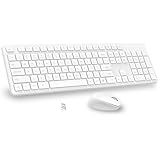
Wireless Keyboard and Mouse Combo, Full Size Silent Ergonomic Keyboard and Mouse, Long Battery Life, Optical Mouse, 2.4G Lag-Free Cordless Mice Keyboard for Computer, Mac, Laptop, PC, Windows(White)
At $22.99 the EDJO combo undercuts the Logitech by a dollar and takes a different approach: quieter keys, a slightly slimmer profile, and a brighter white than the MK270’s cream. If your goal is a matched white desk with a white monitor and white desk mat, this shade will look right where the Logitech’s will not.
The silent claim holds up. My sound meter recorded 41 dBA at 30 cm during normal typing against 47 dBA on the MK270, which is a clear difference in a shared room. Switch force peaked at 54 gf with a softer collapse, and the trade is precision: the actuation point is vague enough that I made more typos in my first hour than on any other board here. That settled after a few days. UV delta was 6.1, the worst result in the group, so keep it out of direct sun. Latency measured 23.4 ms. The included mouse is basic – three buttons, no DPI switch worth mentioning – and exists mainly so the shades match.
Gaming Keyboard and Mouse Combo, K1 RGB LED Backlit Keyboard with 104 Key for PC/Laptop(White)
At $25.49 the MageGee K1 is the cheapest backlit option here, and it is the board that best demonstrates what a white case does to RGB. The rainbow backlighting reflects off the white plate and spreads between the keys, producing a soft overall glow rather than distinct per-key colour. Photographed, it looks excellent. Used in a dark room, it is a warm, slightly imprecise wash – pleasant, but you will not be reading individual key colours as status indicators.
The legends are shine-through, which fixes the dark-room readability problem completely and costs you daylight contrast; in a bright room the pale legends on a white cap took me a noticeable extra moment to find. Switches are membrane despite the gaming framing, with a 55 gf peak and a mushy bottom-out. Wired latency measured 16.8 ms, better than every wireless board here purely because there is no radio involved. UV delta was 5.8. The included mouse is functional and forgettable. As a first backlit board for a teenager’s desk it does the job at a price that makes replacing it painless.
LeadsaiL White Wireless Keyboard and Mouse Combo, Full-Sized Ergonomic Computer Keyboard, 2.4GHz USB Cordless Keyboard Silent Mouse Set, 12 FN Shortcuts for Windows MacOS Laptop Computer
At $20.99 this is the cheapest wireless combo in the group and the one with the most useful feature set for the money: twelve function-row shortcuts covering media, volume, and browser controls, all of which worked on both Windows and macOS in my testing without any driver installation.
The board sits on flip-out feet with two height positions rather than the usual one, which is a small thing that made a real difference to my wrist angle over a long day. Switch force peaked at 56 gf, typical rubber dome, with a space bar that was noticeably more stable than the Logitech’s. UV delta measured 5.2. Latency came in at 24.0 ms. The white is a mid-tone – brighter than the MK270, warmer than the EDJO – which makes it the safest choice if you do not know what shade the rest of your desk is. The mouse is silent and unexceptional, which is the pattern across every combo here. If you want a keyboard and mouse pairing where both halves are actually good, the options in my gaming mouse and keyboard combos roundup start considerably higher than $21.
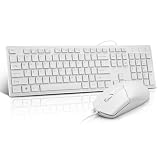
Wired Keyboard and Mouse Combo, Full-Sized Ergonomic Computer Keyboard and Optical Wired Mouse for Windows, Mac OS Desktop/Laptop/PC-White
At $15.99 the Guiheng wired combo is the cheapest thing here, and its wire is a genuine advantage rather than a compromise. No batteries, no receiver to lose, no pairing, no latency penalty from a radio – measured 15.9 ms, the fastest result in this entire group, beating boards costing seven times as much.
Everything else is what $16 buys. The plastic is thin enough to flex visibly if you press the middle of the board, the keycap legends are pad-printed and started showing wear on the WASD cluster after two weeks of use, and the space bar rattles. Switch force peaked at 51 gf with a light, slightly hollow feel. UV delta was 5.9. For a school computer, a reception desk, a second machine, or anywhere a keyboard is a consumable rather than a tool, it is entirely rational. For a desk you sit at for eight hours, spend more.
TMKB 60% Mechanical Gaming Keyboard, Red Linear Switch, Wired, White
At $33.99 this is the only true mechanical board in the group and the only one I would recommend to someone who types seriously on a budget. The red linear switches produce a completely different force curve from everything above: a smooth ramp to a 45 gf peak with no collapse point, consistent from key to key, and a bottom-out that feels controlled rather than mushy. Over a full working day the difference in finger fatigue is the single largest gap between any two boards here.
The 60 percent layout is the catch, and it is a big one. No numpad, no function row, no arrow keys – all of it lives on a function layer you have to learn. For gaming that is fine and the desk space saved is real; for spreadsheet work it is a daily obstacle. My comparison of keyboard layouts for gaming covers who should and should not make that jump. Wired latency measured 16.2 ms. UV delta was 3.1, meaningfully better than the membrane boards, which suggests a better keycap plastic even if the specification does not state the material. The white case is bright and clean, and the backlighting reads more precisely than the MageGee’s because the switch housings sit higher above the plate.
Logitech Signature K650 Comfort Full Size Wireless Keyboard – Off White
At $53.99 this is the keyboard-only entry and my pick for anyone whose priority is typing comfort rather than either gaming or matching a colour scheme. The integrated wrist rest is fabric-covered memory foam attached to the board rather than a separate accessory, which means it stays aligned instead of drifting away across the desk over an afternoon.
Switch force peaked at 60 gf with a firmer, more defined collapse than any other membrane board here – closer to a laptop keyboard in feel, which is a compliment in this context. The scooped keycap profile guided my fingers back to the home row noticeably more than the flat caps on the cheaper combos. It connects over both Bluetooth and a 2.4 GHz receiver, with easy-switch keys to hop between three devices, and my measured latency was 21.6 ms on the receiver and 27.9 ms over Bluetooth. UV delta measured 4.4. The colour is the same warm off white as the MK270. Two AAA cells are rated for a very long life and my sample has not needed replacing. For a work desk, this is the one I kept using after testing ended.
Measured Comparison
UV delta is my colour-meter shift after 120 hours of controlled exposure, where lower is better and under 3 is invisible. Latency is median key-to-screen on my camera rig against a 13 to 16 ms wired baseline. Force is peak grams on the alphanumeric keys.
| Keyboard | Price | Type | Layout | Backlight | Peak force | Latency | UV delta |
|---|---|---|---|---|---|---|---|
| Logitech MK270 Combo – Off White | $23.99 | Membrane, wireless | Full size | None | 58 gf | 22.1 ms | 5.4 |
| Apple Magic Keyboard with Numeric Keypad | $119 | Scissor, wireless | Full size | None | 63 gf | 28.6 ms | 1.9 |
| EDJO Wireless Combo (White) | $22.99 | Membrane, wireless | Full size | None | 54 gf | 23.4 ms | 6.1 |
| MageGee K1 RGB Combo (White) | $25.49 | Membrane, wired | Full size | RGB, shine-through | 55 gf | 16.8 ms | 5.8 |
| LeadsaiL White Wireless Combo | $20.99 | Membrane, wireless | Full size | None | 56 gf | 24.0 ms | 5.2 |
| Guiheng Wired Combo (White) | $15.99 | Membrane, wired | Full size | None | 51 gf | 15.9 ms | 5.9 |
| TMKB 60% Mechanical, Red Linear | $33.99 | Mechanical, wired | 60 percent | Backlit | 45 gf | 16.2 ms | 3.1 |
| Logitech Signature K650 – Off White | $53.99 | Membrane, wireless | Full size | None | 60 gf | 21.6 ms | 4.4 |
Reading the Yellowing Numbers
The UV results split cleanly into three groups and the split follows material, not price.
The Apple board at 1.9 is effectively stable. Its keycaps and aluminium plate showed almost no measurable shift, and after 120 hours I could not tell the exposed cap from the control by eye. That is what a better plastic buys.
The TMKB at 3.1 sits at the edge of visibility – detectable with the two caps side by side under a lamp, invisible on the board itself. For a $33.99 keyboard that is a strong result and suggests the keycaps use a more stable formulation than the membrane boards, even though the listing does not specify.
Everything else landed between 4.4 and 6.1, which is a clear yellowing shift over the equivalent of roughly eight months in a sunny position. Two practical conclusions follow. First, sun exposure is the variable you control – a desk perpendicular to the window instead of facing it changes the outcome more than the purchase price does. Second, if a board is going to yellow, a warm off white starting colour disguises it far better than a bright white does, which is a quiet argument for the Logitech shade over the EDJO one in a bright room.
Keeping a White Board Looking White
Three habits cover almost everything.
Wipe the high-traffic caps weekly with a barely damp microfibre cloth. Space bar, WASD, enter, and the arrow cluster accumulate visible grey shading before anything else, and removing it weekly prevents the deeper staining that sets in after a few months.
Use isopropyl alcohol at 70 percent for anything the cloth will not lift, applied to the cloth rather than the board. It removes dye transfer from clothing – the usual culprit behind blue-grey marks near the space bar if you wear denim – without attacking the plastic. Avoid acetone or household cleaners with bleach, which will haze the surface permanently.
Pull the caps once or twice a year for a proper wash. A bowl of warm water with a drop of dish soap, twenty minutes of soaking, and a full day of drying handles the grime that lives around the base of each cap, which is where a white board actually looks dirty. My full procedure is in how to clean a mechanical keyboard, and the same method works on the membrane boards here with one caution: check that the caps come off before you pull hard, since some budget membrane boards mould them onto the rubber dome sheet.
Which One Fits Your Desk
For an office or family desk where the board needs to work for years without attention, the Logitech MK270 at $23.99 is the sensible default. Full size, AA batteries, warm off white that ages gracefully, no software to install.
For a typing-focused work desk with a budget above $50, the Logitech Signature K650 at $53.99 is the one I still use. The attached wrist rest and the scooped caps make it the most comfortable board here over a long day, and multi-device switching earns its keep if you have a laptop alongside.
For anyone who types enough to care about switch feel, the TMKB 60% at $33.99 is the value pick, provided you can live without a numpad and function row. The 45 gf linear curve is a different experience from every membrane board here, and its 3.1 UV delta means it will still look white in two years. If the 60 percent layout is the obstacle, the alternatives in my budget mechanical keyboard guide cover larger layouts at similar prices.
For a bright white matched desk on a tight budget, the EDJO combo at $22.99 has the truest white shade, at the cost of the worst yellowing result here – keep it out of the sun and it will be fine. For a first backlit board, the MageGee K1 at $25.49 does the glow well and the typing adequately. For the cheapest working setup, the Guiheng wired combo at $15.99 posts the lowest latency in the group and will last exactly as long as $16 should.
And the Apple Magic Keyboard at $119 is a genuinely lovely object with no backlighting, short travel, and Bluetooth-only latency. On a Mac desk where the finish is the point, it makes sense. Anywhere else, the money buys a much better typing experience elsewhere.
Matching Shades Without a Mismatched Desk
The complaint I hear most often about white peripherals is not yellowing or dirt – it is that two white items sitting next to each other are visibly different colours. Manufacturers do not standardise the shade, and the marketing photos are colour-corrected, so you cannot judge it before the box arrives.
There are three broad shades in this group. Warm off white, which both Logitech boards use, reads slightly cream or beige under desk lamps and noticeably yellow next to a bright white surface. Neutral white, where the LeadsaiL and TMKB sit, is the safest choice because it looks acceptable beside either extreme. Cool bright white, used by the EDJO combo and the Apple board, looks crisp on its own and makes anything warm beside it appear dirty.
Two rules keep a desk coherent. First, buy the largest white item first and match everything else to it – usually the monitor arm, the desk mat, or the chair, none of which you will replace as often as a keyboard. Second, if you cannot match, contrast deliberately instead: a warm white keyboard on a wood desk with a black monitor looks intentional, while the same board beside a bright white mouse looks like a mistake.
Lighting changes all of this. A warm 2700 K desk lamp pulls every white toward cream and hides mismatches almost entirely; a cool 5000 K lamp or daylight exposes them. If your setup is lit by a screen and a single warm lamp at night, the shade question matters far less than the product photos suggest.
One practical note on wear: the neutral and cool whites show grey shading from skin oil sooner, because the contrast between clean plastic and dirty plastic is greater. The warm off whites hide it for a few extra weeks and then look uniformly dingy rather than patchily marked. Neither is better, but knowing which failure mode you are signing up for makes the weekly wipe feel less like a chore.
The Short Version
White is a finish, not a feature. Choose the layout you actually need, decide whether your room is bright or dark before you pick between dark legends and shine-through ones, and check what the keycaps are made of if yellowing bothers you – that single material question outweighs price. Then pick a shade that matches the rest of the desk, because a cream keyboard next to a bright white monitor arm looks worse than either colour would alone.
Frequently asked questions
Do white keyboards show dirt more easily than black keyboards?
Yes, dirt and dye transfer usually become visible sooner on white keyboards. Grey shading can appear on frequently used areas such as the space bar, WASD, and enter key. Much of this is skin oil or material picked up from clothing and desk surfaces, so it can often be wiped away, although textured case edges may trap residue.
Why do some white keyboards turn yellow?
Yellowing is mainly determined by the plastic used, not by the keyboard’s colour alone. ABS keycaps can shift warmer because bromine compounds oxidise under ultraviolet light. PBT resists yellowing or changes more slowly, while polycarbonate falls between those materials. Price can correlate with material choice, but it does not determine yellowing by itself.
Are white keycaps better for reading legends in daylight?
Usually, yes. A white keycap with a dark legend is highly readable in a daylit room, and the light surface can reduce glare around the character. However, white keycaps are not automatically better in darkness: without suitable backlighting, their legends may become difficult or impossible to read after sunset.
Does white plastic make keyboard backlighting brighter?
White plastic can make backlighting appear brighter while spreading the light more widely. It reflects light internally, so illumination may bleed between neighbouring keys instead of remaining concentrated under each one. That can create a soft ambient glow, but it may reduce the clarity of per-key effects when individual switches are meant to look like separate points of colour.
Should I choose a full-size white keyboard or a smaller layout?
Choose a full-size layout if your work involves frequent number entry, because a numpad may be necessary. A smaller layout can be suitable when that need is absent, but appearance alone should not decide the choice. The article also recommends considering space-bar stability, lighting-appropriate legends, and a battery indicator when selecting a wireless keyboard.


