The wired-versus-wireless debate used to be simple: wires for performance, wireless for convenience. Modern low-latency wireless has blurred that line so much that the real decision now comes down to clutter, battery habits and a few niche performance cases. Choosing well for your desk means being honest about how you actually use your keyboard and mouse rather than repeating old assumptions.
As an Amazon Associate we earn from qualifying purchases at no extra cost to you.




Top 3 picks at a glance
How the two compare today
| Factor | Wired | Modern wireless (2.4GHz) |
|---|---|---|
| Latency | Effectively zero | ~1-2 ms, imperceptible for most |
| Battery | None needed | Recharge or swap every days to weeks |
| Desk clutter | Two cables to manage | Clean, one receiver |
| Reliability | Rock solid | Very good on a clean 2.4GHz link |
| Cost | Lower for equal tier | Premium for low-latency models |
Where wired still wins
Wired peripherals never need charging, never drop a connection, and cost less for the same build quality. For a competitive esports player chasing every millisecond, or anyone who hates the idea of a mouse dying mid-match, wired removes all doubt. Wired is also the safer bet in radio-congested environments, like a desk surrounded by many wireless devices, where cheap 2.4GHz links can occasionally stutter. The downside is the obvious one: two more cables to route and a mouse cable that can drag unless you use a bungee.
Where wireless wins
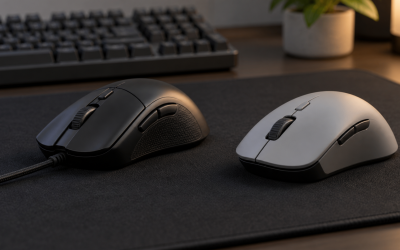
For a clean, minimalist desk, wireless is transformative, no cables snaking across your mat, easy to reposition, and a single tiny receiver (or Bluetooth) handling both devices if they share a unifying dongle. Good 2.4GHz gaming mice now deliver 1000Hz polling and 1 to 2 ms latency that the vast majority of players cannot feel. Bluetooth is fine for productivity and multi-device switching but has higher, more variable latency, so gamers should prefer a dedicated 2.4GHz dongle over Bluetooth for play.
Battery and connection habits
Wireless only frustrates you if you neglect it. Many gaming mice now charge over their normal cable so you plug in overnight or during a break, effectively becoming wired when needed. Keyboards can run weeks to months on a charge. Keep the 2.4GHz receiver close (a front-of-desk extender helps), use a fresh link away from a crowded USB hub, and battery anxiety mostly disappears.
Mixing and matching
You do not have to commit to one philosophy for both devices. A very common desk pairs a wireless mouse, where cable drag matters most for aiming and repositioning, with a wired keyboard, which never moves and benefits from having no battery to charge. This hybrid gives you a clutter-free mousing area and a keyboard you never think about. If you use a laptop across several desks, a single unifying receiver that pairs both a wireless keyboard and mouse frees up only one USB port and travels easily. Weigh how often each device actually moves before deciding.
What about total cost of ownership
Wired peripherals are cheaper up front and have no batteries to degrade, so a good wired set can outlast several charge-cycle-worn wireless ones. Rechargeable wireless devices avoid disposable batteries but their internal cells do lose capacity after a few years of daily charging. For a budget build, wired stretches your money furthest; for a premium clutter-free desk, the wireless convenience is usually worth the higher price and occasional recharge.
FAQ
Is wireless mouse latency noticeable for gaming?
On a modern 2.4GHz gaming mouse, no. Latency sits around 1 to 2 ms, which is imperceptible to nearly everyone. Bluetooth is a different story, with higher and less consistent latency, so use the dedicated dongle for gaming and save Bluetooth for productivity.
Should I choose wired or wireless to reduce desk clutter?
Wireless, clearly. It removes two cables and a mouse cord that can drag, leaving a clean mat and easy repositioning. If you go wired for performance or budget reasons, a mouse bungee and a cable channel keep the clutter under control.
Bottom line
For most desks, modern 2.4GHz wireless offers all the responsiveness you need with far less clutter, provided you keep it charged and use the dongle rather than Bluetooth for gaming. Choose wired if you want zero maintenance, the lowest cost, or absolute competitive certainty. The performance gap is now small enough that clutter and habits should drive your choice.