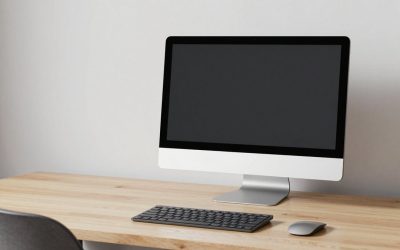
A monitor arm gives you the freedom to place your screen anywhere, but freedom only helps if you set it up for your body. Most neck and eye strain comes from a screen that is too low, too far, or angled wrong, and an arm lets you fix all three in seconds once you know the targets. This guide walks through positioning a monitor arm for healthy posture so long sessions stop leaving you sore.
Set the height first
Height is the biggest posture factor. Sit upright with relaxed shoulders and look straight ahead; the top of the screen should sit at or just below your eye level. That way your gaze falls naturally across the display without tilting your head up or down. If you wear progressive lenses, you may want the screen a little lower so you read through the correct part of the glasses.
Then set the distance
Push or pull the arm so the screen sits roughly an arm’s length away, about 50 to 70 cm for a typical monitor. Larger screens need to go a bit farther so you can take in the whole display without moving your head. If text is hard to read at that distance, increase the operating system’s scaling rather than dragging the screen closer.
| Setting | Target |
|---|---|
| Top of screen height | At or just below eye level |
| Viewing distance | 50-70 cm (arm’s length) |
| Screen tilt | 10-20 degrees back |
| Horizontal position | Centered on your body |
Dial in tilt and angle
Tilt the screen back slightly, around 10 to 20 degrees, so it faces your eyes squarely when you sit upright. This keeps the whole display at a consistent distance and reduces reflections from overhead lights. Center the monitor directly in front of you so you are not turning your head to one side all day. For a dual setup, angle each screen inward in a shallow arc around your seated position.
Recheck after you sit properly
Set your chair and desk first, because monitor height depends on how you sit. Adjust the chair so your feet are flat and elbows near 90 degrees, then set the arm to your seated eye level. If you switch between sitting and standing, an arm makes it easy to re-set the height each time; take a moment to do so rather than craning.
Frequently asked questions
Should the monitor be directly at eye level or below?
The top of the screen should sit at or slightly below eye level, which puts the center of the display a little below your straight-ahead gaze. Looking slightly downward is natural and comfortable for the eyes and neck. A screen with its center at eye level often ends up too high and tips your head back.
How far back should a large monitor go?
Bigger screens need more distance so you can see the edges without moving your head, so a 32-inch or ultrawide may sit 70 cm or more away. A good test is that you can read comfortably and take in the whole screen with only eye movement. If you must turn your head to see the corners, push it farther back.
Bottom line
Position a monitor arm by setting height first, with the top of the screen at or just below eye level, then distance at roughly an arm’s length, then a slight backward tilt of 10 to 20 degrees, centered on your body. Set your chair and desk before the screen, since posture flows upward from how you sit. A minute of adjustment prevents hours of neck and eye strain.