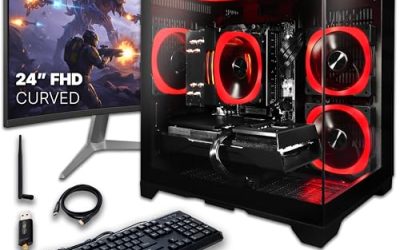
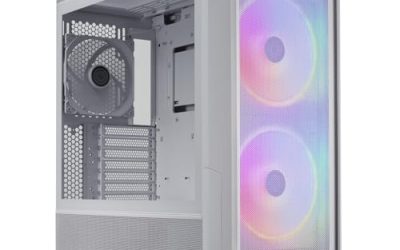
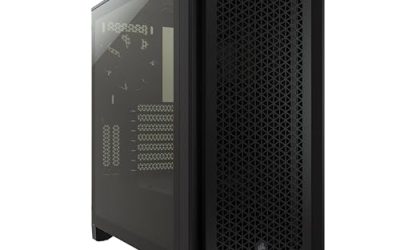
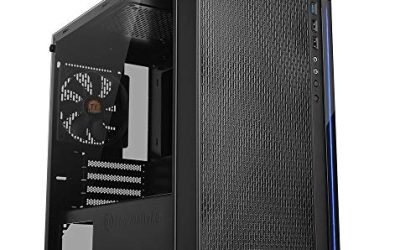
A graphics card can only cool itself with the air the case hands it, so the front panel often decides temperatures more than the cooler mounted inside. A solid front turns three good fans into decoration, while a mesh front with a clear path lets the same hardware run cooler and quieter. That is the real choice behind this roundup: not which case looks fastest, but which one stops starving the parts you already paid for.


This guide suits first-time builders, gamers upgrading a hot mid-tower, and anyone whose temperatures climb during long sessions. Every case below was picked from its Amazon listing for a mesh or heavily ventilated front, preinstalled fans where stated, and room for full-size graphics cards. Compare the fan counts and intake layouts first, then match the rest to your motherboard, cooler, and desk space.
Top 3 picks at a glance

Quick Picks
As an Amazon Associate we earn from qualifying purchases
| Product | Best for | Key spec from title |
|---|---|---|
| MONTECH AIR 903 MAX High-Airflow E-ATX Mid-Tower PC Case | Best overall airflow value | Four pre-installed 140mm fans |
| Antec P30 AIR Mid-Tower ATX Case | Wood-accent builds with five fans | Five PWM fans pre-installed |
| Okinos Air Cross | Walnut styling with dual-channel airflow | Five pre-installed fans |
| Hyte X50 Air | Micro-mesh panels on front and side | Front micro-mesh panel |
| Lian Li LANCOOL 216 | Large front fans and quiet volume | Two 160mm front ARGB fans |
How to Choose
Front Panel and Mesh
The front panel sets the ceiling for every cooler in the build, so read it before the fan count. A mostly open metal mesh panel lets intake fans pull cool room air straight into the case, while a sealed glass or solid panel forces air through narrow side gaps and raises temperatures under load. Look for mesh that covers most of the front, a removable dust filter behind it, and no decorative layer blocking the holes. In product photos, a front that looks like a solid slab with thin slits at the edges deserves doubt. A genuine mesh front with two fans usually out-cools a sealed case with five fans fighting for the same thin stream.
Included Fans
Count the fans that arrive in the box before comparing cases, because buying fans separately changes the real cost of a bargain shell. A case with four preinstalled fans can be cheaper overall than a bare case that needs three added later, even when the sticker suggests otherwise. Bigger fans help too: 140mm fans move similar air volume at lower speeds than 120mm fans, which usually means less noise. PWM fans are worth seeking out, since four-pin control lets the motherboard slow them at idle and ramp them only under load. Note the layout too: front intakes feed the whole system, while bottom intakes aimed at the graphics card cool the hottest part directly.
GPU and CPU Clearance
Airflow means little if your graphics card does not fit, so measure before falling for a mesh front. Check the listed maximum graphics card length against your card, leaving room for power cables to bend without pressing on the side panel. Tall tower CPU coolers need the same check: compare the listed cooler height limit with your cooler, remembering a top radiator can eat into that space. Radiator plans change the math further, because a front-mounted radiator turns your best intake into warm air for the graphics card, while a top mount keeps the front path cool. A case fitting a 400mm graphics card and a 360mm top radiator leaves room for upgrades without a second case purchase.
Filters, Cable Space, and Noise
Dust management and cable routing shape temperatures months after the build, not just on day one. Filters belong on every intake, and they should slide out for cleaning without tools or tilting the whole case. Behind the tray, look for enough depth to hide thick power cables, because a wall of cables in the main chamber blocks the stream from the front fans. Noise follows the same logic: a breathable case lets fans spin slower for the same cooling, so a loud stock fan curve is often a sign of restriction rather than bad fans. Tune the fan curve in the BIOS after the first boot, and keep intake slightly stronger than exhaust so dust enters through filters.
The 5 Best Options
MONTECH AIR 903 MAX High-Airflow E-ATX Mid-Tower PC Case
The AIR 903 MAX earns the top spot by shipping a complete airflow setup rather than a shell needing finishing. Four 140mm fans arrive preinstalled, three at the front and one at the rear, all PWM-controlled through an included hub, so the case moves serious air from the first boot. Its ventilated mesh front panel carries a 57% ventilation rate, among the highest in its class, and the E-ATX frame still leaves room for graphics cards up to 400mm. Radiators up to 360mm fit at the front and on top, keeping liquid cooling an option without giving up the intake path.
Specs
- Four pre-installed 140mm fans: three HP140 ARGB PWM fans at the front and one PWM fan at the rear
- Ventilated mesh front panel with 57% ventilation rate
- Supports E-ATX, ATX, Micro-ATX, and Mini-ITX motherboards
- Graphics cards up to 400mm
- Radiators up to 360mm at the front and on top
- One USB Type-C port, two USB 3.0 ports, microphone and audio jacks
- Chassis dimensions 478 x 230 x 493 mm
- 1 year warranty
Best for: Builders who want a finished four-fan airflow setup without buying extra fans.
Watch out for: Stock fans can sound loud on the factory curve, so plan to tune the fan curve after the first boot.
Antec P30 AIR Mid-Tower ATX Case
The P30 AIR pairs five PWM fans with a metal mesh front and wood accents, suiting a living-room build as well as a gaming desk. Two 140mm fans sit at the front, two 120mm reverse fans pull air through the PSU shroud, and one 120mm fan exhausts at the rear, feeding the graphics card fresh air from two directions. A large side intake with 30mm of bottom clearance helps the card further, and the tool-free tempered glass side panel keeps the interior visible without blocking the front. A 360mm radiator fits at the top, so an AIO can join later without moving the intake.
Specs
- Five PWM fans pre-installed: two 140mm fans at the front, two 120mm reverse fans at the PSU shroud, one 120mm fan at the rear
- Metal mesh front panel with premium wood accents and chamfered edges
- 360mm radiator support at the top
- Large side intake with 30mm bottom clearance
- Tool-free tempered glass side panel
- USB Type-C port on the case
- 2 years warranty
Best for: Builders who want five fans, a mesh front, and wood styling in one ATX case.
Watch out for: E-ATX motherboards are not supported, so confirm your board size before ordering.
Okinos Air Cross
The Air Cross brings genuine walnut wood and a dual-channel airflow design to an ATX case that still behaves like a cooling-first chassis. Five fans come preinstalled, three 140mm PWM fans and two 120mm reverse PWM fans, wired with a daisy-chain design and a 1-to-3 splitter to keep the header count low. The layout cools the CPU horizontally and the GPU vertically, with the bottom intake fully open for the graphics card, and a built-in adjustable bracket holds heavy cards against sag. A 1.2mm fine mesh front panel and 4mm tempered glass are both tool-free, and back-connect motherboard support hides more cables behind the tray.
Specs
- Five fans pre-installed: three 140mm PWM fans and two 120mm reverse PWM fans
- Daisy-chain design with a 1-to-3 splitter
- Genuine walnut wood ATX case with airflow-optimized mesh panels
- 1.2mm fine mesh front panel and 4mm tempered glass, fully tool-free
- Top 360mm radiator support
- Built-in adjustable bracket for heavy graphics cards
- Back-connect motherboard support
- 37mm front and 33mm rear cable management spaces
- 1 Year Manufacturer warranty
Best for: Builders who want walnut styling, five fans, and a dedicated vertical path for GPU cooling.
Watch out for: E-ATX motherboards are not supported, so check the board form factor first.
Hyte X50 Air
The X50 Air takes a different route to the same goal, using micro-mesh on the front and a thick curved micro-mesh side panel instead of a single open grille. Its front micro-mesh panel acts as a low-pressure, low-resistance intake, while louvered blades cut exhaust impedance and stiffen the frame. A structural PSU canopy at the top improves cable management with accessible tie-down points and velcro straps, and up to three 120mm fans can sit at the bottom for direct airflow to the graphics card. The 4 Year Manufacturer warranty is the longest in this roundup, which matters for a case bought to survive several upgrades.
Specs
- Front micro-mesh panel for low-pressure, low-resistance air intake
- Thick curved micro-mesh side panel
- Louvered blades reduce exhaust impedance
- Structural PSU canopy at the top with tie-down points and velcro straps
- Bottom mounts for up to three 120mm fans for direct graphics card airflow
- Modern performance ATX mid-tower gaming case
- 4 Year Manufacturer warranty
Best for: Builders who want mesh on two sides, a tidy PSU canopy, and a long warranty.
Watch out for: The listing does not state preinstalled fans, so confirm what arrives in the box and budget for fans if needed.
Lian Li LANCOOL 216
The LANCOOL 216 relies on fan size rather than fan count, and that trade usually wins on noise. Two 160mm front ARGB fans push substantially more air per revolution than standard 120mm units, and the included 140mm rear exhaust completes a strong front-to-back path. A rear PCIe fan bracket mounts a 120mm fan behind the graphics card to pull hot air straight out the back, a small detail that helps long gaming sessions. The modular motherboard I/O tray shifts up for air-cooled tower clearance or down for top-mounted radiators, and velcro straps plus a cable grommet bar keep the main chamber clear for the stream.
Specs
- Two 160mm front ARGB fans and one 140mm rear fan
- Mesh front panel
- Rear PCIe fan bracket for a 120mm fan behind the graphics card
- Modular motherboard I/O tray, adjustable for tower cooler or top radiator clearance
- Cable management with velcro straps and a cable grommet bar
- ARGB lighting on the front fans
Best for: Builders who want big, quiet front fans and a rear exhaust path for the graphics card.
Watch out for: The PSU dust filter is awkward to reach, so expect to pull the case forward when cleaning it.
Which One Fits Your Situation
You Want the Best Airflow Out of the Box
Pick the MONTECH AIR 903 MAX. Four 140mm PWM fans, a 57% ventilation front, and an included hub mean the case cools properly with nothing extra to buy. That completeness is the point: the cooling hardware is already mounted, wired, and ready. Its E-ATX support and 400mm graphics card room also leave the most space for future upgrades.
You Want a Case That Looks at Home in a Living Room
Pick the Antec P30 AIR or the Okinos Air Cross. The Antec pairs wood accents with five PWM fans and a 360mm top radiator mount, while the Okinos adds genuine walnut and a dual-channel layout that feeds the graphics card from below. Both keep a mesh front, so the styling never costs cooling.
You Are Building Around a Hot Graphics Card
Pick the Lian Li LANCOOL 216 or the Hyte X50 Air. The Lancool’s 160mm front fans and rear PCIe bracket attack GPU heat from both ends, while the Hyte’s bottom mounts aim up to three 120mm fans directly at the card. Check your card length against the listing either way.
You Want a Case That Lasts Through Several Upgrades
Pick the Hyte X50 Air for its 4 Year Manufacturer warranty and micro-mesh panels on two sides, or the Lian Li LANCOOL 216 for its modular I/O tray that adapts to tower coolers and top radiators. Both leave the layout flexible enough that a new cooler or card does not force a new case.
Common Mistakes
- Buying a case with a sealed glass front because the listing calls it an airflow model, then wondering why temperatures stay high.
- Comparing sticker prices without counting the fans in the box, so a cheap shell costs more once three fans are added.
- Skipping the graphics card length check and discovering the card presses against the front fans or the side panel.
- Mounting a radiator at the front without realizing it turns the best intake into warm air for the graphics card.
- Running more exhaust than intake, which pulls unfiltered dust in through every seam instead of through the filters.
Frequently Asked Questions
How many fans should an airflow case include?
Three fans cover most midrange builds: two intakes at the front and one exhaust at the rear. Four or five fans suit hot graphics cards and warm rooms, especially when two of them feed the card directly. Count the fans in the box first, then add only the mounts your build actually needs.
Does a mesh front really matter more than extra fans?
Yes, in most builds. A mesh front removes the main restriction in the intake path, so every fan behind it moves more air at lower speeds. Extra fans behind a sealed panel fight the same narrow gaps, which is why a two-fan mesh case often out-cools a five-fan sealed one.
Should the intake be stronger than the exhaust?
Slightly stronger intake creates positive pressure, so air enters through the filtered intakes rather than through unfiltered seams and gaps. Set the front fans a little faster than the rear exhaust, then adjust the curve after watching temperatures during a long gaming session.
Can an airflow case also be quiet?
It often is, because a breathable front lets fans reach target temperatures at lower speeds. Large 140mm or 160mm fans help further by moving the same air with fewer revolutions. If the stock curve sounds loud, flatten the low end in the BIOS before buying replacement fans.
Related guides
More from Amazon
Programs that pair well with the guide above. Offers and eligibility are set by Amazon and may change.
Free shipping on eligible items, Prime Video and more. Eligible new members can start with a free trial.
Start a Prime free trialAd-free music streaming. Eligible new subscribers can start with a free trial.
Try Music Unlimited freeA Prime membership for ages 18-24 with a trial period. Eligibility is set by Amazon.
See Prime for Young AdultsAudiobooks and podcasts to listen to on the go. Eligible new members can start with a free trial.
Try Audible freeAs an Amazon Associate we earn from qualifying purchases.