
Finding the best gaming keypads usually starts with the same frustration: a full-size keyboard wastes space, forces awkward hand stretches for key combos, and never puts the controls where your left hand actually wants them. Whether you are trying to hit every ability in an MMO without looking down, strafe and aim more naturally in an FPS, or just free up desk space for a bigger mouse pad, a good keypad solves the layout problem by clustering only what you need into an ergonomic, one-handed form factor.
After comparing how these devices feel over long sessions, the difference between good and bad comes down to execution, not marketing. The best gaming keypads offer a comfortable, natural hand position that does not strain your wrist, switches that feel consistent and responsive without misfires, and software that makes programming macros actually usable instead of a chore. The worst feel cramped, force you to relearn basic movement, or lock you into limited platform support that undercuts their value.
As an Amazon Associate we earn from qualifying purchases at no extra cost to you.



Top 3 picks at a glance
Quick Picks
| Product | Best for | Price |
|---|---|---|
| Razer Tartarus V2 | Best for MMO and MOBA Players | $69.99 |
| Razer Tartarus Pro | Best for Analog Control | $129.99 |
| Azeron Cyborg II Black | Best for Ergonomic Custom Fit | $273.5 |
| Azeron Cyborg II Red | Best for Ergonomic Custom Fit in Red | $273.5 |
| BTXETUEL Mini 4-Key | Best Ultra-Compact Option | $19.99 |
| HORI TAC Mechanical Keypad | Best for PlayStation and PC FPS | $88.99 |
| Pulsar XPAD Mini | Best for Osu! and Rhythm Games | $39.95 |
| TiMOVO Xbox Chatpad | Best for Xbox Controller Typing | $26.99 |
How We Picked
We evaluated every keypad on comfort and hand fit during extended play, switch quality and control precision, the depth and reliability of programmability and software, and platform compatibility including PC, PlayStation, and Xbox. We also weighed build quality, layout logic for gaming genres, and whether extra inputs like thumbsticks, d-pads, or wheels genuinely improve control rather than adding clutter.
The 8 Best Gaming Keypads in 2026
1. Razer Tartarus V2
The Razer Tartarus V2 is for PC gamers who want a full-featured, left-handed keypad without a steep learning curve. If you play MMOs, MOBAs, or strategy games and rely on layered macros, its familiar key arrangement with a directional pad, scroll wheel, and removable wrist rest feels immediately usable. With 32 programmable keys, you get generous customization through Razer’s software for profiles, macros, and Chroma RGB lighting.
- Pro: Highly customizable with 32 programmable keys and intuitive software support
- Pro: Comfortable, supportive design with wrist rest for long sessions
- Con: Mecha-membrane switches feel softer than true mechanical switches
Skip it if you demand analog input or a fully mechanical key feel; the Tartarus Pro is the better step up for that.
2. Razer Tartarus Pro
The Razer Tartarus Pro is made for enthusiasts who want nuanced control from a keypad. It builds on the V2 layout but swaps in analog-optical key switches with adjustable actuation and Rapid Trigger, letting you feather movement or hold a key halfway for walk versus run in supported games. With 32 programmable keys, customizable macros, and Chroma RGB lighting in Classic Black, it is the most versatile option for players who fine-tune every input.
- Pro: Analog-optical switches allow adjustable actuation and dual-action inputs per key
- Pro: Retains full programmability with 32 keys and deep macro customization
- Con: Premium price and more complex tuning may overwhelm casual users
Skip it if you want a simple plug-and-play pad or prefer to stay at a lower budget.
3. AZERON Cyborg II Black
The Azeron Cyborg II in Black is for right-handed players who want a truly ergonomic, hand-shaped alternative to a traditional keypad. This programmable one-handed gaming keyboard uses a 3D printed, customizable structure that positions each finger over its own tower of keys, plus a Hall Effect analog thumbstick for smooth movement. With 30 programmable keys, it excels for FPS, sim, and MMO players who want analog motion without touching a controller.
- Pro: Outstanding ergonomics with 3D printed, adjustable towers that reduce finger strain
- Pro: Hall Effect analog thumbstick adds fluid, controller-like movement
- Con: Large footprint and highly specialized design require adjustment time
Skip it if you need a left-handed device or want something compact and instantly familiar.
4. AZERON Cyborg II Red
The Azeron Cyborg II in Red offers the same performance and tailored fit as its Black counterpart, but in a bold colorway. It is also a programmable one-handed keyboard for righties with a Hall Effect analog thumbstick and 30 programmable keys, built around the same 3D printed customized keypad concept. Choose this if you like the Cyborg II’s adjustability and analog movement but prefer a high-visibility finish that stands out on your desk.
- Pro: Same ergonomic, fully adjustable tower design with personalized fit
- Pro: Hall Effect thumbstick and 30 programmable keys provide deep control
- Con: Premium pricing and right-handed only layout limit its audience
Skip it if you do not need the elaborate ergonomic system or want a more understated look.
5. BTXETUEL Mini 4-Key
The BTXETUEL Mini 4-Key is for gamers and workers who need just a few extra inputs, not a full pad. This one-handed mechanical keypad comes with WASD and arrow keycaps and is programmable over USB-C, making it useful as a dedicated movement cluster, macro trigger, or osu! helper. Its tiny, customizable footprint lets you place precise controls exactly where your hand rests, ideal for minimalist setups or as a supplement to a main keyboard.
- Pro: Extremely compact and affordable with hot-swappable feel and USB-C
- Pro: Programmable for gaming or productivity macros despite its size
- Con: Only four keys, so it cannot replace a larger keypad for complex games
Skip it if you need a comprehensive set of abilities or analog movement; this is a complement, not a standalone command center.
6. HORI Tactical Assault Commander (TAC) Mechanical Keypad
The HORI Tactical Assault Commander is built for console FPS players who want PC-style control on PlayStation 5, PlayStation 4, and PC. Officially licensed by Sony, this mechanical keypad pairs a PC-style key zone with a dedicated layout for shooters and MMOs, giving you faster key access than a controller while keeping stick-like navigation. Its mechanical keys deliver a crisp, tactile response that holds up in competitive matches.
- Pro: Official PlayStation licensing ensures reliable compatibility across PS5, PS4, and PC
- Pro: Mechanical keys offer a more responsive and durable feel than membrane pads
- Con: Layout is heavily FPS-focused and less versatile for other genres
Skip it if you primarily game on Xbox or need deep macro layering for MMO abilities.
7. Pulsar Gaming Gears XPAD Mini 3-Key
The Pulsar XPAD Mini in Turquoise is a specialist tool for rhythm game fans, particularly osu! players. This 3-key gaming keypad strips everything away except what matters for rapid, consistent tapping: low-friction switches, a compact, stable chassis, and a layout that keeps your fingers perfectly aligned. It is not trying to be a full keypad, and that focus is why it feels so precise for its niche.
- Pro: Purpose-built for rhythm games with clean, rapid key response
- Pro: Ultra-small, portable design that fits easily beside a main keyboard
- Con: Three keys are too limited for general gaming use
Skip it if you want a general-purpose gaming keypad; this is strictly for osu! and similar titles.
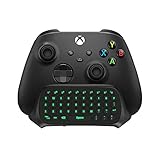
8. TiMOVO Green Backlight Keyboard for Xbox Controller
The TiMOVO Green Backlight Keyboard is for Xbox players who want easier text input without reaching for a separate keyboard. This clip-on chatpad attaches directly to your Xbox controller and provides a full QWERTY layout with green backlighting for low-light use. It is best for messaging, searching, and entering codes, rather than replacing gameplay controls, and it keeps everything centered in your hands.
- Pro: Convenient controller-mounted design for quick typing and chat
- Pro: Green backlight improves visibility during evening sessions
- Con: Not designed as a gaming keypad for macro-driven PC-style play
Skip it if you are looking for a desktop keypad with programmable gaming macros.
Buying Guide
Ergonomics and Handedness
Keypads live or die by fit. Left-handed pads like the Razer Tartarus series keep movement and abilities under one hand with a wrist rest, while right-handed designs like the Azeron Cyborg II mold to your fingers for longer comfort. Test your priorities: do you want a familiar grid you can learn in minutes, or a fully adjustable, hand-shaped device that takes longer to dial in but reduces fatigue? Also consider desk space and whether you need a compact companion versus a standalone control deck.
Switch Type and Control Style
Membrane and mecha-membrane switches are quieter and softer, mechanical switches are more tactile and consistent, and analog-optical switches add pressure-sensitive input for walking, driving, or gradual actions. If you play competitive shooters or sims, an analog thumbstick or analog keys can blend controller-like movement with keyboard precision. For rhythm or ultra-minimal setups, a small mechanical 3-key or 4-key pad will feel faster than a larger membrane grid.
Programmability and Platform Support
Programmable keys are only useful if the software makes them easy to map, layer, and save per game. Look for on-board profiles, macro recording, and intuitive remapping. Equally important is compatibility: PC keypads are the most flexible, PlayStation-licensed pads like the HORI TAC guarantee console support, and Xbox chatpads are console-specific. Decide where you play most and choose a device that is officially supported there to avoid adapter hassles.
Our Verdict
Our top pick for most gamers is the Razer Tartarus Pro. Its analog-optical switches with adjustable actuation and Rapid Trigger, combined with 32 programmable keys, deliver the best blend of customization, comfort, and game-ready precision for a wide range of genres. For shoppers on a tight budget, the BTXETUEL Mini 4-Key at $19.99 is the clear value choice, offering programmable mechanical input in a tiny, versatile package. If ergonomic fit and true analog movement are your priority and you are a right-handed player, the Azeron Cyborg II wins despite its higher price thanks to its tailored, hand-shaped design and Hall Effect thumbstick.
FAQ
Do I need a gaming keypad if I already have a mechanical keyboard?
Not necessarily, but a keypad can help if you want to shorten reach to abilities, save desk space for mouse movement, or reduce wrist strain during long sessions. Many players keep both and use the keypad for gaming while retaining the full keyboard for typing and general use.
Are gaming keypads good for FPS games?
Yes, especially models with analog inputs or thumbsticks that allow gradual movement. Traditional keypads excel for key-heavy shooters and MMOs, while specialized pads like the HORI TAC are tuned specifically for FPS control on both console and PC.
What is the difference between the Razer Tartarus V2 and Pro?
The V2 uses mecha-membrane switches that balance softness and click, while the Pro uses analog-optical switches with adjustable actuation and Rapid Trigger for more precise, pressure-sensitive control. Both offer 32 programmable keys, but the Pro adds deeper tuning for competitive play.
Can I use a mini 3-key or 4-key pad as my main gaming keypad?
Mini pads are best as supplements for specific actions like movement, osu! tapping, or a handful of macros. If you need a dozen or more abilities, cooldowns, and utility keys at your fingertips, a larger pad with 30 or more programmable keys will be far more practical.


