
A clamp-on laptop stand can solve a familiar home-office problem: a laptop takes up the center of a compact desk, forces your screen too low, and leaves little room for a keyboard, notebook, or coffee mug. Unlike a freestanding riser, a desk-mounted arm lifts the laptop off the work surface and can place the display closer to eye level while preserving usable desktop space.
The best clamp on laptop stand for your setup depends on what else lives on the desk. Some shoppers need a straightforward arm for a single notebook; others want a tray that can share a monitor arm, a clamp-and-grommet option, or an especially sturdy mount for a music, DJ, or keyboard workstation. For 2026, these are the strongest options to compare based on their stated fit, adjustment features, and price.
As an Amazon Associate we earn from qualifying purchases at no extra cost to you.


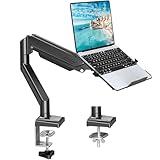
Top 3 picks at a glance
Quick Picks
| Product | Best for | Price |
|---|---|---|
| WALI Adjustable Laptop Desk Mount for 17 inch Notebook or 32 inch Screen | Budget-minded adjustable setups | $29.99 |
| HUANUO 2 in 1 Function Laptop Mount with Tray | Monitor-and-laptop flexibility | $37.99 |
| MOUNT PRO Laptop Arm Mount for Desk | Simple laptop or monitor compatibility | $35.99 |
| HUANUO Laptop Desk Mount – 17′ to 32′ Monitor Arm | Lowest-priced HUANUO option | $27.99 |
| WALI Laptop Desk Mount for 17″ Notebook and 34″ Screens | Heavier stated load needs | $47.99 |
| VIVO Single Laptop Notebook Desk Mount Stand, STAND-V001L | A dedicated single-laptop arm | $39.99 |
| Liquid Stands Laptop Desk Mount for Piano, Keyboard & DJ Workstations | Creative and performance workstations | $48.99 |
| MOUNTUP Laptop Stand for Desk, 2-in-1 Monitor Mount with Laptop Tray | Clamp or grommet desk installation | $37.99 |
How We Picked
We compared these mounts by the details that matter most in a real desk setup: stated notebook fit, monitor compatibility where applicable, mounting method, tray or arm configuration, adjustment language, and price. A good clamp-on mount should match the device you actually use, rather than simply offering the longest feature list.
We also prioritized clear use cases. A laptop-only arm makes sense for a focused work-from-home desk, while a monitor-compatible design can be more useful for hybrid workspaces. Products with stated clamp and grommet installation earned attention for desks where one mounting method may not work. Rankings reflect the available specifications and practical buying value, not unpublished performance testing.
The 8 Best Picks
1. WALI Adjustable Laptop Desk Mount for 17 inch Notebook or 32 inch Screen
The WALI Adjustable Laptop Desk Mount is our top value pick for shoppers who want an uncomplicated way to get a notebook off a crowded desk. Its stated compatibility covers a 17 inch notebook or a 32 inch screen, making it especially appealing for a workspace that may change between laptop and monitor use. At $29.99, it is also one of the least expensive options in this group.
- Pro: Adjustable design supports more flexible screen positioning.
- Pro: Stated fit spans a 17 inch notebook or a 32 inch screen.
- Con: The listing does not state a laptop weight capacity.
Skip it if confirming a specific load rating is essential before you buy, or if you need a stated grommet-mount option.
2. HUANUO 2 in 1 Function Laptop Mount with Tray
Choose this HUANUO 2 in 1 Function Laptop Mount if your desk has to accommodate both a laptop tray and a monitor-oriented mounting system. It is described as fitting 13-34″ monitors and notebooks up to 17″, with full-motion adjustment and VESA 75x75mm/100x100mm compatibility. That combination makes it a strong match for hybrid workstations where one display setup may evolve over time.
- Pro: Includes a laptop tray and full-motion adjustment.
- Pro: Supports stated VESA 75x75mm/100x100mm patterns.
- Con: It costs more than the basic WALI adjustable mount.
Skip it if you only need a minimal single-laptop holder and have no interest in monitor compatibility.
3. MOUNT PRO Laptop Arm Mount for Desk
The MOUNT PRO Laptop Arm Mount for Desk is a sensible middle-ground choice for buyers who want a straightforward arm with stated support for a notebook up to 17″ and monitors up to 32″. Its $35.99 price places it between entry-level desk mounts and more specialized workstation hardware. This is the option to consider when your priority is broad device compatibility without paying for a more specialized creative-workstation design.
- Pro: Fits notebooks up to 17″ according to the product name.
- Pro: Also lists compatibility with monitors up to 32″.
- Con: No laptop load range is stated in the provided specifications.
Skip it if you specifically need a tray identified as part of a monitor mount or want clamp-and-grommet installation stated upfront.
4. HUANUO Laptop Desk Mount – 17′ to 32′ Monitor Arm
At $27.99, the HUANUO Laptop Desk Mount is the most affordable product in this lineup and a practical place to start for a cost-conscious desk refresh. Its name identifies it as a laptop desk mount with a 17′ to 32′ monitor arm. For shoppers who already know they want the HUANUO format but want to keep spending low, that price difference may be more important than extra features.
- Pro: It is the lowest-priced pick in this roundup.
- Pro: The product is identified as a laptop desk mount and monitor arm.
- Con: The provided details offer fewer fit and mounting specifics than several competitors.
Skip it if you need clearly stated notebook sizing, a published weight range, or a confirmed tray configuration before ordering.
5. WALI Laptop Desk Mount for 17″ Notebook and 34″ Screens
The WALI Laptop Desk Mount for 17″ Notebook and 34″ Screens is the standout for shoppers focused on a higher stated holding range. It is listed for a 17″ notebook and 34″ screens and states a 22-26.4 lbs capacity. At $47.99, it costs more than the other WALI option, but the stated load information gives buyers a clearer starting point when comparing equipment.
- Pro: Stated capacity is 22-26.4 lbs.
- Pro: Lists compatibility with a 17″ notebook and 34″ screens.
- Con: It is among the more expensive standard desk-mount options here.
Skip it if your setup is light and simple enough that a lower-priced mount with fewer stated capabilities will do.
6. VIVO Single Laptop Notebook Desk Mount Stand, STAND-V001L
The VIVO STAND-V001L is best for a dedicated laptop desk rather than a multi-display experiment. It is a single laptop notebook desk mount with a fully adjustable extension and C-clamp, designed for laptops up to 17 inches. That focused design is useful for remote workers, students, and small-space desks where the goal is simply to elevate one notebook and reclaim the surface below it.
- Pro: Fully adjustable extension is specifically stated.
- Pro: Uses a C-clamp and fits laptops up to 17 inches.
- Con: It does not list monitor compatibility in the provided product information.
Skip it if you want a laptop tray that can be part of a monitor-mount system or need a grommet installation option.
7. Liquid Stands Laptop Desk Mount for Piano, Keyboard & DJ Workstations
Liquid Stands is the specialized choice for musicians, DJs, and creators who need to position a laptop around a piano, keyboard, or DJ workstation. This adjustable laptop arm mount has a stated 9×12.5 size and is described as holding up to 65 LBS. At $48.99, it is the priciest selection, but its workstation-specific focus makes it more relevant than a conventional office arm for performance-oriented spaces.
- Pro: Specifically designed for piano, keyboard, and DJ workstations.
- Pro: States a 9×12.5 adjustable mount and capacity up to 65 LBS.
- Con: It is the highest-priced pick in this guide.
Skip it if you are furnishing a basic home office and do not need a mount tailored to a creative workstation.
8. MOUNTUP Laptop Stand for Desk, 2-in-1 Monitor Mount with Laptop Tray
The MOUNTUP Laptop Stand for Desk is the most versatile installation pick because it offers clamp/grommet mounting. It is a 2-in-1 monitor mount with laptop tray, intended for notebooks up to 17″ and monitors up to 32″, with a stated 2.2-22lbs range. That makes it an appealing option for buyers whose desk may be better suited to a grommet mount than a clamp.
- Pro: Offers both clamp and grommet mounting options.
- Pro: Includes a laptop tray and states a 2.2-22lbs range.
- Con: Its broader feature set may be unnecessary for a laptop-only desk.
Skip it if your desk only needs a basic C-clamp laptop arm and you do not need monitor compatibility.
Buying Guide
Match the mount to your laptop size
Start with the notebook size stated by the manufacturer. Several picks here are intended for laptops up to 17 inches, while the HUANUO 2 in 1 model also lists 13-34″ monitors. A mount that fits your laptop on paper is the baseline; buyers should also confirm that the tray style suits the shape and ventilation needs of their specific machine.
Choose a mounting method that suits your desk
A clamp is convenient when you can secure hardware to the desk edge. The VIVO model specifically lists a C-clamp, while the MOUNTUP model offers clamp/grommet installation. A grommet option can be useful when a desk edge is unavailable or when a more permanent center-mounted arrangement makes better sense for the workspace.
Consider the rest of the workstation
If you use an external monitor, choose a product with stated monitor compatibility and, where relevant, VESA support. If you work with instruments or performance gear, a purpose-built option such as Liquid Stands may be a better fit. For ordinary laptop use, paying for more capacity or a more complex setup may not add much value.
Our Verdict
The WALI Adjustable Laptop Desk Mount for 17 inch Notebook or 32 inch Screen is the best clamp on laptop stand for most shoppers because it combines adjustable positioning, laptop-or-monitor flexibility, and a $29.99 price. Choose the MOUNTUP model when clamp/grommet flexibility matters, the HUANUO 2 in 1 for a tray-and-monitor arrangement, or Liquid Stands for a music or DJ workstation.
FAQ
Are clamp-on laptop stands better than freestanding risers?
They can be better for small desks because they lift the laptop off the work surface. A freestanding riser may be simpler, but it continues to occupy desktop space.
Can a laptop arm also hold a monitor?
Some can. The WALI, HUANUO, MOUNT PRO, and MOUNTUP products in this guide list monitor compatibility. Confirm the monitor size, VESA pattern where applicable, and stated load information before purchasing.
What is the advantage of a grommet mount?
A grommet mount installs through a desk opening rather than clamping to the edge. The MOUNTUP model lists both clamp and grommet mounting, giving buyers more installation flexibility.
Which pick has the highest stated capacity?
The Liquid Stands Laptop Desk Mount states that it holds up to 65 LBS. The WALI model for 17″ notebooks and 34″ screens lists a 22-26.4 lbs capacity, while the MOUNTUP option lists 2.2-22lbs.


