
As an Amazon Associate we earn from qualifying purchases at no extra cost to you.
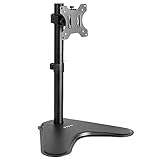


Top 3 picks at a glance
The Short Answer
For most 32-inch ultrawide monitors, you want a stand rated for screens up to 34–38 inches ultrawide, with a VESA pattern of 100x100mm (some ultrawides use 75x75mm or 100x200mm) and a weight capacity of at least 22 lbs. A typical 32-inch ultrawide measures roughly 31 inches wide by 13.5 inches tall (about 79 x 34 cm), and its actual weight — not the diagonal screen size — is what determines whether a stand will hold it safely. Freestanding stands with a base around 16–18 inches deep and arms rated for 22–33 lbs will cover nearly every 32-inch ultrawide on the market. Budget $20–$40 for a reliable stand; quality options in that range include the VIVO STAND-V001H at $29.99 and the WALI ultrawide arm at $33.99.
Standard Sizes
Understanding the actual dimensions involved prevents most sizing mistakes. Here are the measurements that matter:
| Measurement | Typical Range (Inches) | Typical Range (cm) | Why It Matters |
|---|---|---|---|
| Screen width, 32″ ultrawide | 30.9–31.5″ | 78.5–80 cm | Determines whether the stand base sits fully under the screen |
| Screen height, 32″ ultrawide | 13.1–14.0″ | 33.5–35.5 cm | Affects height range needed above the desk |
| VESA mount pattern | 75×75 to 100×200 mm | 7.5×7.5 to 10×20 cm | Must match the stand’s mounting plate |
| Typical monitor weight | 12–22 lbs | 5.5–10 kg | Must stay under the stand’s rated capacity |
| Freestanding base footprint | 10–18″ deep, 8–11″ wide | 25–46 x 20–28 cm | Needs to fit your desk depth and balance the screen |
| C-clamp desk thickness range | 0.8–3.3″ | 2–8.4 cm | Must fit your desktop edge or grommet hole |
| Typical height adjustment | 8–17″ of travel | 20–43 cm | Lets you set eye level correctly |
Note that a “32 inch” rating on many stands means 32 inches for a standard 16:9 screen. Because ultrawides are much wider at the same diagonal, manufacturers often specify a larger ultrawide rating — 38 inches, for example, on the VIVO STAND-V001H and STAND-V001. Always check the ultrawide-specific figure rather than the regular-screen number.
How to Measure Your Space
Before ordering, gather a tape measure and take these five measurements:
- Measure the monitor itself. Get the width, height, and weight from the spec sheet if the box is gone. A 32-inch ultrawide is typically 31 inches wide, but curved models can differ slightly.
- Check the VESA pattern. Look at the back of the monitor between the mounting holes. 100x100mm is most common at this size, but some ultrawides use 100x200mm, which requires an adapter on many stands.
- Measure your desk depth. You need at least 24 inches of depth for a freestanding base to sit comfortably; 30 inches is better. Clamp-mounted arms need only about 3–4 inches behind the monitor’s center point.
- Measure desk thickness at the clamp location. Most clamps fit desks 0.8 to 3.3 inches thick. Also check for a crossbeam or drawer underneath that could block the clamp screw.
- Measure eye height. Sit in your chair and note where your eyes fall relative to the desk. Your stand should place the top third of the screen at eye level — for most seated users, that means the monitor’s center sits 24–30 inches above the desk surface.
By Room or Use Case
Home Office and Desk Work
A freestanding stand like the HT05B-001 ($21.99, rated for 13–32 inch screens up to 77 lbs) works well if you rarely reposition the monitor. It needs a base footprint of roughly 10 x 9 inches, so give yourself a desk at least 24 inches deep. If you want height adjustment and cable routing, the VIVO STAND-V001 clamp arm ($34.99) frees up the entire footprint and handles ultrawides up to 38 inches at 22 lbs.
Gaming Setups
Curved 32-inch ultrawides dominate gaming desks, and the WALI ultrawide arm ($33.99, 17–49 inches, up to 33 lbs) is a strong match because of its higher weight ceiling — gaming panels with aggressive curves and RGB lighting often run 18–22 lbs. Gaming desks are frequently 30 inches deep or shallower with thick tops, so confirm clamp compatibility. If your desk has a hutch or monitor shelf, verify at least 16 inches of clearance above the desk for a 13.5-inch-tall screen plus arm height.
Small Desks and Dorm Rooms
When desk depth is under 24 inches, avoid wide freestanding bases — a 16-inch-deep base can eat a third of your surface. Choose a clamp or grommet mount instead, which projects only a few inches behind the desk edge. Check that the arm’s fully retracted position keeps the screen centered at least 20 inches from your eyes; ultrawides wider than 30 inches start to feel overwhelming at closer distances.
Shared Workstations and Standing Desks
On sit-stand desks, pick a stand with generous height travel (14 inches or more) so the screen stays at eye level both seated and standing. Weight matters more here, too: the stand adds to the desk’s load capacity, so budget 5–8 lbs for the stand itself on top of the monitor’s weight. Freestanding bases also shift on desks that tilt or move, so a clamped arm is the safer choice.
Trading, Editing, and Multi-Monitor Growth
If you may add a second screen later, choose a stand system with a pole or crossbar that accepts extra arms. A single 32-inch ultrawide effectively replaces two 24-inch 16:9 monitors side by side, but verify the stand’s pole height supports the screen’s full 31-inch width at eye level without wobble. Heavier-duty arms rated to 33 lbs give headroom for upgrades.
Common Sizing Mistakes
- Trusting the regular-screen rating. A stand rated “up to 32 inches” for 16:9 panels may only support 25–27 inch ultrawides. Check the ultrawide figure separately.
- Ignoring weight. Screen size ratings assume typical panel weights. Ultrabright or curved 32-inch ultrawides can exceed 22 lbs, which maxes out entry-level arms. When in doubt, choose a stand rated 33 lbs or higher.
- Buying the wrong VESA pattern. A 100x200mm monitor won’t mount to a 100x100mm plate without an adapter bracket, which adds depth and cost.
- Overlooking base footprint. A 31-inch-wide screen on a short base can tip if bumped. For freestanding stands, the base should extend at least 9–10 inches behind the screen’s center of gravity.
- Skipping the desk check. Crossbeams, cable trays, and thick beveled desk edges defeat many clamps. Measure desk thickness and under-desk clearance before buying.
- Buying too little height adjustment. Taller users often need the screen center 28–30 inches above the desk; stands with only 8 inches of travel can’t get there.
FAQ
Will a stand rated for 32-inch regular monitors hold a 32-inch ultrawide?
Sometimes, but not reliably. At the same 32-inch diagonal, an ultrawide is roughly 8 inches wider than a 16:9 screen, which stresses the mount differently and extends past narrow bases. Choose a stand that explicitly lists an ultrawide rating of 34–38 inches or more, such as models rated for 38-inch ultrawides in the $30–$35 range.
What weight capacity do I need?
Most 32-inch ultrawides weigh 12–22 lbs. Pick a stand rated at least 25% above your monitor’s listed weight — so a 22-lb panel deserves a stand rated around 28–33 lbs. This margin also accounts for cables and accessories bolted to the monitor.
Freestanding base or clamp mount — which is better for a 32-inch ultrawide?
A clamp mount is generally better. It saves desk space, handles wide screens more stably, and frees your desk edge. A freestanding base makes sense only if your desk can’t be clamped (glass tops, very thick surfaces, or built-in hutches), and then you should choose a base at least 16 inches deep for stability.
How much desk depth do I need?
For a freestanding stand, plan on 24 inches minimum, ideally 30. For a clamp arm, 22–24 inches works comfortably because the arm keeps the screen closer to the wall side. In all cases, keep your eyes 20–30 inches from the screen to view the full ultrawide comfortably, and as of 2026, most panel makers recommend the same viewing-distance guidance for curved and flat ultrawides alike.


