
Gaming setups are no longer relegated to dark basements or hidden behind closed cabinet doors. Today, our consoles, mechanical keyboards, and custom gamepads are proud elements of our home office and living room decor. However, keeping these high-tech devices organized presents a classic interior design dilemma: do you lean into a modern, minimalist aesthetic, or do you balance the coldness of technology with warm, organic materials?
When organizing your desk, the choice between an acrylic controller stand vs wooden controller holder is the primary decision you will face. An acrylic stand offers an almost invisible, floating look that keeps the focus entirely on your gamepad’s custom paint job or RGB lighting. On the other hand, a wooden holder serves as an extension of your furniture, blending your gaming hobby seamlessly with mid-century modern, Scandinavian, or rustic home decor. Choosing the right material requires balancing aesthetics, weight, durability, and how much abuse your desk setup takes on a daily basis.
As an Amazon Associate we earn from qualifying purchases at no extra cost to you.
![SAVAGE RAVEN Skull & Co. Phantom Stand Holder Compatible with Xbox [Elite/Elite2] Controller- Transparent](https://m.media-amazon.com/images/I/31cA2TckWLL._SL160_.jpg)


Top 3 picks at a glance
Quick Verdict
If your priority is a budget-friendly, ultra-modern, and visually lightweight solution that makes your controllers look like museum display pieces, choose an acrylic controller stand. It is the ideal companion for RGB-lit desks and clean, white-out workspaces.
If you prefer a premium, stable, and long-lasting accessory that matches your wooden desk, bookshelf, or media console, invest in a wooden controller holder. It offers superior weight to prevent tipping, matures beautifully over time, and feels like a genuine piece of home furniture rather than a plastic utility accessory.
Side by Side
To help you visualize how these two materials compare across key performance and design metrics, we have broken down their core characteristics in the table below.
| Metric | Acrylic Controller Stand | Wooden Controller Holder |
|---|---|---|
| Visual Style | Modern, minimalist, futuristic, and transparent. | Warm, organic, classic, and furniture-grade. |
| Average Weight | Very light (0.2 to 0.4 lbs). Can slide easily. | Heavy and stable (0.8 to 1.5 lbs). Stays in place. |
| Price Range | Budget-friendly ($8.00 to $15.00). | Premium ($20.00 to $40.00). |
| Durability | Shatter-resistant but highly prone to micro-scratches. | Extremely durable; can be dented but will not shatter. |
| Maintenance | High. Shows fingerprints, dust, and oils instantly. | Low. Hides dust well; needs occasional wood oiling. |
| Space Needed | Compact footprint (typically 3.5″ x 4″ per controller). | Slightly larger footprint due to thicker base materials. |
| Longevity | Moderate. Can yellow or look dull over many years. | Exceptional. Develops a unique patina and lasts decades. |
| Best For | RGB setups, custom controller displays, and tight budgets. | Living room media consoles and executive home offices. |
Where Acrylic Controller Stand Wins
Acrylic stands excel at visual minimalism. Because high-quality acrylic is optically clear, it allows your controllers to “float” in mid-air. If you have spent extra money on a limited-edition gamepad or a custom colorway, you do not want a bulky stand obscuring its design. Products like the SAVAGE RAVEN Skull & Co. Phantom Stand Holder Compatible with Xbox [Elite/Elite2] Controller- Transparent ($9.99) show how clear acrylic keeps the focus entirely on the controller’s design while offering a perfectly molded cradling shape.
Additionally, acrylic is incredibly space-efficient. It has a thin material profile—usually between 3mm and 5mm thick—which keeps the overall footprint incredibly compact. A multi-tier or monolayer stand, such as the AHANDMAKER Universal Controller Holder, Transparent Acrylic Game Controller Display Stand, Detachable Gamepad Desktop Stand for Display and Organization, Monolayer ($8.99), can tuck easily behind a monitor or sit on a narrow shelf without adding visual clutter to your workspace.
Finally, acrylic is highly water-resistant and chemical-resistant. If you spill a drink on your desk, an acrylic stand will not absorb the liquid, warp, or stain. You can simply rinse it under the tap or wipe it down with a damp microfiber cloth to restore its glass-like clarity. For gamers who love clean lines, futuristic aesthetics, and budget-friendly organizational tools, acrylic is the clear winner.
Where Wooden Controller Holder Wins
Wooden holders win on structural stability, tactile premium feel, and overall durability. One of the biggest complaints about lightweight acrylic stands is that they slide around or tip over when you hastily grab or dock your controller. Solid wood holders solve this issue through sheer mass. A solid block of walnut, oak, or beech wood naturally weighs three to four times more than its acrylic counterpart. When combined with non-slip rubber feet, a wooden holder stays firmly anchored to your desk.
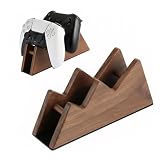
Aesthetics play a massive role here as well. A wooden holder is not just an accessory; it is a statement piece that complements high-end office furniture. If you have a solid wood standing desk or a beautifully stained media console, placing a plastic or acrylic stand on it can break the visual harmony of the room. Options like the Solid Wood Controller Holder and Headphone Stand, Controller Stand for Desk ($27.99) or the dual-docking Sakulaya Solid Wood Controller Stand Dual Gaming Controller Holder for Desk ($25.99) elevate your gaming gear, making it look like a curated part of your home decor rather than an afterthought.
Wood also ages beautifully. While acrylic can collect micro-scratches from the hard plastic of your controllers, wood absorbs these impacts gracefully. Minor scuffs can be sanded out, and a quick application of mineral oil or beeswax can make a five-year-old wooden holder look brand new. It is a buy-it-for-life product that brings warmth, texture, and a premium feel to your desk setup.
Cost Over 5 Years
When choosing between an acrylic controller stand vs wooden controller holder, looking at the long-term cost of ownership reveals a surprising truth about value versus initial price.
Acrylic stands are incredibly inexpensive upfront, usually costing between $8 and $15. However, acrylic is highly susceptible to wear and tear over time. Daily docking and undocking of controllers—which feature hard plastic edges, textured grips, and occasionally metal paddles—will inevitably create micro-abrasions on the acrylic surface. Within two to three years, a clear acrylic stand can begin to look cloudy, scratched, and worn. If you decide to replace a scratched or cracked acrylic stand once over a five-year period, your total investment will rise to approximately $16 to $30.
Conversely, a solid wood controller holder demands a higher upfront investment, typically ranging from $25 to $40. However, wood is structurally resilient. It will not crack if accidentally knocked off your desk onto a hardwood floor, nor will it degrade under direct sunlight. Over a five-year period, the cost of a wooden holder remains exactly what you paid on day one: $25 to $40. It requires zero replacement costs and actually gains character as the wood patinas over time. From a sustainability and long-term value perspective, wood is the more economical and environmentally friendly choice.
Which One for Your Home
Small Apartment
In a compact studio or one-bedroom apartment, visual clutter is your worst enemy. A solid wooden holder can feel heavy and dominant on a small, dual-purpose desk. Choose a transparent acrylic stand. Its clear profile allows light to pass through, making your desk space feel larger and less crowded. It can easily sit on a small floating shelf or window sill without drawing attention to itself.
Family with Kids or Pets
If you have toddlers or active pets, your desk accessories will inevitably get knocked over. Acrylic stands are lightweight, but if they are dropped from a height onto tile or hardwood, they can crack or chip at the joints. More importantly, a lightweight acrylic stand is easily pulled down by a dangling controller cable. A heavy, solid wood holder is much harder to tip over, and if it does fall, it will survive the impact without shattering into sharp pieces.
Rental
For renters who move frequently, lightweight and flat-packed accessories are highly prized. Many acrylic stands feature detachable, slot-together designs that can be disassembled in seconds and packed flat in a box. This makes them incredibly easy to transport without risking damage to other packed items, making acrylic a highly practical choice for transient living.
Long-Term Home
If you are established in your permanent home and are curating a space meant to last, choose a wooden controller holder. As we look ahead to interior design trends in 2026, the focus is heavily on natural materials, sustainability, and cozy, organic textures. A wooden holder matches your permanent furniture, coordinates with your bookshelves, and acts as a timeless bridge between your digital hobby and your physical living space.
FAQ
Do acrylic stands scratch the controllers themselves?
No. Standard gaming controllers are made of ABS plastic or composite materials, which are harder than or comparable in hardness to acrylic. While the stand itself might develop light scratches from the controller over time, it will not damage or scratch your gamepads.
Are wooden controller holders safe for white or light-colored controllers?
Yes, provided the wood has been properly sealed and cured. High-quality wooden stands are finished with dry oils, polyurethane, or wax that will not bleed. However, avoid placing damp controllers on unsealed or freshly stained cheap wood to prevent any potential oil transfer.
Can these stands support heavier controllers like the Xbox Elite or PS5 DualSense Edge?
Yes, both materials can support premium, heavy controllers. However, because Elite and pro-style controllers weigh more (often around 0.7 lbs), they can make lightweight acrylic stands feel top-heavy and prone to sliding when you pick them up. A heavier wooden base provides a much safer, more stable anchor for premium, heavy controllers.
How do I clean dust and fingerprints off clear acrylic without scratching it?
Never use glass cleaners like Windex or paper towels on acrylic, as they contain ammonia and abrasive fibers that will permanently cloud the surface. Instead, use a soft, damp microfiber cloth with a single drop of mild dish soap, then gently buff it dry with a clean section of the microfiber cloth.


