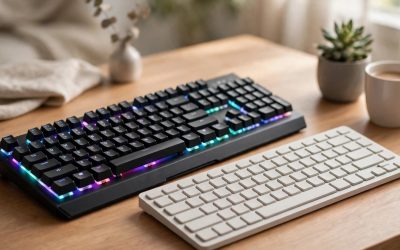
Short answer: neither input wins everywhere. A keyboard and mouse gives you faster, more precise aim and far more keys, which is why it dominates shooters, strategy games and MMOs. A controller gives you analog movement, a compact all-in-one layout and couch-friendly comfort, which is why it suits racing games, platformers, sports titles and action games built around a gamepad. Most PC players eventually own both, but if you are buying one input first, let the genres you play most make the call.
As an Amazon Associate, we earn from qualifying purchases.
Table of Contents
- Quick verdict
- Controller vs keyboard and mouse at a glance
- Aim and precision
- Movement and available inputs
- Comfort, posture and desk space
- Genre by genre
- The controllers worth considering
- The keyboard and mouse combos worth considering
- Who should choose each side
- FAQ
- Conclusion
Quick verdict
Choose a keyboard and mouse if you play competitive shooters, real-time strategy, MOBAs or MMOs, or if your gaming desk doubles as a work desk. Choose a controller if you play racing games, sports titles, platformers and story-driven action games, or if you game from a couch or a reclined chair. The five products below show what each side looks like in practice, from a budget combo to premium pads with drift-resistant sticks.
Controller vs keyboard and mouse at a glance
| Factor | Controller | Keyboard and mouse |
|---|---|---|
| Aim input | Right stick, often with aim assist in supported games | Mouse, direct one-to-one pointer control |
| Movement | Analog stick, smooth speed control | WASD keys, fixed-speed digital movement |
| Number of inputs | Around 17 buttons, triggers and sticks | 100-plus keys plus mouse buttons and wheel |
| Desk footprint | One handheld device | Keyboard width plus mouse travel space |
| Couch use | Designed for it | Needs a lap desk or tray |
| Best genres | Racing, sports, platformers, action adventures | Shooters, strategy, MOBA, MMO, simulation |
| Extra desk use | Limited outside games | Full typing and everyday PC control |
Aim and precision
The mouse is the single biggest argument for the keyboard side. A mouse maps your hand movement directly to the camera or cursor, so flick shots, small corrections and fast 180-degree turns are all natural motions. Sensitivity is adjustable through DPI settings, and the combos below offer step-by-step DPI switching so you can slow down for scoped shots and speed up for close fights.
A controller aims with a small thumbstick that has a limited range of travel, so developers add acceleration curves and aim assist in many console-focused titles. That works well in single-player games and casual multiplayer, but in competitive PC shooters a stick is at a structural disadvantage against a mouse. Newer pads narrow the gap slightly with high polling rates and remappable back buttons that let you jump or reload without lifting your thumb off the stick, yet the mouse still sets the ceiling for aim speed and accuracy.
Movement and available inputs
Movement flips the advantage. A controller’s left stick is analog, so you can walk, creep or drive at any speed by tilting it partway. WASD keys are digital: a key is either pressed or not, so character movement and steering snap between stopped and full speed. Racing games and precise platforming feel far more natural with analog sticks and analog triggers, which can meter throttle and braking the way a pedal would.
For sheer input count, the keyboard wins by a wide margin. A full-size board offers more than 100 keys, plus multimedia shortcuts, macros and per-key bindings for abilities, inventory slots and push-to-talk. A controller fits roughly 17 inputs under your fingers, which is enough for games designed around it but forces radial menus and button combinations in complex PC titles. If you play MMOs or flight and space sims with dozens of commands, the keyboard’s depth is hard to replace.
Comfort, posture and desk space
A controller is one compact device you hold in both hands, on the desk, in a gaming chair or on the couch. It asks nothing of your desk surface, which makes it the tidy option for small setups and living-room PCs. Long sessions can still strain thumbs and trigger fingers, and stick-heavy games keep both thumbs busy the entire time.
A keyboard and mouse setup spreads the load across both hands and your whole arm, but it demands real estate: a full-size keyboard is roughly 17 inches wide, and the mouse needs a clear travel area beside it. Your posture is fixed at the desk, wrists rest on the surface, and features like wrist rests and detachable rests on the combos below exist because marathon sessions at a desk are the norm for this side. If your setup lives on a small desk, a tenkeyless board or a controller frees up noticeable space.
Genre by genre
- First-person and third-person shooters: keyboard and mouse, for aim speed and keybind depth.
- Racing and driving: controller, for analog steering and trigger-controlled throttle and brakes.
- Sports titles: controller, since these games are designed around sticks and face buttons.
- Platformers and action adventures: controller, for analog movement and a relaxed posture.
- Real-time strategy and MOBA: keyboard and mouse, because cursor precision and hotkeys are the game.
- MMOs and complex sims: keyboard and mouse, for dozens of bound abilities.
- Fighting games: a genuine split; many players prefer a pad or stick, others stay on keyboard-style layouts.
The controllers worth considering
Xbox Wireless Controller – Carbon Black
The default PC gamepad for a reason: most Windows games show Xbox button prompts natively, and the layout is the template nearly every PC title assumes. It connects over Bluetooth or USB-C, pairs with and switches between Xbox consoles, Windows PCs and mobile devices, and its hybrid D-pad and textured triggers suit everything from racers to platformers. It is a mid-range tier pick and the safest first controller for a PC desk.
Specs
- Connectivity: Bluetooth wireless and USB-C wired
- Compatibility: Xbox Series X|S, Xbox One, Windows PC, Android and iOS
- D-pad: Hybrid faceted design
- Extra buttons: Dedicated Share button, custom button mapping via the Xbox Accessories app
- Grip: Textured triggers, bumpers and back case
- Audio: 3.5mm headset jack
- Power: 2 AA batteries (included), rated by Microsoft for up to 40 hours of use
- Model number: QAT-00001
- Tier: Mid-range
PlayStation DualSense Wireless Controller – White
Sony’s pad is the feature flagship on this side, with haptic feedback and adaptive triggers that change resistance based on in-game actions in supported titles. On PC it works over Bluetooth or USB-C and is fully supported by Steam Input, though fewer Windows games show PlayStation button prompts natively than Xbox prompts. The built-in microphone and motion sensors add options the Xbox pad does not offer. It sits in the premium tier.
Specs
- Connectivity: Bluetooth wireless and USB-C wired
- Compatibility: PlayStation 5, PC, Mac and mobile devices
- Feedback: Haptic feedback with dual actuators
- Triggers: Adaptive triggers with variable resistance in supported games
- Motion: Built-in accelerometer and gyroscope
- Audio: Built-in microphone and 3.5mm headset jack
- Extra buttons: Create button for capture and sharing
- Power: Built-in rechargeable battery, USB-C charging
- Tier: Premium
8BitDo Ultimate 2 Wireless Controller
A premium third-party pad aimed squarely at PC players. Its TMR joysticks are designed to resist stick drift, the triggers switch between analog Hall effect travel and a short tactile mode, and the included charging dock keeps it topped up on your desk. A 1000Hz polling rate over the 2.4GHz receiver or a wired connection targets low-latency play, and remappable back buttons plus extra bumpers help in stick-heavy shooters. It covers Windows and Android rather than consoles.
Specs
- Connectivity: 2.4GHz wireless (8Speed), Bluetooth and USB-C wired
- Compatibility: Windows PC and Android
- Joysticks: TMR anti-drift joysticks with RGB Fire Ring lighting
- Triggers: Switchable Hall effect analog and tactile modes
- Polling rate: 1000Hz over 2.4GHz and wired connections
- Extra inputs: Remappable back buttons and L4/R4 bumpers, 6-axis motion control, turbo function
- Battery: 1000mAh rechargeable, charging dock included
- Software: 8BitDo Ultimate Software V2 for mapping and profiles
- Tier: Premium
The keyboard and mouse combos worth considering
Redragon S101-3 PRO Gaming Keyboard and Mouse Combo
The budget way onto the keyboard side: a full-size RGB keyboard and a programmable mouse in one wired box. The keyboard pairs 25-key anti-ghosting rollover with dedicated multimedia keys and an integrated wrist rest, while the mouse offers four DPI steps and programmable buttons through Redragon’s software. It is membrane-based rather than mechanical, which keeps it quiet, and both pieces connect over USB with gold-plated connectors.
Specs
- Type: Wired keyboard and mouse combo set
- Keyboard: 114 keys, RGB backlit with multiple lighting modes and brightness levels
- Anti-ghosting: 25 conflict-free keys (n-key rollover)
- Multimedia: 10 dedicated multimedia keys plus 12 FN+ multimedia keys
- Comfort: Integrated wrist rest, spill-resistant design
- Mouse: Up to 3200 DPI (800/1600/2400/3200), 30G acceleration
- Mouse buttons: 6 total, 5 programmable, with a weight tuning set
- Compatibility: Windows 10, 8, 7, Vista and XP, limited Mac OS keyboard support
- Tier: Budget
Havit HV-KB389L Mechanical Keyboard and Mouse Combo
A step up in switch feel: this wired combo pairs a mechanical keyboard with blue switches rated for 50 million keystrokes and full anti-ghosting, plus a detachable wrist rest for longer sessions. The mouse adds six DPI levels up to 4800 and programmable buttons through Havit’s driver software. For players who type as much as they game, the mechanical board makes this the more versatile desk upgrade of the two combos. It sits in the mid-range tier.
Specs
- Type: Wired mechanical keyboard and mouse combo set (model HV-KB389L)
- Keyboard: 104 keys, blue mechanical switches rated for 50 million keystrokes
- Backlighting: RGB with 14 light modes
- Anti-ghosting: Full-key anti-ghosting, WIN key lock
- Multimedia: 12 FN+ multimedia keys
- Comfort: Detachable wrist rest, splash-proof keyboard design
- Mouse: 6 DPI levels from 800 to 4800, programmable buttons, 7 RGB backlight modes
- Dimensions: Keyboard 17 x 8.1 x 2.1 inches
- Tier: Mid-range
Who should choose each side
Choose a controller if your library leans toward racing games, sports titles, platformers and cinematic action games, or if you play on a TV-connected PC from the couch. The Xbox Wireless Controller is the straightforward default, the DualSense adds the richest feedback features, and the 8BitDo Ultimate 2 is the pick for players who want drift-resistant sticks and back buttons.
Choose a keyboard and mouse if shooters, strategy games, MOBAs or MMOs dominate your play time, or if the same desk handles work and study. The Redragon S101-3 PRO covers the essentials at a budget tier, while the Havit HV-KB389L adds mechanical switches for players who also type all day. Nothing stops you adding the other side later; the two inputs complement each other rather than replacing each other.
FAQ
Is a controller or keyboard and mouse better for FPS games?
Keyboard and mouse, in most cases. The mouse gives direct, one-to-one aim control with adjustable DPI, which suits flick shots and fine corrections, while a stick relies on acceleration curves and in-game aim assist. Controllers with remappable back buttons, like the 8BitDo Ultimate 2 above, stay competitive in casual lobbies, but the mouse remains the standard for competitive PC shooters.
Can I use both a controller and a keyboard and mouse on the same PC?
Yes. Windows supports both at once, and many games let you switch inputs mid-session, so you can drive with a controller and handle menus or on-foot sections with a keyboard and mouse. Steam Input also lets you remap controller buttons and apply community layouts to games that lack native gamepad support.
Do controllers work with every PC game?
Most modern titles support the Xbox layout natively, and Steam Input extends support to PlayStation and third-party pads across much of the Steam library. Some genres, such as real-time strategy and classic CRPGs, are built around a cursor and hotkeys and remain awkward on a pad even with remapping. Check the store page’s controller support notes before buying a game for pad-only play.
How much desk space does a keyboard and mouse setup need?
Plan for the keyboard’s full width, around 17 inches for a full-size model like the ones in the combos above, plus roughly 8 to 10 inches of mouse travel space beside it and depth for a wrist rest. A compact or tenkeyless keyboard trims the width, and a controller needs no surface space at all, which is why small desks often pair a laptop-style board with a pad.
Conclusion
The controller vs keyboard and mouse debate resolves once you look at your own library. Shooters, strategy and MMO players should start with a keyboard and mouse combo and enjoy the aim and hotkey advantages from day one. Racing, sports and platformer fans should start with a controller and its analog sticks and triggers. Players with mixed libraries are best served by owning one of each, beginning with the input that matches the games they play most this month.
Related guides
More from Amazon
Programs that pair well with the guide above. Offers and eligibility are set by Amazon and may change.
Free shipping on eligible items, Prime Video and more. Eligible new members can start with a free trial.
Start a Prime free trialAd-free music streaming. Eligible new subscribers can start with a free trial.
Try Music Unlimited freeA Prime membership for ages 18-24 with a trial period. Eligibility is set by Amazon.
See Prime for Young AdultsAudiobooks and podcasts to listen to on the go. Eligible new members can start with a free trial.
Try Audible freeAs an Amazon Associate we earn from qualifying purchases.