A gaming desk usually fails in the same quiet way: controllers end up wherever the last session ended, one is always low on charge, and cables creep across the surface until the keyboard sits in a nest of leads. The fix is not more willpower. The fix is giving every controller a single home — one dock on a side shelf, just off the desk — where each controller has an assigned spot, returns after every session, and charges while it waits. When the dock lives on a shelf instead of the desk, the cables stay off the work surface entirely, and the whole routine shrinks to a two-minute end-of-session reset: controllers back on the dock, leads tucked away, desk clear.
This guide rounds up five supporting picks that make that dock-centered setup work smoothly. One honest note up front: none of the five picks below is itself a charging dock. The dock in this setup is your existing shelf or dock hardware plus the habit of using it the same way every time. What these picks do is handle the supporting jobs around the dock — routing the light leads, lighting the room without glare, mounting small extras, carrying gear between rooms, and keeping drinks safely away from the hardware. Together they keep the next session ready to start the moment you sit down.
As an Amazon Associate, we earn from qualifying purchases.
Our Top Picks
 tomtoc 360° Protective Laptop Case for 13.5-14.4 Inch13.5-14.4 Inch13.8 x 10.2 x 1.26 inches0.66 poundsCheck on Amazon


Top 3 picks at a glance
SANY DAYO Jewelry Organizer With 30 Hooks
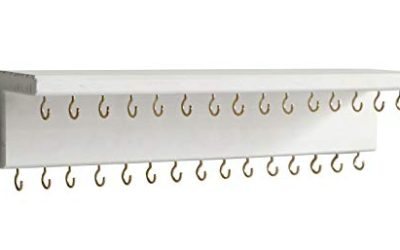
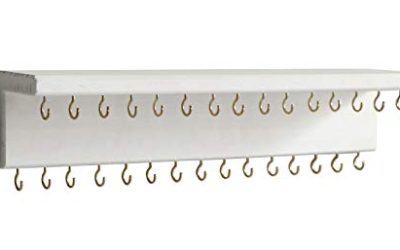
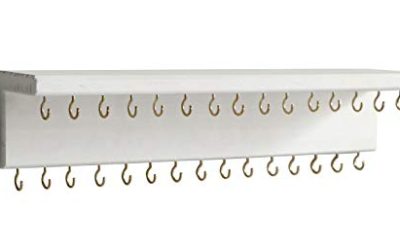
The dock shelf only stays tidy if the small leads around it have somewhere to go, and that is the job this organizer quietly handles. The SANY DAYO is, plainly, a jewelry organizer with 30 hooks — here it is repurposed as a light-duty rail mounted near the dock shelf, holding the short, light leads and small loops that would otherwise tangle in a drawer or drape over the shelf edge. A spare short charging lead for a headset, a coiled cable tie, a wrist strap: these are the kinds of light items the hooks handle well.
Framing matters with this pick. The rail is for light leads only. Controllers never hang from it — controllers belong on the dock, in their assigned spots, where they charge. Power strips and charging bricks never hang from it either; those are heavy, they generate warmth, and they belong on a shelf surface or the floor with proper slack. Used within those limits, the rail keeps the dock zone honest: every light lead visible, off the desk, and reachable in seconds instead of untangled in minutes.
Specs
- Wall-mountable organizer bar with 30 individual hooks
- Suited to light items: short leads, loops, straps, and cable ties
- Keeps small cables visible and separated near the dock shelf
- Not rated for controllers, power strips, charging bricks, or other heavy items
HEKEE Dusk to Dawn Bulbs A19
Lighting sets the tone of a gaming corner, and these bulbs handle the background layer of it automatically. The HEKEE A19 bulbs have a built-in light sensor, so they switch on at dusk and off at dawn without timers, apps, or any input from you. In a room lamp or a hallway fixture near the setup, they provide the low, steady ambient light that keeps the dock shelf visible during evening sessions without anyone remembering to turn anything on.
Be clear about what these bulbs are not. They are plain automatic sensor bulbs — explicitly not smart bulbs, so there is no app control, no color changing, and no voice assistant support. They are also not task lighting; a focused desk lamp is still the right tool for reading or detailed work. Two practical caveats: in a windowless room, the sensor may never see enough daylight to switch off, so the bulb may stay on — a poor fit for a basement setup with no natural light. And before using any bulb in an enclosed fixture, check that the fixture and bulb are compatible, since enclosed fittings trap heat.
Specs
- A19 bulb shape with a standard screw base for common lamps and fixtures
- Built-in dusk-to-dawn sensor for automatic on and off switching
- No app, hub, timer, or smart home connection required
- Not a smart bulb and not a substitute for focused task lighting
- May remain on in windowless rooms where the sensor sees no daylight
ULANZI Super Clamp
Every setup has one small extra that never quite finds a home — a phone used as a second screen for chat, a small camera, a compact light. The ULANZI super clamp gives that item a fixed mounting point on a shelf edge or desk leg, off the surface and always in the same position. The clamp grips firmly, adjusts through its ball head, and keeps the mounted item out of the traffic zone around the dock and keyboard.
The honest framing here is simple: the clamp is a mount only. It includes no light, no phone, no camera, and no charger of its own — it holds a device you already own, and that is the entire job. That limitation is actually the point of the pick. A mount that does one thing well lets the dock shelf stay dedicated to controllers, while secondary gear gets its own fixed place instead of competing for surface space or getting knocked off the desk mid-session.
Specs
- Heavy-duty clamp mount for shelf edges, poles, and desk legs
- Adjustable ball head for positioning the mounted item
- Standard mounting thread for compatible small devices
- Mount only — no light, phone, camera, or charger included
- Frees desk and shelf surface by moving secondary gear off it
tomtoc Laptop Case
A dock-centered setup often spans two rooms: the main desk where the dock lives, and a couch, spare room, or another household desk where sessions sometimes happen. The tomtoc laptop case is the carry piece that connects them, moving a laptop and a controller or two between spots without loose cables trailing along. Its padded build cushions everyday bumps, and internal organization keeps a lead and a small accessory from rattling around against the machine.
Know the limits before relying on it. This is a padded soft case — it is not a hard shell, so it will not protect against crushing weight or serious drops, and it is not waterproof, so a rainy walk between buildings calls for extra cover. Fit matters more than anything: check the internal dimensions against your laptop before ordering, because a case that is slightly too small is worse than none at all. Sized correctly, it turns the two-room routine into a single grab — case in hand, controllers charged from the dock, everything accounted for.
Specs
- Padded soft case designed for laptop carry and storage
- Internal organization for a lead and small accessories
- Cushions everyday bumps and scratches during transport
- Not a hard shell and not waterproof
- Check internal dimensions against your laptop before ordering
JoyJolt Faye Highball Glasses 13 oz, 6 Pack
Long sessions and drinks go together, and this is where setups quietly get damaged — a glass set down beside the keyboard is one elbow away from a spill across the dock. The JoyJolt Faye highball glasses earn their place in this guide through a rule rather than a feature: drinks live on a side table, always, never beside the dock, the keyboard, or the controllers. The glasses themselves are a classic highball shape with a solid base, comfortable for water, iced tea, or a long soda during a session.
These are real glass, which means they are breakable, and that honesty shapes how they should be used. Keep them on the side table, out of the swing path between chair and dock, and wash and inspect them like any glassware. Retire any glass with a chipped rim rather than drinking from it — a chipped rim only gets worse, and glass does not belong anywhere near a charging setup once it is damaged. Treated with that small discipline, the set keeps hydration close and hardware safe.
Specs
- Set of six highball glasses, 13 oz capacity each
- Real glass construction with a weighted, stable base
- Intended for a side table, away from the dock, keyboard, and controllers
- Breakable — handle and wash with normal glassware care
- Retire any glass with a chipped rim
How to Choose
Start with the dock itself, because every pick in this guide supports it. Choose a side shelf within easy reach of your chair but off the desk surface, and give each controller an assigned spot on the dock — the same spot every time, so returning it becomes automatic. Route the dock leads down the back of the shelf so no cable crosses the desk, and use the hook rail nearby for the light spare leads that would otherwise tangle. If a lead is heavy, like a power strip or a charging brick, it goes on a surface, never on the rail.
Next, separate the supporting jobs. Room lighting and task lighting are different layers: the sensor bulbs handle the ambient layer automatically, while a real desk lamp handles focused light. Mount secondary gear with the clamp instead of letting it colonize the shelf. If your sessions move between rooms, size the carry case by its internal dimensions, not by the laptop name on the label. Finally, protect the whole system with the two habits that cost nothing: drinks only on the side table, and a two-minute reset at the end of every session — controllers on the dock, leads on the rail, glass back to the kitchen. The reset is what makes the next session start instantly instead of starting with a search.
FAQ
Is any of these five picks an actual charging dock?
No, and that is worth stating plainly. None of the five products in this guide is a charging dock. The dock in this setup is your existing shelf or dock hardware; these picks support it by managing light leads, ambient light, mounts, carrying, and drinks. If you do not own a dock yet, buy that first and treat this guide as the supporting cast.
Where should the dock shelf live?
On a side shelf just off the desk, close enough to reach from your chair without standing, but far enough that no cable needs to cross the desk surface. Keep the dock leads routed down the back of the shelf, and keep the shelf dedicated — once other clutter lands there, controllers start getting set down anywhere again.
Can the hook rail hold a power strip or charging bricks?
No. The organizer is a light-duty rail meant for light leads, loops, and straps. Power strips and charging bricks are heavy and belong on a shelf surface or the floor with proper slack in their cables. Controllers do not hang on the rail either; they belong on the dock, in their assigned charging spots.
Why do drinks belong on a separate side table?
Because a spill next to charging hardware can end a controller, a dock, or worse. Real glass on a side table keeps drinks within reach but outside the swing path of elbows, cables, and controllers being picked up and set down. It is the cheapest protection in this entire guide, and it only works if it is a rule rather than a preference.
Final Verdict
The controller dock setup works because it replaces tidiness-by-effort with tidiness-by-design: one dock on a side shelf, an assigned spot for every controller, cables routed off the desk for good, and a two-minute reset that closes every session. The five picks here each cover one supporting job — the hook rail for light leads, the sensor bulbs for automatic ambient light, the clamp for mounting secondary gear, the padded case for moving between rooms, and the glasses that make the side-table rule easy to keep. None of them is the dock itself, and none needs to be. Build the habit around the shelf you already have, add the pieces that remove your specific friction points, and the desk stays clear while every controller sits charged and ready for the next session.
Product and ASIN Reference
| Product | ASIN |
|---|---|
| SANY DAYO jewelry organizer 30 hooks | B07QFZSVQW |
| HEKEE dusk to dawn bulbs A19 | B07HGZMYZ4 |
| ULANZI super clamp | B09C882D4M |
| tomtoc laptop case | B073TVX735 |
| JoyJolt Faye highball glasses 13 oz 6 pack | B08BB62QWT |
Related guides
More from Amazon
Programs that pair well with the guide above. Offers and eligibility are set by Amazon and may change.
Free shipping on eligible items, Prime Video and more. Eligible new members can start with a free trial.
Start a Prime free trialAd-free music streaming. Eligible new subscribers can start with a free trial.
Try Music Unlimited freeA Prime membership for ages 18-24 with a trial period. Eligibility is set by Amazon.
See Prime for Young AdultsAudiobooks and podcasts to listen to on the go. Eligible new members can start with a free trial.
Try Audible freeAs an Amazon Associate we earn from qualifying purchases.