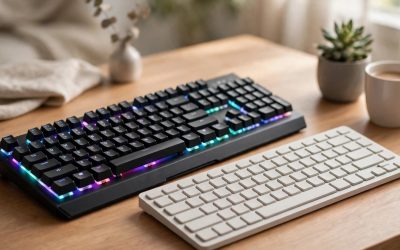
If your wired gaming mouse keeps catching on the edge of your desk, you have two very different fixes. The first is a mouse bungee: a small spring-arm stand that holds your existing mouse cable up in the air so it cannot drag, snag, or pull. The second is to cut the cord entirely and buy a wireless gaming mouse, trading cable management for a battery you have to keep charged. Both routes can deliver a clean, drag-free desk, but they cost different amounts, feel slightly different in fast games, and ask different things of your setup. This comparison breaks down how each approach performs on drag, latency, battery upkeep, desk footprint, and long-term value, then lines up three bungees and two wireless mice worth shortlisting.
As an Amazon Associate, we earn from qualifying purchases.
Table of Contents
- The Two Approaches at a Glance
- Cable Drag and Mouse Feel
- Latency and Polling Rate
- Battery, Charging, and Upkeep
- Desk Footprint and Portability
- The Bungee Picks
- The Wireless Picks
- Which One Should You Choose?
- FAQ
- Conclusion
- Product and ASIN Reference
The Two Approaches at a Glance
A mouse bungee does not change your mouse at all. It is a weighted base with a flexible spring arm and a small rubber cable catch. You route a section of your mouse cable through the catch, and the arm suspends that section above the desk. The cable behind the bungee stays still, the cable in front of it moves with the mouse, and because the moving section hangs in the air instead of sliding across the desk, most of the friction and all of the edge-snagging disappears. It is a one-time, passive accessory with no battery, no software, and no pairing.
A wireless gaming mouse removes the cable from the equation. Modern esports models use a low-latency 2.4 GHz receiver rather than Bluetooth for gaming, and the better ones now match or exceed the polling rates of wired mice. The trade-offs move elsewhere: the mouse carries a battery, so it weighs a little more than an equivalent wired shell, it needs periodic charging, and the purchase replaces a mouse you may already like instead of complementing it.
The core question is therefore not which technology is better in the abstract. It is whether your current wired mouse is worth keeping. If it is, a bungee fixes its one real flaw for a budget-tier outlay. If your mouse is due for replacement anyway, wireless removes the problem permanently and frees the cable from your desk for good.
Cable Drag and Mouse Feel
Cable drag is the whole reason bungees exist. When a cable slides across a desk or hangs off its edge, it pulls against every flick and micro-adjustment, and the pull changes direction as the cable shifts. A bungee reduces that effect dramatically by keeping the cable airborne and fixing the point where it bends. What remains is a small, consistent spring tension from the arm, which most players stop noticing quickly because it is predictable. The feel is often described as close to wireless, and for low-sensitivity arm aimers who make long swipes, the improvement over a loose cable is the largest single change a bungee makes.
Wireless removes drag completely rather than reducing it. There is no tension, no bend point, and nothing to route. The counterweight is literal weight: a wireless mouse carries a battery and a receiver board, so even ultralight wireless models sit around the mid-50-gram mark, while the lightest wired esports mice can go lower. Players who are sensitive to total mouse weight rather than cable pull may actually prefer a very light wired mouse on a bungee. Players who hate any sideways pull at all will prefer wireless. Neither answer is wrong; they solve the same complaint from opposite ends.
Latency and Polling Rate
The old argument that wireless means lag no longer holds for gaming-grade receivers. Logitech’s LIGHTSPEED and Razer’s HyperSpeed connections are built for esports, and both wireless picks below support polling rates up to 8,000 Hz through their high-performance modes and dongles, which is beyond the 1,000 Hz ceiling of a standard wired mouse. In published specifications, a current wireless flagship is not the slower device in this comparison.
A bungee, by contrast, adds nothing and removes nothing electronically. Your wired mouse keeps its native sensor, switches, and polling behavior, including 8,000 Hz polling on wired models that support it. If you already own a high-polling wired mouse and simply want it to feel cleaner, the bungee preserves everything you paid for. If you are buying new, compare polling rates model by model rather than assuming the wired option wins by default.
Battery, Charging, and Upkeep
This is the bungee’s cleanest win. It has no battery, never needs charging, never needs a firmware update, and works the moment you set it on the desk. There is nothing to forget before a long session and nothing that degrades over years of use beyond a rubber catch.
Wireless mice ask for a small routine instead. The two models below are rated for up to 95 hours of use per charge at standard polling, which stretches across weeks of typical play, but high polling rates drain the battery far faster, and a mouse that dies mid-session has to be plugged in and used wired until it recovers. Charging is simple over USB-C, and both mice can be used while charging, yet it remains one more cable to keep within reach and one more device to manage. For some players that trade is trivial; for others it is the reason to keep a wired mouse and add a bungee instead.
Desk Footprint and Portability
A bungee takes a small, permanent spot on your desk, usually behind the mousepad, and it stays there. Its base needs enough weight or grip to resist the cable’s pull, so heavier bases and suction designs exist for different desk surfaces. In exchange, the cable it manages stops wandering across your workspace, and the desk often looks tidier than it did with a loose cable.
Wireless cleans the desk further because there is no cable to manage at all, which matters for minimalist setups and for anyone who plays in more than one place. A wireless mouse travels in a laptop bag with its receiver and works on any surface the sensor supports. A bungee travels poorly by comparison: it is a desk fixture, and while compact models exist, most players leave theirs at home. If your gaming happens at one desk, this hardly matters. If it happens at LAN events, a second home, or a shared space, wireless is the more portable answer.
The Bungee Picks
Razer Mouse Bungee V3
Razer’s third-generation bungee is the polished, brand-name option on the wired side. Its clip-on spring arm ends in a rubber-coated cable catch, and the weighted base uses anti-slip feet to stay planted during fast swipes. Razer rates the catch for rubber, braided, and paracord cables up to 3.2 mm thick, which covers the vast majority of wired gaming mice, including most aftermarket paracord swaps. There is no lighting and no software on this version, which keeps it simple: set it down, route the cable, play. It sits in the premium tier among bungees, and what you get for that is build quality and the broadest cable compatibility of the three picks here.
Specs:
- Type: Spring-arm mouse bungee
- Cable catch: Rubber-coated clip, fits cables up to 3.2 mm
- Cable compatibility: Rubber, braided, and paracord cables
- Base: Weighted base with anti-slip rubber feet
- Lighting: None
- Model number: RC21-01560100-R3M1
- Tier: Premium
Glorious Mouse Bungee
The Glorious bungee is the value play that still feels like a full-size accessory rather than a novelty clip. It uses a flexible, extendable spring arm with a rubber cable clip, mounted on a weighted base that published figures put at roughly 265 g, heavy enough to resist tipping during aggressive flicks. The arm works with braided, rubber, and paracord cables, and the bungee comes in black and white finishes so it can match a themed setup. The white version listed here carries model number G-MB-WHITE. For players who want the drag-free feel without paying for a premium badge, this is the bungee that covers the essentials.
Specs:
- Type: Spring-arm mouse bungee
- Cable catch: Rubber clip
- Cable compatibility: Rubber, braided, and paracord cables
- Base: Weighted base, approximately 265 g
- Colors: Black and white
- Model number: G-MB-WHITE (white version)
- Tier: Mid-range
COUGAR Bunker
The COUGAR Bunker takes a different approach to staying put: instead of relying on weight alone, its base uses a vacuum suction pad that grips smooth desk surfaces, paired with a flexible arm that keeps the cable elevated. That makes it a smart pick for glass or glossy desks where a purely weighted base can creep, and for players who want a compact footprint. It has been a budget staple of the category for years, with a simple one-job design and no electronics at all. If your desk surface suits suction mounting, the Bunker delivers the core bungee benefit at the lowest tier in this roundup.
Specs:
- Type: Spring-arm mouse bungee
- Cable catch: Flexible arm with cable holder
- Base: Vacuum suction pad base for smooth surfaces
- Lighting: None
- Model number: CGR-XXNB-MB1
- Tier: Budget
The Wireless Picks
Logitech G PRO X Superlight 2
Logitech’s flagship is the reference point for wireless esports mice. It weighs 60 g, uses the HERO 2 sensor rated up to 44,000 DPI, and connects over LIGHTSPEED wireless with polling up to 8 kHz. The LIGHTFORCE hybrid switches pair optical actuation speed with a mechanical click feel, and the battery is rated for up to 95 hours of constant motion per charge, recharging over USB-C. Five programmable buttons and zero-additive PTFE feet round out a spec sheet aimed squarely at competitive players. It is a premium-tier mouse, and it is the pick for players who want to remove the cable and get a top-tier sensor in the same purchase.
Specs:
- Weight: 60 g
- Sensor: HERO 2 optical, up to 44,000 DPI
- Connection: LIGHTSPEED 2.4 GHz wireless, USB-C wired charging
- Polling rate: Up to 8 kHz
- Switches: LIGHTFORCE hybrid optical-mechanical
- Battery life: Up to 95 hours
- Buttons: 5 programmable
- Model number: 910-006628 (black)
- Tier: Premium
Razer Viper V3 Pro
Razer’s answer is even lighter. The black Viper V3 Pro weighs 54 g and runs the Focus Pro 35K Gen-2 optical sensor, with Razer HyperSpeed wireless and a HyperPolling dongle that takes polling up to 8,000 Hz. Gen-3 optical switches are rated for a 90-million-click lifecycle, and battery life is rated up to 95 hours at 1,000 Hz polling, dropping sharply at the full 8,000 Hz rate. The symmetrical shape suits fingertip and claw grips, and grip tape is included in the box. Like the Logitech, it is a premium-tier flagship; choose between them on shape, weight, and ecosystem rather than on raw specifications, which are closely matched.
Specs:
- Weight: 54 g (black)
- Sensor: Focus Pro 35K Optical Sensor Gen-2, up to 35,000 DPI
- Connection: Razer HyperSpeed 2.4 GHz wireless, USB-C wired charging
- Polling rate: Up to 8,000 Hz via HyperPolling dongle
- Switches: Razer Gen-3 optical switches
- Battery life: Up to 95 hours at 1,000 Hz polling
- Model number: RZ01-05120100-R3U1 (black)
- Tier: Premium
Which One Should You Choose?
Choose a bungee if you already own a wired mouse you like, if you play at one desk, or if you want the fix at a budget or mid-range tier rather than the price of a new flagship mouse. It is also the better answer for players chasing the lowest possible mouse weight, since a featherweight wired mouse plus a bungee can undercut any battery-carrying wireless model, and for anyone who refuses to think about charging.
Choose wireless if your current mouse is due for replacement anyway, if you play in more than one location, or if a completely clear desk matters to you. Modern flagship wireless mice give up nothing on latency or polling rate, and their rated battery life stretches across weeks at standard settings. The honest summary is that a bungee perfects the mouse you have, while wireless replaces it with one less thing to manage on the desk and one more thing to keep charged.
FAQ
Does a mouse bungee really make a wired mouse feel wireless?
It gets close. By suspending the cable in the air and fixing the point where it bends, a bungee removes the sliding friction and edge snags that make a wired mouse feel tethered. A small, consistent spring tension from the arm remains, which most players stop noticing because it never changes direction the way a loose cable’s pull does.
Is wireless latency worse than wired for gaming?
Not on gaming-grade receivers. The LIGHTSPEED and HyperSpeed connections used by the mice above support polling up to 8,000 Hz, beyond the standard wired rate, and both are used at the top level of esports play. Bluetooth modes are slower, but those are intended for office use rather than gaming.
How often do wireless gaming mice need charging?
The flagships here are rated for up to 95 hours per charge at 1,000 Hz polling, which is weeks of typical play. Running the maximum 8,000 Hz polling rate drains the battery far faster, so many players use high polling only for competitive sessions and standard polling the rest of the time.
Will any bungee fit my mouse cable?
Most will, but check the catch size. Razer rates the V3’s catch for cables up to 3.2 mm thick, covering rubber, braided, and paracord cables. Very thick braided cables on some older mice can exceed a bungee’s grip, so if your cable is unusually chunky, confirm its diameter against the bungee’s published limit before buying.
Conclusion
The mouse bungee vs wireless mouse decision comes down to what you already own. A bungee from COUGAR, Glorious, or Razer turns a good wired mouse into a drag-free one for a fraction of a flagship mouse’s cost, with zero upkeep forever. A wireless flagship like the Logitech G PRO X Superlight 2 or Razer Viper V3 Pro removes the cable entirely, matches wired performance on paper, and asks only for occasional charging in return. Keep the mouse you love and fix its cable, or replace it and delete the cable from your desk. Either way, the drag can go.
Related guides
More from Amazon
Programs that pair well with the guide above. Offers and eligibility are set by Amazon and may change.
Free shipping on eligible items, Prime Video and more. Eligible new members can start with a free trial.
Start a Prime free trialAd-free music streaming. Eligible new subscribers can start with a free trial.
Try Music Unlimited freeA Prime membership for ages 18-24 with a trial period. Eligibility is set by Amazon.
See Prime for Young AdultsAudiobooks and podcasts to listen to on the go. Eligible new members can start with a free trial.
Try Audible freeAs an Amazon Associate we earn from qualifying purchases.